

Meta introduced a Mac application designed to implement its AI technology for businesses.
Meta has launched a dedicated Mac application for Meta AI, its chatbot, as part of its initiative to transform the assistant into a resource for businesses and creators. The app has the capability to observe a window on your screen and respond to inquiries about what it observes, Meta announced on Wednesday. Additionally, it can provide dictation across various applications.
A significant enhancement lies beneath the app's surface. Meta AI now operates across web, mobile, and Mac platforms. It can integrate directly with a user's Instagram and Facebook accounts, their Meta ad campaigns, and Google Workspace, allowing it to utilize a business's own data effectively.
Meta provided an example of its functionality. The assistant can analyze how a post has performed, including metrics such as reach, likes, shares, and saves. From this analysis, it can recommend future content to publish. Moreover, it can pull information from both an account and the web to create presentations, documents, and spreadsheets, as well as execute recurring tasks such as generating weekly performance reports.
About the application itself, it is in beta version 1.0 and is a small download of approximately 16MB, according to 9to5Mac. It is designed to run natively on Apple silicon Macs operating macOS 15 or later. Unlike an Electron wrapper or a converted web or iPad application, it is noted as a native build. A shortcut, Option-Space, allows a compact Meta AI box to appear over whatever is displayed on the screen. It can also type spoken dictation into various Mac applications, as stated by the site.
The window-sharing capability reads visible text from another window and takes a screenshot for subsequent questions. This is about gathering context rather than controlling the computer, as highlighted by 9to5Mac. The dictation function enables users to hold a key while speaking, with the spoken words being typed into any application, from emails to code editors. A sidebar features media, saved items, scheduled tasks, chat history, and an "About Me" section.
The rest of the app includes familiar chatbot functionalities. Users can switch between different thinking modes, attach files, generate images, and set recurring briefings or reminders, per 9to5Mac. Additionally, the app can conceal its Dock icon so that it operates via keyboard shortcuts instead of appearing on the desktop. Overall, the design utilizes Mac-native features absent in the mobile application.
Targeting advertisers, the main goal of this release is for Meta’s own business interests. The company emphasized its data as a key selling point, stating, "You can ask Meta AI questions about your business and receive answers based on unique contextual factors such as your account engagement and ad performance," according to a blog post.
The assistant's capabilities extend beyond a user’s personal accounts. It can also provide public insights on how similar brands are enhancing their presence, as stated by Meta.
As Axios noted, this initiative effectively employs Meta's AI for advertising, a sector where the company generates revenue. Creators and small businesses are already utilizing AI to generate posts and manage campaigns, especially for marketing on Instagram and Facebook.
This is the advantage Meta is promoting: it already possesses the audience data. Information about a brand's reach, ad performance, and follower engagement is all housed within Meta’s systems, allowing the assistant to access these details without requiring the user to export anything. Competing chatbot solutions may generate captions, but they cannot analyze the performance of recent posts on Instagram.
The app is available at no cost. However, Meta has been implementing rate limits on its more advanced features, which require a paid Meta One plan.
This launch is part of Meta’s broader effort to position its chatbot as a productivity assistant, while also trying to catch up with competitors that have existing desktop applications. Google’s Gemini allows window sharing as well, while OpenAI’s ChatGPT and Anthropic’s Claude offer even more extensive features, enabling their assistants to control a computer.
This release follows a busy period for Meta’s AI division, which has shifted from its Llama models to a new suite called Muse this year. Meta has also introduced voice and camera functionalities and expanded image generation across Meta AI, WhatsApp, and Instagram. Recently, it unveiled a coding tool, Muse Code. The Muse lineup marks the debut from Alexandr Wang’s Meta Superintelligence Labs.
CEO Mark Zuckerberg has outlined even more ambitious goals in a recent manifesto, expressing a vision for personal AI agents that operate on a user’s behalf, with aspirations for Meta’s agents to manage entire businesses.
However, linking a business’s accounts to Meta’s AI presents a privacy concern. Under its privacy policy, Meta reserves the right to utilize data shared with it, including information from a business’s Google account, to train future AI systems and target advertisements, as pointed out by Axios.
Meta does provide an Incognito Mode within the Meta AI app, which it claims processes chats in a space that is inaccessible to the company. In his manifesto, Zuckerberg mentioned the desire
Other articles
 The most recent update for Windows 11 has turned into a risk for gamers.
The Windows 11 update KB5121003 is reportedly causing crashes in The Finals, leading affected players to consider the trade-off between stability and security, despite Microsoft indicating that there are no known issues with the update.
The most recent update for Windows 11 has turned into a risk for gamers.
The Windows 11 update KB5121003 is reportedly causing crashes in The Finals, leading affected players to consider the trade-off between stability and security, despite Microsoft indicating that there are no known issues with the update.
 According to reports, PlayStation is revamping Horizon Hunters Gathering following unsatisfactory playtest results.
PlayStation is said to be revamping Horizon Hunters Gathering, removing its live-service model due to unsatisfactory playtests, and employees are under pressure to meet a deadline in December.
According to reports, PlayStation is revamping Horizon Hunters Gathering following unsatisfactory playtest results.
PlayStation is said to be revamping Horizon Hunters Gathering, removing its live-service model due to unsatisfactory playtests, and employees are under pressure to meet a deadline in December.
 The Pixel 11's price has increased, yet Google might have discovered a solution to mitigate the losses.
According to reports, Google intends to shift all Pixel production away from China by 2027, which could provide future Pixel models with some relief as component and trade expenses increase.
The Pixel 11's price has increased, yet Google might have discovered a solution to mitigate the losses.
According to reports, Google intends to shift all Pixel production away from China by 2027, which could provide future Pixel models with some relief as component and trade expenses increase.
 Amazon is introducing Alexa Plus to Fire TV devices at no additional cost.
Amazon is enhancing qualifying Fire TV devices with Alexa Plus at no additional charge, and a Prime membership is not required to access it.
Amazon is introducing Alexa Plus to Fire TV devices at no additional cost.
Amazon is enhancing qualifying Fire TV devices with Alexa Plus at no additional charge, and a Prime membership is not required to access it.
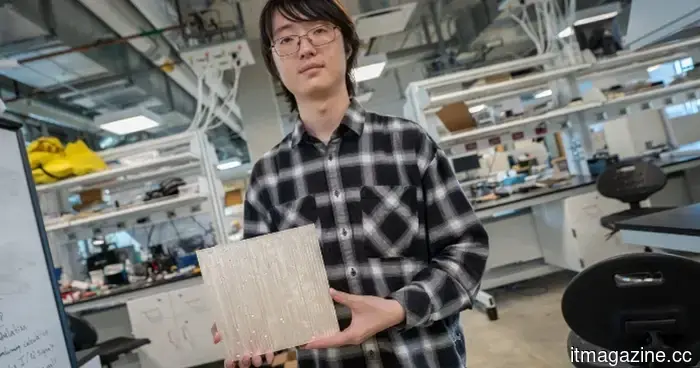 A dull tile aims to resolve the most significant issue with ultra-fast mmWave 5G connections for you.
Researchers at UC San Diego have created low-cost passive reflective tiles that may assist mmWave 5G signals in navigating around walls and other barriers without needing a power source.
A dull tile aims to resolve the most significant issue with ultra-fast mmWave 5G connections for you.
Researchers at UC San Diego have created low-cost passive reflective tiles that may assist mmWave 5G signals in navigating around walls and other barriers without needing a power source.
 Samsung has raised foundry prices by as much as 15%, with China facing the highest increases.
According to Reuters, Samsung has increased its advanced chipmaking prices by as much as 15%, driven by AI demand exceeding TSMC’s production capacity. Chinese clients are now facing the highest prices.
Samsung has raised foundry prices by as much as 15%, with China facing the highest increases.
According to Reuters, Samsung has increased its advanced chipmaking prices by as much as 15%, driven by AI demand exceeding TSMC’s production capacity. Chinese clients are now facing the highest prices.
Meta introduced a Mac application designed to implement its AI technology for businesses.
Meta has launched a Mac application for Meta AI, aimed at creators and small businesses. The app integrates with Instagram, Facebook, and advertising accounts to provide suggestions on what to post.