
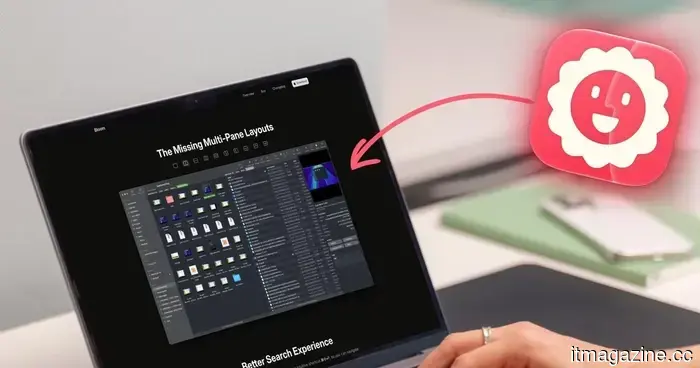
I didn't recognize how much Finder was hindering my progress until I made the switch to Bloom.
I have been using Finder since I got my Mac, and for the most part, it never crossed my mind to question it. You open a window, sift through folders, drag files where they need to go, and carry on with your day. That’s just how it operates, right?
However, it really shouldn’t be that way. Continuously opening new windows to transfer a file from one folder to another, enduring searches that scan my entire drive when I only want results from a specific folder, and repeatedly resizing columns because they never retain their width (this one is particularly frustrating) should not be standard practice.
Individually, these issues may not seem significant. But when compounded over months and years of daily use, it results in a substantial amount of wasted clicks. Even then, I wasn't actively seeking a solution because, in truth, I wasn’t aware there was a problem. That is, until I came across Bloom, which transformed everything. It has quickly become one of my favorite utilities for Mac, so let's discuss it.
How multiple panes reshaped my workflow
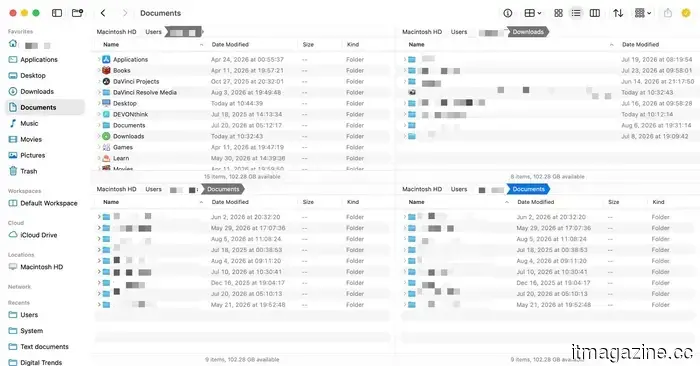
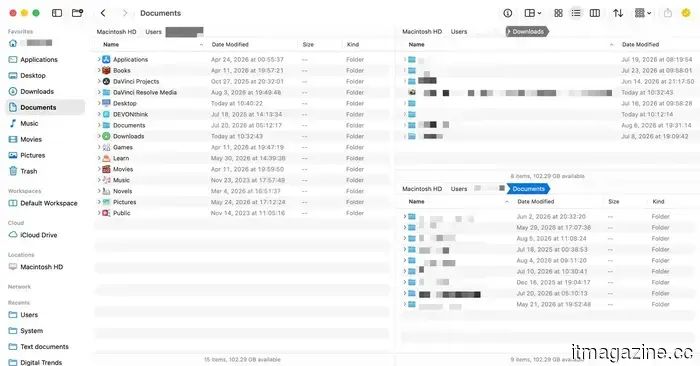
What initially drew me in was Bloom's multi-pane layout. Rather than managing separate Finder windows to transfer files, Bloom allows you to divide a single window into multiple panes. There are up to 12 different configurations available, and you can set any one of them as your default layout.
My preferred setup features three panes: a larger one on the left and two smaller ones stacked on the right. The three main folders I frequently access are the main directory, the Downloads folder, and the Documents folder. I keep the main directory visible in the left pane, while the smaller right pane displays the two other folders. Now, I can drag and drop files between the three folders without needing to open another window.
Moreover, you can save these pane arrangements as Workspaces. I have several saved for different aspects of my routine, so when I'm ready to work, I simply select the appropriate workspace from the toolbar or use a keyboard shortcut, and everything is exactly as I left it.
A floating window that stays with you
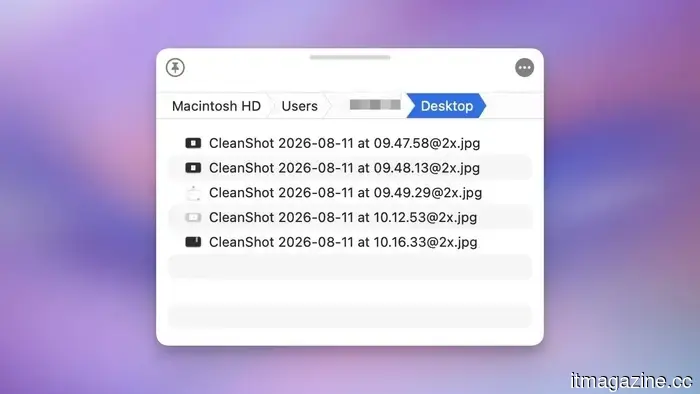
One of my favorite features of Bloom is something called the Portal, a small window that can overlay any app you are using. Think of it as a temporary shelf for files you need to access frequently while working in another application. I constantly use it to pull files into different apps without losing my place or disrupting my focus on my current task.
Search functionality that finally makes sense
The feature that saves me the most time in Bloom is its search functionality. I can press a global shortcut, type a folder name, and jump right to it from anywhere. This is far more effective than the "Go to Folder" feature in Finder.
Another aspect I appreciate about Bloom is that, by default, it searches within the current folder rather than my entire Mac directory. I can press Command-F, and instead of sifting through my entire drive like Finder does by default—which is unnecessary and time-consuming—Bloom searches only the folder I’m currently in.
The small enhancements I didn't realize I needed
In addition to the main features, Bloom is filled with minor enhancements that save time. It can examine zip files and other archives without needing to extract them first, and allows for partial extraction of files.
The columns automatically adjust their size, eliminating the need for me to constantly adjust them whenever a filename is too long. This was my biggest frustration with Finder, and I am relieved I no longer have to deal with it.
There’s a menu bar app for quick access to your favorites, folders, and workspaces, along with built-in image editing tools and a shortcut to quickly open your current folder in Terminal.
It also includes Footprints, which logs every file operation you perform, so if you accidentally delete something or a batch rename goes wrong, you can easily undo it. Finally, it features a regex-powered renaming tool, which is a genuinely useful improvement over Finder’s basic version.
Should you consider making the switch?
Bloom is a straightforward app that can seamlessly integrate into your workflow and enhance your productivity. It has a familiar look and feel, making it easy to start using right away. That said, there is a surprising level of depth for those willing to explore further.
If you manage even a moderate number of files on your Mac, I believe you will notice a difference within a day. If you’ve ever found Finder frustrating or inadequate, I highly recommend purchasing this app. I've been using it for about a month, and I can't envision going back to Finder.


Other articles
 HSBC Asset Management has invested in Model ML's 'agentic operating system' designed for banks.
HSBC Asset Management has invested in Model ML, a London-based startup developing an agentic operating system for financial services, as part of its main venture-capital strategy.
HSBC Asset Management has invested in Model ML's 'agentic operating system' designed for banks.
HSBC Asset Management has invested in Model ML, a London-based startup developing an agentic operating system for financial services, as part of its main venture-capital strategy.
 The upcoming WhatsApp update for iPhone might simplify the process of searching through chats.
WhatsApp is developing a new search button for chats on iPhone that will show up when you scroll upwards, allowing you to locate past messages without leaving the chat.
The upcoming WhatsApp update for iPhone might simplify the process of searching through chats.
WhatsApp is developing a new search button for chats on iPhone that will show up when you scroll upwards, allowing you to locate past messages without leaving the chat.
 Amkor is considering a stake sale of over $1 billion in its Chinese chip division.
Amkor Technology is considering selling a stake in its chip packaging division in China, valuing the unit between $1 billion to $1.5 billion, as it shifts its focus and investment towards Nvidia and Arizona.
Amkor is considering a stake sale of over $1 billion in its Chinese chip division.
Amkor Technology is considering selling a stake in its chip packaging division in China, valuing the unit between $1 billion to $1.5 billion, as it shifts its focus and investment towards Nvidia and Arizona.
 HSBC Asset Management has made an investment in Model ML's 'agentic operating system' designed for banks.
HSBC Asset Management has acquired a share in Model ML, the London-based startup developing an agentic operating system for the financial services sector, as part of its primary venture-capital initiative.
HSBC Asset Management has made an investment in Model ML's 'agentic operating system' designed for banks.
HSBC Asset Management has acquired a share in Model ML, the London-based startup developing an agentic operating system for the financial services sector, as part of its primary venture-capital initiative.
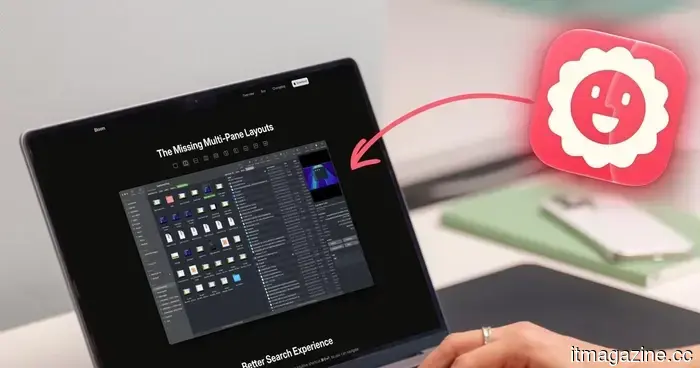 I didn't notice how much Finder was hindering my productivity until I made the switch to Bloom.
Finder never caused me any trouble until I started using Bloom. The multi-pane layouts, a floating Portal, and more efficient search made me recognize how much time I had been quietly wasting each day.
I didn't notice how much Finder was hindering my productivity until I made the switch to Bloom.
Finder never caused me any trouble until I started using Bloom. The multi-pane layouts, a floating Portal, and more efficient search made me recognize how much time I had been quietly wasting each day.
 Lenovo's upcoming ThinkBook may expand horizontally into a portable ultrawide configuration.
A recently revealed Lenovo design suggests a ThinkBook featuring a horizontally extending display, which could introduce the company's ultrawide rollable innovations into its laptop lineup aimed at productivity.
Lenovo's upcoming ThinkBook may expand horizontally into a portable ultrawide configuration.
A recently revealed Lenovo design suggests a ThinkBook featuring a horizontally extending display, which could introduce the company's ultrawide rollable innovations into its laptop lineup aimed at productivity.
I didn't recognize how much Finder was hindering my progress until I made the switch to Bloom.
Finder never troubled me until I discovered Bloom. The multi-pane designs, a floating Portal, and more intelligent search features made me aware of how much time I was passively wasting each day.