

The old internet created a museum for fading technological sounds, and somehow it continues to exist.
The wonderfully nostalgic site has outlived many of the noisy devices it was designed to preserve.
Museum of Endangered Sounds
Before our gadgets turned into silent slabs of glass, they were full of noise. Dial-up modems screeched with every connection, while dot-matrix printers sounded like they were gradually chewing their way through the desk.
The Museum of Endangered Sounds keeps that annoying soundtrack alive. It launched in 2012, but the site remains active 14 years later, allowing visitors to experience technology that has largely vanished from everyday life.
What can you hear inside
The museum acts as a soundboard for discontinued technology. Click on an image, and the respective artifact comes to life again. The collection ranges from the electronic outburst of a 56K modem to the oddly calming startup melody of Windows 95.
Other displays preserve mechanical sounds that younger audiences may never have encountered. Loading a VHS tape once produced a satisfying series of clunks and whirs, and saving something to a floppy disk generated enough grinding to make potential data loss feel imminent.
You can also play multiple exhibits at once, creating an experience that resembles an electronics shop collapsing in real time.
Who built this unusual museum
The site claims to be managed by Brendan Chilcutt, an eccentric collector with eight gerbils and a surprisingly ambitious goal of preserving old sounds. He is, appropriately, yet another creation of the internet.
Chilcutt was a fictional curator developed by advertising students Phil Hadad, Marybeth Ledesma, and Greg Elwood. The concept emerged after Hadad observed that the physical keys of a BlackBerry produced a distinct sound, whereas an iPhone's touchscreen was silent.
That minor difference sparked a broader question: What does technology lose when all its moving components and mechanical interfaces vanish?
Why do these sounds persist
Older gadgets provided a continuous commentary on their activities. Without even looking, you could tell when a computer was connecting or when a tape had finished loading. In contrast, modern devices typically only generate a vibration or an artificial chime.
The museum’s claimed ten-year preservation plan does not seem to have reached its completion. Its outdated layout and intentionally exaggerated writing now feel as much like exhibits as the sounds themselves.
Visit it while the old internet is still welcoming visitors.
Paulo Vargas is an English major turned reporter turned technical writer, with a career that has continually come back to…
Dell XPS 14 (2026) Review: Dell’s classic Windows laptop returns, and it’s hard to resist
The icon makes a comeback and demonstrates its ongoing relevance.
Quick take
Dell’s XPS series has consistently held significance. It’s one of those Windows laptop families that people recognize, even if they’re not closely following the industry. With its sleek design, premium materials, sharp displays, and high-end components, the Dell XPS 14 DA14260 upholds that tradition.
Read more
Samsung’s secret AI chip may finally address Exynos phone overheating issues
Samsung's GAIA AI chip is debuting in laptops first, but its shared technology with Exynos suggests a genuine solution for phones in the future.
If you've ever owned an Exynos-equipped Galaxy phone, you know the routine: heavy tasks like taking consecutive photos, gaming, or video rendering can turn your device into a hand warmer. In such scenarios, the battery drains more quickly as well. It seems Samsung might be developing a fix, and it’s arriving in an unexpected way.
Read more
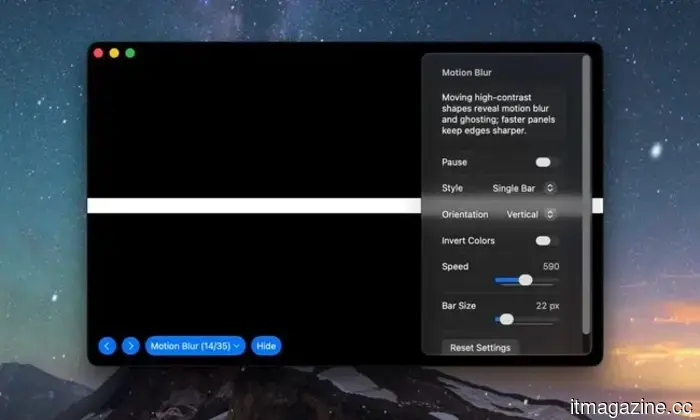
Buying a monitor? This Mac app can help identify issues before the return window closes
Your new monitor may appear flawless, but it’s wise to double-check.
Purchasing brand-new tech doesn’t always guarantee a perfectly functioning unit. However, a small Mac app called Screen Test can assist in detecting defects before it’s too late. Screen Test (version 1.1) is a native macOS utility that includes over 25 patterns and diagnostic tools for assessing both built-in and external displays. It can help uncover dead or stuck pixels, backlight bleeding, and other problems. The app operates entirely offline, so you don’t have to rely on browser tabs or an internet connection.
Every pixel gets examined.
Read more





Other articles
 A new AI model aims to make self-driving cars think carefully before making a sudden turn.
A team from Seoul National University developed an AI that evaluates the safety decisions of self-driving cars in real-time, and it recently received a noteworthy highlight paper recognition at CVPR.
A new AI model aims to make self-driving cars think carefully before making a sudden turn.
A team from Seoul National University developed an AI that evaluates the safety decisions of self-driving cars in real-time, and it recently received a noteworthy highlight paper recognition at CVPR.
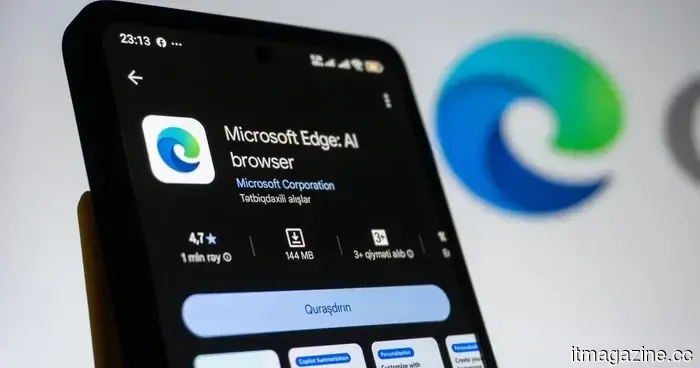 Microsoft aims to prevent screenshot leaks, tackling the issue one Edge tab at a time.
Microsoft is addressing a security vulnerability that permitted the capture of sensitive PDFs within web browsers. However, this protection initially necessitates the use of Edge and an enterprise account.
Microsoft aims to prevent screenshot leaks, tackling the issue one Edge tab at a time.
Microsoft is addressing a security vulnerability that permitted the capture of sensitive PDFs within web browsers. However, this protection initially necessitates the use of Edge and an enterprise account.
 AI in Hollywood: The Dispute Between Netflix, Nolan, and Payment Responsibilities
Netflix utilized AI in 300 productions, an AI actress secured a leading role, and Nolan referred to it as a Trojan horse. Exploring the battle regarding AI in Hollywood.
AI in Hollywood: The Dispute Between Netflix, Nolan, and Payment Responsibilities
Netflix utilized AI in 300 productions, an AI actress secured a leading role, and Nolan referred to it as a Trojan horse. Exploring the battle regarding AI in Hollywood.
 The early internet created a museum for fading tech sounds, and it surprisingly remains active.
This charmingly retro online museum keeps alive the sounds of dial-up modems, floppy drives, Windows startup chimes, and other auditory memories that faded away as our devices became sleeker, quicker, and significantly less vocal.
The early internet created a museum for fading tech sounds, and it surprisingly remains active.
This charmingly retro online museum keeps alive the sounds of dial-up modems, floppy drives, Windows startup chimes, and other auditory memories that faded away as our devices became sleeker, quicker, and significantly less vocal.
 Z.AI constructed a large AI data center utilizing chips produced in China.
The Chinese lab Z.AI has successfully established a 1GW data center that operates exclusively on domestically produced chips to train its GLM models, without using any Nvidia components. This development indicates significant implications for the AI landscape.
Z.AI constructed a large AI data center utilizing chips produced in China.
The Chinese lab Z.AI has successfully established a 1GW data center that operates exclusively on domestically produced chips to train its GLM models, without using any Nvidia components. This development indicates significant implications for the AI landscape.
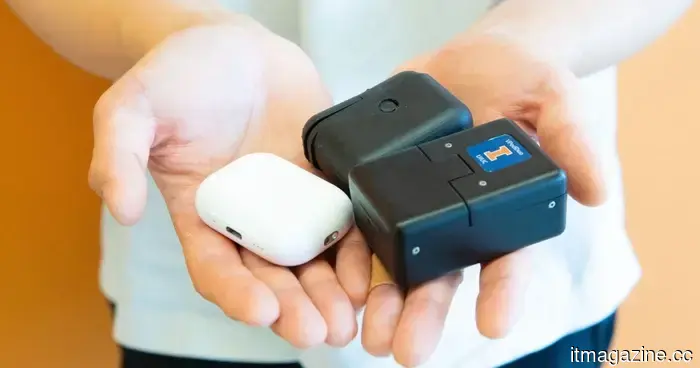 A mini lab the size of AirPods could assist in detecting disease markers within minutes.
The VPodDuo, which is roughly the size of an AirPods case, links to a smartphone and can analyze molecular tests for viruses, bacteria, and cancer-related biomarkers in approximately 10 minutes.
A mini lab the size of AirPods could assist in detecting disease markers within minutes.
The VPodDuo, which is roughly the size of an AirPods case, links to a smartphone and can analyze molecular tests for viruses, bacteria, and cancer-related biomarkers in approximately 10 minutes.
The old internet created a museum for fading technological sounds, and somehow it continues to exist.
This charmingly nostalgic online museum archives dial-up modems, floppy disks, Windows startup sounds, and other audio that gradually vanished as our devices became sleeker, quicker, and far less vocal.