
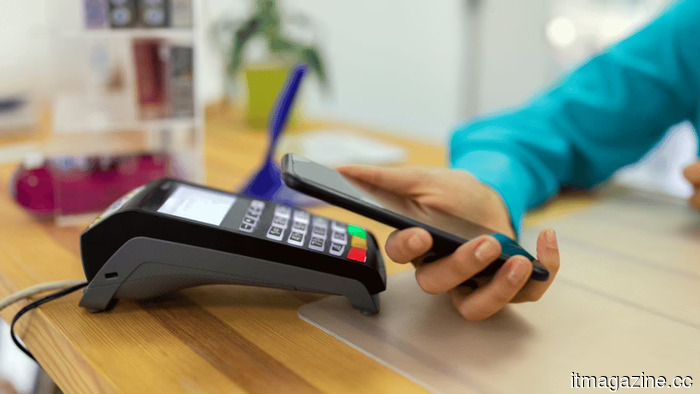
iOS 27 allows users to generate personalized Wallet passes from any QR code as Apple stops waiting for developers.
**Summary:** Apple is introducing a “Create a Pass” feature in iOS 27 Wallet, enabling users to make custom digital passes using any QR code. This feature includes three templates (standard, membership, event) and tools for customizing styles, images, colors, and text. After years of developers not fully utilizing PassKit, Apple is shifting to allow users to create their own passes, moving to a user-driven growth model for Wallet.
For over a decade, Apple has aimed to get various businesses, from gyms to cinemas, to create native passes for its Wallet app, but many have not participated. Instead, users often have to rely on standalone applications for their passes. With the new iOS 27 update, Apple is changing its tactic by letting users make passes themselves.
The "Create a Pass" tool, found in test versions of iOS 27, enables users to take any QR code and create a customized pass within the Wallet app. It's easily accessible via the “+” button in Wallet. Users can start from scratch or scan a QR code directly to import it. Apple offers three templates: a standard orange one for any pass type, a blue membership template for recurring access, and a purple event template for tickets. All templates allow for customization, enabling users to design passes for entries, payments, or identifications regardless of whether the original service developer intended to use PassKit.
PassKit, in existence since iOS 6, allows for creating Wallet-compatible passes but has seen limited adoption by many small and medium businesses. Building Wallet passes often requires a developer account and ongoing support, which many businesses do not prioritize, resulting in a fragmented experience where not all passes are stored in Wallet.
The “Create a Pass” feature signals Apple's recognition that relying on developers is limiting. The broader trend is shifting towards a universal digital wallet model, where all types of credentials and passes can coexist within a single interface. By allowing users to create their own passes, Apple connects Wallet growth to user initiatives rather than developer engagement.
While the overall design keeps user content structured, it still bridges existing QR codes with Apple’s Wallet experience. The pass builder is one of multiple enhancements aimed at improving iOS 27. Noteworthy updates include a revamped Siri powered by Google’s AI models, expanded AI features in photo editing, and a new camera mode that identifies objects and text.
Apple’s $2 billion acquisition of Q.ai demonstrates a commitment to new interaction modes beyond voice. The pass builder feature allows tickets to be stored without needing specific integrations from venues, reducing reliance on third-party development that has limited iPhone capabilities.
As Apple’s Wallet expands from payments to include ID and user-created passes, it becomes increasingly central to daily life. The introduction of the “Create a Pass” feature is strategically important, shifting from a developer-dependent model to one driven by user demand. However, its ultimate success will depend on how frequently users engage with the feature and how intuitive the process is. The goal is to make Wallet the primary home for all user credentials, regardless of whether those credentials’ issuers participated in the platform’s development. Apple is now placing its bet on user demand after years of trying to appeal to developers.
Другие статьи
 Microsoft has announced that it is working on a solution for the Outlook issue that caused documents to appear blank.
Microsoft is deploying a server-side solution for a longstanding Outlook issue that caused shared Word, Excel, and PowerPoint files to open as blank. In the meantime, browser-based alternatives are available until the fix is implemented for all users.
Microsoft has announced that it is working on a solution for the Outlook issue that caused documents to appear blank.
Microsoft is deploying a server-side solution for a longstanding Outlook issue that caused shared Word, Excel, and PowerPoint files to open as blank. In the meantime, browser-based alternatives are available until the fix is implemented for all users.
 AI has now become a sponsor, strategist, and technical director in F1.
In the past six months, Formula One has welcomed eight new AI partnerships, with Williams utilizing Claude, McLaren employing Gemini, and Red Bull partnering with Oracle.
AI has now become a sponsor, strategist, and technical director in F1.
In the past six months, Formula One has welcomed eight new AI partnerships, with Williams utilizing Claude, McLaren employing Gemini, and Red Bull partnering with Oracle.
 Pinterest surpasses $1 billion in quarterly revenue as AI-driven visual search fuels advertising expansion that other social platforms struggle to replicate.
Pinterest reached $1.008 billion in revenue for Q1, with 631 million monthly active users. Performance+ AI ads achieved a 24% increase in conversions. The key driver of growth is 80 billion monthly visual searches, rather than social feeds.
Pinterest surpasses $1 billion in quarterly revenue as AI-driven visual search fuels advertising expansion that other social platforms struggle to replicate.
Pinterest reached $1.008 billion in revenue for Q1, with 631 million monthly active users. Performance+ AI ads achieved a 24% increase in conversions. The key driver of growth is 80 billion monthly visual searches, rather than social feeds.
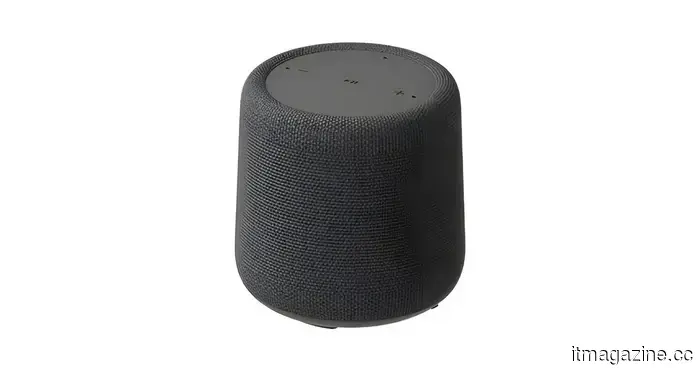 A Walmart leak reveals a growing Onn product lineup that includes a smart speaker compatible with Gemini.
A certification listing indicates that Walmart's Onn lineup is set to grow with the introduction of a Gemini-powered smart speaker that includes Matter support, Google Cast, and a 10W speaker.
A Walmart leak reveals a growing Onn product lineup that includes a smart speaker compatible with Gemini.
A certification listing indicates that Walmart's Onn lineup is set to grow with the introduction of a Gemini-powered smart speaker that includes Matter support, Google Cast, and a 10W speaker.
 Haun Ventures secures $1 billion for funds targeting cryptocurrency and AI agents following successful stablecoin exits benefiting limited partners.
Katie Haun is branching out from cryptocurrency into AI agents for the financial services sector. Her initial fund yielded exits with Bridge/Stripe and BVNK/Mastercard. Erebor represents her new investment thesis.
Haun Ventures secures $1 billion for funds targeting cryptocurrency and AI agents following successful stablecoin exits benefiting limited partners.
Katie Haun is branching out from cryptocurrency into AI agents for the financial services sector. Her initial fund yielded exits with Bridge/Stripe and BVNK/Mastercard. Erebor represents her new investment thesis.
 Rivian lowered the production cost of the R2 EVs by 50%. Let's wish that these savings are passed on to consumers.
Rivian claims that the R2 is more than 50% cheaper to produce than its R1 models, marking a significant move towards more affordable electric vehicles, assuming consumers recognize the advantages.
Rivian lowered the production cost of the R2 EVs by 50%. Let's wish that these savings are passed on to consumers.
Rivian claims that the R2 is more than 50% cheaper to produce than its R1 models, marking a significant move towards more affordable electric vehicles, assuming consumers recognize the advantages.
iOS 27 allows users to generate personalized Wallet passes from any QR code as Apple stops waiting for developers.
Apple's iOS 27 introduces a "Create a Pass" feature that includes three templates. After a 14-year wait for the adoption of PassKit, Apple is now allowing users to create their own passes.