
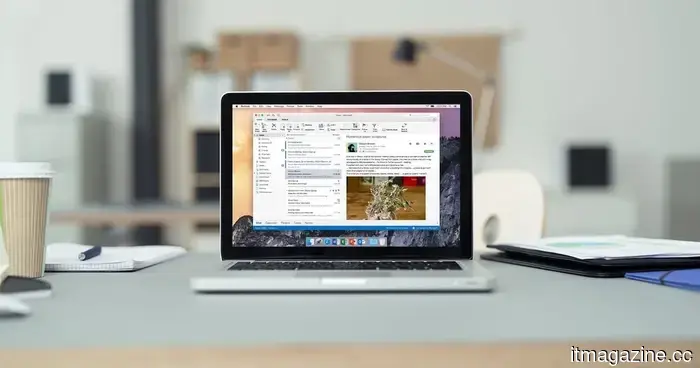
Microsoft announced that it is working on a solution for an Outlook issue that caused documents to appear blank.
The bug affected Office documents accessed through OneDrive and SharePoint links in classic Outlook.
Microsoft has announced the release of a server-side update to address a classic Outlook issue that caused Office files to appear blank, prompt for repairs, or display corruption warnings.
This problem pertains to Word, Excel, and PowerPoint files opened via OneDrive and SharePoint links while using classic Outlook. For Microsoft 365 users, the main challenge goes beyond just a blank screen; it includes the confusion caused when a potentially functional file seems to be broken.
Since the update is being implemented from Microsoft's side, users will not need to perform any manual installations.
The server-side update is currently being rolled out.
This update commenced on May 4, 2026, and will gradually be available to affected Microsoft 365 environments. Once deployed, users may have to restart classic Outlook for the links to function correctly again.
The bug is related to how classic Outlook processes Microsoft 365 file links. This may cause Outlook to display a document as corrupt even if the file can still be opened from SharePoint, OneDrive, or the web.
This distinction is important for everyday troubleshooting, as the repair warning may mislead users when the quicker solution is to access the file outside of Outlook.
There are alternative methods to continue accessing files.
Until the update is fully rolled out, a straightforward workaround is to open the file outside of classic Outlook. Users can paste the link into a browser, access the document directly from SharePoint, or use Outlook on the web.
Right-clicking on a shared link and selecting the browser option can also facilitate immediate access to a document that needs urgent attention. The intention is to avoid treating a functional file as if it were damaged.
Microsoft also offers a registry-based workaround for IT administrators and advanced users. However, most users should avoid this method unless operating in a controlled environment.
What to expect next
The update is already being distributed across Microsoft 365, though the timing will vary by specific setups. If Office files continue to show as blank from Outlook, users should restart classic Outlook once, and if the issue persists, utilize a browser-based workaround.
IT departments should monitor for recurring issues related to OneDrive and SharePoint links in classic Outlook. The most obvious sign that the update has been implemented is that Word, Excel, and PowerPoint files should open in Outlook without any false alerts.



Other articles
 Dubai requires private sector companies to adopt agentic AI within two years, supported by incubators, training programs, and specialized funding.
Sheikh Hamdan initiates a two-year initiative aimed at encouraging Dubai's private sector to embrace agentic AI. Training will be provided to all business councils, incubators, and funds via the Chamber.
Dubai requires private sector companies to adopt agentic AI within two years, supported by incubators, training programs, and specialized funding.
Sheikh Hamdan initiates a two-year initiative aimed at encouraging Dubai's private sector to embrace agentic AI. Training will be provided to all business councils, incubators, and funds via the Chamber.
 Pinterest surpasses $1 billion in quarterly revenue as AI-driven visual search stimulates advertising growth that social media platforms are unable to replicate.
In Q1, Pinterest reached $1.008 billion in revenue with 631 million monthly active users. The Performance+ AI advertising produced 24% greater conversions. The key driver of growth is 80 billion monthly visual searches, rather than social feeds.
Pinterest surpasses $1 billion in quarterly revenue as AI-driven visual search stimulates advertising growth that social media platforms are unable to replicate.
In Q1, Pinterest reached $1.008 billion in revenue with 631 million monthly active users. The Performance+ AI advertising produced 24% greater conversions. The key driver of growth is 80 billion monthly visual searches, rather than social feeds.
 Why eliminating human involvement in care could weaken results.
AI has the potential to enhance healthcare, but without the participation of humans, patient engagement diminishes. This is what a certain unsuccessful experiment shows about digital health.
Why eliminating human involvement in care could weaken results.
AI has the potential to enhance healthcare, but without the participation of humans, patient engagement diminishes. This is what a certain unsuccessful experiment shows about digital health.
 GameStop offers $55.5 billion for eBay, backed by a $9 billion cash reserve, a $20 billion letter from TD Bank, and a dwindling retail sector.
GameStop, led by Ryan Cohen, has proposed a bid of $125 per share for eBay in cash and stock. However, the market seems to doubt this offer, as eBay's shares are currently trading at $110 while GameStop's stock has declined. Michael Burry is offloading his shares.
GameStop offers $55.5 billion for eBay, backed by a $9 billion cash reserve, a $20 billion letter from TD Bank, and a dwindling retail sector.
GameStop, led by Ryan Cohen, has proposed a bid of $125 per share for eBay in cash and stock. However, the market seems to doubt this offer, as eBay's shares are currently trading at $110 while GameStop's stock has declined. Michael Burry is offloading his shares.
 This PC is spacious enough to reside in and features its own air conditioning system to cool its large components.
A Chinese creator constructed a room-sized RGB PC that includes a desk, oversized fake components, and a 12kW air conditioner, transforming desktop cooling into an immersive experience focused on heat and airflow.
This PC is spacious enough to reside in and features its own air conditioning system to cool its large components.
A Chinese creator constructed a room-sized RGB PC that includes a desk, oversized fake components, and a 12kW air conditioner, transforming desktop cooling into an immersive experience focused on heat and airflow.
 Haun Ventures secures $1 billion for funds targeting cryptocurrency and AI agents following successful stablecoin exits benefiting limited partners.
Katie Haun is branching out from cryptocurrency into AI agents for the financial services sector. Her initial fund yielded exits with Bridge/Stripe and BVNK/Mastercard. Erebor represents her new investment thesis.
Haun Ventures secures $1 billion for funds targeting cryptocurrency and AI agents following successful stablecoin exits benefiting limited partners.
Katie Haun is branching out from cryptocurrency into AI agents for the financial services sector. Her initial fund yielded exits with Bridge/Stripe and BVNK/Mastercard. Erebor represents her new investment thesis.
Microsoft announced that it is working on a solution for an Outlook issue that caused documents to appear blank.
Microsoft is implementing a server-side solution for a longstanding Outlook issue that caused shared Word, Excel, and PowerPoint files to open with a blank screen. In the meantime, browser-based alternatives are available until the fix is fully deployed.