
How to verify if your Windows PC is prepared for the secure boot certificate expiration in June 2026.
Most people will never have to consider Secure Boot certificates, as they reside deep within your PC's firmware, performing their functions quietly since 2011 without demanding much in return. However, this silent operation is nearing its end. The original certificates will expire in June 2026, and although Microsoft is automatically distributing updates to many devices, numerous PCs may not receive the information at all. Here’s how to check if yours is among them — and what steps to take next.
Step 1: Verify if your PC has the updated certificates
Before proceeding, determine your current status. The fastest method is via PowerShell.
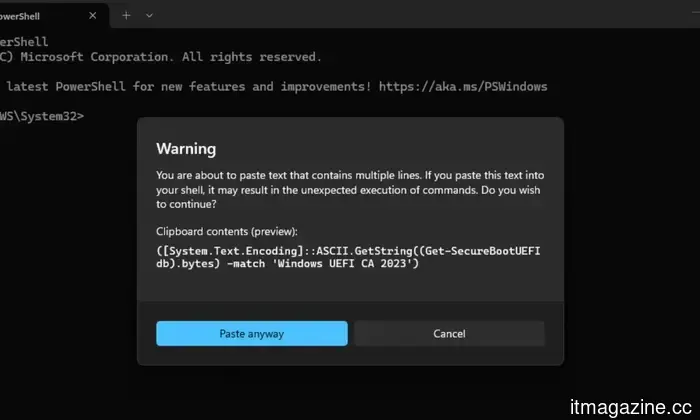
Open the Start menu, type PowerShell, and select Run as administrator. Once it opens, copy and paste the following command exactly as shown and press Enter:
Shimul Sood / Digital Trends
([System.Text.Encoding]::ASCII.GetString((Get-SecureBootUEFI db).bytes) -match 'Windows UEFI CA 2023')
You will receive either a True or a False. A True indicates that your PC already has the updated 2023 certificates, and you’re all set. A False means your device is still using the old certificates that are set to expire — so you should continue reading.
Step 2: Perform a Windows update and check for OEM firmware updates
If you received a False, your next step is straightforward — access Windows Update and look for any available updates. For most Windows 11 users, the new certificates are being distributed this way, and a regular update might already be waiting for you.
Shimul Sood / Digital Trends
If updates do not resolve the issue, especially on older hardware, the solution may need to come from your PC's manufacturer rather than Microsoft. Visit your OEM’s support website — companies like Dell, HP, Lenovo, ASUS, and others maintain specific firmware and driver pages — and search for your particular model. Not every manufacturer will support older systems, but it’s worth investigating before concluding that you have no options.
Step 3: If firmware updates are not available, consider the manual registry method
In cases where a firmware update isn't accessible but your PC can still run a supported version of Windows 11, Microsoft has outlined a workaround that avoids the need to modify the BIOS altogether.
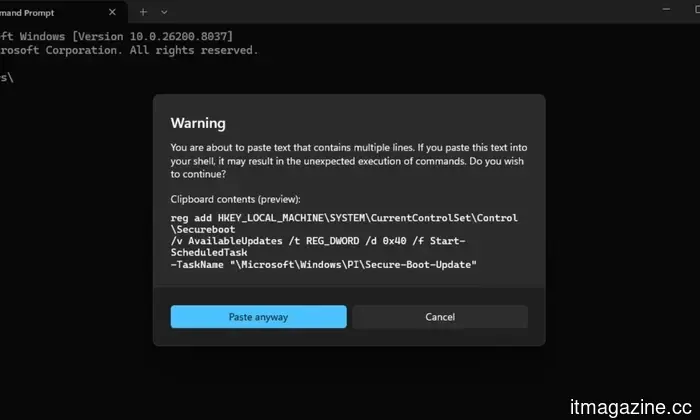
Open Command Prompt as an administrator and execute the following:
Shimul Sood / Digital Trends
reg add HKEY_LOCAL_MACHINESYSTEMCurrentControlSetControlSecureboot /v AvailableUpdates /t REG_DWORD /d 0x40 /f Start-ScheduledTask -TaskName "MicrosoftWindowsPISecure-Boot-Update"
You will need to restart your PC a couple of times after running this. After it reboots, perform the PowerShell check from Step 1 to confirm that the new certificates have been successfully applied.
A note for Windows 10 users: Microsoft has made it clear that unsupported versions of Windows will not receive the updated certificates. If you are using Windows 10 without an Extended Security Update (ESU) subscription, none of the above steps will assist you. Enrolling in ESU before the October 14, 2026, deadline is the only way to remain eligible for the certificate update — and acquiring that additional time is worthwhile if upgrading to Windows 11 isn’t feasible just yet.
Other articles
 Grok is set to arrive on CarPlay as iOS 26.4 transforms the car dashboard into a battleground for AI platforms.
Grok has joined ChatGPT, Perplexity, Claude, and Gemini on CarPlay following the release of iOS 26.4, which allowed AI chatbots on the platform. The car dashboard has now become the most competitive interface in technology.
Grok is set to arrive on CarPlay as iOS 26.4 transforms the car dashboard into a battleground for AI platforms.
Grok has joined ChatGPT, Perplexity, Claude, and Gemini on CarPlay following the release of iOS 26.4, which allowed AI chatbots on the platform. The car dashboard has now become the most competitive interface in technology.
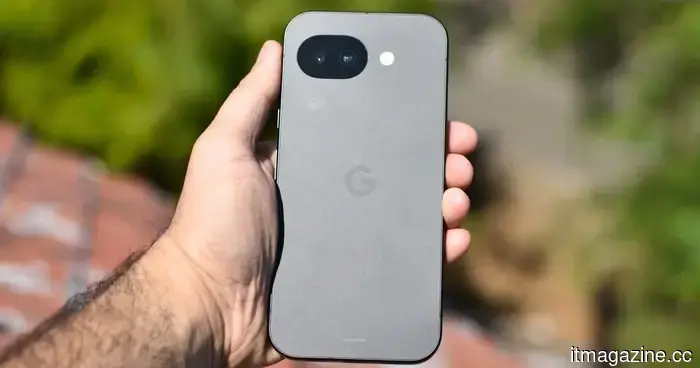 Google has finally clarified why Android AICore consumes so much of your storage, and it truly makes a lot of sense.
If you've ever observed that Android AICore is consuming more storage than anticipated, Google has now provided an explanation — and it turns out that the reason is a completely sensible fail-safe that you'd likely want to have.
Google has finally clarified why Android AICore consumes so much of your storage, and it truly makes a lot of sense.
If you've ever observed that Android AICore is consuming more storage than anticipated, Google has now provided an explanation — and it turns out that the reason is a completely sensible fail-safe that you'd likely want to have.
 Indeed, it may be wise to treat your AI with kindness — here’s why that idea isn’t as absurd as it seems.
You may have experienced it — that somewhat empty, mechanical feeling when an AI interaction lacks depth. Research is beginning to clarify why this occurs and who is to blame for it.
Indeed, it may be wise to treat your AI with kindness — here’s why that idea isn’t as absurd as it seems.
You may have experienced it — that somewhat empty, mechanical feeling when an AI interaction lacks depth. Research is beginning to clarify why this occurs and who is to blame for it.
 Planet Labs introduces three additional Pelican satellites, buoyed by a $900 million backlog and defense contracts that contribute to its first year of profitability.
Planet Labs initiated the launch of Pelicans 7-9 equipped with Nvidia AI, progressing towards a 32-satellite constellation. The company has achieved profitability, boasting a backlog of $900 million along with significant contracts with NATO and the NRO.
Planet Labs introduces three additional Pelican satellites, buoyed by a $900 million backlog and defense contracts that contribute to its first year of profitability.
Planet Labs initiated the launch of Pelicans 7-9 equipped with Nvidia AI, progressing towards a 32-satellite constellation. The company has achieved profitability, boasting a backlog of $900 million along with significant contracts with NATO and the NRO.
 Grok is set to arrive on CarPlay as iOS 26.4 transforms the car dashboard into the next battleground for AI platforms.
Grok has joined ChatGPT, Perplexity, Claude, and Gemini on CarPlay following the opening of the platform to AI chatbots with iOS 26.4. The car dashboard has now become the most competitive display in the tech industry.
Grok is set to arrive on CarPlay as iOS 26.4 transforms the car dashboard into the next battleground for AI platforms.
Grok has joined ChatGPT, Perplexity, Claude, and Gemini on CarPlay following the opening of the platform to AI chatbots with iOS 26.4. The car dashboard has now become the most competitive display in the tech industry.
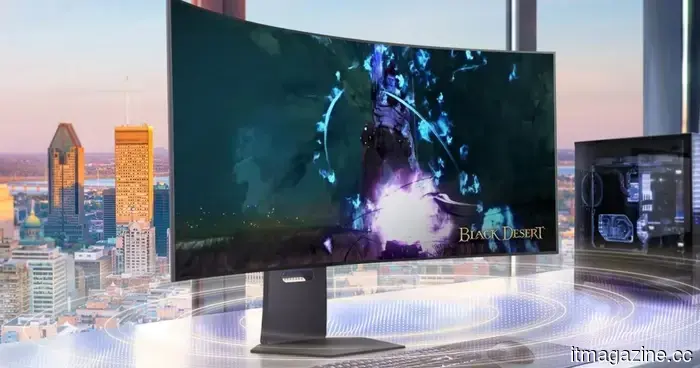 LG's newest luxurious gaming monitor features a 45-inch OLED display that achieves 330Hz at 5K resolution.
The LG UltraGear 45GX950B incorporates AI functionalities such as upscaling and scene optimization, while maintaining the same OLED panel and key specifications as its previous model.
LG's newest luxurious gaming monitor features a 45-inch OLED display that achieves 330Hz at 5K resolution.
The LG UltraGear 45GX950B incorporates AI functionalities such as upscaling and scene optimization, while maintaining the same OLED panel and key specifications as its previous model.
How to verify if your Windows PC is prepared for the secure boot certificate expiration in June 2026.
Not all Windows PCs will automatically receive the new Secure Boot certificates ahead of the June 2026 deadline. Here's how to verify yours and address any issues before they arise.