
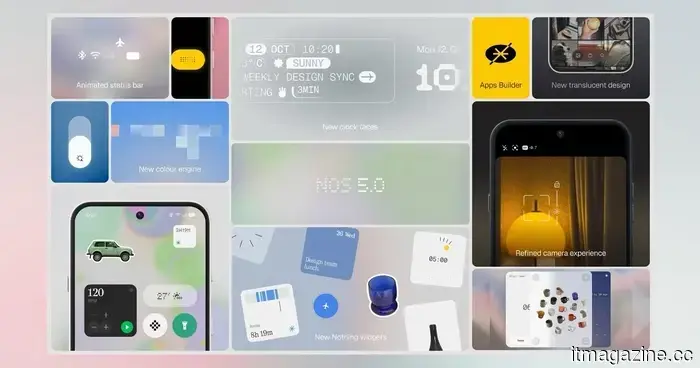
Nothing OS 5.0 encourages you to stop alternating between applications and begin fully engaging with your phone.
Nothing OS 5.0 has not been officially confirmed yet, but insights from a recent company update video indicate that this release aims for a very specific objective: to ensure that the hardware and software feel like they were created by a cohesive mindset, rather than being two separate entities attached together.
Why is Nothing undertaking a design overhaul now?
The design lead at Nothing stated that since the launch of the Phone 1, the goal has been to create a unified experience between hardware and software. The industrial design language that originated with the Ear 1 was extended to the phones, but the software took more time to align. OS 5.0 is being marketed as the version where this unification finally occurs, compiling years of gradual design evolution into a single release.
The update introduces the Geist font, already utilized in Nothing’s marketing and interactive spaces, into the operating system itself. The platform also emphasizes transparency, allowing widgets to overlay your wallpaper with a sense of depth rather than appearing flat above it. This design philosophy, encompassing typography, icons, and colors, will be consistently applied across the camera, gallery, widgets, settings pages, and launcher.
How much customization is available?
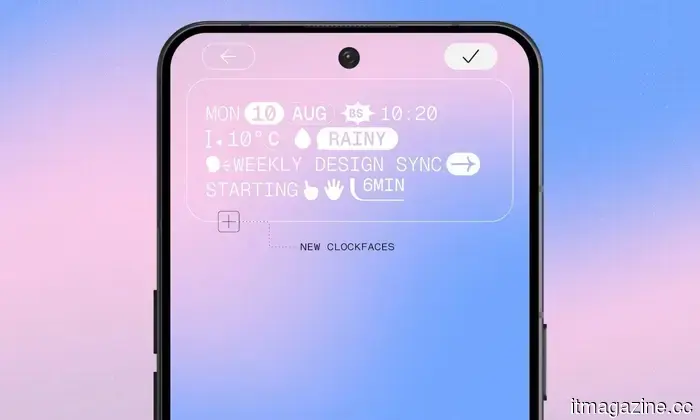
The latest update from Nothing brings a wealth of customization options. It introduces two new lock screen clock face styles: one that is smooth and minimalistic, and another that is more detailed and reminiscent of a terminal, catering to varying preferences in customization. The onboarding process has been streamlined for easier setup, and there’s a new batch editing feature that enables users to move multiple home screen elements simultaneously rather than dragging them individually.
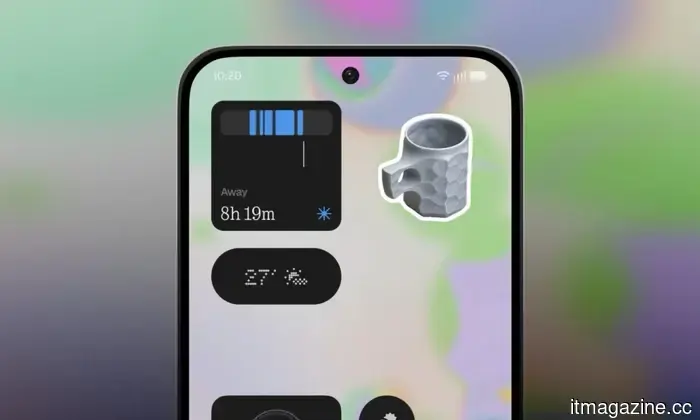
Glyph enthusiasts will have a dedicated Glyph app. Acknowledging that users enjoy their glyphs but often find them challenging to configure, Nothing will launch this new app to simplify the customization of the phone’s glyph interface. Additionally, two new widgets will be available: an away time tracker that encourages users to disconnect from their phone, and a collections widget that transforms pictures of cherished items into small stickers for the home screen.
What’s new in the Essential Suite?
The Essential Suite is also receiving enhancements. Essential Voice, which allows users to interact with their phone via voice rather than typing, will see ongoing improvements in its models, latency, and transcription accuracy. Essential Space, designed for organizing notes and files that might otherwise get lost, will introduce smart collections and support for MCP, enabling users to connect their AI tools directly to their data.
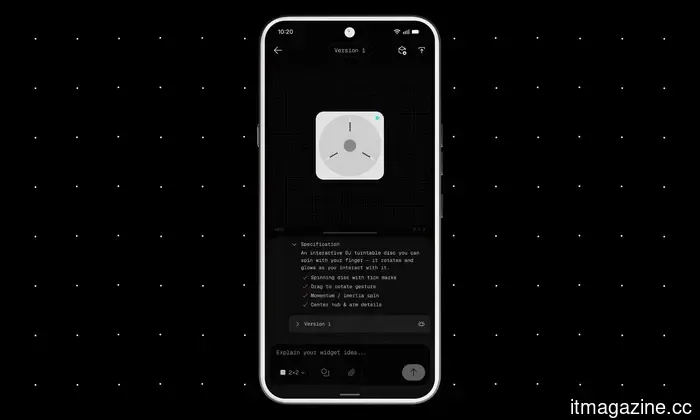
Nothing is also expanding the beta for Essential Apps, allowing users to code their own widgets directly from their phone, with examples including a custom metronome and a morning routine planner that incorporates commute and meeting schedules.
What does Android 17 offer?
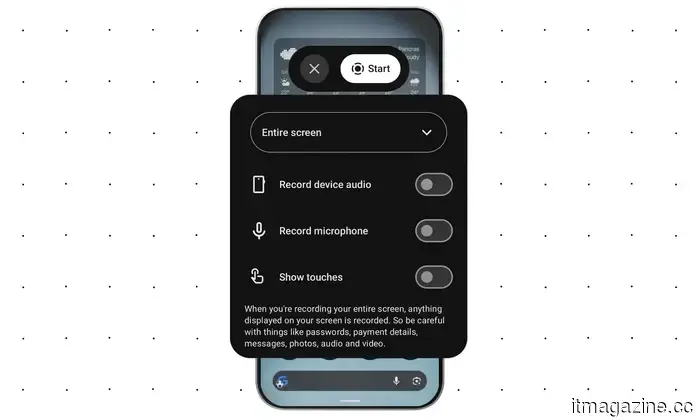
Nothing OS 5.0 is based on Android 17, which introduces several practical enhancements. Quick settings and notifications have been separated into distinct panels, screen recording has been improved, and new 3D emojis have been added. Android 17 also enhances privacy, security, and Bluetooth performance.
When will you be able to try it?
The beta will launch tomorrow on nothing.tech, starting with the Nothing Phone 3 and subsequently becoming available for additional devices.

Other articles
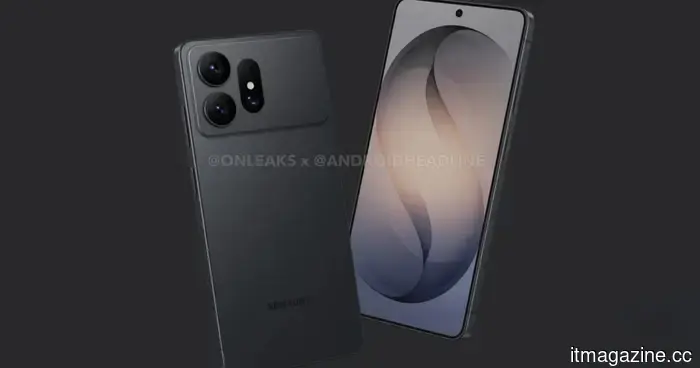 The Galaxy S27 Ultra from Samsung might be undergoing a redesign, beginning with its large camera protrusion.
Leaked renders of the Galaxy S27 Ultra indicate that Samsung may be working on a revamped camera module, a bigger battery, and possibly substantial alterations within the recognizable Ultra design.
The Galaxy S27 Ultra from Samsung might be undergoing a redesign, beginning with its large camera protrusion.
Leaked renders of the Galaxy S27 Ultra indicate that Samsung may be working on a revamped camera module, a bigger battery, and possibly substantial alterations within the recognizable Ultra design.
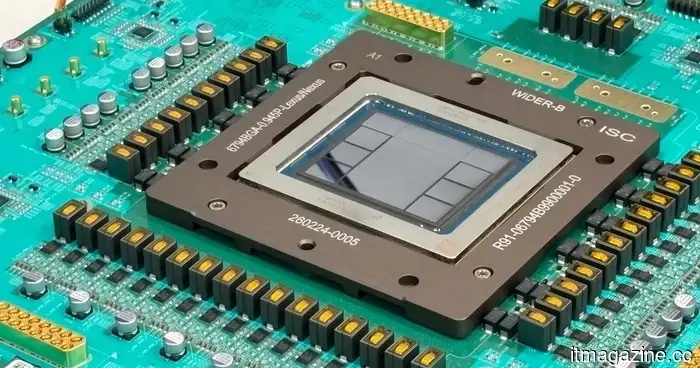 OpenAI claims that its Jalapeno AI chip provides quicker responses compared to competitors such as Nvidia.
OpenAI published benchmark results indicating that its Jalapeno chip, developed in partnership with Broadcom, provides up to 1.9 times more AI performance per watt and has a latency that is 3.6 times lower than that of Nvidia's leading chips.
OpenAI claims that its Jalapeno AI chip provides quicker responses compared to competitors such as Nvidia.
OpenAI published benchmark results indicating that its Jalapeno chip, developed in partnership with Broadcom, provides up to 1.9 times more AI performance per watt and has a latency that is 3.6 times lower than that of Nvidia's leading chips.
 Stability AI secures $76 million in funding from Universal, Warner, Sony Music, and EA.
According to the company, Universal, Warner, and Sony Music have participated in Stability AI's $76 million Series B funding round, along with Electronic Arts and AMD Ventures.
Stability AI secures $76 million in funding from Universal, Warner, Sony Music, and EA.
According to the company, Universal, Warner, and Sony Music have participated in Stability AI's $76 million Series B funding round, along with Electronic Arts and AMD Ventures.
 Apple introduces the M6 and M5 Ultra chips, boasting increased performance and enhanced AI computing capabilities.
Apple WWDC This article is part of our full coverage of Apple WWDC Updated under 7 hours ago Apple is introducing a dual approach to its Mac lineup: one chip aimed at enhancing everyday tasks and on-device AI, while another is crafted for high-demand workloads that most users likely won't fully utilize. The company has unveiled […]
Apple introduces the M6 and M5 Ultra chips, boasting increased performance and enhanced AI computing capabilities.
Apple WWDC This article is part of our full coverage of Apple WWDC Updated under 7 hours ago Apple is introducing a dual approach to its Mac lineup: one chip aimed at enhancing everyday tasks and on-device AI, while another is crafted for high-demand workloads that most users likely won't fully utilize. The company has unveiled […]
 Ananta has finally received its release date, and this anime version of GTA is set to be released in 2027.
Ananta has been officially assigned a release date of January 15, 2027, along with a new story trailer that highlights its open-world urban action RPG features.
Ananta has finally received its release date, and this anime version of GTA is set to be released in 2027.
Ananta has been officially assigned a release date of January 15, 2027, along with a new story trailer that highlights its open-world urban action RPG features.
 Australia's music charts have now prohibited songs created by AI, and this is significant news.
Beginning this week, Australia’s music charts mandate that every song must be predominantly created by humans, in response to the controversy surrounding an AI-assisted cover of a Madonna song that reached number 2.
Australia's music charts have now prohibited songs created by AI, and this is significant news.
Beginning this week, Australia’s music charts mandate that every song must be predominantly created by humans, in response to the controversy surrounding an AI-assisted cover of a Madonna song that reached number 2.
Nothing OS 5.0 encourages you to stop alternating between applications and begin fully engaging with your phone.
Fresh fonts, new widgets, and updated clock faces. Nothing OS 5.0 is poised to be the most significant software enhancement from the brand to date.