
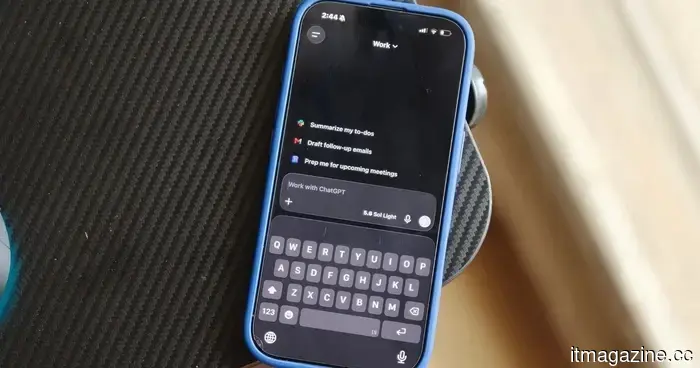
ChatGPT for iPhone now allows users to access recent photos by performing a long press.
Adding photos to a ChatGPT conversation on an iPhone has always been relatively straightforward, but the recent update streamlines the process even further. A new shortcut allows users to access their most recent images directly, making it quicker to incorporate a photo when requesting ChatGPT to identify, explain, analyze, or respond to something in front of them.
As per an X post by OpenAI’s Consumer Product Lead, Adam Fry, this feature has been introduced to the iPhone version of ChatGPT. This shortcut is part of a larger set of enhancements in the app, although the photo gesture stands out as particularly beneficial for those who frequently include images in their prompts.
Replacing extra taps with a long press
Adding an image used to involve opening the + menu, selecting Photos, and then picking an image from the library. While this was not a complicated task, it required going through several steps, which can be cumbersome for users who do this multiple times a day.
According to the post, users can now long-press the + button next to the ChatGPT input box to quickly access their four most recent photos. From there, they can select one image to attach directly to the conversation. Adam Fry also pointed out this feature in an X post, as part of the company’s feature updates on August 21.
This week’s ChatGPT feature update – Aug 21: Another Friday, another recap of our releases: 1/ Recent photos: Long press on the + menu for a quick attachment of recent images on iOS – it's a great feature for power users and features beautiful design! 2/ Time: We made… pic.twitter.com/ndeIsoCKjg— Adam Fry (@adamhfry) August 21, 2026
While this shortcut may seem minor, it illustrates how image-based interactions are becoming a standard aspect of using AI assistants. Asking ChatGPT about an object, document, or problem often begins with attaching a picture, and reducing the steps involved could make this action feel more instinctive.
OpenAI has also been enhancing photo and camera uploads on iOS in general, with recent updates aimed at making image uploading quicker and more efficient.
Small changes that ease the process
The new gesture is especially beneficial for users who often rely on ChatGPT for quick visual inquiries. A screenshot can be submitted for assistance, a photo of an unfamiliar object can serve as the foundation for a question, or an image can offer context that might otherwise require lengthy explanations.
Recent photos are a logical choice since they typically consist of images that users have just taken specifically for inquiries. While searching through the entire photo library for something captured moments ago is not overly complicated, it does add another step between formulating a question and receiving an answer.
Shimul Sood / Digital Trends
This update also coincided with other improvements in ChatGPT, including enhanced awareness of the current time and performance updates for extended web conversations, as noted by 9to5Mac.
There is no significant redesign here, nor any groundbreaking new AI feature associated with this update. Nevertheless, the most effective interface changes are often those that become second nature. After a few uses, the action of long-pressing the + button to retrieve a recent photo may simply evolve into the quicker way to initiate a conversation.
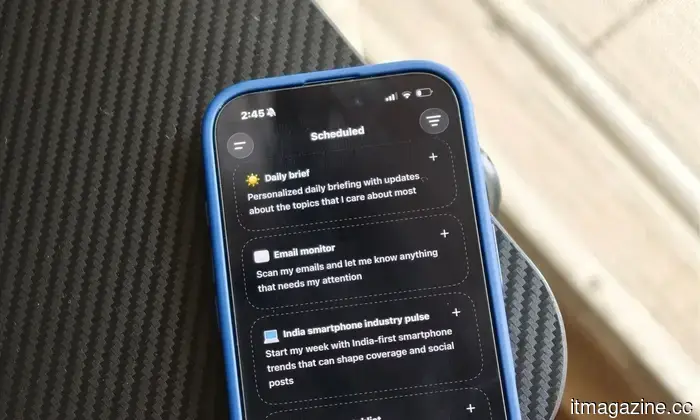
Other articles
 Silicon Valley aims to integrate AI into everything, but it prefers that we remain unaware of its presence.
Despite all the chatter from tech companies regarding AI clutter, I haven't come across substantial proof that they truly desire to reduce AI usage. Spotify has eliminated tens of millions of spammy uploads. LinkedIn allows users to flag posts that appear to be AI-generated noise, while YouTube has removed networks of subpar channels. Pinterest and TikTok are also taking similar actions…
Silicon Valley aims to integrate AI into everything, but it prefers that we remain unaware of its presence.
Despite all the chatter from tech companies regarding AI clutter, I haven't come across substantial proof that they truly desire to reduce AI usage. Spotify has eliminated tens of millions of spammy uploads. LinkedIn allows users to flag posts that appear to be AI-generated noise, while YouTube has removed networks of subpar channels. Pinterest and TikTok are also taking similar actions…
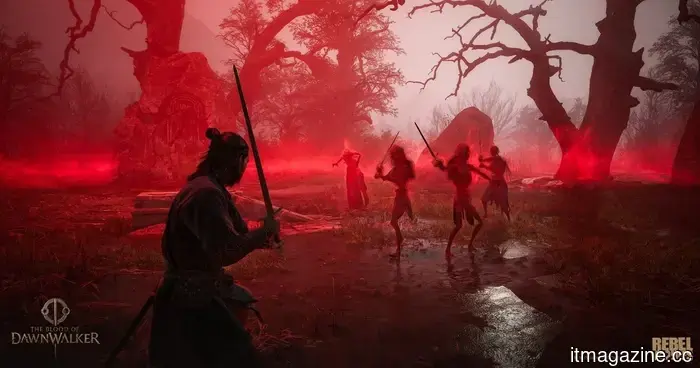 The Blood of Dawnwalker won’t put a strain on your old gaming PC, but your PS5 could face some difficulties.
The PC requirements for The Blood of Dawnwalker are quite reasonable, but console gamers will be restricted to 30fps or 40fps, even on the PS5 Pro.
The Blood of Dawnwalker won’t put a strain on your old gaming PC, but your PS5 could face some difficulties.
The PC requirements for The Blood of Dawnwalker are quite reasonable, but console gamers will be restricted to 30fps or 40fps, even on the PS5 Pro.
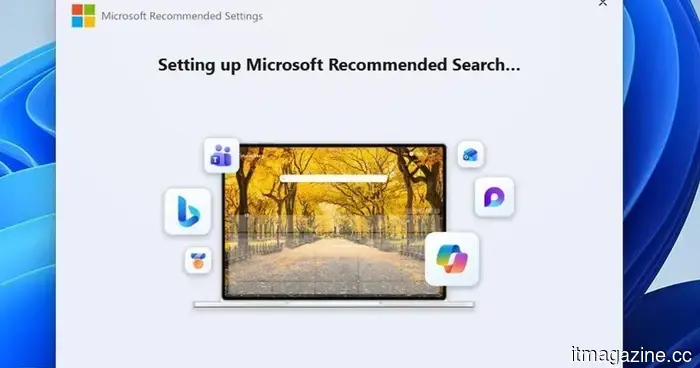 Windows 11 now features an app dedicated entirely to promoting Bing.
Microsoft has developed a Windows 11 application known as Microsoft Recommended Search Settings, which promotes Bing as the default search engine in Chrome, Firefox, and various other browsers.
Windows 11 now features an app dedicated entirely to promoting Bing.
Microsoft has developed a Windows 11 application known as Microsoft Recommended Search Settings, which promotes Bing as the default search engine in Chrome, Firefox, and various other browsers.
 Employers are discreetly bringing back individuals who were replaced by AI, offering them lower salaries to return.
Forrester reports that 55% of employers regret their decisions to reduce staff due to AI and anticipates that half of those layoffs will likely be discreetly reversed, moved offshore, or compensated at lower wages.
Employers are discreetly bringing back individuals who were replaced by AI, offering them lower salaries to return.
Forrester reports that 55% of employers regret their decisions to reduce staff due to AI and anticipates that half of those layoffs will likely be discreetly reversed, moved offshore, or compensated at lower wages.
 The design of the Xperia 10 VIII has been revealed, and Sony is not making significant alterations.
A recent leak has revealed Sony's forthcoming Xperia 10 VIII, showcasing a design that closely resembles last year's version.
The design of the Xperia 10 VIII has been revealed, and Sony is not making significant alterations.
A recent leak has revealed Sony's forthcoming Xperia 10 VIII, showcasing a design that closely resembles last year's version.
 The recent Proton update from Valve addresses issues with Helldivers 2, Forza Horizon, and several other titles.
The Proton 11.0-2 update from Valve resolves issues with numerous games on Linux and SteamOS, such as Helldivers 2, Marvel Rivals, Forza Horizon, and Arc Raiders.
The recent Proton update from Valve addresses issues with Helldivers 2, Forza Horizon, and several other titles.
The Proton 11.0-2 update from Valve resolves issues with numerous games on Linux and SteamOS, such as Helldivers 2, Marvel Rivals, Forza Horizon, and Arc Raiders.
ChatGPT for iPhone now allows users to access recent photos by performing a long press.
The most recent iPhone update for ChatGPT allows users to quickly access and attach their last four photos by long-pressing the plus button.