
Google is experimenting with a homepage that prioritizes AI, and it seems that the Search button is becoming less prominent.
A subtle redesign indicates that Google is testing a version of its platform without its traditional Search button.
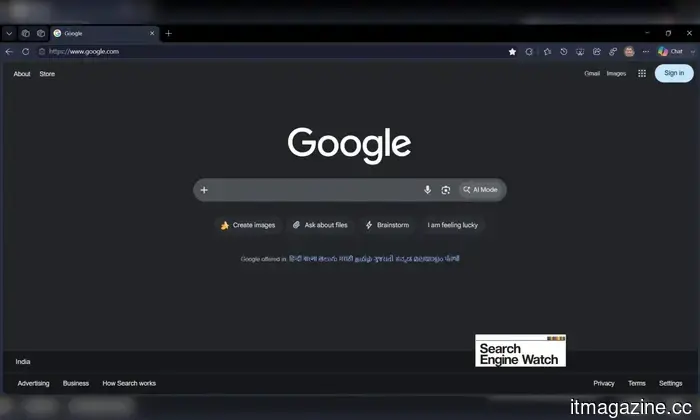
For many years, the Search button has been a fundamental component of the Google Search experience. However, currently, entering “google.com” in a browser has reportedly unveiled a new simplified interface that no longer features the Search button (for a limited number of signed-out users).
It seems that the tech giant is experimenting with a new, AI-first layout that includes three dedicated buttons unfamiliar to standard Google Search users, but which are commonplace for regular users of the Gemini chatbot.
Search Engine Watch
What changes has Google implemented?
Search Engine Watch initially noticed the modification and verified it independently on three different web browsers: Chrome, Edge, and Comet (via Android Authority). The revamped homepage removes the classic Google Search button.
Instead, it showcases three new AI-centric buttons: Create images, Ask about files, and Brainstorm. These buttons are positioned directly beneath the horizontal search bar. The AI Mode button continues to reside within the search box itself. The “I'm feeling lucky” button appears to have been retained.
Moreover, it's intriguing that the Ask about files and Brainstorm buttons reportedly operate without the need for user login. These features apparently allow users to upload documents or PDFs and inquire about them or brainstorm with Gemini.
Creating images is the only function requiring a sign-in, likely because Google prefers to link this feature to a verified account before incurring costs for processing on Nano Banana generations.
Is this change actually being rolled out, or is it merely a test?
Here's the twist. The report states that this new format is only visible to logged-out users. However, not everyone is experiencing it. Factors such as location, browser, and session seem to influence its visibility. Google has not confirmed the extent of the change either.
My perspective on this is that this development shouldn't be overlooked. Google has dedicated decades to championing the simplicity and usability of its homepage. Nevertheless, quietly positioning “Search” beneath AI-oriented buttons, or at least trialing it, reveals the company's shifting priorities.
While I won't suggest that we should expect the classic layout to be phased out imminently, I cannot ignore Google's recent shift towards its AI initiatives. For now, this new format seems to be part of an A/B test being presented to a select group of users.
For over five years, Shikhar has consistently simplified advancements in consumer technology and conveyed them…
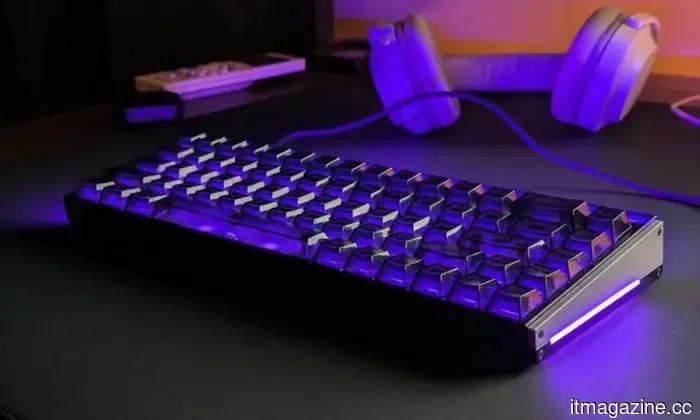
I stumbled upon a peculiar MelGeek lighting feature that transformed my keyboard into a Tetris game.
MelGeek’s GIF Lighting feature enabled me to turn the MADE68 Ultra V2 into a miniature Tetris board.
I've been reviewing the MelGeek Made68 Ultra V2 for several weeks, and unexpectedly, one of my favorite aspects has nothing to do with gaming.
Make no mistake, this is definitely a gaming keyboard, and a premium one at that. It utilizes Hall effect switches, offers adjustable actuation, and includes all the standard features expected from a modern magnetic keyboard. I have particularly enjoyed using it in Rainbow Six Siege, where the peeking and strafing feels noticeably crisper than on the mechanical keyboards I typically use.
Lenovo’s next ThinkBook might expand sideways into a portable ultrawide configuration.
Your upcoming ThinkBook could literally increase its screen size when your workspace gets cramped.
Lenovo does not seem to be done exploring how much screen space it can fit into a laptop bag. A recent report from WindowsLatest hints at a design for a Lenovo ThinkBook with a display that can expand horizontally, potentially providing users with significantly more desktop area without permanently enlarging the laptop.
This design appears related to a Lenovo patent outlining a laptop computer that can be shown in various configurations. The patent was filed in August 2024 and granted in the US on March 10, 2026, with Lenovo Beijing identified as the assignee.
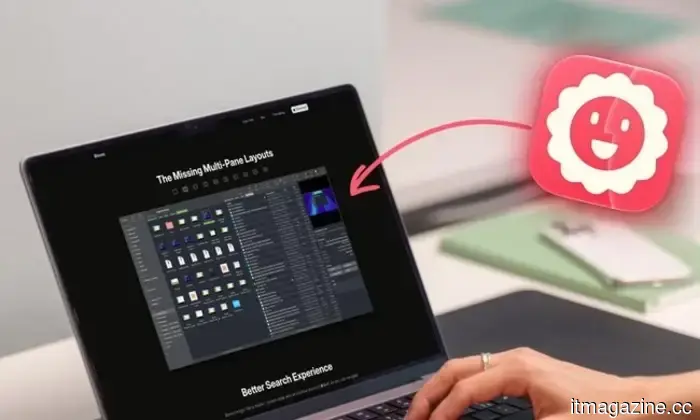
I didn’t realize how much Finder was hindering my productivity until I transitioned to Bloom.
It turns out my file manager was the unforeseen cause of my productivity slowdown.
I've used Finder for as long as I've owned a Mac, and for the majority of that time, I never questioned it. You open a window, sift through some folders, move a file where it belongs, and continue with your day. That's just the way it is, right?
But it shouldn’t be. Frequently opening new windows to transfer a file from one folder to another, waiting for searches that comb through my entire drive when I'm only after results from a single folder, or having to resize the same columns repeatedly because they never retain their width (which is particularly frustrating) should not be considered normal.

Otros artículos
 A US court has recently allowed thousands of lawsuits related to social media harm to move forward.
The Ninth Circuit determined that Section 230 serves as a defense rather than providing complete immunity, allowing youth-addiction lawsuits against Meta, TikTok, Snap, and YouTube to proceed to trial.
A US court has recently allowed thousands of lawsuits related to social media harm to move forward.
The Ninth Circuit determined that Section 230 serves as a defense rather than providing complete immunity, allowing youth-addiction lawsuits against Meta, TikTok, Snap, and YouTube to proceed to trial.
 Six major financial institutions support Nvidia's $500 billion initiative to finance the expansion of AI technology.
Nvidia has recruited six prominent figures from the finance sector to create 'compute financing platforms' that could potentially leverage more than $500 billion in third-party capital for AI development.
Six major financial institutions support Nvidia's $500 billion initiative to finance the expansion of AI technology.
Nvidia has recruited six prominent figures from the finance sector to create 'compute financing platforms' that could potentially leverage more than $500 billion in third-party capital for AI development.
 Bios Life exits stealth mode with a $25 million investment and a partnership with Tempus for cancer monitoring.
Bios Life has unveiled itself with $25 million in funding and a partnership with Tempus to create continuous, AI-based cancer monitoring for those at high risk and survivors.
Bios Life exits stealth mode with a $25 million investment and a partnership with Tempus for cancer monitoring.
Bios Life has unveiled itself with $25 million in funding and a partnership with Tempus to create continuous, AI-based cancer monitoring for those at high risk and survivors.
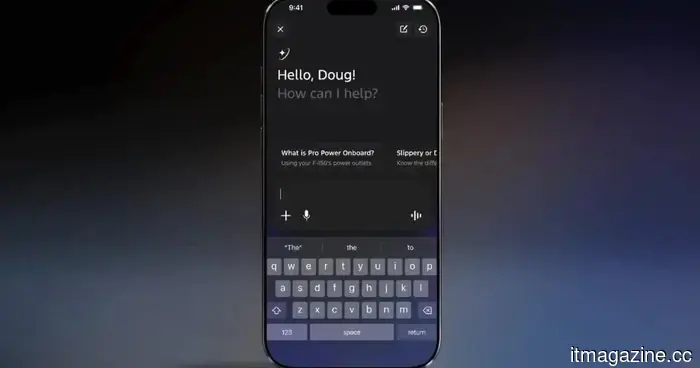 Ford's latest AI assistant helps you avoid searching for that dashboard warning light on Google.
Ford's new AI assistant, now available in the Ford and Lincoln apps, addresses specific inquiries regarding your vehicle by utilizing live telemetry, with a comprehensive in-car version expected to launch in 2027.
Ford's latest AI assistant helps you avoid searching for that dashboard warning light on Google.
Ford's new AI assistant, now available in the Ford and Lincoln apps, addresses specific inquiries regarding your vehicle by utilizing live telemetry, with a comprehensive in-car version expected to launch in 2027.
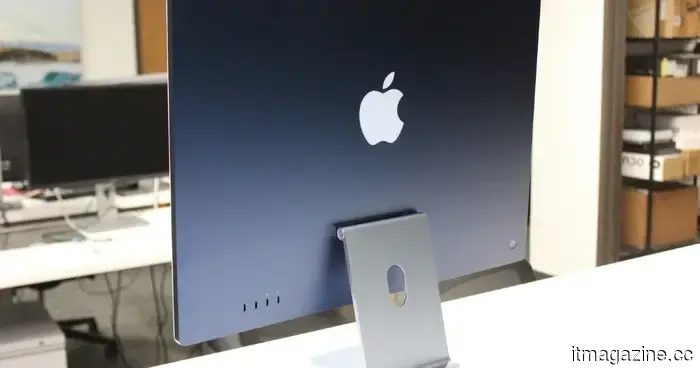 Apple might have discovered a solution to the OLED iMac’s most significant issue, but it is still several years away from being released.
LG Display's latest OLED strategy aims to address the burn-in issue that has prevented OLED from being included in the iMac for years, rather than merely enhancing brightness.
Apple might have discovered a solution to the OLED iMac’s most significant issue, but it is still several years away from being released.
LG Display's latest OLED strategy aims to address the burn-in issue that has prevented OLED from being included in the iMac for years, rather than merely enhancing brightness.
 The Minimal Phone 2 features an AMOLED display and 5G connectivity while maintaining its classic appeal.
Minimal's second-generation phone replaces its distraction-free E Ink display with an OLED screen and 5G connectivity, all encased in a curved aluminum body that completely eliminates the headphone jack.
The Minimal Phone 2 features an AMOLED display and 5G connectivity while maintaining its classic appeal.
Minimal's second-generation phone replaces its distraction-free E Ink display with an OLED screen and 5G connectivity, all encased in a curved aluminum body that completely eliminates the headphone jack.
Google is experimenting with a homepage that prioritizes AI, and it seems that the Search button is becoming less prominent.
Seen in Chrome, Edge, and Comet, Google's updated homepage design replaces the classic Search button with three AI-centric shortcuts.