
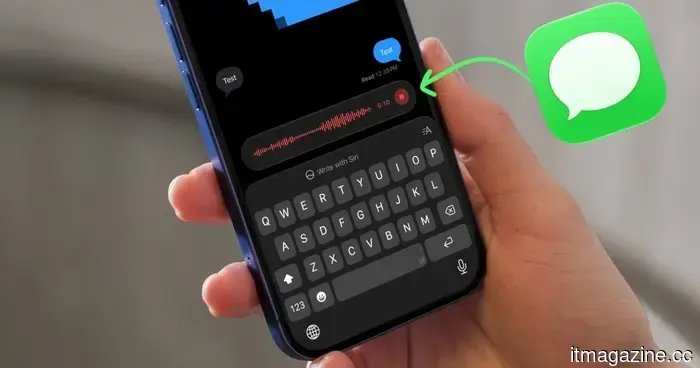
iOS 27 has finally put an end to my unintentional voice message troubles.
Your thumb can finally stop letting you down in conversations.
If you've ever mistakenly pressed the record audio button in Messages, sending an awkward voice note unintentionally, you understand the particular kind of panic that follows. I’ve experienced it more times than I care to admit, and without the “Undo Send” feature, I would have found myself in some truly embarrassing situations.
This generally occurs when I tap inside the text field to access the keyboard, and my fingers inadvertently touch the recording icon. Occasionally, a stray tap while I’m waiting for a reply results in a voice recording being sent without me even noticing.
Fortunately, iOS 27 has finally provided us with a solution to eliminate this issue once and for all.
Why does this happen so frequently?
If you’ve ever questioned why this button is hit so often, it comes down to two reasons. First, the record audio icon is located right next to the text field, in the spot where your thumb instinctively lands.
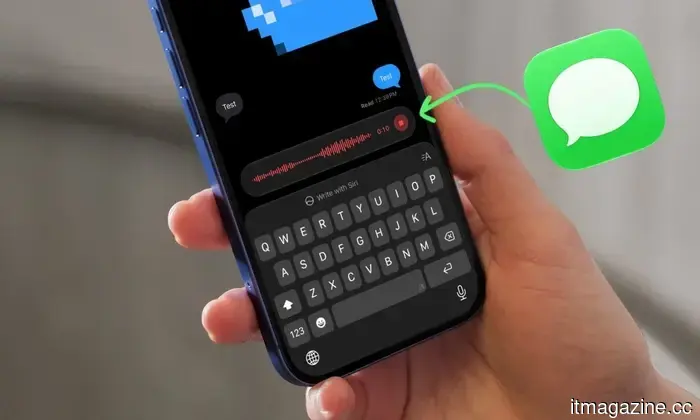
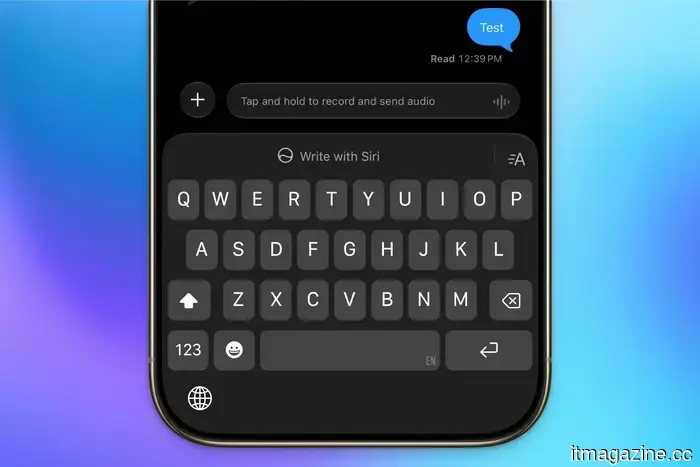
Secondly, it resides in the same position as the Send button, making it easier to hit due to muscle memory. In iOS 27, I’ve noticed you now have to tap and hold to begin recording, which is a significant improvement from iOS 26, where a single tap initiated the audio message.
However, to ensure it never happens, I prefer to eliminate the audio message button completely. Here’s how you can do that.
How can you disable the record audio button?
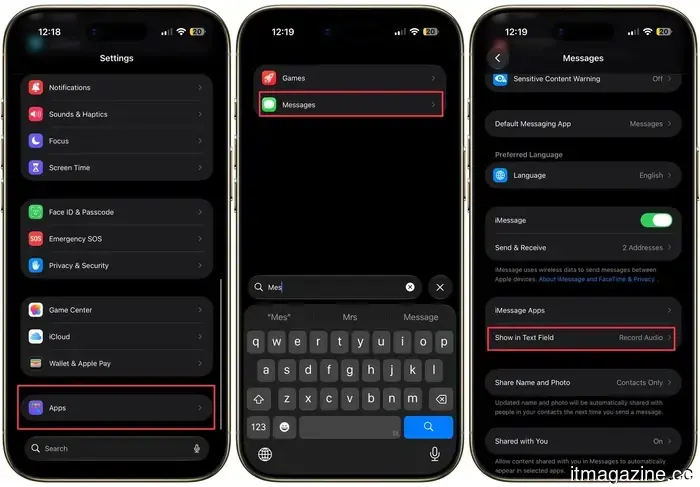
Apple has introduced a straightforward toggle in the Messages settings that allows you to manage what appears next to your text field. To access this:
Step 1: Open the Settings app on your iPhone and scroll to the bottom.
Step 2: Tap on Apps, then select Messages to access the Messages settings.
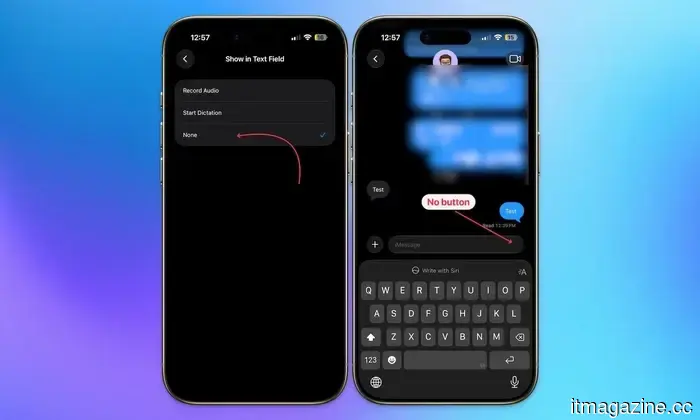
Step 3: Scroll down and tap on the “Show in Text Field” settings.
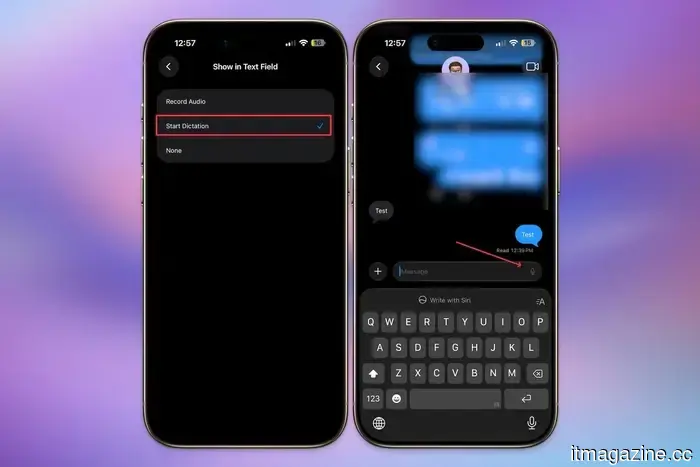
You will see three options: Record Audio, Start Dictation, or None. Choose None to entirely remove the audio recording button, ensuring there’s nothing for your thumb to inadvertently touch.
Should you opt for dictation instead?
If you want quick access to voice input but wish to keep the audio recording button away from your keyboard, choosing Start Dictation is a viable compromise. Dictation has greatly improved with the new Siri AI, making it a practical choice. It allows you to dictate messages without the risk of accidentally sending an unsolicited voice recording to the person you’re texting.
For me personally, removing the option altogether is preferable. I seldom use voice messages, and the dictation button is located at the bottom-right of the keyboard if I need it. Eliminating the button means I no longer have to worry about sending unintended voice messages.
It’s a minor adjustment, but it’s the type of improvement that significantly enhances the user experience once you become aware of it. If you've ever sent an accidental voice message and felt immediate regret, take a moment to update this setting today.



Other articles
 Daniel Dines believes that failing to hire junior employees is an error.
At the Raise summit, UiPath's Daniel Dines stated that reducing junior hiring is a misstep, while he and LDC's Guy-Laurent Arpino discussed the future of enterprise AI.
Daniel Dines believes that failing to hire junior employees is an error.
At the Raise summit, UiPath's Daniel Dines stated that reducing junior hiring is a misstep, while he and LDC's Guy-Laurent Arpino discussed the future of enterprise AI.
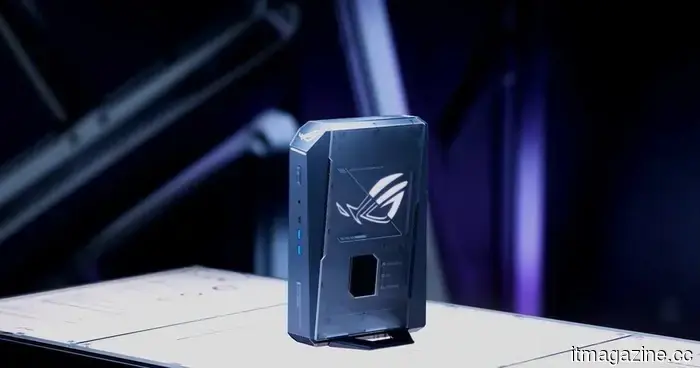 Asus created a compact AMD gaming powerhouse, and the price is the most intimidating aspect.
Asus has managed to fit an AMD Ryzen 9 processor and RTX 5070 graphics card into a three-liter gaming PC, but its small size comes with a significant price increase.
Asus created a compact AMD gaming powerhouse, and the price is the most intimidating aspect.
Asus has managed to fit an AMD Ryzen 9 processor and RTX 5070 graphics card into a three-liter gaming PC, but its small size comes with a significant price increase.
 Affordable smartphones are facing pressure, and one factor contributing to this is AI.
An Omdia report cautions that smartphones costing less than $400 may experience a decline of over 22% by 2026, as increasing memory costs, partly driven by AI demands, transform the global smartphone market.
Affordable smartphones are facing pressure, and one factor contributing to this is AI.
An Omdia report cautions that smartphones costing less than $400 may experience a decline of over 22% by 2026, as increasing memory costs, partly driven by AI demands, transform the global smartphone market.
 A damaged Galaxy Fold 5 has now turned into the Pixel desktop future I hope Google adopts.
A DIY DeX box created from a damaged Galaxy Fold 5 makes Google's Pixel desktop aspirations seem timid, incomplete, and oddly late.
A damaged Galaxy Fold 5 has now turned into the Pixel desktop future I hope Google adopts.
A DIY DeX box created from a damaged Galaxy Fold 5 makes Google's Pixel desktop aspirations seem timid, incomplete, and oddly late.
 SambaNova secures new funding at a valuation of $11 billion as competition to Nvidia intensifies.
AI chip startup SambaNova has secured funding at an $11 billion valuation, nearly five times its value from a few months ago, as investors seek alternatives to Nvidia.
SambaNova secures new funding at a valuation of $11 billion as competition to Nvidia intensifies.
AI chip startup SambaNova has secured funding at an $11 billion valuation, nearly five times its value from a few months ago, as investors seek alternatives to Nvidia.
iOS 27 has finally put an end to my unintentional voice message troubles.
iOS 27 allows you to completely eliminate the record audio button from Messages, preventing any accidental sending of an uncomfortable voice note. Here’s how to disable it.