
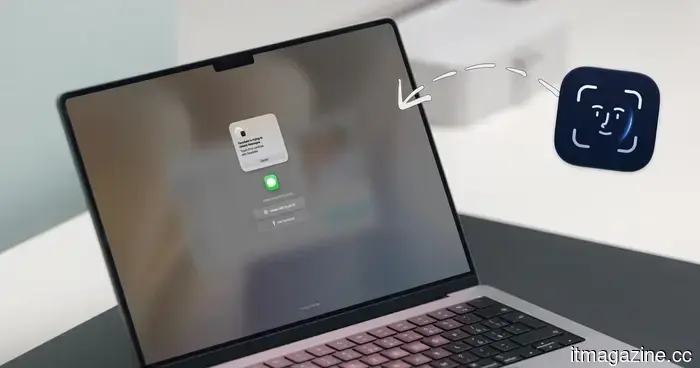
I dislike sharing my Mac, but a face-recognition app has ultimately alleviated my privacy concerns.
If you've ever lent your Mac to a friend, family member, or coworker for "just a minute," you're likely familiar with the mild panic that ensues. While your Mac does feature a lock screen, once someone bypasses it, they can access Messages, Photos, Notes, Mail, WhatsApp, and your browser.
iPhones faced a similar problem, but Apple addressed it by introducing an app lock feature with the iOS 18 update. Unfortunately, macOS lacks such a feature. This is where the new FaceGate app for Mac can be beneficial. It's a free and open-source tool that allows you to lock apps on your Mac and includes some unique capabilities. Let’s dive into it.
### How to install FaceGate on your Mac
Before we explore the app’s features, let’s go through the installation process. Setting up FaceGate is straightforward, and there are three methods available based on your comfort level with Terminal.
The simplest option is the automated script. Just open Terminal and execute the install command from the FaceGate website, and the app will download, verify, and install automatically. This method is recommended for most users.
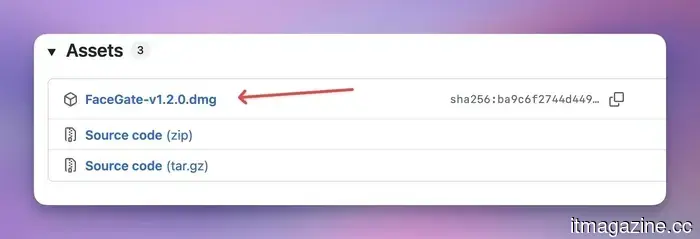
If you prefer a manual approach, you can download the DMG file from the GitHub releases page. Since the app isn't signed with a paid Apple developer certificate, you'll need to execute a quick Terminal command to avoid macOS’s Gatekeeper from blocking the app.
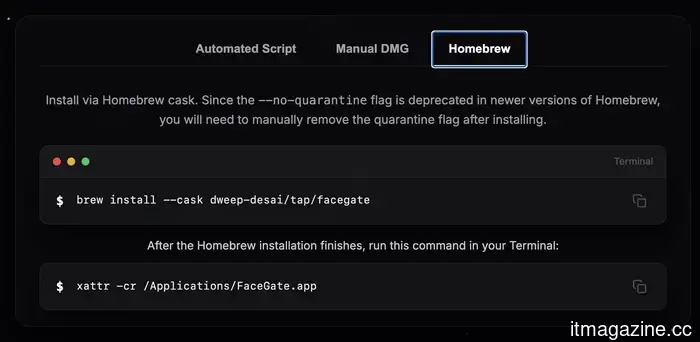
Homebrew users have a third alternative. You can install FaceGate using a Homebrew cask, but you’ll still need to run that same quarantine removal command afterward, as the no-quarantine flag has been removed in newer versions.
### Face unlock finally comes to the Mac
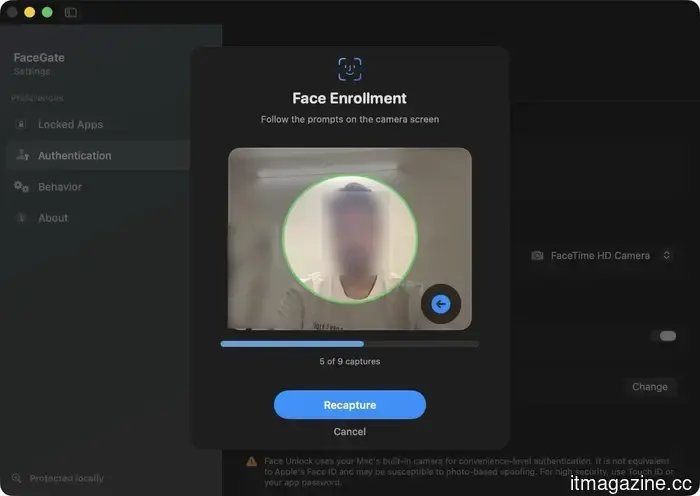
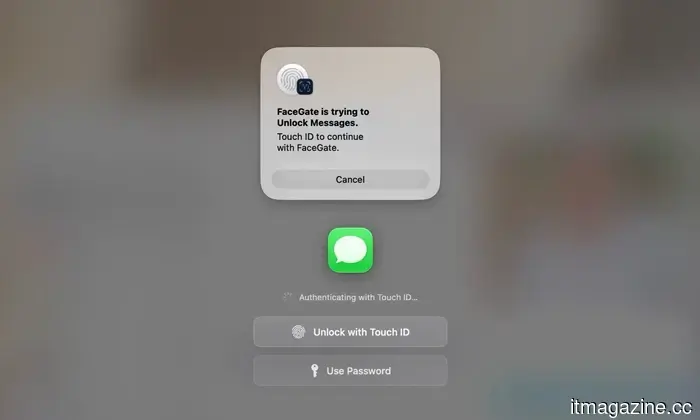
Having installed the app, let’s discuss its features. FaceGate's standout feature is that it introduces Face Unlock to macOS, which no other app locker currently provides.
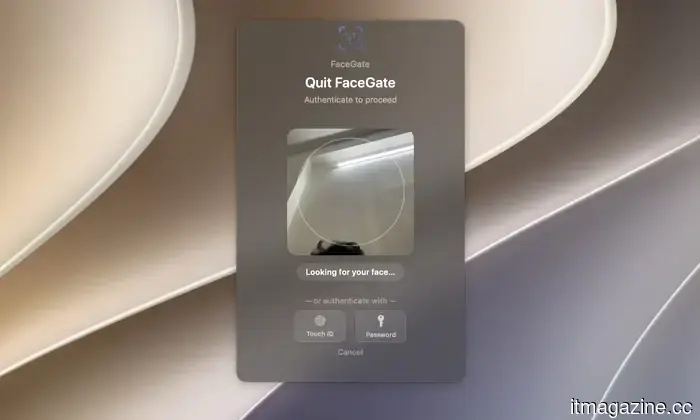
It utilizes a software-based facial recognition system that operates directly on your Mac’s Apple Silicon Neural Engine, with the entire process done offline. To prevent someone from unlocking your apps by merely showing a photo or video of you, it requires a quick head pose challenge, such as turning your head left or right, before access is granted.
If you briefly entrust your Mac to someone, this level of security is practical and sufficient. However, it’s not infallible. Since Macs lack dedicated Face ID hardware, Face Unlock relies on software.
For maximum security, it's advisable to use Touch ID. If neither option works or is supported on your Mac (for example, if you're using a Mac mini), you can always revert to using passwords.
### Locking rules that align with your workflow
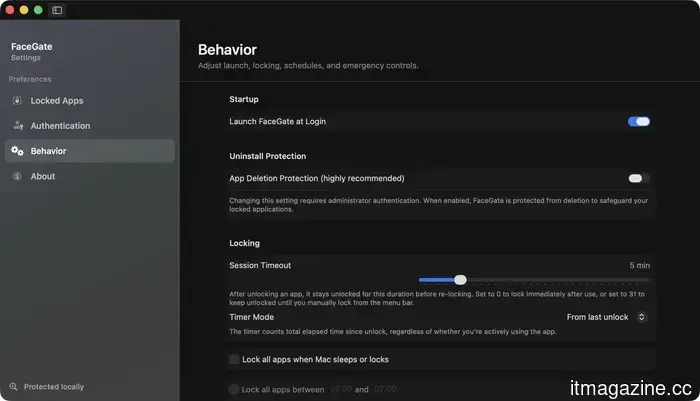
FaceGate provides a surprising degree of control over the level of strictness you desire. You can choose how long an app remains unlocked when accessed, either keeping it open indefinitely during use or having it lock immediately after you switch away or close it.
You can also configure custom timings for when your apps should automatically lock or unlock, which is useful for additional protection during specific hours. Additionally, FaceGate automatically locks your apps whenever your Mac sleeps, wakes up, or when the screen locks, so you are never left without protection if you step away unexpectedly.
### Built to thwart workarounds
A thoughtful aspect of FaceGate is its tamper protection. You can configure the app so that it cannot be closed, disabled, or uninstalled without administrator authorization.
This means that it's not easily bypassed by anyone attempting to circumvent it. It also supports multiple displays, ensuring your locked apps remain locked regardless of the screen they're on.
### No cloud, no accounts, no catch
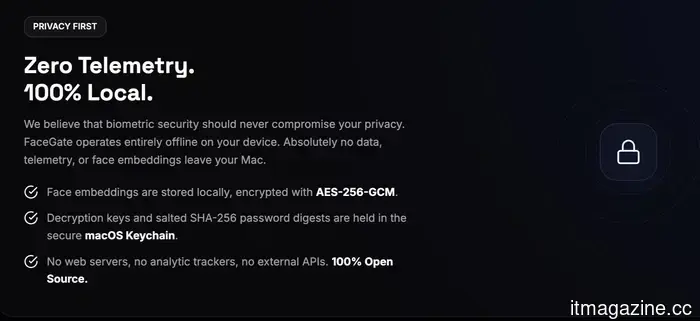
From a privacy standpoint, FaceGate meets all essential criteria. Everything operates locally on your Mac, with no telemetry, no account creation, and no subscriptions.
Your facial data is encrypted using AES-256-GCM, and your password records are safely stored in the macOS Keychain, ensuring that no information about how you unlock your apps leaves your device. The app also allows you to delete your facial data if you choose not to use it anymore.
### FaceGate is a must-have for Mac users
Having tried various app-lock services for Mac, none have matched what FaceGate provides. Not only does it introduce a useful Face Unlock feature, but it’s also completely free and ad-free.
If you've been looking for a straightforward way to keep prying eyes away from your personal apps without locking down your whole Mac, this app is definitely worth exploring.

Other articles
 Microsoft seems to have moved on from the appeal of small Windows tablets. Long live the Surface Go!
Microsoft has allegedly ceased the production of Surface Go and Surface Laptop Go devices, with only Surface Pro and Surface Laptop remaining as the company's active Surface PC lines.
Microsoft seems to have moved on from the appeal of small Windows tablets. Long live the Surface Go!
Microsoft has allegedly ceased the production of Surface Go and Surface Laptop Go devices, with only Surface Pro and Surface Laptop remaining as the company's active Surface PC lines.
 Constructing AI Infrastructure Responsibly: ER Steel on the Changing Needs of Data Center Growth
Close to 100 gigawatts of additional data center capacity may be available by 2030. ER Steel contends that the main obstacle lies not in computing power but rather in the coordination of construction, access to the grid, and planning for long-term operations.
Constructing AI Infrastructure Responsibly: ER Steel on the Changing Needs of Data Center Growth
Close to 100 gigawatts of additional data center capacity may be available by 2030. ER Steel contends that the main obstacle lies not in computing power but rather in the coordination of construction, access to the grid, and planning for long-term operations.
 Constructing AI Infrastructure Ethically: ER Steel on the Changing Requirements of Data Center Growth
By 2030, almost 100 gigawatts of additional data center capacity could be available. ER Steel contends that the primary hurdles are not related to computing power but rather to the coordination of construction, access to the grid, and long-term operational strategies.
Constructing AI Infrastructure Ethically: ER Steel on the Changing Requirements of Data Center Growth
By 2030, almost 100 gigawatts of additional data center capacity could be available. ER Steel contends that the primary hurdles are not related to computing power but rather to the coordination of construction, access to the grid, and long-term operational strategies.
 A Swedish court has mandated that Google pay Klarna nearly $2 billion in damages related to antitrust violations.
A court in Stockholm granted Klarna's PriceRunner over 14 billion kronor in antitrust damages due to Google's unlawful self-preferencing in search results.
A Swedish court has mandated that Google pay Klarna nearly $2 billion in damages related to antitrust violations.
A court in Stockholm granted Klarna's PriceRunner over 14 billion kronor in antitrust damages due to Google's unlawful self-preferencing in search results.
 Pie has secured $19.5 million to enhance the visibility of small businesses in AI search.
Pie has secured $19.5 million in funding, led by Lightspeed, to assist small businesses in being discovered on ChatGPT, Google Maps, and Yelp, as well as to manage their phone calls using AI.
Pie has secured $19.5 million to enhance the visibility of small businesses in AI search.
Pie has secured $19.5 million in funding, led by Lightspeed, to assist small businesses in being discovered on ChatGPT, Google Maps, and Yelp, as well as to manage their phone calls using AI.
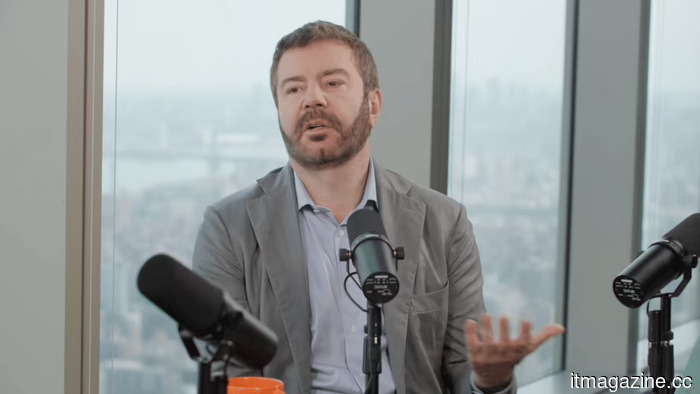 Daniel Dines of UiPath discusses AI, employment, and feelings of anxiety.
Daniel Dines from UiPath asserts that AI lacks discernment, that agents are unable to quickly rectify disorganized processes, and that leaders who indiscriminately reduce their workforce undermine value that they have never assessed.
Daniel Dines of UiPath discusses AI, employment, and feelings of anxiety.
Daniel Dines from UiPath asserts that AI lacks discernment, that agents are unable to quickly rectify disorganized processes, and that leaders who indiscriminately reduce their workforce undermine value that they have never assessed.
I dislike sharing my Mac, but a face-recognition app has ultimately alleviated my privacy concerns.
A newly released free and open-source Mac application named FaceGate allows users to secure individual apps with Face Unlock, Touch ID, or a password, with all processing done locally on the device.