
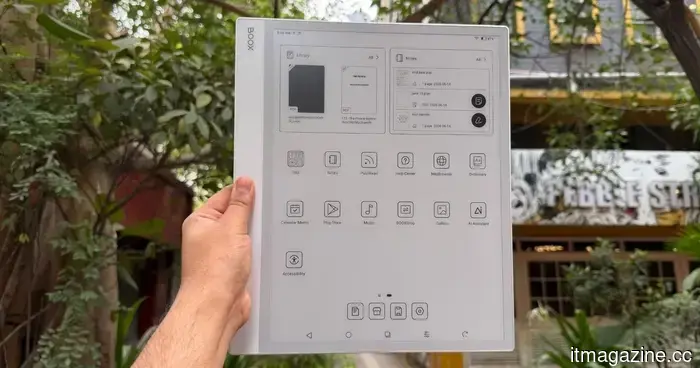
Onyx Boox Note Max review: One year on, I still adore this large e-reader that behaves like a laptop, even though it really isn't.
**Onyx Boox Note Max**
**MSRP**: $629.99
**“Maxed out e-ink goodness with great software and a light problem.”**
**Pros**
- Stunning, paper-sized e-ink display
- Android with complete access to the Play Store
- Excellent handwriting experience
- Great document and note-taking applications
- Battery lasts for weeks
**Cons**
- Significant input lag while typing
- No backlight renders it unusable in low light
- Lacks a physical volume rocker
- Inconsistent software update history
---
**Quick Review**
For years, I have sought a single device that could replace my notebook, my pile of PDFs, and potentially my laptop. The Boox Note Max comes the closest to fulfilling that dream without venturing into the realm of impractical computing devices. However, this device has also revealed to me why that dream often falls short.
This giant features a 13.3-inch e-ink display designed to mimic the dimensions of an A4 sheet, priced in the premium range between $650 and $699. It’s not intended for everyone, and Onyx makes no claims otherwise. It targets academics, data analysts, musicians who rely on sheet music, and professionals dealing with dense PDFs and handwritten notes. If you fit that profile, continue reading; otherwise, you might already balk at the cost of a simple e-ink slate with a stylus.
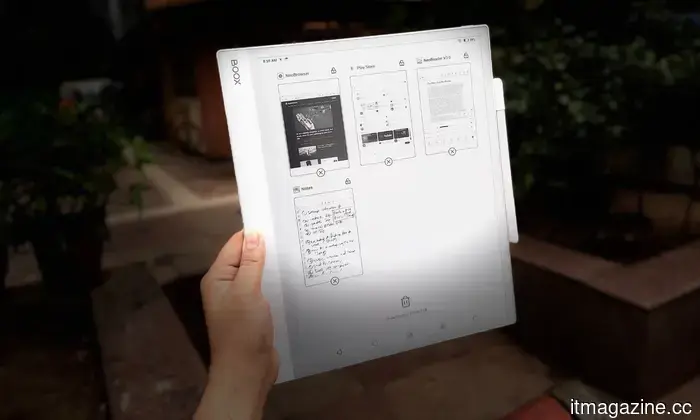
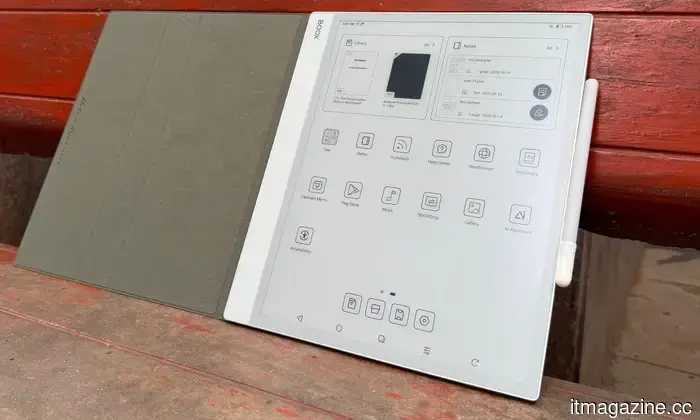
What differentiates this device is the complete Android experience, allowing users to go beyond the restricted ecosystems of Kindle Scribe and reMarkable devices. You can access nearly any app from the Google Play Store, sync with Google Drive, and multitask with two applications displayed side-by-side. The writing experience is exceptional, significantly aided by Onyx’s choice to omit the front backlight, which allows the stylus tip to make direct contact with the digital ink.
However, there’s a downside. The very feature that makes this slate so impressive also leads to its biggest flaw. Running a full tablet OS on a naturally slower e-ink panel results in noticeable input lag, especially during typing or web browsing. As a digital notebook and large document reader, it excels; but as a laptop or iPad replacement, it simply falls short, no matter how convincing the slate or the company may try to be.
---
**Onyx Boox Note Max Design and Build Quality: A Sleek Giant That Attracts Attention**
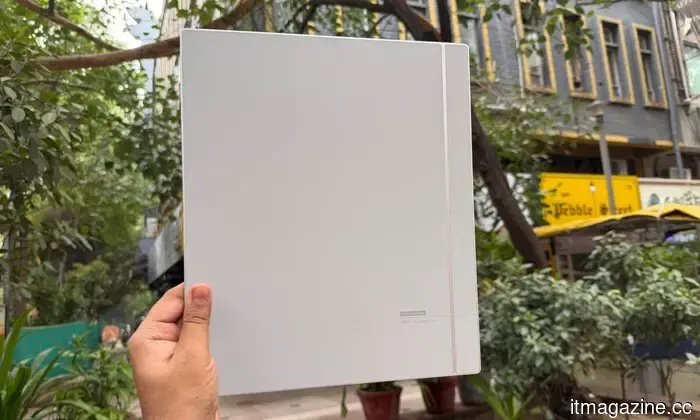
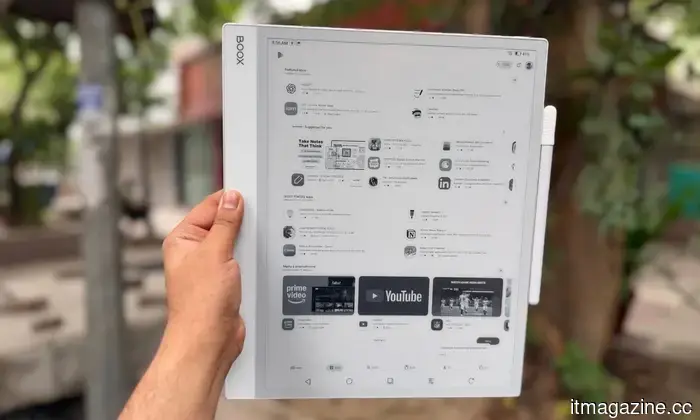
The Onyx Boox Note Max surprised me with its size as soon as I took it out of the box. It is approximately the size of a laptop screen but manages to pull off an impressive feat—it is astonishingly thin. At just 4.6mm thick, it is a full millimeter slimmer than an iPad Pro, yet it feels extremely sturdy. I attempted to twist it to check for flexing and found none. The understated white-and-gray chassis has a decidedly professional appearance, making it a device that doesn’t draw attention in meetings or on a classroom desk.
Despite its size, it weighs only 615 grams (21.7 ounces). While you won’t be able to hold it up in bed for one-handed reading, it rests comfortably on a desk, a music stand, or your lap during commutes. Onyx has included a useful asymmetrical bezel, which I quickly grew to appreciate.
The left edge has an inch-and-a-half border that provides a secure, clipboard-like grip, preventing stray thumbs from touching the screen. The stylus attaches magnetically to the right side, ensuring it stays in place while stored in a bag, and the rear corners connect with the Boox Magnetic Case or the official Keyboard Cover.
The ports and buttons are minimal; there’s a power button on the top right, a USB-C port for charging and OTG on the bottom edge, dual downward-firing speakers, and a microphone for voice memos. However, it lacks a physical volume rocker, which can be frustrating for users accustomed to other tablets. To adjust the volume, you have to pull up an on-screen slider from the notification shade, a process that feels frustratingly slow on an e-ink panel.
**Score: 8/10**
---
**Onyx Boox Note Max Display: Love It or Hate It - There’s No Middle Ground**
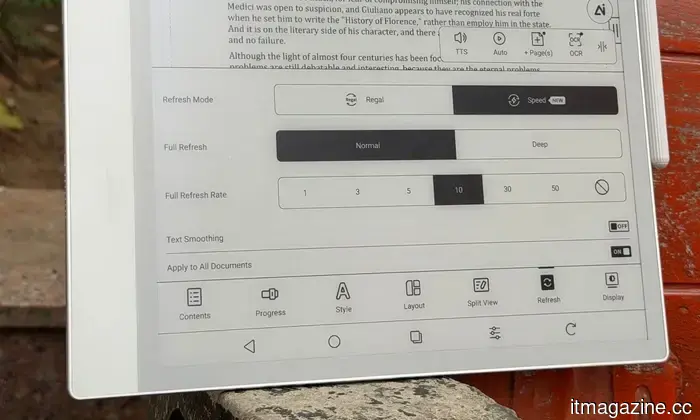
The display is the primary reason for the existence of the Note Max. It boasts a 13.3-inch E Ink Carta 1300 glass screen with a resolution of 3200 x 2400 pixels, offering a sharp pixel density of 300 PPI. The size significantly enhances the user experience. If your work includes technical manuals, research papers, legal documents, or extensive spreadsheets, this display is truly game-changing.
Traditional 10-inch readers force users into a tedious cycle of zooming and panning. In contrast, the Note Max shows A4








Другие статьи
 Kobo responds to Kindle's Goodreads feature by introducing automatic syncing with StoryGraph.
Kobo has activated its integration with StoryGraph, allowing your reading progress to sync automatically. There’s no need for manual updates anymore.
Kobo responds to Kindle's Goodreads feature by introducing automatic syncing with StoryGraph.
Kobo has activated its integration with StoryGraph, allowing your reading progress to sync automatically. There’s no need for manual updates anymore.
 AI shopping surpassed search on Prime Day, causing concerns for Amazon.
For the first time on Prime Day, AI shopping referrals surpassed search, email, and social in conversion rates, indicating a shift that poses a challenge to Amazon's dominance in product discovery.
AI shopping surpassed search on Prime Day, causing concerns for Amazon.
For the first time on Prime Day, AI shopping referrals surpassed search, email, and social in conversion rates, indicating a shift that poses a challenge to Amazon's dominance in product discovery.
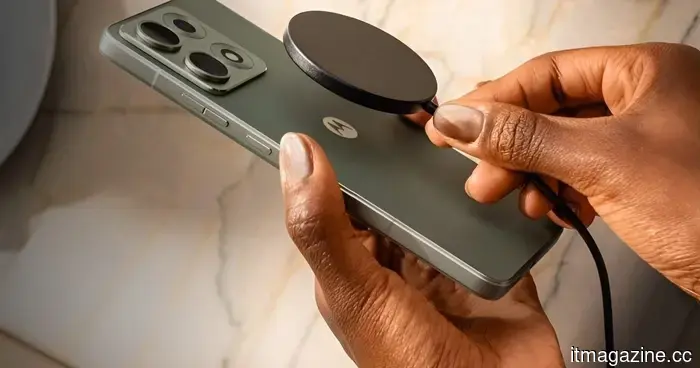 Motorola's upcoming Edge phone might offer a more affordable alternative to Android's MagSafe than what Google has provided.
The Motorola Edge 70 Max has surfaced with Qi2.2.1 certification, indicating the presence of built-in magnets, 25W wireless charging, and compatibility with MagSafe-style accessories for Android.
Motorola's upcoming Edge phone might offer a more affordable alternative to Android's MagSafe than what Google has provided.
The Motorola Edge 70 Max has surfaced with Qi2.2.1 certification, indicating the presence of built-in magnets, 25W wireless charging, and compatibility with MagSafe-style accessories for Android.
 Blue Origin has yet to determine the cause of the New Glenn explosion but intends to launch again this year.
Blue Origin's CEO Dave Limp states that the cause of the explosion in May is still unclear, though preliminary assessments indicate that it originated from the aft section of the first stage.
Blue Origin has yet to determine the cause of the New Glenn explosion but intends to launch again this year.
Blue Origin's CEO Dave Limp states that the cause of the explosion in May is still unclear, though preliminary assessments indicate that it originated from the aft section of the first stage.
 The Supreme Court is set to hear Apple's appeal regarding the contempt ruling related to the App Store in the Epic case.
The Supreme Court has decided to examine lower court decisions that determined Apple willfully violated a 2021 order regarding App Store fees during its dispute with Epic Games.
The Supreme Court is set to hear Apple's appeal regarding the contempt ruling related to the App Store in the Epic case.
The Supreme Court has decided to examine lower court decisions that determined Apple willfully violated a 2021 order regarding App Store fees during its dispute with Epic Games.
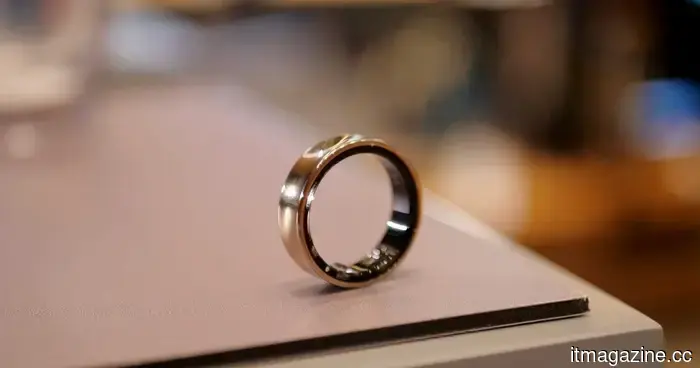 Samsung is set to release a new Galaxy Ring that may feature some innovative health functionalities.
Samsung is developing a new Galaxy Ring, and the key improvement might stem from the processes that follow the ring’s collection of health signals in the background. Hon Pak, the head of Samsung’s digital health team, mentioned to Forbes that a next-generation ring is currently in the works. However, Samsung has not revealed the name, expected launch date, pricing, regions, or […]
Samsung is set to release a new Galaxy Ring that may feature some innovative health functionalities.
Samsung is developing a new Galaxy Ring, and the key improvement might stem from the processes that follow the ring’s collection of health signals in the background. Hon Pak, the head of Samsung’s digital health team, mentioned to Forbes that a next-generation ring is currently in the works. However, Samsung has not revealed the name, expected launch date, pricing, regions, or […]
Onyx Boox Note Max review: One year on, I still adore this large e-reader that behaves like a laptop, even though it really isn't.
The Onyx Boox Max Note is an impressive paper-like device that offers a lot of versatility. However, its greatest strength also leads to its main weakness.