
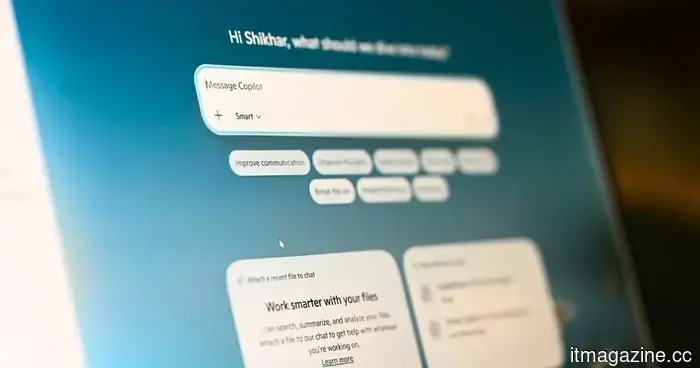
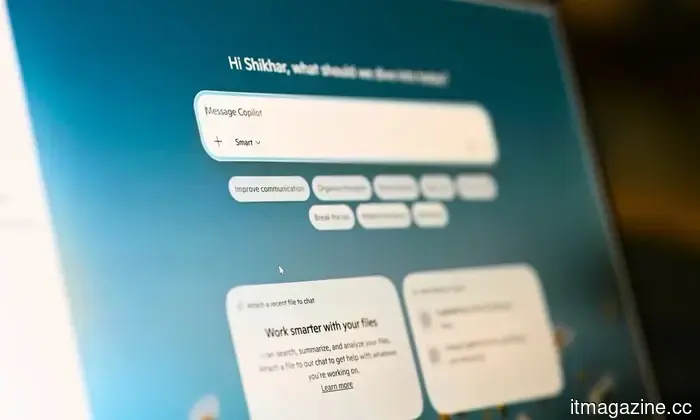
Copilot is receiving a sidebar design for Windows 11, similar to Gemini in Chrome.
Microsoft is reintroducing the original sidebar concept of Copilot for Windows 11, now featuring options for docking on the left or right and enhanced desktop integration.
Microsoft has altered the design of Copilot for Windows 11 multiple times. However, their newest concept draws from a previously attempted and discontinued idea: anchoring the AI assistant to the side of your screen for easy access while using other applications.
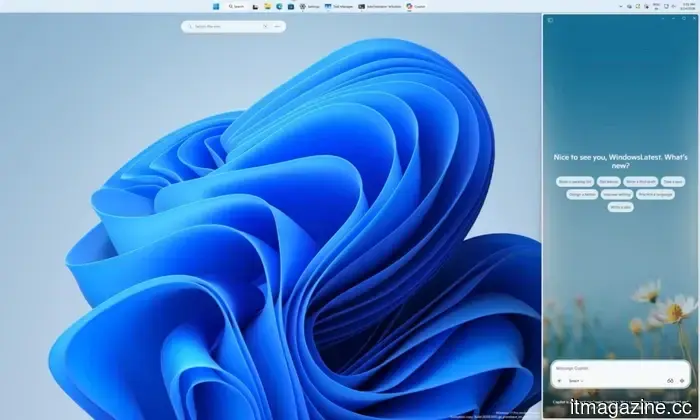
Currently, Microsoft’s AI assistant still launches as a standalone app (in a distinct window). However, a new dropdown menu in the title bar allows for window snapping options that enable users to dock it on either the left or right side of the screen (according to Windows Latest).
What does the new Copilot sidebar entail?
While it may seem that the snapping interface resembles Windows 11’s native Snap Layouts, this is not accurate. Copilot features specific layout options that are independent of the standard window snapping experience provided by the operating system.
It functions as a persistent sidebar that remains fixed during your work, rather than a floating window that requires ongoing adjustment. Users can also utilize a picture-in-picture mode for a less intrusive view of the AI assistant.
When you dock Copilot, the operating system automatically adjusts the remaining items on your screen. For example, Windows 11 reorganizes active applications to occupy the available space, while the desktop watermark shifts to the opposite side.
Hasn't Microsoft previously tried this?
Indeed, they have, which adds to the interest. Originally, Copilot was released on Windows 11 as a sidebar positioned next to your applications, allowing for queries about the content displayed on the screen.
Later, Microsoft abandoned this layout in favor of a standalone application, which was subsequently transformed into a web wrapper based on Edge. A report from Windows Latest, which noted the new docking functionality, indicates that the initial sidebar format was unsuccessful because it relied entirely on web technologies.
In contrast, the new version provides users with significant control over placement, something that the original version lacked. While it is not yet clear if Copilot Vision will induce automatic docking upon activation, this new docking feature is being gradually implemented.
For over five years, Shikhar has reliably simplified advancements in consumer technology and communicated them effectively.
AI chatbots are becoming popular in the hotel industry, but if they seem unsettling, you’re not alone: A study reveals it.
Hotel booking chatbots are causing discomfort among customers, but there is a straightforward solution to improve their experience.
If you've ever felt uneasy while booking a hotel online due to an AI chatbot's assistance, a study from Texas A&M College of Agriculture and Life Sciences supports your feelings. It confirms that hotel booking chatbots indeed make people uncomfortable, negatively impacting bookings.
What about hotel chatbots contributes to this creepiness?
The Pope emphasizes that AI should be regulated and not dominate humanity, yet we're taking the opposite approach.
The Pope has recently released his first encyclical, which AI companies should likely take note of.
Pope Leo XIV signed his inaugural encyclical on May 15, coinciding with the 135th anniversary of Pope Leo XIII's Rerum novarum. The document, titled Magnifica humanitas, was published on May 25 and discusses one of the critical challenges of our times: artificial intelligence and its effects on humanity.
The main message is not anti-technology. The Pope clarifies that technology itself isn't a threat or inherently malicious. However, he notes that technology is not neutral; it embodies the values of those who develop, finance, and control it. This presents an interesting dilemma.
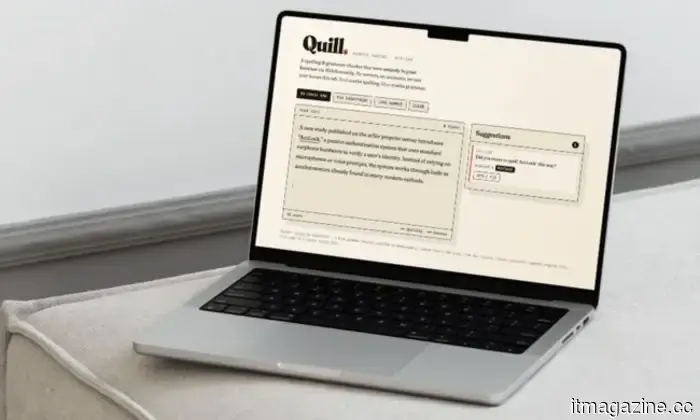
I created an offline alternative to Grammarly and transformed it into a Mac application without any coding knowledge.
It exists as a browser tab, a Chrome extension, and now a Mac app, thanks to Claude’s assistance in all three versions.
I composed this entire article while on an airplane experiencing unusual turbulence. The software I used for spell-checking and grammatical corrections was developed at an airport. The language processing engine operates entirely on my Mac, working offline to correct typos and eliminate double spaces while I type away and enjoy a sugary coffee.
I also don’t know how to code. I didn’t write a single line of code, yet the Mac application I am currently using appears more polished and performs better than Grammarly ever did. For those unaware, Grammarly is among the most favored apps for spell-checking and grammar correction globally. So, how did I accomplish this? I asked Claude. I expressed my requirements, it inquired about my preferences, and within 30 minutes, I had crafted an offline replacement for Grammarly while bypassing the "subscription trap."




Other articles
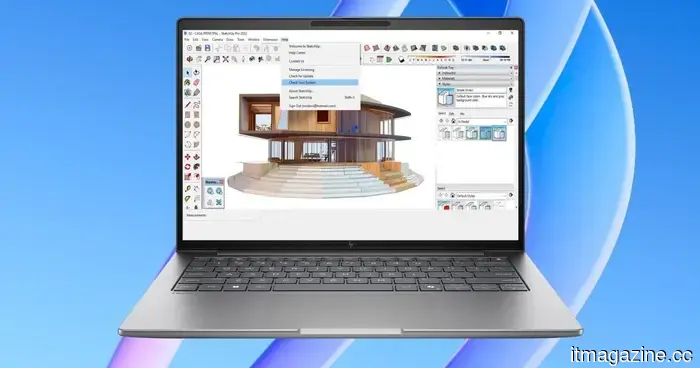 HP's latest ZBook workstations feature AI chips, Blackwell GPUs, and eye-popping price tags.
HP has introduced new ZBook workstation laptops that are equipped with Ryzen AI processors, high-quality displays, and top-tier configurations designed for creators and professional users.
HP's latest ZBook workstations feature AI chips, Blackwell GPUs, and eye-popping price tags.
HP has introduced new ZBook workstation laptops that are equipped with Ryzen AI processors, high-quality displays, and top-tier configurations designed for creators and professional users.
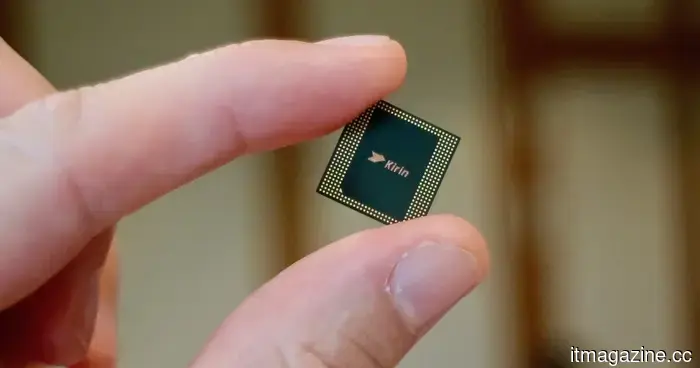 Huawei has introduced its alternative to Moore's Law as it targets the development of 1.4nm chips.
Huawei's Tau Scaling Law redirects the focus of the chip competition from merely reducing transistor size to enhancing signal speed, with the company confidently targeting a density equivalent to 1.4nm by 2031.
Huawei has introduced its alternative to Moore's Law as it targets the development of 1.4nm chips.
Huawei's Tau Scaling Law redirects the focus of the chip competition from merely reducing transistor size to enhancing signal speed, with the company confidently targeting a density equivalent to 1.4nm by 2031.
 Microsoft will finally allow you to remove Copilot.
The April 2026 update for Windows 11 introduces an official option to uninstall Copilot, following the fact that only 3.3% of eligible users decided to pay for it and after requests from administrators for removal controls.
Microsoft will finally allow you to remove Copilot.
The April 2026 update for Windows 11 introduces an official option to uninstall Copilot, following the fact that only 3.3% of eligible users decided to pay for it and after requests from administrators for removal controls.
 Microsoft will allow users to remove the Copilot app as part of its ongoing cleanup for Windows 11.
The most recent update to Windows 11 from Microsoft brings new options for permanently eliminating Copilot via Group Policy, alterations to the Registry, and conventional uninstallation methods.
Microsoft will allow users to remove the Copilot app as part of its ongoing cleanup for Windows 11.
The most recent update to Windows 11 from Microsoft brings new options for permanently eliminating Copilot via Group Policy, alterations to the Registry, and conventional uninstallation methods.
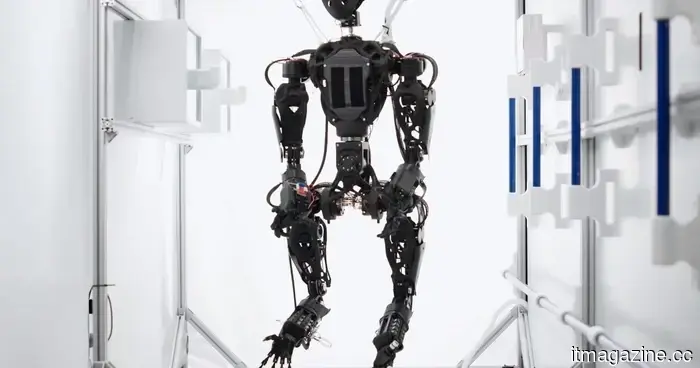 China plans to assign a unique identification code to humanoid robots, similar to how citizens are issued identification numbers.
China's new humanoid robot identification system functions similarly to a citizen identity code, assigning a distinct number that accompanies each bipedal robot throughout its entire lifecycle.
China plans to assign a unique identification code to humanoid robots, similar to how citizens are issued identification numbers.
China's new humanoid robot identification system functions similarly to a citizen identity code, assigning a distinct number that accompanies each bipedal robot throughout its entire lifecycle.
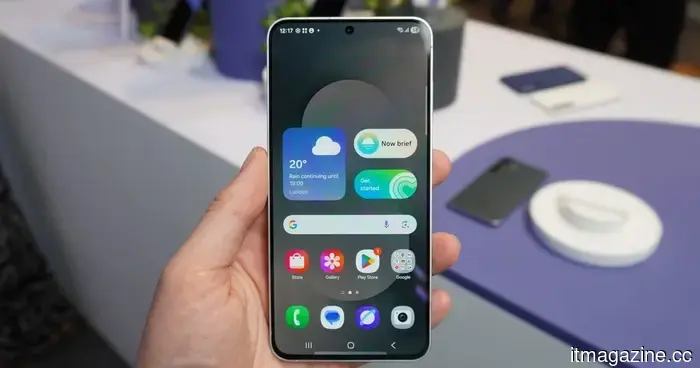 The upcoming budget flagship from Samsung has just been revealed, and here's a glimpse of its design.
Case renders for the Galaxy S26 FE have emerged online, showcasing its design and potential color choices several months before its anticipated release in October.
The upcoming budget flagship from Samsung has just been revealed, and here's a glimpse of its design.
Case renders for the Galaxy S26 FE have emerged online, showcasing its design and potential color choices several months before its anticipated release in October.
Copilot is receiving a sidebar design for Windows 11, similar to Gemini in Chrome.
Copilot is set to receive a dockable sidebar in Windows 11, functioning similarly to Gemini in Chrome, an approach that Microsoft previously attempted and abandoned.