
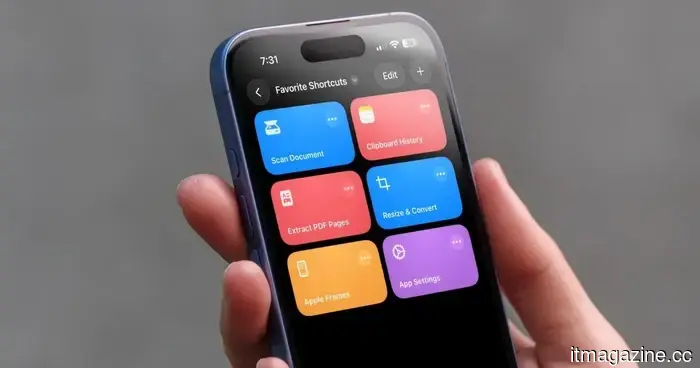
I can't imagine life without iPhone shortcuts. Here are my top 7 favorites that you should definitely give a try as well.
The iPhone Shortcuts app reminds me of Minecraft. It might seem easy to start using, but it provides almost limitless possibilities, enabling you to create whatever you like. This sentiment applies to the Shortcuts app as well, and many iPhone users might find that overwhelming. However, there's no need to feel intimidated.
If you're new to iPhone shortcuts, think of them as small automated aids. You can create your own or use those made by others. This is where shortcuts shine—if you prefer not to dive in and create your own, you can find existing shortcuts and customize them to fit your needs.
With that in mind, let’s explore my favorite shortcuts. Although they may not top everyone’s list, they are the ones I rely on daily to enhance my productivity and efficiency.
**App Settings: Stop Searching in the Settings App**
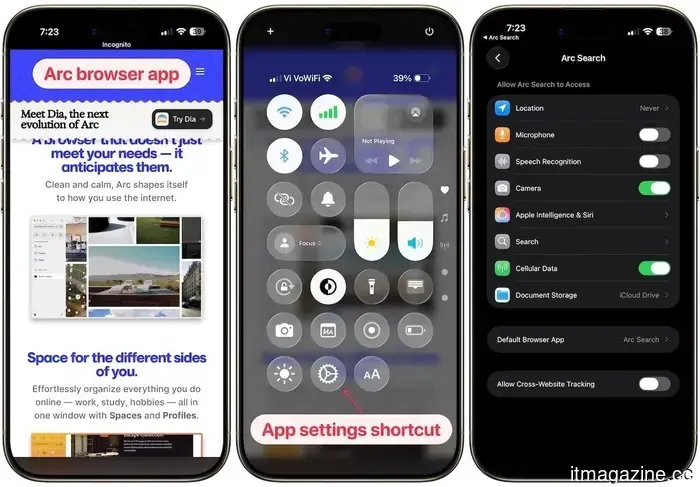
Anyone who has spent more than a few minutes trying to find an app's permissions in the Settings app knows how frustrating it can be. You must open the Settings app, scroll down, navigate to the Apps section, scroll again to locate your app, and then access its settings.
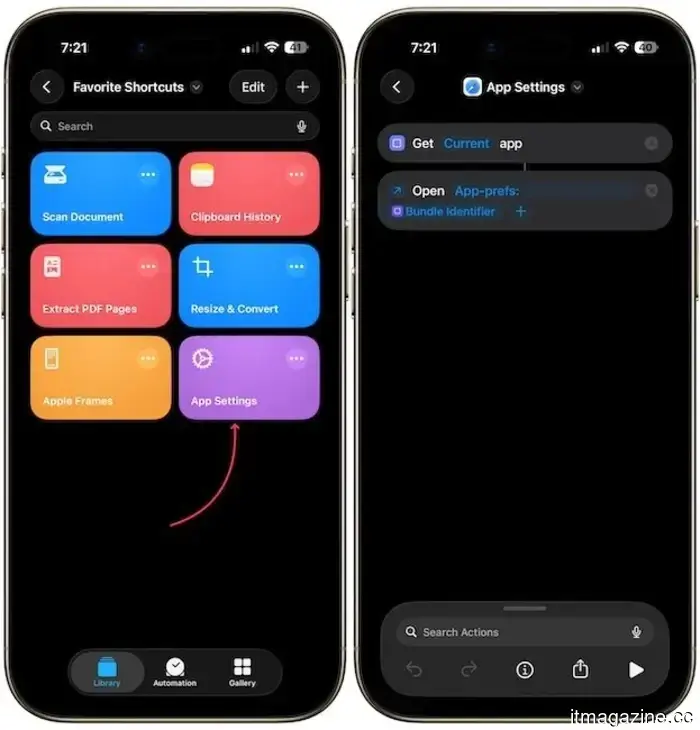
This shortcut entirely resolves that issue. It employs the Get Current App and Open URLs actions in the Shortcuts app to identify the app you are currently using and directs you straight to its settings page. After you set it up and add it to your Control Center, you simply need to open the app, swipe down, and tap the shortcut.
It will instantly launch the settings for the current app. It’s genuinely one of the most useful shortcuts I've created, and you can download it using the link below.
**Get App Settings Shortcut**
**Apple Frames 4: Professionally Present Your Screenshots**
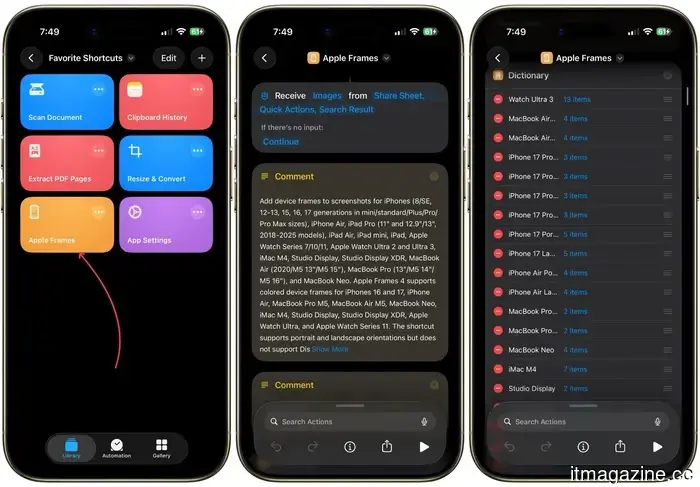
If you share screenshots on social media, in blog entries, or during presentations, this shortcut is ideal for you. Apple Frames 4 is a free shortcut created by Federico Viticci of MacStories, which frames your screenshots with the appropriate device outline.
The latest version is significantly faster, accommodating all recent Apple devices, and even allows you to select frame colors and proportionally scale images. What I appreciate most about this shortcut is its ability to manage multiple screenshots as input and merge them into a single image.
Every image in this article was created with this shortcut. If you often take screenshots, I highly recommend it. I would also suggest checking out my favorite screenshot utility for Mac, which includes all the essential features missing from Mac’s built-in screenshot tool.
**Get Apple Frames Shortcut**
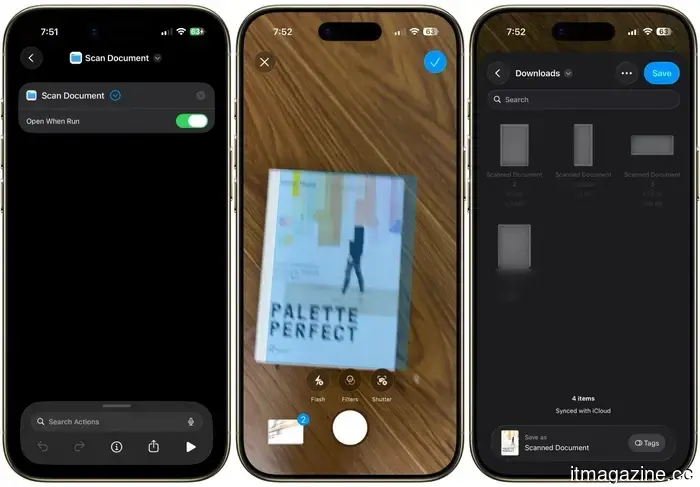
**Scan Document: Your Portable Scanner is Ready**
You don't need a third-party app to scan documents on an iPhone. You don’t even need to open the Notes or Files app the usual way. With this shortcut, you can instantly access the document scanner and scan and save papers without any extra steps.
I keep it on my Home Screen and use it whenever I need to quickly scan a receipt, letter, or any paper document. It’s one of those shortcuts that seems simple until you realize how much time it saves you weekly.
**Get Scan Documents Shortcut**
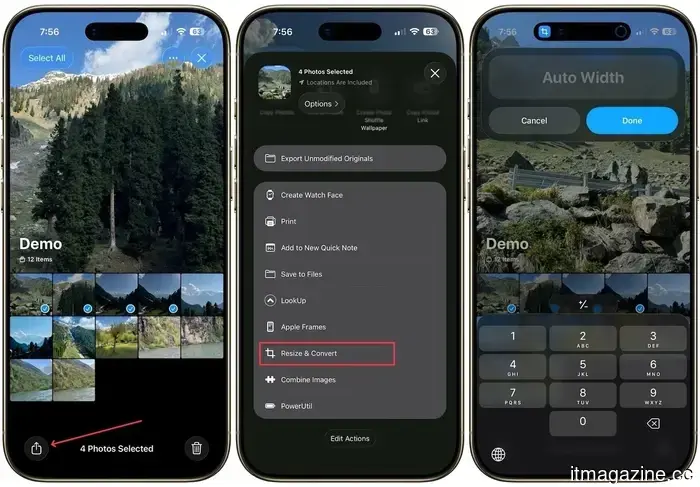
**Resize & Convert: Resize Images Without a Third-Party App**
How many times have you shared a photo only to discover it was too large or in the incorrect format? Since the iPhone Photos app doesn't allow you to resize an image or change its format, I found a straightforward shortcut that does just that.
The process is quite simple. You select the image, specify the size, and the shortcut takes care of the rest. I frequently use it when I need to send images for articles or posts that have specific dimensions.
It accomplishes a task I would otherwise have to do on my Mac or rely on a third-party app on my iPhone.
**Get Resize & Convert Shortcut**
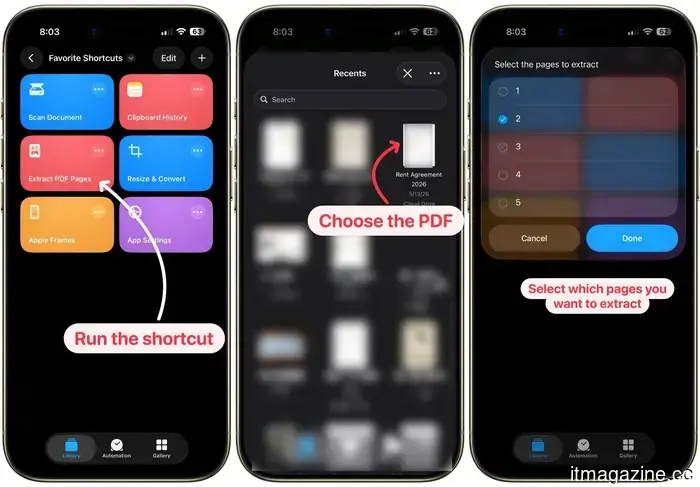
**Extract PDF Pages: Get Just What You Need**
I handle a lot of PDFs, and there are times when I need to extract specific pages to share or save. I downloaded a shortcut that allows you to choose particular pages from a PDF and extract them into a new file.
It may seem trivial, but if you have ever needed to send just two pages from a 40-page PDF, you know how valuable this is. There’s no need to download any app, pay for a subscription, or open your Mac. Your iPhone can manage it in seconds.
**Get Extract PDF Shortcut**
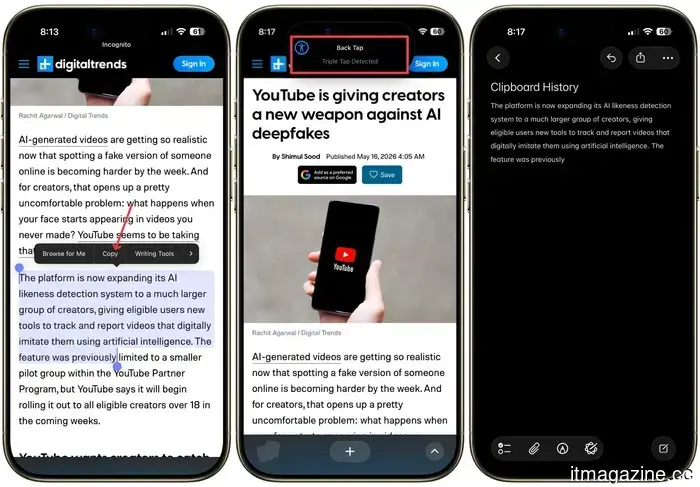
**Clipboard History: Because You Often Lose What You Copy**
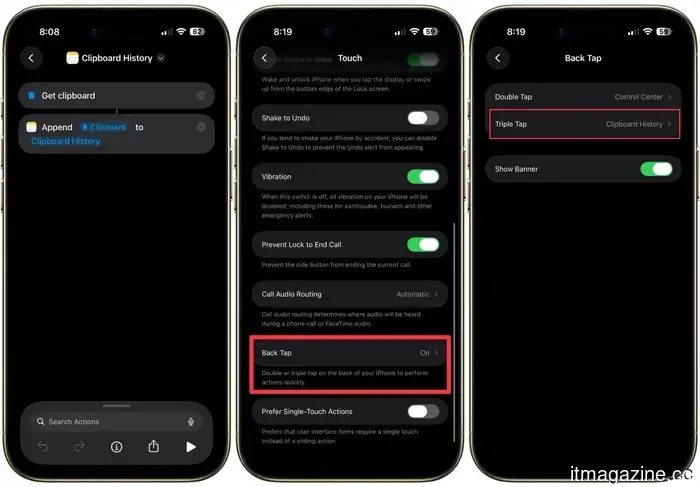
This is one of the most underrated shortcuts listed here. While macOS has finally introduced a clipboard history feature with the macOS Tahoe update, the iPhone still lacks a clipboard history. This means that every time I copy something on my iPhone, it overwrites all previously copied items.
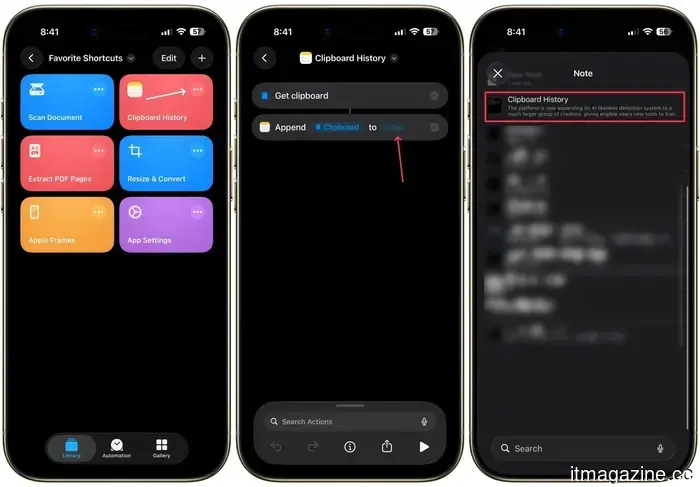
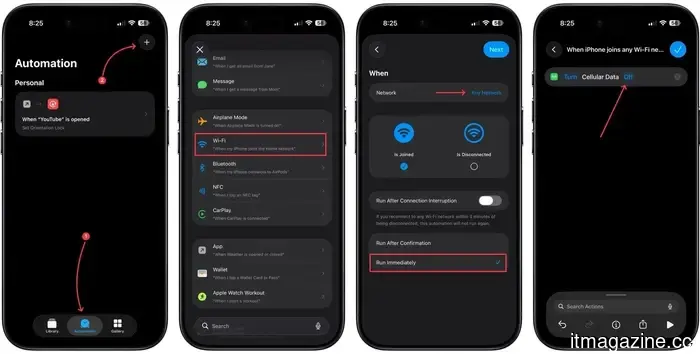
To address this, I created a shortcut that retains a note each time I copy something on my iPhone, generating a continuous clipboard history that I can consult whenever needed. The only drawback is that I need to run the shortcut manually for it to function.
To
Other articles
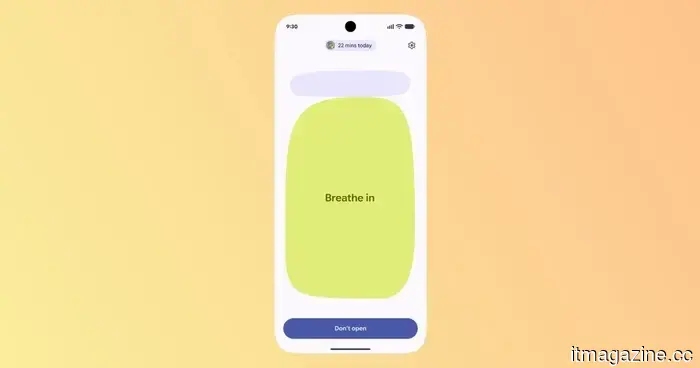 I’m strangely enthusiastic about the forthcoming anti-doomscrolling feature in Android 17.
I believed I had exhausted all methods to curb doomscrolling, but Android 17’s new Pause Point feature feels refreshingly unique. Rather than penalizing screen time, it intervenes in the habit before the scrolling cycle starts.
Apple's Siri app in iOS 27 will automatically remove your discussions. It might also be released as a beta version once more.
The independent Siri app provides options for chat retention of 30 days, one year, or permanently. Apple is leveraging privacy to justify an AI assistant that is two years behind schedule.
I’m strangely enthusiastic about the forthcoming anti-doomscrolling feature in Android 17.
I believed I had exhausted all methods to curb doomscrolling, but Android 17’s new Pause Point feature feels refreshingly unique. Rather than penalizing screen time, it intervenes in the habit before the scrolling cycle starts.
Apple's Siri app in iOS 27 will automatically remove your discussions. It might also be released as a beta version once more.
The independent Siri app provides options for chat retention of 30 days, one year, or permanently. Apple is leveraging privacy to justify an AI assistant that is two years behind schedule.
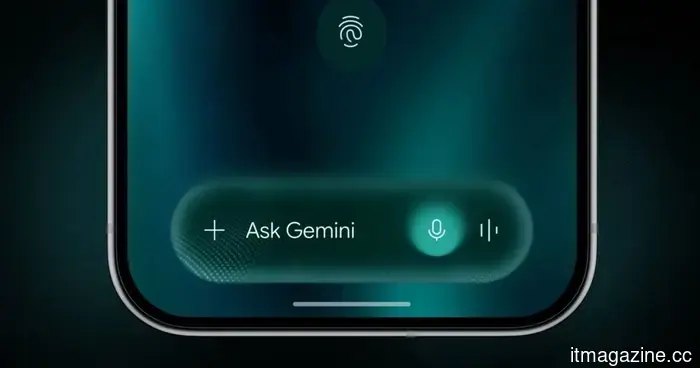 Google's Rambler might make voice typing an experience I actually enjoy.
Google's Rambler appears to be a minor enhancement to Gboard, yet it could discreetly address a genuine issue by transforming chaotic spoken ideas into messages that you would likely send.
Google's Rambler might make voice typing an experience I actually enjoy.
Google's Rambler appears to be a minor enhancement to Gboard, yet it could discreetly address a genuine issue by transforming chaotic spoken ideas into messages that you would likely send.
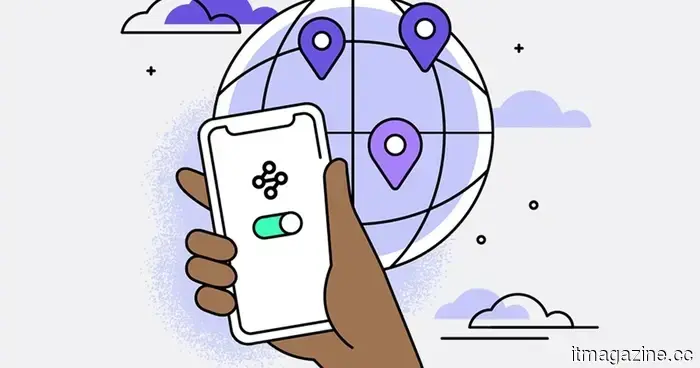 Mozilla is struggling to demonstrate that VPNs are crucial privacy tools for all.
Mozilla is cautioning UK regulators about the potential consequences of undermining VPNs, asserting that they continue to be vital tools for privacy and security as global restrictions increase.
In iOS 27, Apple's Siri app will automatically delete your conversations. It might also be re-released as a beta version.
The independent Siri application provides options for chat retention of 30 days, one year, or indefinitely. Apple seems to be using privacy as a justification for an AI assistant that is two years behind schedule.
Mozilla is struggling to demonstrate that VPNs are crucial privacy tools for all.
Mozilla is cautioning UK regulators about the potential consequences of undermining VPNs, asserting that they continue to be vital tools for privacy and security as global restrictions increase.
In iOS 27, Apple's Siri app will automatically delete your conversations. It might also be re-released as a beta version.
The independent Siri application provides options for chat retention of 30 days, one year, or indefinitely. Apple seems to be using privacy as a justification for an AI assistant that is two years behind schedule.
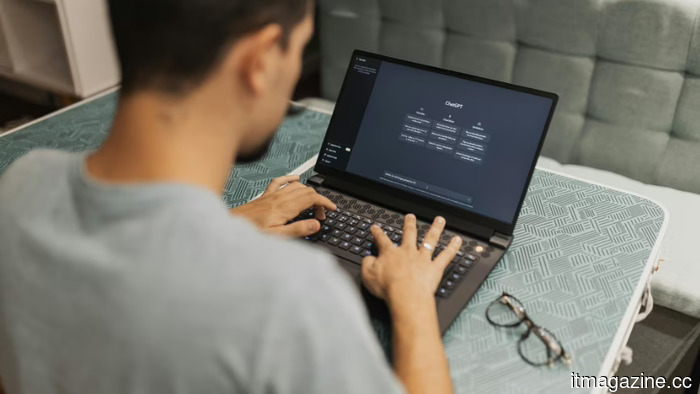 The seven new job titles that have emerged due to AI, ranging from Claude Evangelist to Chief AI Officer.
AI firms are employing philosophers, advocates, vibe coders, and engineers who are strategically placed. Salaries begin at $108,000 and can go up to almost $500,000.
The seven new job titles that have emerged due to AI, ranging from Claude Evangelist to Chief AI Officer.
AI firms are employing philosophers, advocates, vibe coders, and engineers who are strategically placed. Salaries begin at $108,000 and can go up to almost $500,000.
I can't imagine life without iPhone shortcuts. Here are my top 7 favorites that you should definitely give a try as well.
iPhone shortcuts can significantly reduce the time you spend on tasks. Here are seven of my personal favorites that I use daily, and I'm confident you'll appreciate them as well.