
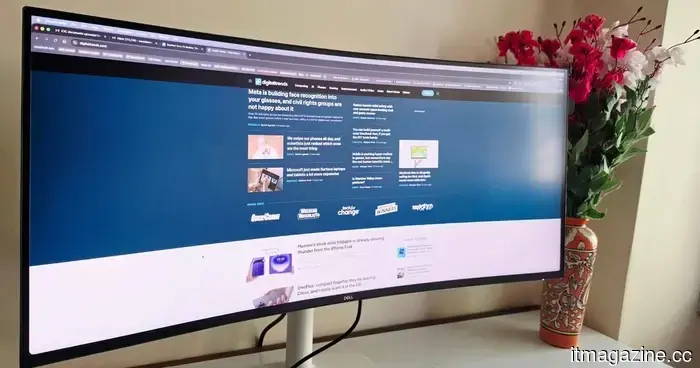
Dell 34 Plus USB-C monitor review: An ultrawide beauty with delightful surprises
**Dell 34 Plus USB-C Monitor**
**MSRP**
$379.99
“A versatile monitor that does not oversell its capabilities, excelling in the budget category.”
**Pros**
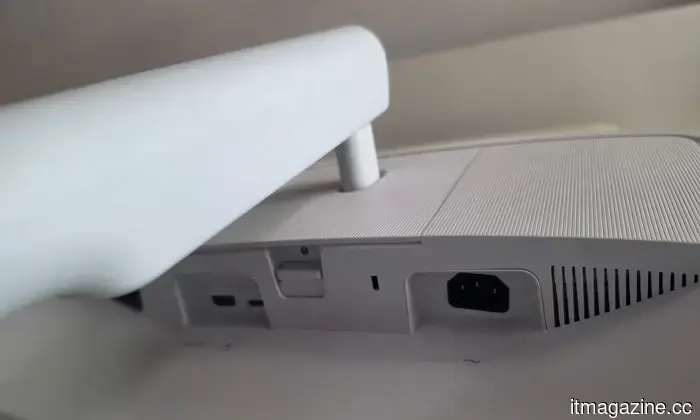
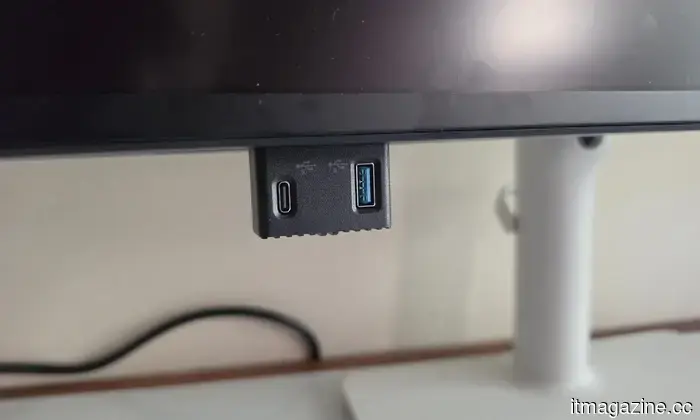
- Impressive build quality with a smart pop-out port
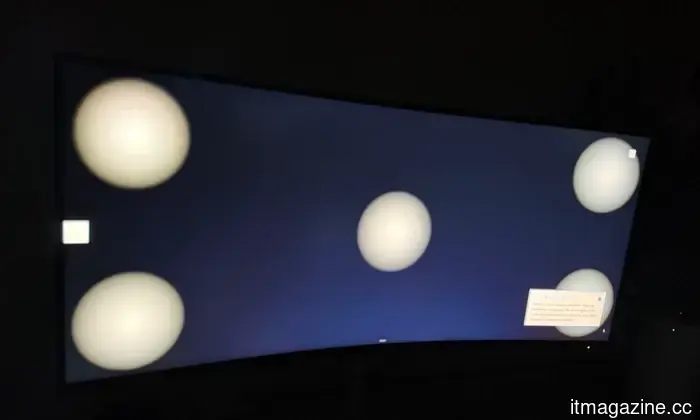
- Good contrast and excellent viewing angles
- Surprisingly effective speakers
**Cons**
- Insufficient stand height
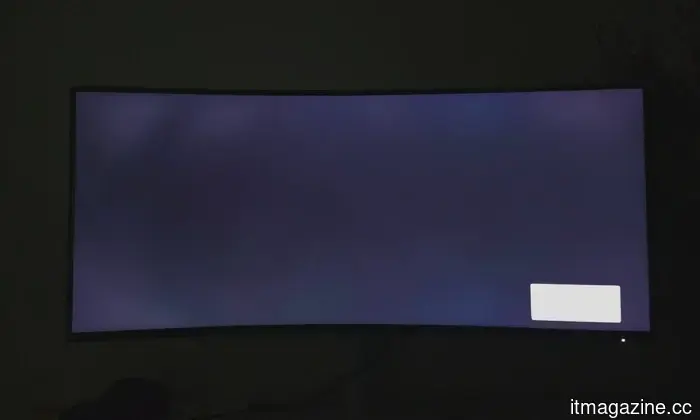
- Minor backlight uniformity issues
- Color coverage could be enhanced
### Quick Take
I’ve developed a certain skepticism towards any monitor labeled a “productivity display.” They’re not inherently bad, but most are unremarkable and slow to embrace modern standards. With their bulky black bezels, drab grey-on-grey corporate aesthetics that scream “2014 cubicle,” and uninspired desk presence, they’ve never appealed to me. So, when I unboxed the Dell 34 Plus USB-C monitor (SKU S3425DW), I was prepared for the usual letdown, yet I was in for a pleasant surprise.
First off, let’s discuss the name. Dell 34 Plus USB-C monitor. It’s one of the most straightforward names I’ve encountered for such a sleek product. Given Dell’s recent history of confusing product names, this clear designation is refreshing. It signals a strategic change in Dell’s branding to a more intuitive, feature-driven naming approach. It’s about time.
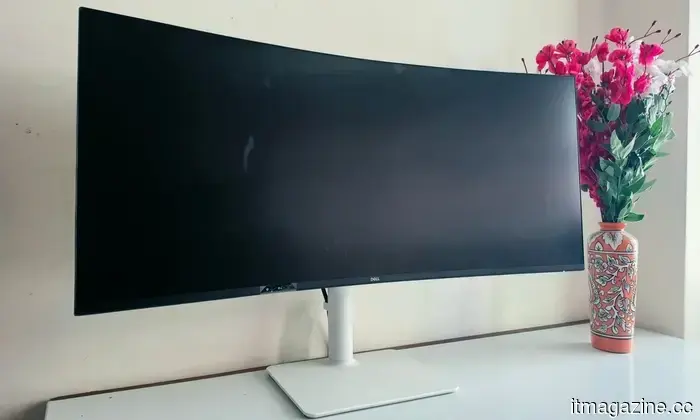
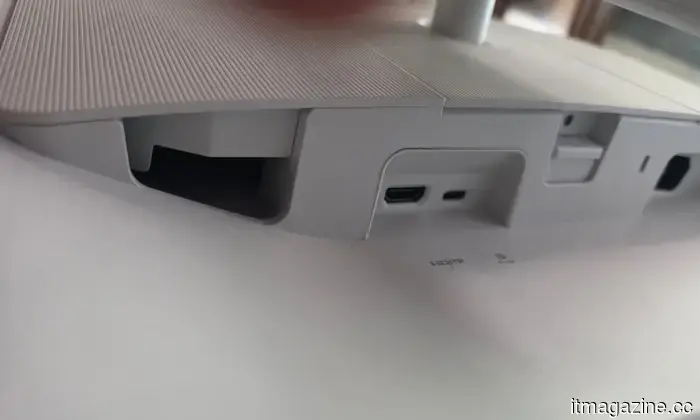
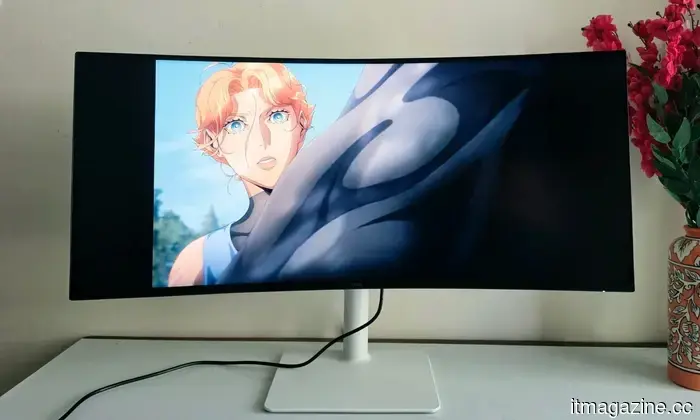
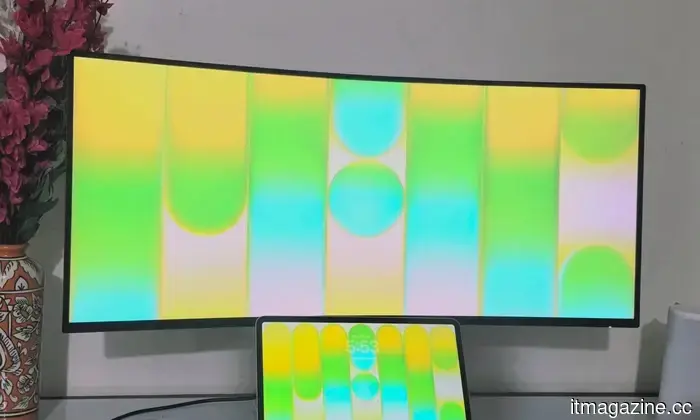
On a functional level, the monitor keeps things straightforward. With its vibrant curved display, striking colors, smooth 120Hz visuals, innovative port design, impressive speakers, and minimalist focus, it doesn’t have any significant drawbacks. Overall, it’s a strong value proposition that exceeds expectations.
This 34-inch ultrawide display is designed to be the focal point of a modern home office, merging a clean, professional look with high-performance features that support both productivity and some acceptable creative tasks. After spending extensive work hours, relaxed evenings, and several late-night editing sessions, I can confidently say that this monitor has been thoughtfully designed around how people actually use a desk, rather than how specifications suggest they should.
**Dell 34 Plus USB-C Monitor Specifications**
- Screen Size: 34-inch (86.36 cm)
- Panel Type: Vertical Alignment (VA)
- Curvature: 1800R
- Resolution: WQHD (3440 x 1440)
- Refresh Rate: 120 Hz
- Response Time: 1ms GTG (Extreme Mode)
- Color Support: 1.07 Billion Colors (99% sRGB, 95% DCI-P3)
- Contrast Ratio: 3,000:1
- Brightness: 300 cd/m²
- Adaptive Sync: AMD FreeSync™ Premium
- Audio: Integrated Speakers (2 x 5W)
- USB Power Delivery: Up to 65W via USB-C
- Adjustability: Height (130mm), Slant (-4°/+4°), Tilt (-5°/+21°)
- VESA Mount: 100 x 100 mm
- Ports: 2 HDMI ports (HDCP 1.4 and 2.2), 1 USB-C 5Gbps upstream port, 2 USB 5Gbps Type-A downstream ports, and 1 USB-C 5Gbps downstream port
**Dell 34 Plus USB-C Monitor Build and Design: Elegant Appearance, Minor Hiccups**
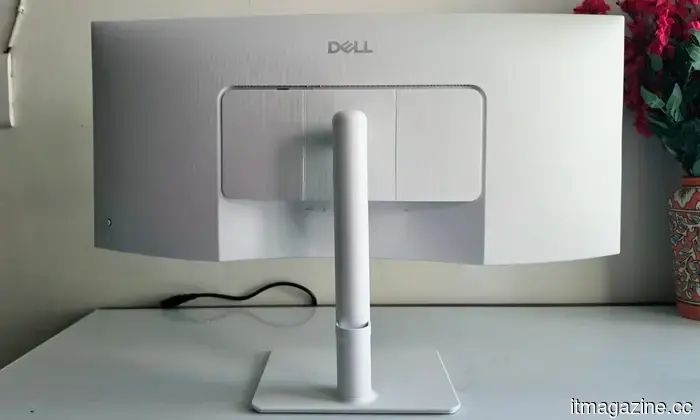
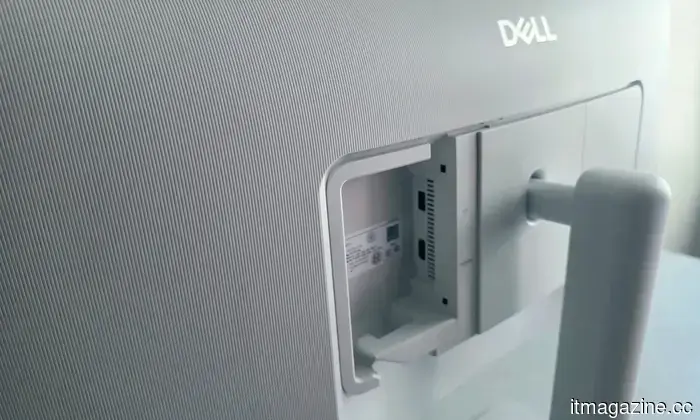
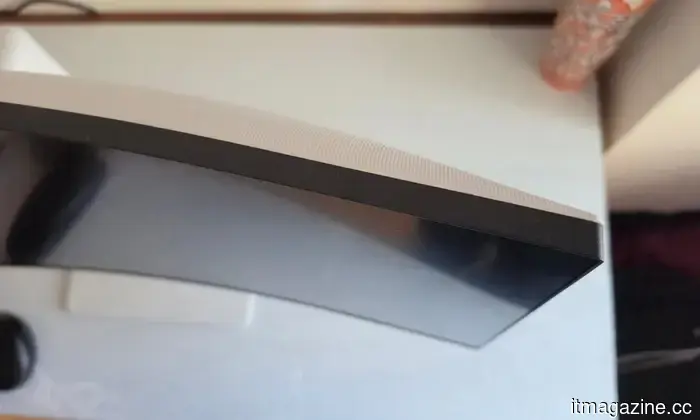
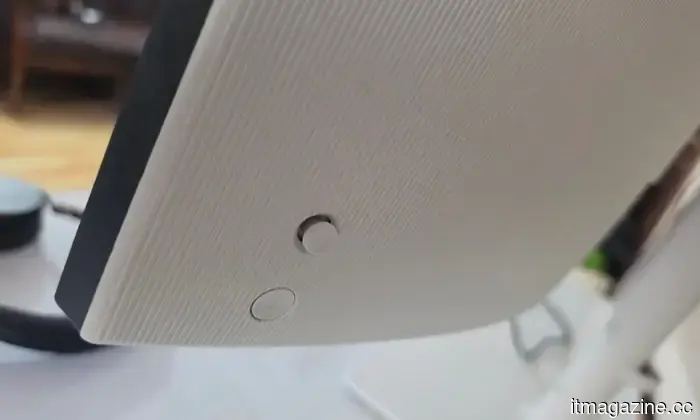
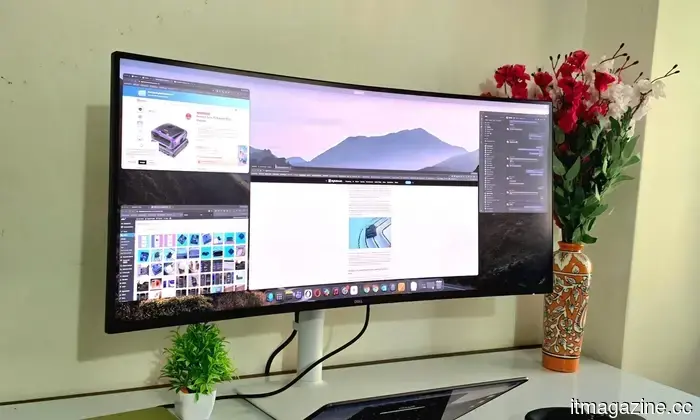
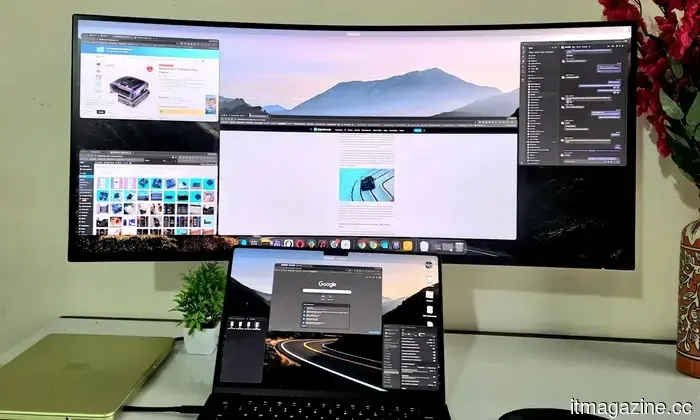
The first thing I noticed during setup was the back of the monitor. Dell has elegantly finished the rear of the Dell 34 Plus USB-C in a clean white that closely resembles the aesthetic of Apple products, instantly making my desk seem more organized and deliberate. Paired with my MacBook, the two devices appeared as if designed by the same person.
The minimalist design philosophy extends throughout the monitor, distinguishing it from more aggressive gaming models. There are no neon lights or flashy logos, just a sleek silhouette that fits seamlessly in a professional setting.
The stand is sturdy yet unobtrusive, and its compact footprint was a pleasant surprise. I was able to place my notebook, coffee mug, and lamp on either side without the usual crowding associated with larger displays. Ergonomics are managed well too.
There’s a standard tilt range and a satisfactory height adjustment mechanism. However, I found the height adjustment to feel a bit stiff when lowering the screen, and I wished it could go a bit higher. While this is not a dealbreaker, I did notice it every time I lowered the panel for a more relaxed position.
One limitation to note for those who like to adjust their monitors is that this stand lacks a dedicated swivel mechanism, meaning any horizontal movement requires rotating the entire base. Although it’s a minor inconvenience, Dell wisely made the monitor fully VESA mount compatible, allowing for easy replacement with a monitor arm if desired.
The screen features a high-quality matte finish that effectively diffuses ambient light. In bright conditions


Other articles
 OpenAI states that it is
OpenAI characterized a WSJ report regarding missed targets as mere clickbait. In reaction, investors sold shares of Oracle, CoreWeave, SoftBank, and semiconductor stocks. The crucial question remains whether the $600 billion in commitments remains viable.
OpenAI states that it is
OpenAI characterized a WSJ report regarding missed targets as mere clickbait. In reaction, investors sold shares of Oracle, CoreWeave, SoftBank, and semiconductor stocks. The crucial question remains whether the $600 billion in commitments remains viable.
 Scholly's founder, Christopher Gray, has filed a lawsuit against Sallie Mae, claiming wrongful termination and the sale of student data, including that of minors.
Christopher Gray created Scholly to assist students in locating scholarships. Following its acquisition by Sallie Mae, he claims he was dismissed for protesting the sale of users' personal data, which included information about minors.
Scholly's founder, Christopher Gray, has filed a lawsuit against Sallie Mae, claiming wrongful termination and the sale of student data, including that of minors.
Christopher Gray created Scholly to assist students in locating scholarships. Following its acquisition by Sallie Mae, he claims he was dismissed for protesting the sale of users' personal data, which included information about minors.
 Scholly's founder, Christopher Gray, has filed a lawsuit against Sallie Mae, claiming wrongful termination and the unauthorized sale of student data that includes information about minors.
Christopher Gray created Scholly to assist students in finding scholarships. Following its acquisition by Sallie Mae, he claims he was terminated for raising concerns about the sale of users' personal data, including information about minors.
Scholly's founder, Christopher Gray, has filed a lawsuit against Sallie Mae, claiming wrongful termination and the unauthorized sale of student data that includes information about minors.
Christopher Gray created Scholly to assist students in finding scholarships. Following its acquisition by Sallie Mae, he claims he was terminated for raising concerns about the sale of users' personal data, including information about minors.
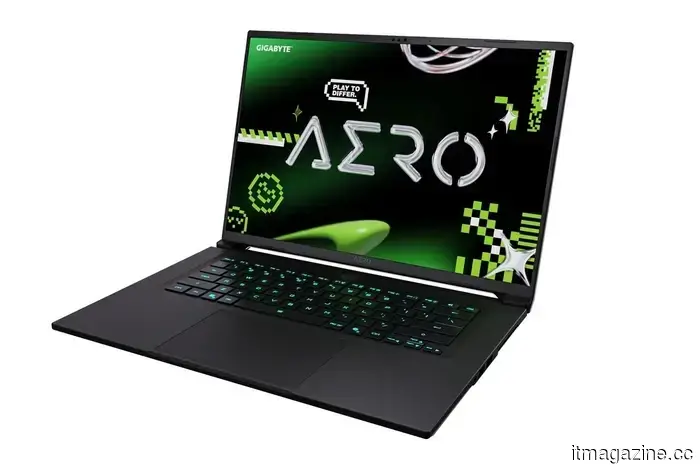 GIGABYTE will release a thin laptop with AI for sale.
GIGABYTE, a well-known manufacturer of computer hardware, has announced the AERO X16 laptop. The new product is positioned as an ultra-thin device for those who need mobility, modern neural networks, and the ability to create something. It combines everything that is currently in vogue in one case.
GIGABYTE will release a thin laptop with AI for sale.
GIGABYTE, a well-known manufacturer of computer hardware, has announced the AERO X16 laptop. The new product is positioned as an ultra-thin device for those who need mobility, modern neural networks, and the ability to create something. It combines everything that is currently in vogue in one case.
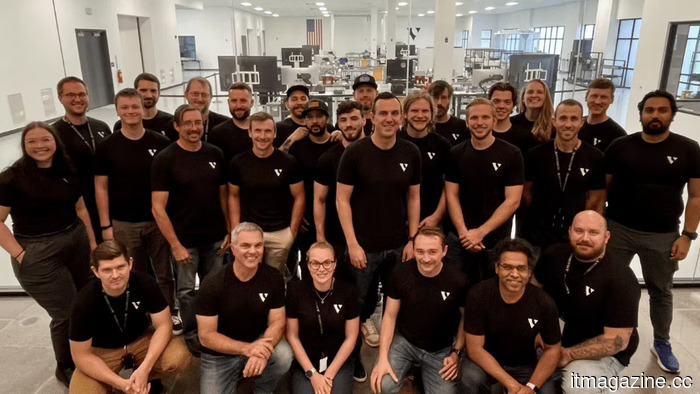 True Anomaly secures $650 million in a Series D funding round, achieving a valuation of $2.2 billion, while contracts for the Golden Dome space interceptor total $3.2 billion.
True Anomaly secured $650 million just four days after being chosen for the Golden Dome space-based interceptor prototypes. The project could range in cost from $185 billion to $3.6 trillion. However, the Space Force indicates that it may choose not to proceed with construction.
True Anomaly secures $650 million in a Series D funding round, achieving a valuation of $2.2 billion, while contracts for the Golden Dome space interceptor total $3.2 billion.
True Anomaly secured $650 million just four days after being chosen for the Golden Dome space-based interceptor prototypes. The project could range in cost from $185 billion to $3.6 trillion. However, the Space Force indicates that it may choose not to proceed with construction.
 Musk states that the OpenAI case will establish a precedent for
Musk informed the jurors that his lawsuit against OpenAI is focused on safeguarding charitable contributions rather than seeking personal advantages. He has given up any financial benefit and is advocating for a return to the nonprofit status. OpenAI, however, claims that he was aiming for control.
Musk states that the OpenAI case will establish a precedent for
Musk informed the jurors that his lawsuit against OpenAI is focused on safeguarding charitable contributions rather than seeking personal advantages. He has given up any financial benefit and is advocating for a return to the nonprofit status. OpenAI, however, claims that he was aiming for control.
Dell 34 Plus USB-C monitor review: An ultrawide beauty with delightful surprises
The Dell 34 Plus USB-C is a stylish ultrawide monitor with a 120Hz refresh rate, excelling in productivity thanks to its smart port hub, impressive design, and single-cable ease, making it well worth the investment.