

ChatGPT is now capable of transforming your photos into personalized stickers for iMessage and WhatsApp.
Transform your camera roll into a sticker pack in moments.
OpenAI has recently introduced an exciting update to ChatGPT, centered around stickers. You can now convert any photo from your library into a personalized sticker, complete with a transparent background.
How can you create stickers using ChatGPT?
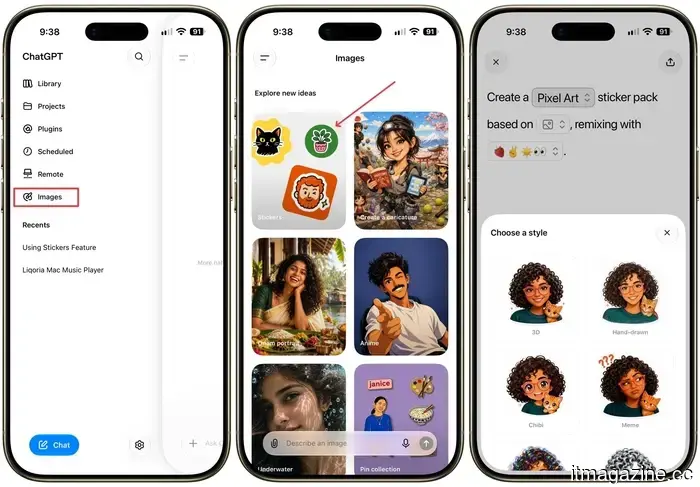
It’s simple to get started. Navigate to the Images section in the sidebar, select Stickers, and upload one or more photos. You can pick from various sticker styles, such as 3D, hand-drawn, holographic, comic book, anime, and more.
From this point, you can request ChatGPT to turn your images into stickers individually or remix several to compile an entire pack. You also have the option to add or remove elements from the images before they become stickers.
If you already like the appearance of a particular image, you can use its style for your new sticker. If you don’t have a reference image at hand, simply describe the style you have in mind, and ChatGPT will handle the rest.
Where can you send your stickers?
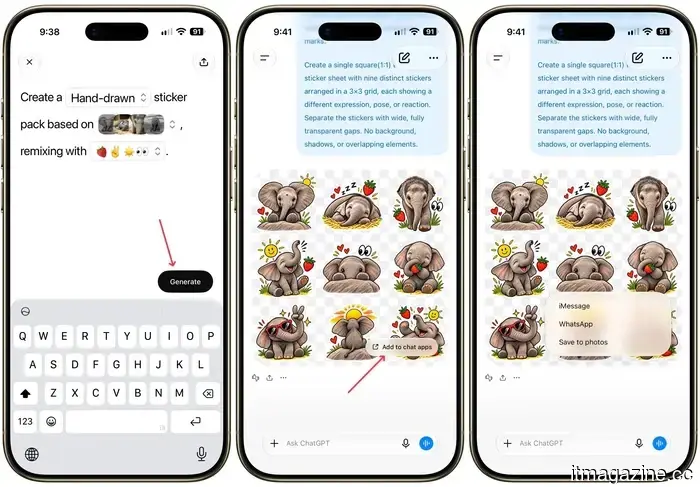
When you’re satisfied with the outcome, click the Add to Chat Apps button to export it. You currently have three options:
- iMessage
- WhatsApp (note that you need at least three stickers ready for export)
- Save to Photos
The requirement for three stickers for WhatsApp exports is enforced by Meta, not OpenAI, so that’s beyond ChatGPT’s control.
The transparent background feature can also be used for any image generated in ChatGPT, not just stickers, which is something to keep in mind for future needs.
I experimented with creating a few stickers using this new feature and found the process enjoyable and straightforward. If you enjoy sending stickers in chats, you should definitely give it a try.
Rachit is an experienced technology journalist with over a decade of expertise in covering the consumer technology landscape.
---
Sony's newest Xperia includes the hardware features I wish the Pixel 10a had.
Sony’s Xperia 10 VIII is essentially the opposite of the Pixel 10a.
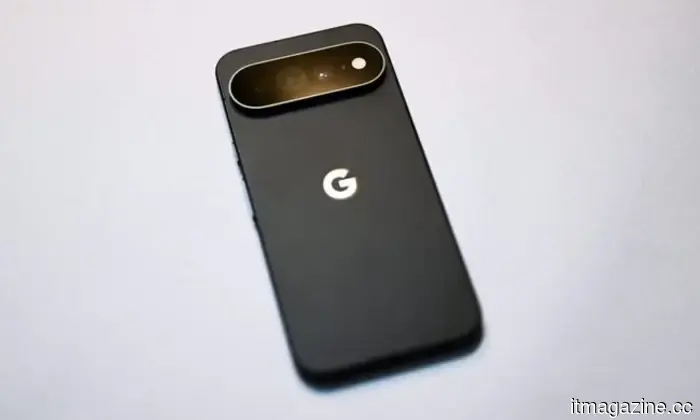
The Pixel 10a is a competitive mid-range smartphone worth considering at its $499 price point. It features Google’s comprehensive software experience, impressive computational photography given its small camera, and an appealing form factor. However, its hardware has scarcely advanced, relying heavily on software for its value. Surprisingly, Sony has emerged as a strong contender in this market segment.
Sony has just unveiled a device that tackles the same challenges from a refreshingly different angle. The Xperia 10 VIII retains a 3.5mm headphone jack, supports microSD expansion up to 2TB, includes a dedicated physical camera shutter button, offers front-facing stereo speakers, and features a side-mounted fingerprint sensor.
---
Your Pixel 11 Pro now has its own AI tech support agent.
Google has upgraded the Gemini feature on the Pixel 11 Pro to enable it to fix problems rather than merely guiding users to settings.
Owners of the Pixel 11 Pro running the latest Gemini beta may discover a new option in the app's additional menu. This new feature reportedly allows Gemini to troubleshoot your smartphone instead of just directing you to the correct settings menu and listing options.
---
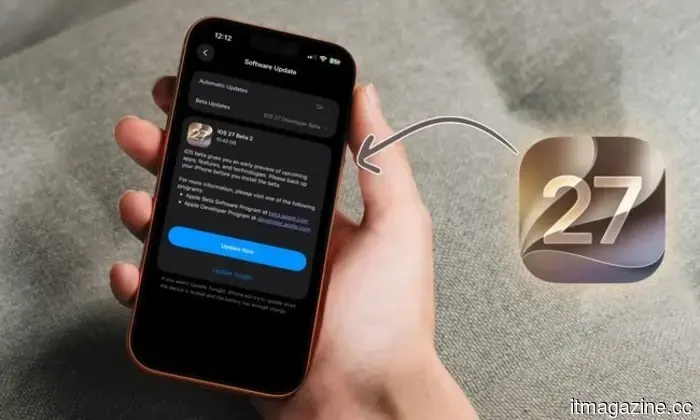
iOS 27 Beta 7 has been released, with Beta 8 on the way, as Apple’s fall software approaches completion.
With seven betas already, Apple’s fall software collection is nearing its final stage.
Although Apple hasn’t set a date for the iPhone 18 Pro launch event, it is completing the software foundations needed to launch the stable iOS 27 update concurrently. The company has just released beta 7 across its entire fall lineup, from iOS 27 to visionOS 27.



Другие статьи
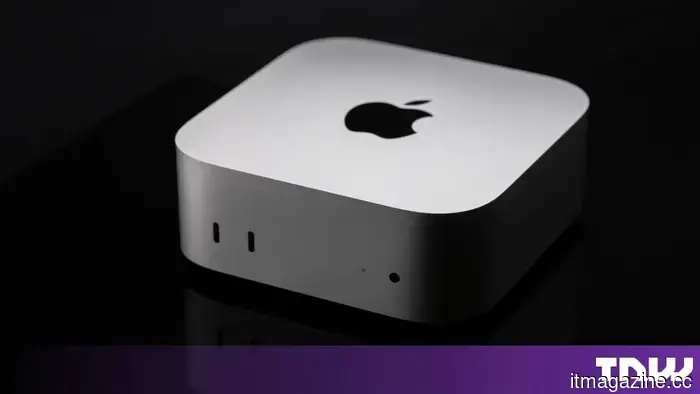 Apple has a Mac mini prepared, and it could be Tim Cook's final product.
According to Bloomberg, Apple is set to launch a new Mac mini within a few days, AirPods 5 in September, and an OLED iPad mini in October.
Apple has a Mac mini prepared, and it could be Tim Cook's final product.
According to Bloomberg, Apple is set to launch a new Mac mini within a few days, AirPods 5 in September, and an OLED iPad mini in October.
 Netflix may allow you to stream Peacock and Fox One through its application.
Netflix is said to be in discussions to incorporate Peacock and Fox One into its app, marking a significant shift for a company that previously opposed collaborating with direct competitors.
Netflix may allow you to stream Peacock and Fox One through its application.
Netflix is said to be in discussions to incorporate Peacock and Fox One into its app, marking a significant shift for a company that previously opposed collaborating with direct competitors.
 The United Kingdom and Ukraine have entered into a declaration regarding military capabilities enhanced by artificial intelligence.
Volodymyr Zelenskyy and Andy Burnham have formalized a joint declaration in Kyiv regarding an AI partnership, which includes aspects related to AI-enhanced military capabilities.
The United Kingdom and Ukraine have entered into a declaration regarding military capabilities enhanced by artificial intelligence.
Volodymyr Zelenskyy and Andy Burnham have formalized a joint declaration in Kyiv regarding an AI partnership, which includes aspects related to AI-enhanced military capabilities.
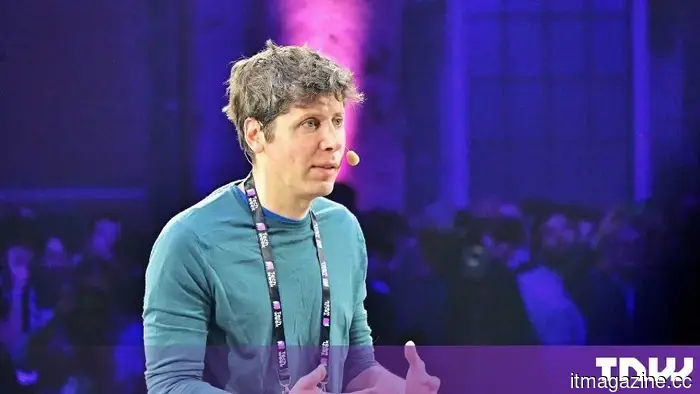 Sam Altman indicates that AI has yet to experience its transformative moment akin to that of the iPhone.
Sam Altman states that the industry has been overly optimistic regarding AI timelines, as the economy has much more inertia than he had anticipated.
Sam Altman indicates that AI has yet to experience its transformative moment akin to that of the iPhone.
Sam Altman states that the industry has been overly optimistic regarding AI timelines, as the economy has much more inertia than he had anticipated.
 MH Ventures and Mapleblock Capital jointly lead a $3 million investment in Oro to expand agentic finance.
Oro has secured $3 million to transform straightforward financial guidance into non-custodial, multi-step transactions. The platform boasts over 350,000 active users across 80 languages and aims for user-driven DeFi execution, especially considering that wallet breaches resulted in losses of $444 million in the first half of 2026.
MH Ventures and Mapleblock Capital jointly lead a $3 million investment in Oro to expand agentic finance.
Oro has secured $3 million to transform straightforward financial guidance into non-custodial, multi-step transactions. The platform boasts over 350,000 active users across 80 languages and aims for user-driven DeFi execution, especially considering that wallet breaches resulted in losses of $444 million in the first half of 2026.
 Australia is set to enforce its data centre energy regulations despite Queensland's resistance.
Canberra intends to implement national energy standards for AI data centres through legislation, even though Queensland has refused, which brings up constitutional issues.
Australia is set to enforce its data centre energy regulations despite Queensland's resistance.
Canberra intends to implement national energy standards for AI data centres through legislation, even though Queensland has refused, which brings up constitutional issues.
ChatGPT is now capable of transforming your photos into personalized stickers for iMessage and WhatsApp.
ChatGPT is now able to convert your photos into personalized stickers with transparent backgrounds, which can be directly sent to iMessage or WhatsApp.