

Adobe intends for Firefly to manage the complete soundtrack for your videos.
Generate Music, Generate Speech, and Generate Sound Effects are now officially accessible, encompassing most audio tasks associated with typical video projects.
Adobe Firefly has focused on mastering image and video creation over the past few years. Now, Adobe aims for it to manage the accompanying soundtrack as well.
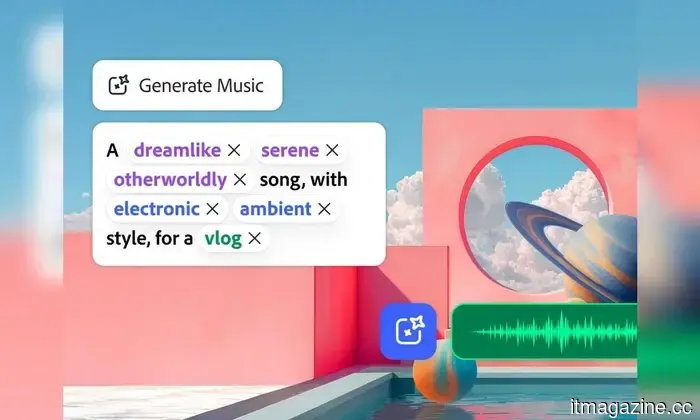
Generate Music, Generate Speech, and Generate Sound Effects are fully available in Firefly, equipping creators with tools to produce music, voiceovers, and sound effects without having to switch from Adobe’s AI workspace. Adobe states that Generate Music can produce entirely licensed and royalty-free tracks, while Generate Speech offers voices in over 20 languages.
This expands Firefly’s function in video production significantly. Instead of creating a clip and switching to other tools to complete it, creators can now handle most audio tasks within the same platform.
Functionality of the three tools
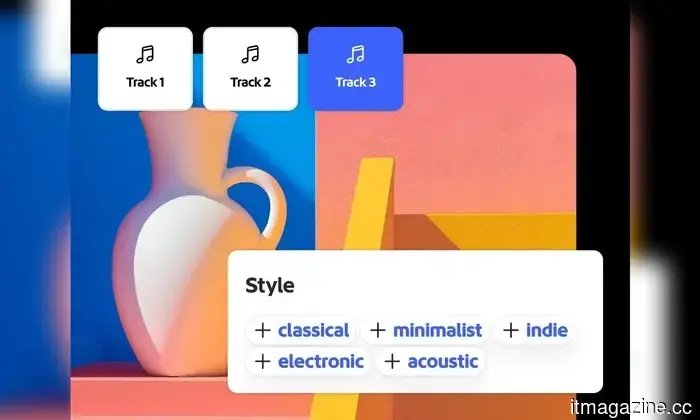
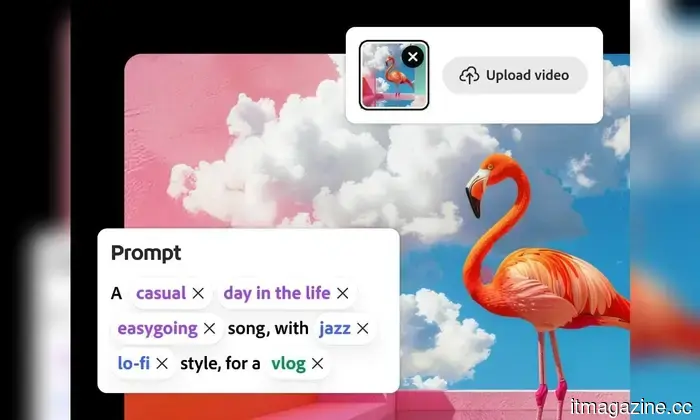
Generate Music allows users to create instrumental tracks based on descriptions, with options for genre and tempo. Firefly can also assess uploaded videos to generate music that aligns better with the visual content.
Generate Speech turns scripts into voiceovers, offering adjustable pronunciation and delivery. Adobe claims it supports voices in more than 20 languages, making it easier to create alternate versions of the same video.
Generate Sound Effects deals with the finer details, enabling creators to describe an effect through text or use reference audio as a guide, including a vocal performance to influence the outcome.
Collectively, these tools address a significant portion of the audio work that typically requires using multiple applications.
Adobe's motivation for integrating this into Firefly
Each additional tool introduces another handoff. Music may be sourced from one platform, narration from another, and sound effects from yet another.
Adobe seeks to minimize these detours by centralizing more of the workflow within Firefly. For creators already utilizing it for images or videos, this could result in fewer exports and less time spent switching between applications before a project is ready for publishing.
However, convenience has its limits. Creators who rely on specialized audio tools still need justification for replacing them.
What to keep an eye on for creators
The true test lies in whether the audio produced by Firefly consistently meets quality standards to justify this expanded role. A soundtrack or voiceover may fulfill the prompt but still sound generic or awkward when paired with a polished video.
Adobe has made its intentions clear. Firefly is deepening its involvement in the production process, with audio providing creators another reason to stay engaged after generating the initial image or video.
YouTube Premium is set for another price increase that could soon affect your finances.
Users from various regions are reporting new costs, although YouTube has not yet announced a comprehensive global adjustment.
YouTube Premium seems to be getting pricier once again, with subscribers in multiple countries noting recent increases in prices. Singapore has reported the clearest change so far, while Android Authority mentions rising prices in certain parts of Europe. These reports follow a recent price hike for YouTube Premium in the US.
In Singapore, The Straits Times reported that the cost for an individual subscription is increasing from S$13.98 to S$15.98 per month, while the family plan is going up from S$27.98 to S$31.98. New subscribers are already billed at the higher rates, while existing users will see these changes take effect after a minimum of 30 days.
I transitioned from the M1 to the M5 MacBook Air, and the sound quality has declined
Concealing speakers within the hinge sacrifices acoustic performance for a sleeker chassis and more aesthetically pleasing design.
I utilized the M1 MacBook Air as my primary laptop for nearly four years. Throughout that time, I employed it for various tasks, including drafting news articles and editing photos for reviews, all while working from flights and enjoying weekend getaways. If there was one feature that garnered more praise than its slim design, it was the audio quality.
Whether I was watching an Apple keynote on YouTube, a stand-up comedy special in my room, a film with friends during a work trip, or simply hearing notification sounds, the M1 MacBook Air consistently offered exceptional clarity and impressive volume. From the eerie sounds in The Conjuring to the intense web-swinging noises in Spider-Man action sequences, or Chandler’s witty remarks from Friends, the audio never felt like it was emanating from a laptop.
ChatGPT now integrates with your Apple Messages chats on Mac
A new integration brings Apple Messages into ChatGPT, providing the AI assistant with an additional context source on your Mac.
ChatGPT is becoming more integrated into the Mac experience, with its latest update including Apple Messages functionality. This feature allows users to import conversations from Apple’s Messages app into ChatGPT, providing the assistant with more context without the need for users to manually copy and paste entire discussions.
Another app joins ChatGPT’s expanding ecosystem.




Other articles
 Apple Music will soon inform you about which songs were created using AI.
Apple Music will be introducing AI labels for songs later this year, allowing listeners to identify which tracks were created with the help of artificial intelligence platforms.
Apple Music will soon inform you about which songs were created using AI.
Apple Music will be introducing AI labels for songs later this year, allowing listeners to identify which tracks were created with the help of artificial intelligence platforms.
 Broadcom is looking to raise over $60 billion in debt to finance AI chips for Anthropic.
Broadcom is negotiating to secure over $60 billion in debt to fund AI chip production for Anthropic and other companies, in collaboration with Apollo and Blackstone.
Broadcom is looking to raise over $60 billion in debt to finance AI chips for Anthropic.
Broadcom is negotiating to secure over $60 billion in debt to fund AI chip production for Anthropic and other companies, in collaboration with Apollo and Blackstone.
 Mark Zuckerberg purchased a castle, while the rest of us settle for a sandcastle once a year.
Mark Zuckerberg purchased a 440-acre estate in Ireland during the week Meta faced trial regarding issues related to children. However, the castle itself is not the issue at hand.
Mark Zuckerberg purchased a castle, while the rest of us settle for a sandcastle once a year.
Mark Zuckerberg purchased a 440-acre estate in Ireland during the week Meta faced trial regarding issues related to children. However, the castle itself is not the issue at hand.
 X-Sense SC07 and SCO7W Review: Dependable, budget-friendly, and reassuring.
The X-Sense SC07 combination smoke and CO detector offers easy installation, dependable sensing, and real-time carbon monoxide monitoring without the need for subscriptions or high costs.
X-Sense SC07 and SCO7W Review: Dependable, budget-friendly, and reassuring.
The X-Sense SC07 combination smoke and CO detector offers easy installation, dependable sensing, and real-time carbon monoxide monitoring without the need for subscriptions or high costs.
 Nvidia is engaged in discussions with the Korean chip designer Rebellions, specializing in inference technology.
Jensen Huang met with the CEO of Rebellions in Santa Clara. This would mark Nvidia's fourth licensing and hiring agreement within a year, following Groq and Poolside.
Nvidia is engaged in discussions with the Korean chip designer Rebellions, specializing in inference technology.
Jensen Huang met with the CEO of Rebellions in Santa Clara. This would mark Nvidia's fourth licensing and hiring agreement within a year, following Groq and Poolside.
 A new pair of glasses priced at $399 can transform your handheld device into a 307-inch gaming setup.
RayNeo's latest AR glasses, the GT and GT Max, are designed for movies and gaming, featuring native 3DoF tracking, Bang & Olufsen sound, and virtual screens that can extend up to 307 inches.
A new pair of glasses priced at $399 can transform your handheld device into a 307-inch gaming setup.
RayNeo's latest AR glasses, the GT and GT Max, are designed for movies and gaming, featuring native 3DoF tracking, Bang & Olufsen sound, and virtual screens that can extend up to 307 inches.
Adobe intends for Firefly to manage the complete soundtrack for your videos.
Adobe Firefly has dedicated the last few years to mastering image and video creation. Now, Adobe aims for it to also manage soundtracks. The features Generate Music, Generate Speech, and Generate Sound Effects are now widely accessible in Firefly, offering creators the ability to produce music, narration, and custom sound effects all within Adobe’s AI environment. Adobe states that Generate Music […]