
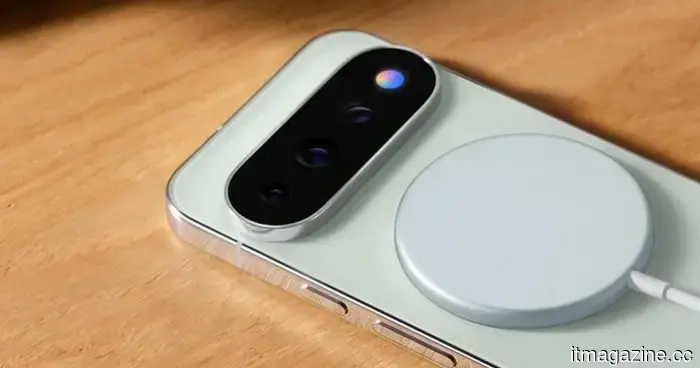
Google overlooked the potential of HiLight on the Pixel 11 Pro, but an application has just revealed its capabilities.
Hey, Google, you’re seeing this, right? Right?
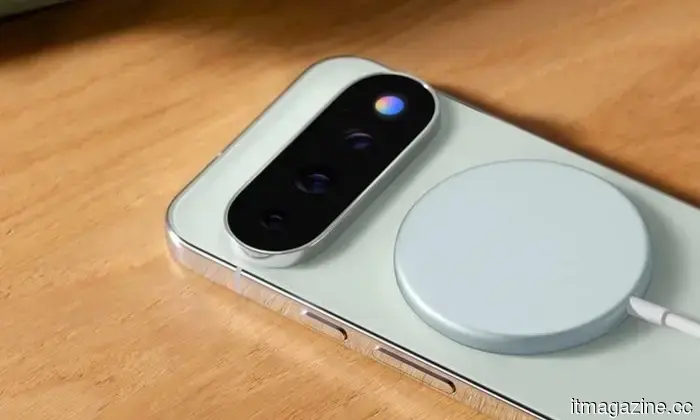
One of the standout features of the Pixel 11 smartphone series this year is the new colorful LED notification system known as "HiLight." The main concept behind this vibrant light is that it can be customized. Unfortunately, Google has restricted its functionality significantly. For example, it only activates during interactions with Gemini or when set as a caller identifier for voice calls.
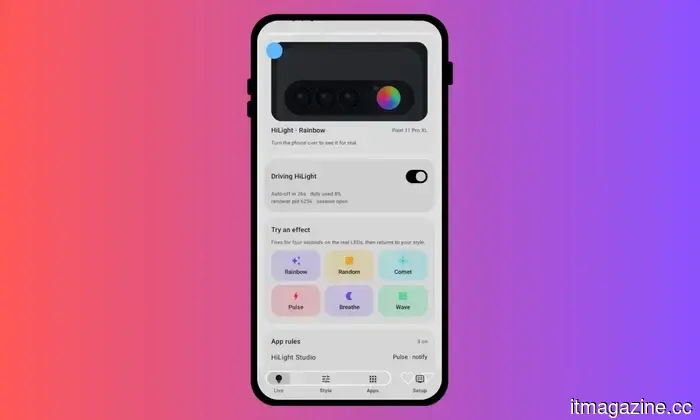
That’s pretty much the extent of it. Shortly after Google revealed it on its latest flagship devices, fans expressed disappointment that it was a missed opportunity. Users should have been given the ability to customize the light colors for different apps or explored more options. Thankfully, there’s now a solution. Tech creator @Dhananjay_Tech (DhananjayBhosale) has developed an app that fully unlocks HiLight on the Pixel 11 Pro.
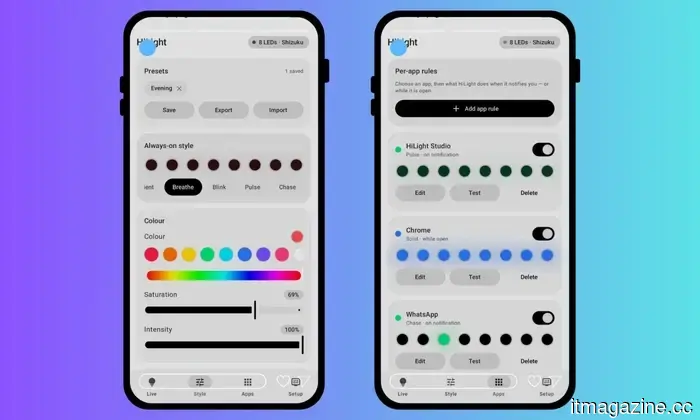
The app, named HiLight Studio, allows you to choose from five color options and even animate them across all eight built-in LED lights. You can set it up on a per-app basis, import and export lighting rules, and have it respond to features like quiet hours, do not disturb mode, and low battery settings. Additionally, the app extends the ambient lighting duration to five minutes, though a few limitations exist.
If the light is activated for more than 10 seconds, its brightness is slightly reduced. In terms of notifications, it will only flash for a maximum of 60 seconds. However, before getting too excited, remember that this app isn't available on the Google Play Store, meaning it may not fulfill all of Google's safety requirements for apps before they can be offered in its repository.
Moreover, it isn't an easy install. You must download the APK package, access the developer settings on your phone, permit the installation of apps from third-party sources on your Pixel 11 Pro, and enable wireless debugging before you can set it up and get it running. Also, here is a standard disclaimer from the developer on the GitHub repository:
“Long, continuous use of the HiLight LEDs has not been tested. If you build the project yourself, you can change the timing and safety values in your copy. Custom builds are your responsibility.”
Despite this, it’s a fantastic tool, and I hope Google takes notice and creates its own customizable system for HiLight on the Pixel 11 Pro. The smartphones themselves are otherwise quite impressive. I especially liked the speedy Night Sight feature, along with several software functionalities that elevate these devices into an entirely different category, with their advantages stemming more from software conveniences than raw hardware capabilities.

Altri articoli
 Hyundai's premium brand has introduced a new flagship electric vehicle, but there are no plans for its release in Europe.
The Genesis GV90 is an electric SUV boasting 490 kW of power and a 123.5 kWh battery, featuring coach doors. It will be available for purchase in the US early next year, although no plans for a European launch have been revealed.
Hyundai's premium brand has introduced a new flagship electric vehicle, but there are no plans for its release in Europe.
The Genesis GV90 is an electric SUV boasting 490 kW of power and a 123.5 kWh battery, featuring coach doors. It will be available for purchase in the US early next year, although no plans for a European launch have been revealed.
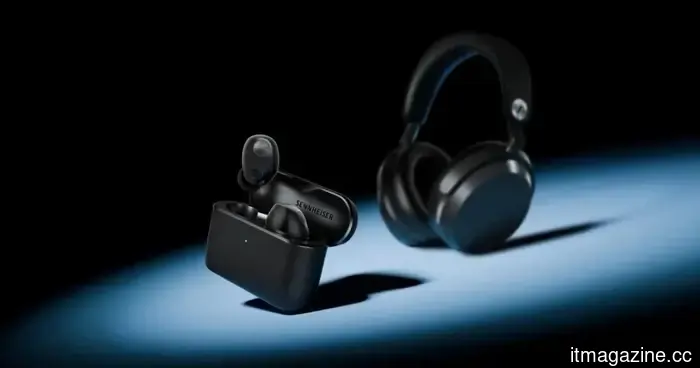 Sennheiser has just released earbuds that you won't need to discard when the battery runs out.
Sennheiser's latest Momentum True Wireless 5 earbuds offer premium sound quality, Dolby Atmos support, and a battery that users can replace on their own.
Sennheiser has just released earbuds that you won't need to discard when the battery runs out.
Sennheiser's latest Momentum True Wireless 5 earbuds offer premium sound quality, Dolby Atmos support, and a battery that users can replace on their own.
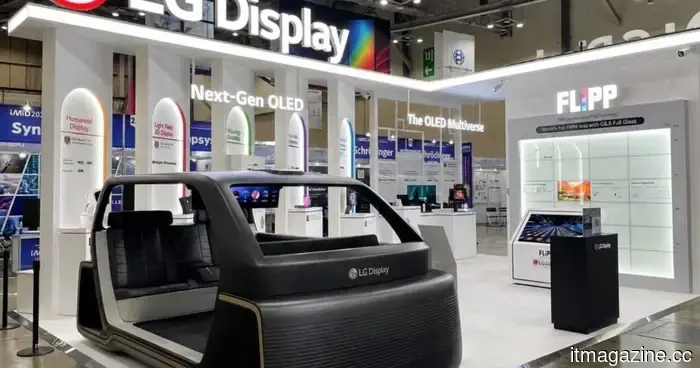 LG's latest OLED technology can endure 2.4 times longer, with monitors being the first to benefit.
LG Display's FLiPP OLED technology claims to offer a lifespan that is 2.4 times longer, increased brightness, and reduced power consumption, with monitors and tablets expected to serve as the initial testing grounds.
LG's latest OLED technology can endure 2.4 times longer, with monitors being the first to benefit.
LG Display's FLiPP OLED technology claims to offer a lifespan that is 2.4 times longer, increased brightness, and reduced power consumption, with monitors and tablets expected to serve as the initial testing grounds.
 A third of the internet displays indications of AI-generated content, attributed to ChatGPT.
A recent study by the Pew Research Center reveals indicators of AI authorship on about one-third of web pages that have been published since the launch of ChatGPT in late 2022.
A third of the internet displays indications of AI-generated content, attributed to ChatGPT.
A recent study by the Pew Research Center reveals indicators of AI authorship on about one-third of web pages that have been published since the launch of ChatGPT in late 2022.
 The Chinese video platform Bilibili is broadening its global reach.
Bilibili has reintroduced its international app without requiring ID checks and is currently recruiting in London and Istanbul. In Europe, the DSA is taking a wait-and-see approach instead of enforcing a ban.
The Chinese video platform Bilibili is broadening its global reach.
Bilibili has reintroduced its international app without requiring ID checks and is currently recruiting in London and Istanbul. In Europe, the DSA is taking a wait-and-see approach instead of enforcing a ban.
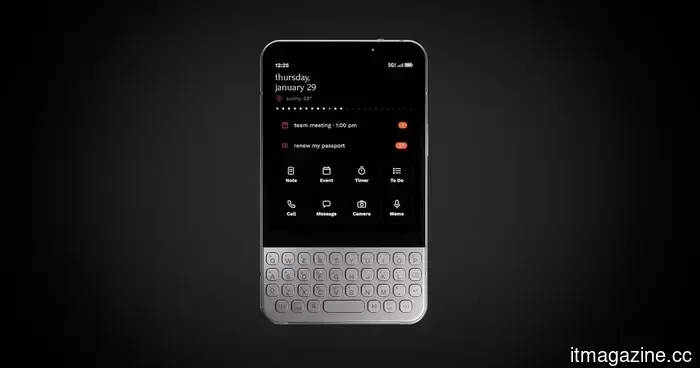 The minimalist phone is gradually reverting to being a smartphone.
The Minimal Phone 2 addresses numerous compromises that rendered the original challenging to use. However, these enhancements bring up an uncomfortable question regarding what constituted its minimalism initially.
The minimalist phone is gradually reverting to being a smartphone.
The Minimal Phone 2 addresses numerous compromises that rendered the original challenging to use. However, these enhancements bring up an uncomfortable question regarding what constituted its minimalism initially.
Google overlooked the potential of HiLight on the Pixel 11 Pro, but an application has just revealed its capabilities.
Google restricted the HiLight feature to a limited number of activities. A tech creator recently developed an app that enables its complete functionality and provides per-app controls for Pixel 11 Pro devices.