
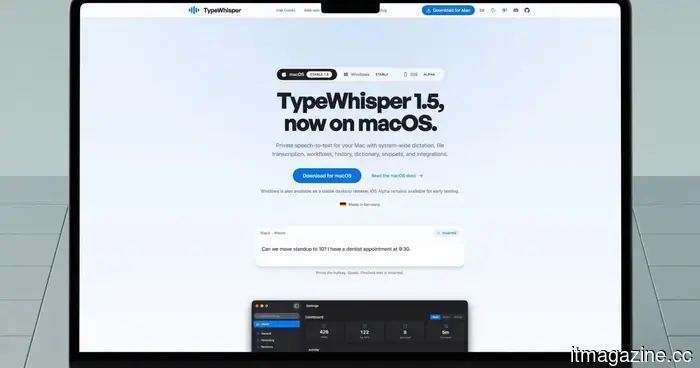
I discovered a more effective method for dictating on my Mac that doesn't require the cloud.
Apple has significantly enhanced its dictation feature on the Mac, yet it still does not compare to some of the AI-driven dictation apps that have gained immense popularity in the App Store.
My main concern with these apps is that many of the top options require a subscription, and I prefer not to add another subscription to my already extensive list. That’s why I was pleasantly surprised to find TypeWhisper.
TypeWhisper utilizes local AI models for text transcription and is among the best dictation apps I’ve tried. It has become my preferred app for speaking and jotting down thoughts that I can refine later. Let’s discuss it further.
Introducing TypeWhisper
Essentially, TypeWhisper converts speech to text using AI models that operate locally on Mac. Although the App Store has numerous apps that perform similar functions, most restrict access to premium features behind a subscription and send your voice to the cloud for processing.
In contrast, TypeWhisper offers the opposite. While cloud-based models are available for those who find them more accurate, you aren’t obligated to use them. There are multiple on-device models that are completely free. I’ve been testing this app for some time and consistently find the transcriptions to be impressively swift and accurate, even with the free local models.
Seamless integration with your favorite writing applications
What I appreciate most about TypeWhisper is the minimal friction between speaking and typing. I can utilize a global keyboard shortcut to start dictating from almost anywhere on my Mac. I can press and hold it for push-to-talk or tap it once to start and stop recording.
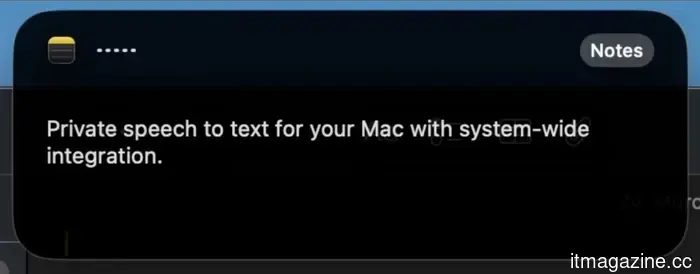
Once I finish speaking, TypeWhisper automatically inserts the transcribed text into whatever text field is open. This eliminates the need to manually copy and paste text from TypeWhisper to my desired application. For instance, if I’m dictating an email, I can do it directly in my email app.
Here's another example of how I utilize it. If I want to add a note to my Obsidian vault, I simply hit my shortcut, speak my thoughts, press the shortcut again to stop, and within a moment, my words appear in the app. It may sound straightforward, but once you adapt to speaking instead of typing, reverting back to typing feels painfully slow.
Customizable to your terminology
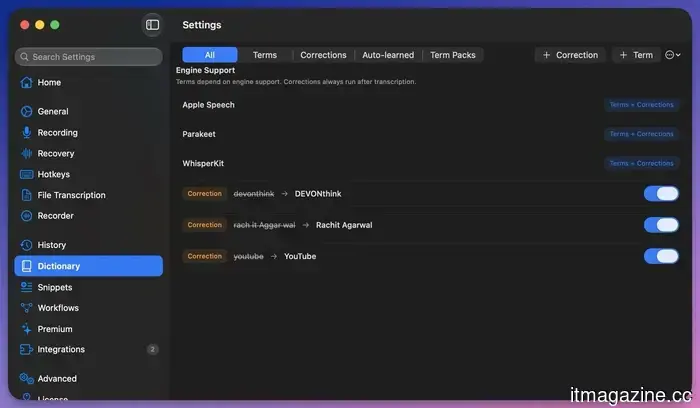
If you frequently use specific names, brands, or industry jargon, TypeWhisper allows you to customize your vocabulary. I can create custom terms, establish corrections for words it often misinterprets, and let it develop a personal dictionary over time as I continue using it.
What I like most is that I don’t always have to manually enter these words. When I correct a misheard word after dictating, TypeWhisper recognizes the correction and remembers it for future use. This means I don’t need to waste time navigating through settings to do so.
Speak freely, let AI refine it
A notable feature of TypeWhisper is its ability to process your transcribed text through AI before adding it to a document. For instance, if I want my dictation formatted in Markdown for Obsidian, I can set up a workflow for that and select which AI provider to use, whether an on-device option or a service like OpenAI or Gemini.
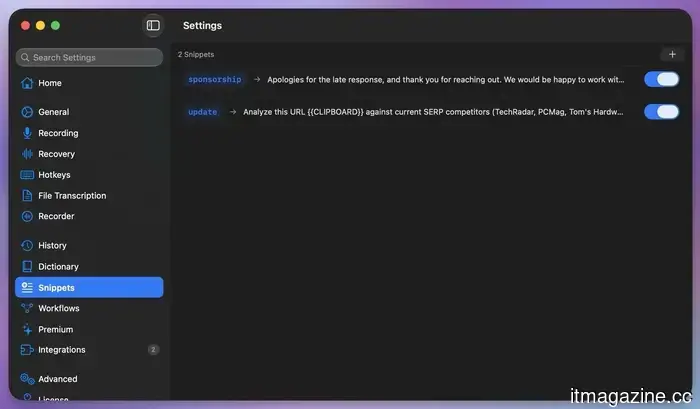
I also appreciate the snippets feature, which is useful for dictating repetitive text. I have configured trigger phrases that, when spoken, expand into complete sentences or even paragraphs.
Additional useful features
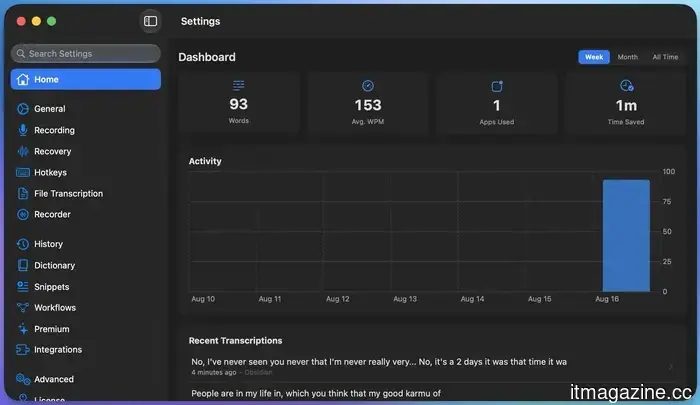
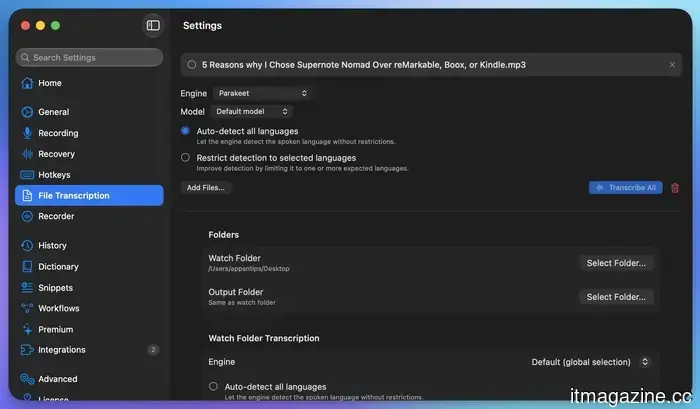
TypeWhisper can also transcribe recorded audio and video files. I can export subtitle files with timestamps if necessary. There’s a searchable history of everything I’ve dictated, complete with filters, allowing me to easily find something I said last week. Additionally, there’s a mode that amplifies microphone sensitivity, enabling the app to hear me better in noisy environments.
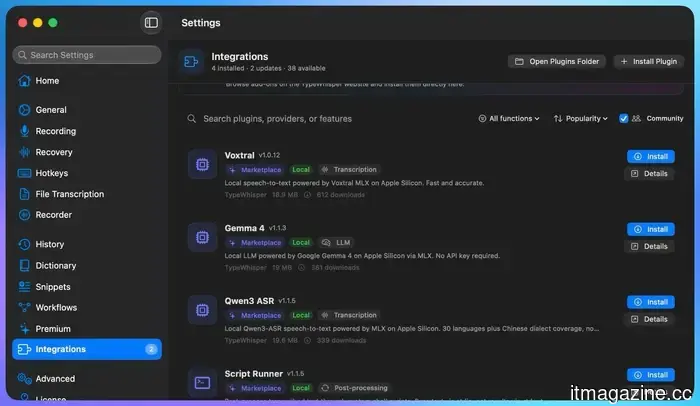
TypeWhisper also includes an add-ons hub where extra features can be added. One of my favorites is the Filler Words add-on, which automatically removes “ums” and “uhs” from my dictation before the text is pasted, resulting in cleaner text.
There is a comprehensive marketplace for these add-ons, and if you possess coding skills, you can even create add-ons tailored to your specific workflow.
My overall impression of TypeWhisper
TypeWhisper has become an essential part of my daily routine. The app is fast, accurate, and free. If you have hesitated to try a dictation app because you assumed it would be slow or inaccurate, or if you were reluctant to pay for a subscription just to dictate your thoughts, I encourage you to give TypeWhisper a try. I am confident it will become a valuable addition to your Mac.
Other articles
 Claude is becoming ambitious with watermarking, and I can sense the issues from far away.
Anthropic is working on the challenge of detecting AI-generated text, but a constant watermark might lead to a new issue if AI support is confused with AI authorship.
Claude is becoming ambitious with watermarking, and I can sense the issues from far away.
Anthropic is working on the challenge of detecting AI-generated text, but a constant watermark might lead to a new issue if AI support is confused with AI authorship.
 OpenAI's latest ChatGPT feature records your keystrokes and saves them as plain text.
OpenAI's Computer History logs clicks, keystrokes, and app switches on macOS, saves the memory files in an unencrypted format, and is not accessible in the EEA and UK.
OpenAI's latest ChatGPT feature records your keystrokes and saves them as plain text.
OpenAI's Computer History logs clicks, keystrokes, and app switches on macOS, saves the memory files in an unencrypted format, and is not accessible in the EEA and UK.
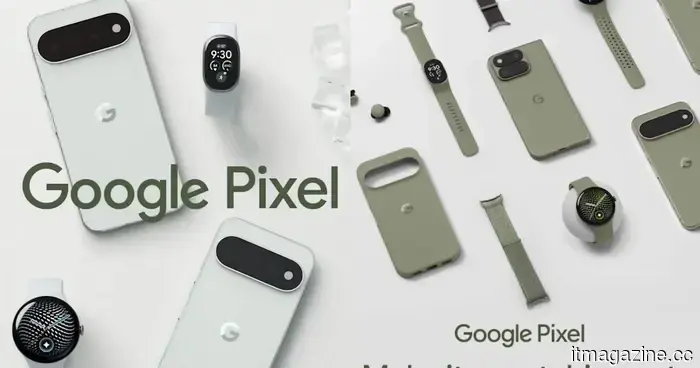 Google might have unintentionally revealed a new fitness tracker that features a display.
Google's Pixel 11 ads seem to reveal a yet-to-be-announced fitness tracker that falls in between the Fitbit Air and Pixel Watch.
Google might have unintentionally revealed a new fitness tracker that features a display.
Google's Pixel 11 ads seem to reveal a yet-to-be-announced fitness tracker that falls in between the Fitbit Air and Pixel Watch.
 Meta vowed to put an end to unsettling AI glasses videos, yet they continue to appear frequently on Instagram.
Instagram announced that it would take a firmer stance against harassment captured with Meta’s AI glasses. However, a month later, it seems that many of those videos are still getting through.
Meta vowed to put an end to unsettling AI glasses videos, yet they continue to appear frequently on Instagram.
Instagram announced that it would take a firmer stance against harassment captured with Meta’s AI glasses. However, a month later, it seems that many of those videos are still getting through.
 OpenAI's latest ChatGPT feature records your keystrokes and saves them in unencrypted text format.
OpenAI's Computer History tracks mouse clicks, keystrokes, and application switches on macOS, saves the memory files without encryption, and is not accessible in the EEA and UK.
OpenAI's latest ChatGPT feature records your keystrokes and saves them in unencrypted text format.
OpenAI's Computer History tracks mouse clicks, keystrokes, and application switches on macOS, saves the memory files without encryption, and is not accessible in the EEA and UK.
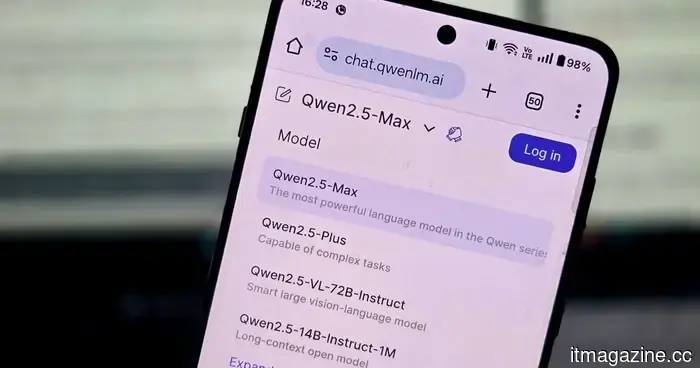 Meta and Google have just been surpassed by an AI powerhouse you might not anticipate.
Alibaba's Qwen has emerged as a significant player in open AI, achieving over 3 billion downloads in merely six months and surpassing some of Silicon Valley's major competitors.
Meta and Google have just been surpassed by an AI powerhouse you might not anticipate.
Alibaba's Qwen has emerged as a significant player in open AI, achieving over 3 billion downloads in merely six months and surpassing some of Silicon Valley's major competitors.
I discovered a more effective method for dictating on my Mac that doesn't require the cloud.
This free, local AI dictation application transfers your words directly into any app, requiring no subscription and no cloud services, and its accuracy is impressive. Here's why I keep using it.