

What is Copilot? Everything you should know about Microsoft's AI assistant.
Microsoft has associated the Copilot name with numerous products, making a straightforward question like “What is Copilot?” require additional context. There is the primary Microsoft Copilot chatbot, Copilot integrated into Microsoft 365, GitHub Copilot for developers, Gaming Copilot for Xbox users, and a distinct range of Windows laptops known as Copilot+ PCs.
For many users, Microsoft Copilot refers to the company’s versatile AI assistant. You would expect it to answer queries, search the internet, generate and edit images, and provide all the standard AI chatbot functionalities. It can be accessed via a browser or dedicated applications for Windows, macOS, Android, and iOS. Additionally, it is embedded in Microsoft Edge, the Xbox mobile app, and Game Bar on Windows 11.
Since its early days with Bing Chat, Copilot has significantly grown. It now features various conversation modes, can analyze a chosen screen or phone camera feed through Copilot Vision, and connects to Outlook, OneDrive, Gmail, Google Drive, Contacts, and Google Calendar upon receiving permission.
Unsplash
The precise experience you have depends on the specific product, device, and subscription you choose. Below is an overview of Microsoft's expanding Copilot offerings, their pricing, and the capabilities of each version.
What is Microsoft Copilot?
Microsoft Copilot is a generative AI assistant that responds to prompts made in natural language. You can request explanations, product comparisons, document summaries, email rewrites, brainstorming assistance, or image creation based on descriptions. The standard Copilot application functions similarly to AI services like ChatGPT and Google Gemini. It merges Microsoft and OpenAI models with web results, uploaded files, ongoing conversation context, and any authorized connected services. Copilot Search can also provide current information with citations.
Microsoft
Logging in unlocks conversation history, longer chats, increased image creation, and extended voice sessions. Microsoft retains up to 18 months of conversation history when signed in, but users can delete specific chats or clear the entire history.
Which Copilot are you looking for?
Copilot product | Function
--- | ---
Microsoft Copilot | The general AI assistant available via web, Windows, macOS, Android, iOS, and Edge.
Microsoft 365 Copilot | Integrates AI tools into Microsoft productivity applications, working with documents, emails, meetings, and other authorized workplace information.
Copilot in Microsoft 365 Personal, Family, and Premium | Provides home subscribers with access to Copilot features in Word, Excel, PowerPoint, Outlook, and other supported applications.
GitHub Copilot | An assistant for coding that operates within development tools and code repositories.
Gaming Copilot | A gaming-oriented assistant available through supported Xbox and Windows environments.
Copilot+ PC | A category of Windows hardware designed for advanced on-device AI features, separate from the Copilot chatbot.
Please note that Copilot+ PCs have specific hardware requirements and a unique set of Windows AI features. These warranted a dedicated explanation, so we have outlined them separately in our comprehensive Copilot+ PC guide.
How much does Copilot cost?
Microsoft 365 Copilot integrates into applications like Word and PowerPoint. Microsoft / Microsoft
The core Microsoft Copilot chatbot is free to use. Its website and applications offer AI chat, image generation, web search, voice interaction, and file analysis, though with limited usage. Furthermore, Microsoft includes Copilot features within its consumer Microsoft 365 plans. The current pricing in the U.S. is as follows:
- Microsoft 365 Personal: $9.99 per month or $99.99 per year
- Microsoft 365 Family: $12.99 per month or $129.99 per year
- Microsoft 365 Premium: $19.99 per month or $199.99 per year
Personal and Family plans include Copilot features in supported Microsoft 365 applications, while Premium offers the highest AI limits and access to additional advanced features. AI benefits in Family plans apply to the subscription owner only, not every individual on the plan. Prices and feature availability may differ by country.
Microsoft
Microsoft is currently guiding new buyers toward the Microsoft 365 Premium package. Existing Copilot Pro customers can either maintain their current plan or switch to Premium. Business and enterprise editions have their separate licensing, pricing, and security measures.
Which AI model powers Copilot?
The answer varies based on the Copilot product being used. Microsoft directs requests through different models depending on the chosen mode, feature, subscription, and workplace settings. For the consumer Copilot application, Smart mode is still described as powered by GPT-5. This mode balances between quick responses and deeper reasoning. The Think Deeper option utilizes available OpenAI reasoning models, though Microsoft hasn't specified the exact model behind every response.
Microsoft 365 Copilot can also utilize other OpenAI and Anthropic models through supported selectors. Certain commercial organizations must enable OpenAI-operated models before GPT-5.6 becomes available. Microsoft aims to make these models the


Other articles
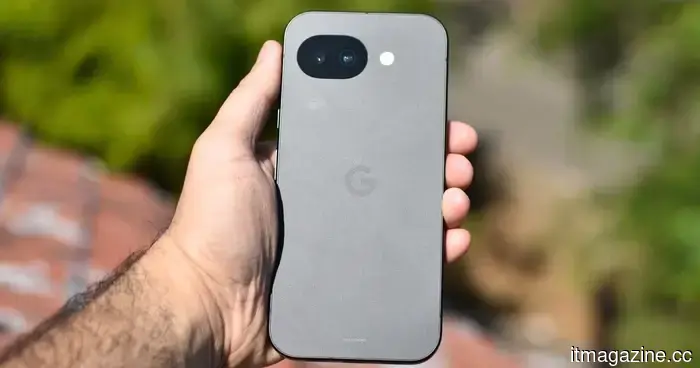 The Pixel 11 is just around the corner, and here are three improvements I'm hoping Google will implement.
The Pixel 11 is approaching, and Google has an opportunity to address three persistent problems that have hindered the Pixel experience for years.
The Pixel 11 is just around the corner, and here are three improvements I'm hoping Google will implement.
The Pixel 11 is approaching, and Google has an opportunity to address three persistent problems that have hindered the Pixel experience for years.
 I invested a lot of money in a Copilot+ PC, yet I've hardly used Microsoft's AI at all.
My Copilot+ PC is equipped with dedicated AI hardware and features its own Copilot key, but Microsoft's assistant has only marginally integrated into my daily routine.
I invested a lot of money in a Copilot+ PC, yet I've hardly used Microsoft's AI at all.
My Copilot+ PC is equipped with dedicated AI hardware and features its own Copilot key, but Microsoft's assistant has only marginally integrated into my daily routine.
 I invested in a more promising future, yet my online existence comes with monthly subscription fees.
Contemporary life operates on subscriptions that are frequently beneficial, affordable, and becoming harder to live without. The future has come, but it seems we'll have to continue making monthly payments to access it.
I invested in a more promising future, yet my online existence comes with monthly subscription fees.
Contemporary life operates on subscriptions that are frequently beneficial, affordable, and becoming harder to live without. The future has come, but it seems we'll have to continue making monthly payments to access it.
 I invested in a more promising future, but my online life incurs monthly subscription fees.
Contemporary life operates on subscriptions that tend to be helpful, affordable, and progressively essential. The future has come, but it seems we must continue to pay monthly to access it.
I invested in a more promising future, but my online life incurs monthly subscription fees.
Contemporary life operates on subscriptions that tend to be helpful, affordable, and progressively essential. The future has come, but it seems we must continue to pay monthly to access it.
 I invested a lot in a Copilot+ PC, yet I hardly ever use Microsoft's AI.
Although my Copilot+ PC is equipped with specialized AI hardware and comes with its own Copilot key, Microsoft's assistant has not significantly integrated into my everyday tasks.
I invested a lot in a Copilot+ PC, yet I hardly ever use Microsoft's AI.
Although my Copilot+ PC is equipped with specialized AI hardware and comes with its own Copilot key, Microsoft's assistant has not significantly integrated into my everyday tasks.
 What occurs when AI detectors do not succeed? Researchers suggest that we need to learn how to identify fake AI-generated faces.
AI detectors are facing challenges with increasingly convincing deepfakes. Researchers indicate that individuals can significantly enhance their skills in recognizing artificial AI faces by engaging in structured training and developing pattern recognition.
What occurs when AI detectors do not succeed? Researchers suggest that we need to learn how to identify fake AI-generated faces.
AI detectors are facing challenges with increasingly convincing deepfakes. Researchers indicate that individuals can significantly enhance their skills in recognizing artificial AI faces by engaging in structured training and developing pattern recognition.
What is Copilot? Everything you should know about Microsoft's AI assistant.
Microsoft Copilot now encompasses a range of applications, from free AI chat to Office tools, as well as work features powered by GPT-5.6. Here’s how its various versions are integrated.