

I invested a lot in a Copilot+ PC, yet I hardly ever use Microsoft's AI.
My ASUS Zenbook 14 OLED has a dedicated Copilot key, yet months after purchasing it, this key seems one of the least significant on the keyboard. My Zenbook UM3406 is powered by AMD’s Ryzen AI 300 series processor, which features a dedicated NPU capable of delivering up to 50 TOPS of AI performance, qualifying it as a Copilot+ PC, thus marking its place in what Microsoft has described as a new era for Windows.
AI has become a normal part of my work routine. I utilize it for research, brainstorming, and refining ideas. However, instead of relying on features integrated into the Windows operating system, I have depended on tools like ChatGPT, Claude, and Gemini.
How Copilot+ set the wrong expectations
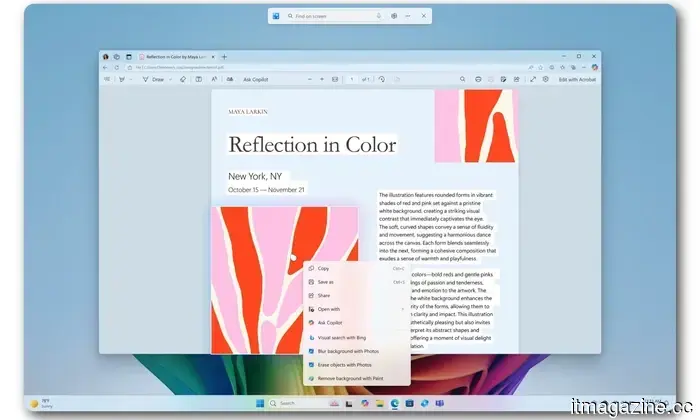
The term “Copilot+ PC” suggests a computer centered on Microsoft Copilot. In reality, this certification mainly pertains to the hardware and certain local Windows functionalities. The NPU in my Zenbook can enhance experiences such as Windows Studio Effects, Live Captions, improved search, and Recall. However, the Copilot chatbot itself requires internet access. This means you can essentially use it on Macs and web browsers as well, not just Windows PCs. Pressing the designated key does not activate an assistant that takes full advantage of the 50 TOPS NPU present in my laptop.
The marketing surrounding this has inadequately conveyed the intended purpose of Copilot. Microsoft promoted Copilot+ PCs as part of a major transformation in personal computing, with local AI reshaping how we interact with Windows systems in our daily tasks. Although the NPU is there and the badge on the device indicates its capability to access various AI menus in Windows, very few of these menus address common issues I encounter.
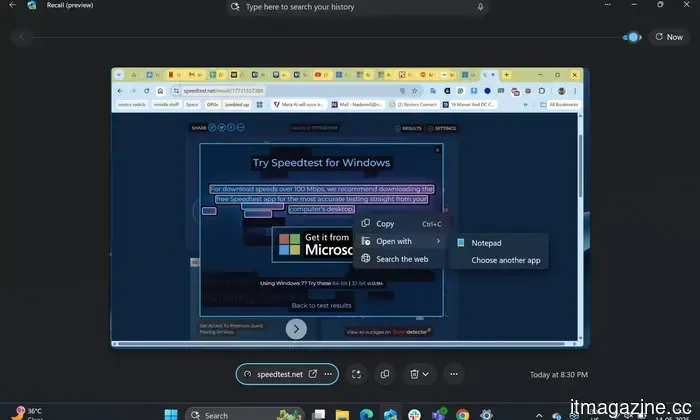
Recall is perhaps the most beneficial feature out of the options available. It allows users to capture snapshots of their activities and retrieve information that was previously viewed. For those managing numerous important files or conversations, this can be extremely helpful. That said, I've still found no compelling reason to allow Windows to create a searchable history of my screen. Live Captions and Studio Effects can also be helpful under certain circumstances, but they remain occasional tools rather than key reasons to rethink my usage of the laptop.
Other AI services offered greater convenience
I have established pathways for my workflows. ChatGPT typically serves as a starting point for broad research and idea development, while Claude is useful for handling longer texts. Yet, each service has its limitations, and their responses have become quite familiar to me.
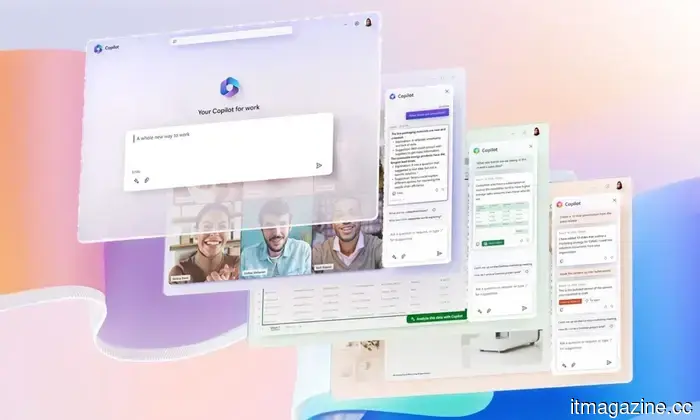
Copilot was included with my PC, but I hadn't truly explored it until recently. Now that I've tried it, I understand why I initially dismissed it. Microsoft uses the Copilot branding across various products, including its consumer assistant, Microsoft 365 Copilot, GitHub Copilot, and several Windows integrations. Recognizing what each Copilot does can require more effort than simply accessing the tools I already trust.
This year, Microsoft reorganized its Copilot teams to create a more unified experience across its consumer and commercial products, indicating that the existing structure had become somewhat difficult to navigate.
The widespread presence of Copilot did not render it indispensable
Microsoft attempted to address the adoption issue through increased visibility. Copilot appeared in multiple locations, including Windows, Edge, Office, Paint, Notepad, and other components of the operating system. For the first time in decades, PCs came with a dedicated key for Copilot.
Nevertheless, Microsoft has started to remove or reduce some of these entry points. Even their hardware partners have recognized this disconnect. Dell noted that consumers often opt for newer laptops based on clear improvements like performance and battery life while finding AI terminology confusing. This factor also contributed to my choice in laptop, favoring the stunning OLED screen, slim design, and dependable battery life.
Even users who have tried it find it challenging to stick with
After I wrote about Copilot’s minimal uptake, one author reached out to share his experience. He had extensively used the service while writing a book, yet updates and policy changes occasionally resulted in it refusing tasks it had previously managed. He mentioned that when he opens Copilot now, he wonders: “Will it or won’t it?”
To be fair, generative AI services evolve constantly, and refusals can occur with Copilot, ChatGPT, Claude, and Gemini alike. However, Copilot bears extra expectations as Microsoft markets it as an integrated productivity assistant. Users anticipate consistency from a tool that is embedded directly into their operating systems and work software.
Is this truly future-proof?
I do not regret purchasing the Zenbook. It performs admirably, and the NPU could become more useful as an increasing number of applications run AI workloads locally. Additionally, the Copilot+ certification provides some assurance that this machine meets Microsoft’s current standards for future Windows features. However, this sounds more like a guarantee for future utility rather than immediate practicality.
Moreover, Microsoft could raise the baseline requirements as systems advance and expectations grow

Other articles
 The remake of Ubisoft's Black Flag is a sign of a larger issue, rather than a well-thought-out plan.
Assassin's Creed Black Flag Resynced is a solid remake. It was created because Ubisoft terminated six games and requires a product to generate revenue.
The remake of Ubisoft's Black Flag is a sign of a larger issue, rather than a well-thought-out plan.
Assassin's Creed Black Flag Resynced is a solid remake. It was created because Ubisoft terminated six games and requires a product to generate revenue.
 The remake of Ubisoft's Black Flag is a sign of a problem, rather than a part of a strategy.
Assassin's Creed Black Flag Resynced is a solid remake. Its development was prompted by Ubisoft's cancellation of six games, creating the need for something to generate sales.
The remake of Ubisoft's Black Flag is a sign of a problem, rather than a part of a strategy.
Assassin's Creed Black Flag Resynced is a solid remake. Its development was prompted by Ubisoft's cancellation of six games, creating the need for something to generate sales.
 Ubisoft's remake of Black Flag is a sign of a deeper issue rather than a strategic move.
Assassin's Creed Black Flag Resynced is a decent remake. Its existence is a result of Ubisoft canceling six games and needing a product to market.
Ubisoft's remake of Black Flag is a sign of a deeper issue rather than a strategic move.
Assassin's Creed Black Flag Resynced is a decent remake. Its existence is a result of Ubisoft canceling six games and needing a product to market.
 Netflix might introduce channels that are always on, which is essentially what cable offers.
Netflix is said to have talked about creating 24/7 genre channels and offering subscriptions to competitors through its own app, essentially reviving the cable model it previously dismantled.
Netflix might introduce channels that are always on, which is essentially what cable offers.
Netflix is said to have talked about creating 24/7 genre channels and offering subscriptions to competitors through its own app, essentially reviving the cable model it previously dismantled.
 I invested a lot of money in a Copilot+ PC, yet I've hardly used Microsoft's AI at all.
My Copilot+ PC is equipped with dedicated AI hardware and features its own Copilot key, but Microsoft's assistant has only marginally integrated into my daily routine.
I invested a lot of money in a Copilot+ PC, yet I've hardly used Microsoft's AI at all.
My Copilot+ PC is equipped with dedicated AI hardware and features its own Copilot key, but Microsoft's assistant has only marginally integrated into my daily routine.
 I invested in a more promising future, yet my online existence comes with monthly subscription fees.
Contemporary life operates on subscriptions that are frequently beneficial, affordable, and becoming harder to live without. The future has come, but it seems we'll have to continue making monthly payments to access it.
I invested in a more promising future, yet my online existence comes with monthly subscription fees.
Contemporary life operates on subscriptions that are frequently beneficial, affordable, and becoming harder to live without. The future has come, but it seems we'll have to continue making monthly payments to access it.
I invested a lot in a Copilot+ PC, yet I hardly ever use Microsoft's AI.
Although my Copilot+ PC is equipped with specialized AI hardware and comes with its own Copilot key, Microsoft's assistant has not significantly integrated into my everyday tasks.