

Chrome AI: what your browser installs without your consent
Your browser has been quite active on your behalf. This week highlighted two instances where Chrome has installed items on your device without your consent. One was from Google, while the other was from an impersonator. Both exploited the same underlying mechanisms.
With billions of devices running Chrome, it stands as one of the most powerful software applications in existence, making it an attractive target for unwanted installations. Recent incidents illustrate the consent issue from both perspectives.
Google's 4GB guest
Since at least April, Chrome has been quietly downloading Gemini Nano, Google's AI model for on-device use, onto compatible laptops and desktops. The file size is approximately 4GB, and it arrives without any notifications or prompts, along with no apparent option to deactivate it, according to CNET. If deleted, Chrome simply retrieves it again.
This model supports on-device functions such as scam detection and writing assistance. The drawback is that many users were never informed of its arrival or had any desire for it.
The 💜 of EU tech - The latest happenings from the EU tech world, insights from our sharp-witted founder Boris, and some dubious AI art. It’s available for free in your inbox every week. Sign up today! The most detailed account comes from Alexander Hanff, a privacy advocate known as “That Privacy Guy.” He documented the installation on a newly created Mac profile that had received no user input, using the system’s file-event log. The 4GB model unpacked itself in about 14 minutes while a tab remained idle, he shared. He contends that this covert installation violates Europe’s ePrivacy and data protection laws, asserting that the bandwidth consumption alone carries significant environmental implications at a billion-device scale.
Google claims that the model will uninstall itself if a device is low on space or battery. The company also notes that since February, users can disable it via Chrome settings, at which point downloads will cease.
There's an added complexity that further erodes trust. The visible “AI Mode” indicator in the address bar does not utilize the on-device model. Instead, those searches go to Google's servers. Hence, users bear the storage burden of a local model while the prominent AI feature continues to transmit data to the cloud.
The impostor in the address bar
The second issue is more concerning since the perpetrator was not Google. Microsoft’s threat researchers discovered a malicious Chrome extension masquerading as the AI search engine Perplexity. It secretly logged user searches and redirected them to legitimate results, creating an illusion of normalcy.
This extension, named “Search for perplexity ai,” deployed a look-alike domain to pretend to be the genuine article, as reported by The Hacker News. Once installed, it made itself the default search engine. Every search query and keystroke in the address bar was first sent to an attacker-controlled server, which recorded it alongside your IP address and browser information.
The data theft occurred at that initial redirect before the legitimate destination. The extension exploited Chrome’s network permission settings to execute the operation and included server code to log every request, as stated by Microsoft. Google removed it following the revelation.
This incident was not isolated. Microsoft previously linked a surge of AI-branded extensions to about 900,000 installations across over 20,000 corporate networks, capturing ChatGPT and DeepSeek chat logs. The AI label drives installations, while the permissions lead to breaches.
Same interface, different invader
Together, these incidents reveal a pattern. The browser, especially the address bar, has turned into a trust area that both companies and attackers aim to exploit. Google views your disk as a target for its AI, while criminals see your address bar as a potential surveillance tool. Users find themselves caught in between, often without being asked.
This is the crucial takeaway, and it should raise concerns for anyone who values trust in everyday software. When a legitimate company normalizes silent installations, it becomes increasingly difficult for users to recognize similar behaviors from malware. Consent ceases to be second nature, blurring the line between a feature and an intrusion.
This comes at a time when AI branding is incredibly appealing. Users associate AI tools with practicality, leading to increased clicks. Attackers are aware of this, and the same tendency that drives us to try a new assistant also makes us more likely to accept malicious apps dressed in similar attire.
What you can do
A brief review of your settings can be beneficial. In Chrome, navigate to Settings, then System, and disable on-device AI if you prefer not to have the Gemini Nano model. Additionally, you can look for a folder titled OptGuideOnDeviceModel in your Chrome profile to check if the 4GB file is already present.
Next, evaluate your extensions. Remove any that you don't recognize, verify the publisher and domain of AI-branded tools before installation, and keep an eye on any search engine changes. None of this is complicated; it’s simply the cost of using a browser that increasingly operates autonomously.
The more
Other articles
 Meta’s Brain2Qwerty v2 converts thoughts into text without requiring any brain implants.
Meta has introduced Brain2Qwerty v2, an AI technology that translates brain activity into text non-invasively, advancing assistive communication towards becoming a reality.
Meta’s Brain2Qwerty v2 converts thoughts into text without requiring any brain implants.
Meta has introduced Brain2Qwerty v2, an AI technology that translates brain activity into text non-invasively, advancing assistive communication towards becoming a reality.
 Gemini will now jot down notes for you during Google Meet, provided you pay the minimum $20 AI fee.
The "Take notes for me" feature in Google Meet, powered by Gemini, is being introduced for AI Pro and Ultra subscribers, though this helpful meeting enhancement begins with a $20 monthly subscription.
Gemini will now jot down notes for you during Google Meet, provided you pay the minimum $20 AI fee.
The "Take notes for me" feature in Google Meet, powered by Gemini, is being introduced for AI Pro and Ultra subscribers, though this helpful meeting enhancement begins with a $20 monthly subscription.
 Gemini will now take notes for you during Google Meet, provided you pay the minimum $20 AI tax.
The "Take notes for me" feature powered by Gemini in Google Meet is being introduced for AI Pro and Ultra subscribers, but access to this beneficial meeting enhancement requires a $20 monthly subscription.
Gemini will now take notes for you during Google Meet, provided you pay the minimum $20 AI tax.
The "Take notes for me" feature powered by Gemini in Google Meet is being introduced for AI Pro and Ultra subscribers, but access to this beneficial meeting enhancement requires a $20 monthly subscription.
 Meta’s Brain2Qwerty v2 converts thoughts into text without the need for brain implants.
Meta has introduced Brain2Qwerty v2, an AI system that translates brain activity into text non-invasively, moving assistive communication closer to becoming a reality.
Meta’s Brain2Qwerty v2 converts thoughts into text without the need for brain implants.
Meta has introduced Brain2Qwerty v2, an AI system that translates brain activity into text non-invasively, moving assistive communication closer to becoming a reality.
 SCOTUS restricts geofence warrants in a victory for phone privacy.
The Supreme Court determined that geofence warrants require probable cause, concluding that individuals possess a reasonable expectation of privacy regarding their phone location information.
SCOTUS restricts geofence warrants in a victory for phone privacy.
The Supreme Court determined that geofence warrants require probable cause, concluding that individuals possess a reasonable expectation of privacy regarding their phone location information.
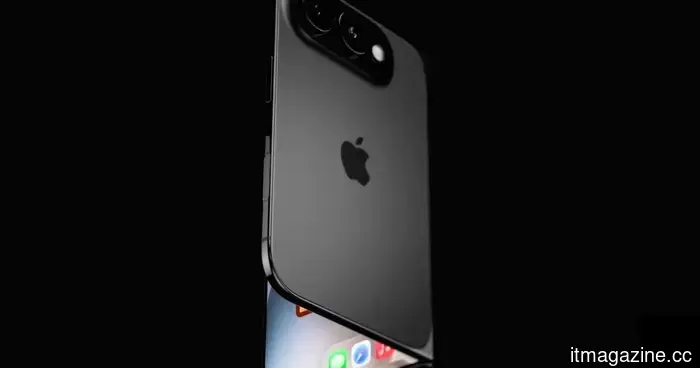 Apple is preparing to launch six new iPhones in 2027, featuring significant upgrades.
The speculated roadmap for Apple's 2027 iPhone features six models spread across two launch periods, incorporating 120Hz displays, Pro enhancements, and a second foldable iPhone Ultra.
Apple is preparing to launch six new iPhones in 2027, featuring significant upgrades.
The speculated roadmap for Apple's 2027 iPhone features six models spread across two launch periods, incorporating 120Hz displays, Pro enhancements, and a second foldable iPhone Ultra.
Chrome AI: what your browser installs without your consent
Chrome discreetly released a 4GB Gemini Nano AI model to users, while a fraudulent Perplexity extension intercepted searches. This highlights two aspects of Chrome's consent issue.