
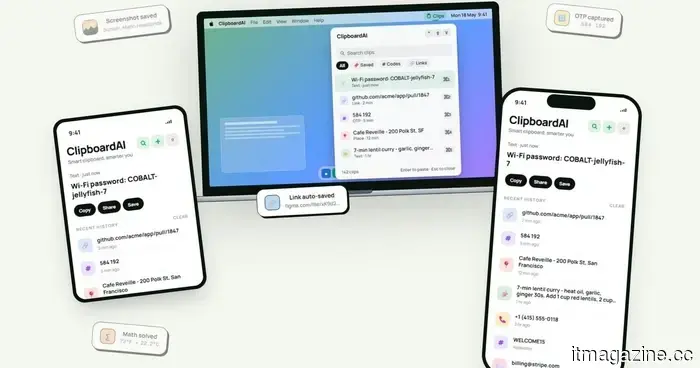
This cross-device clipboard application resolves the copy-and-paste issues I frequently encounter on my Mac.
I've lost track of how many times I've copied something important, then copied something else before pasting it, only to find that the initial item was erased. It's a minor annoyance, but it occurs frequently enough to be bothersome. Recently, I discovered ClipboardAI, which piqued my interest as it surpasses Apple's default clipboard by maintaining a searchable history of copied items.
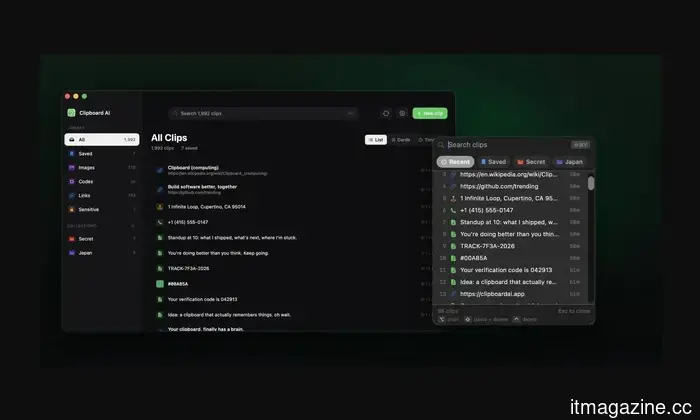
Rather than overwriting the last item you copied each time, ClipboardAI retains a searchable log of text, links, codes, email addresses, phone numbers, addresses, and images across iPhone, iPad, and Mac devices. This means that a previous item won't vanish simply because you've copied something new.
It efficiently saves, organizes, and retrieves clips
ClipboardAI employs on-device AI to categorize copied materials into links, codes, emails, addresses, phone numbers, text, and images. Users have the option to create collections for frequently reused content, such as research links, templates, travel information, or saved snippets.
The value of the keyboard extension
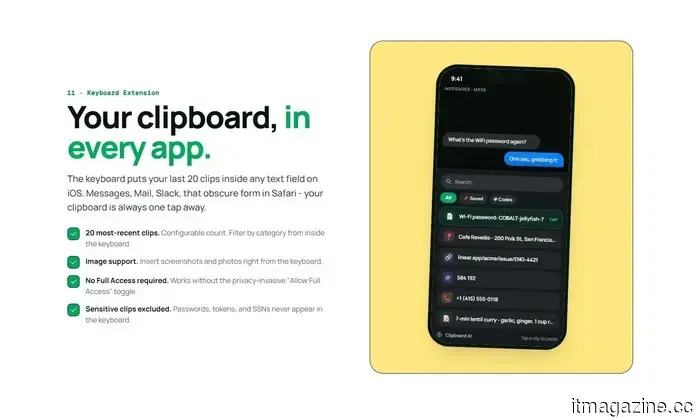
The keyboard extension is what gives the app its greatest utility. It can display up to 20 recent clips in any iOS text field, allowing you to paste previously copied items without needing to exit Messages, Mail, Slack, Safari, or any other app.
The app can also summarize copied text, generate link previews, identify languages, provide translations, convert lists into checklists, and solve mathematical expressions or unit conversions. Some features will see frequent use, while others may be more situational.
Importance of privacy
Given that clipboards often contain sensitive data like passwords, codes, addresses, emails, phone numbers, and copied messages, privacy is crucial for applications like this. ClipboardAI ensures that AI functions remain on-device, stores clips locally using SwiftData, and avoids analytics, advertisements, third-party SDKs, and servers managed by developers.
Additionally, the app handles sensitive clips differently from standard copied items. It can identify passwords, API tokens, credit card numbers, and social security numbers, blurring them by default. Passwords can automatically disappear after 60 seconds, and sensitive clips will not appear in the keyboard extension unless the user modifies that setting.
Syncing is done through the user's personal iCloud account and is optional. The free version offers automatic capture, categories, search functionality, and up to 10 saved clips. The Pro version provides unlimited clips, iCloud sync, the keyboard extension, AI functionalities, and collections, with a 7-day trial option and a $24.99 one-time purchase for lifetime access.
Not everyone requires a clipboard manager, but if you frequently lose copied links, codes, notes, or addresses multiple times a week, ClipboardAI could be a valuable alternative to Apple's built-in clipboard.
Other articles
.jpg) This animated series, which boasts a 100% rating on Rotten Tomatoes, is one of three overlooked TV shows available on HBO Max to check out this weekend (June 26-28).
These concealed treasures on HBO Max boast nearly flawless critic ratings but are unfortunately overlooked, covering genres such as medical drama, science fiction, and coming-of-age narratives.
This animated series, which boasts a 100% rating on Rotten Tomatoes, is one of three overlooked TV shows available on HBO Max to check out this weekend (June 26-28).
These concealed treasures on HBO Max boast nearly flawless critic ratings but are unfortunately overlooked, covering genres such as medical drama, science fiction, and coming-of-age narratives.
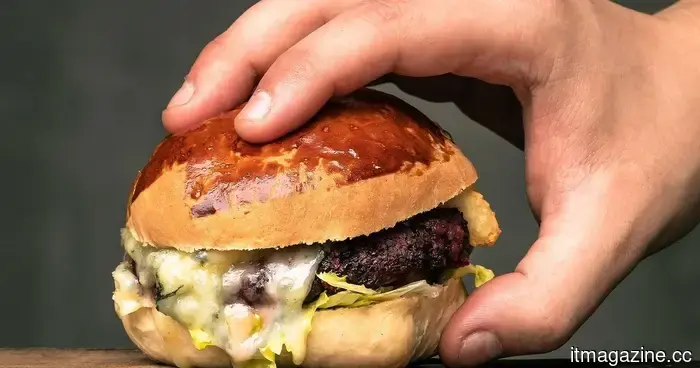 Scientists at Stanford have developed an AI capable of creating healthier and more environmentally friendly burgers.
Researchers at Stanford have created BurgerAI, an AI system designed to generate burger recipes that are healthier and more sustainable, all while maintaining great taste.
Scientists at Stanford have developed an AI capable of creating healthier and more environmentally friendly burgers.
Researchers at Stanford have created BurgerAI, an AI system designed to generate burger recipes that are healthier and more sustainable, all while maintaining great taste.
 Cloudflare's engineering staff increased by 45% following the reduction of 1,100 positions, and its CEO has established a criterion for determining who will thrive in the AI landscape.
Cloudflare's CEO Matthew Prince states that AI removes "measurers," while those who build and sell continue to thrive, as data from BNP Paribas indicates a 45 percent increase in engineering activities.
Cloudflare's engineering staff increased by 45% following the reduction of 1,100 positions, and its CEO has established a criterion for determining who will thrive in the AI landscape.
Cloudflare's CEO Matthew Prince states that AI removes "measurers," while those who build and sell continue to thrive, as data from BNP Paribas indicates a 45 percent increase in engineering activities.
 Not everything is running smoothly with DuckDuckGo and its AI.
DuckDuckGo's AI search assistant was misled into reiterating a false narrative, underscoring how organized misinformation can deceive contemporary AI technologies.
Not everything is running smoothly with DuckDuckGo and its AI.
DuckDuckGo's AI search assistant was misled into reiterating a false narrative, underscoring how organized misinformation can deceive contemporary AI technologies.
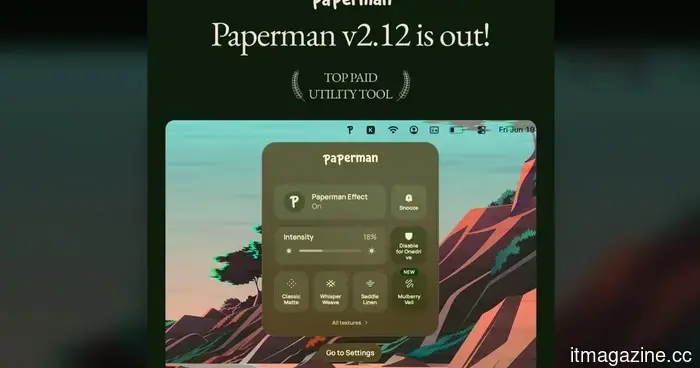 If you long for the sensation of paper in the digital era, this app provides a textured appearance to your Mac’s screen.
Paperman is a desktop application for Mac and Windows that applies paper-like textures to your screen, helping to soften contrast and diminish the shiny appearance of contemporary displays.
If you long for the sensation of paper in the digital era, this app provides a textured appearance to your Mac’s screen.
Paperman is a desktop application for Mac and Windows that applies paper-like textures to your screen, helping to soften contrast and diminish the shiny appearance of contemporary displays.
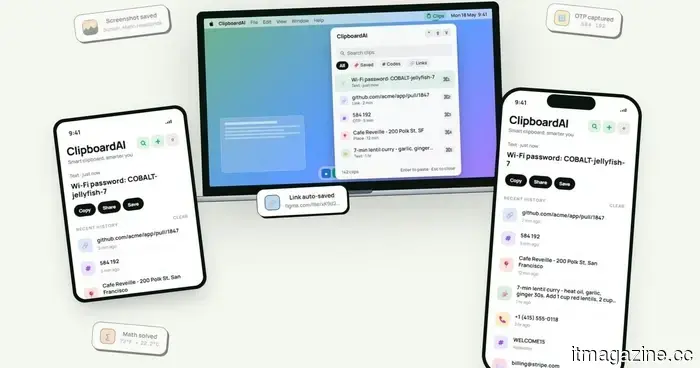 This clipboard app that works across devices resolves the copy-paste issues I frequently encounter on my Mac.
ClipboardAI stores copied text, links, code, images, and more in a searchable history available on iPhone, iPad, and Mac.
This clipboard app that works across devices resolves the copy-paste issues I frequently encounter on my Mac.
ClipboardAI stores copied text, links, code, images, and more in a searchable history available on iPhone, iPad, and Mac.
This cross-device clipboard application resolves the copy-and-paste issues I frequently encounter on my Mac.
ClipboardAI stores copied text, links, code, images, and more in a searchable history that can be accessed across iPhone, iPad, and Mac.