
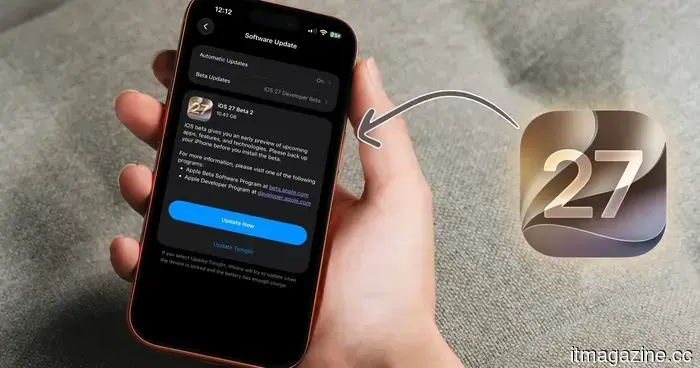
iOS 27 developer beta 2 has arrived. Here are all the new features included.
Apple has introduced the second developer beta for iOS 27, just two weeks after the release of the first beta. In addition, the company also unveiled beta 2 for iPadOS 27, macOS 27 Golden Gate, and more.
This article will highlight all the new features available in the iOS 27 developer beta 2 update. Though beta 2 is a smaller update compared to the first, it includes a good blend of new features and valuable bug fixes. The most notable change is the enhanced speed of Siri, but there is much more to explore.
For those running the beta, here are the new features and fixes that you should know about.
Siri has improved its responsiveness
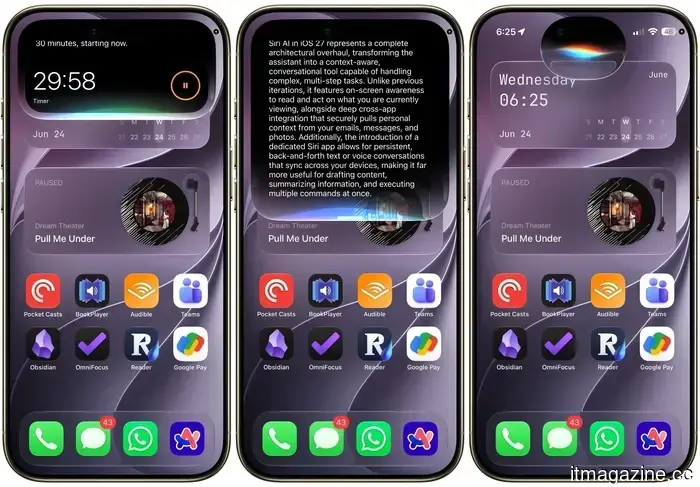
One of the first things you will notice after updating is that Siri is noticeably faster. Tasks such as composing a story, setting an alarm, or sending a message happen more quickly. This improvement is felt every time you use Siri, significantly enhancing the overall experience.
Although Siri AI functioned well in developer beta 1, it was quite slow. Beta 2 addresses this concern, making using Siri on my iPhone much more enjoyable. Along with the speed enhancements, some visual adjustments have been made as well. The Siri bubble emerging from the Dynamic Island is slightly smaller, and the settings menu has been streamlined.
The cropping bug that was incredibly frustrating is fixed
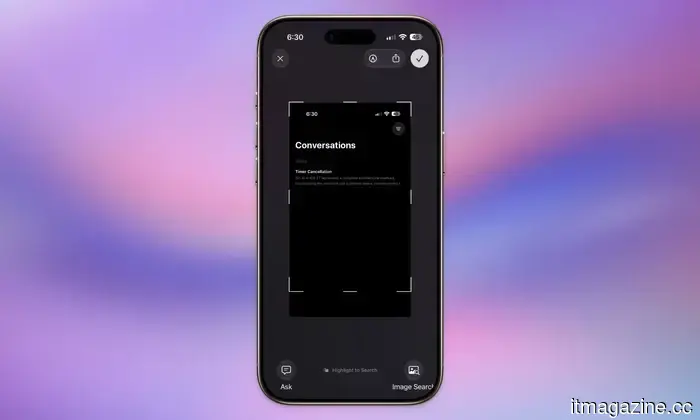
In iOS 27 developer beta 1, cropping an image and saving it to Photos would result in saving the entire screenshot instead. As someone who often takes screenshots, this bug was quite annoying. Fortunately, beta 2 resolves this issue, allowing your crops to save precisely as you edited them.
Additionally, several other frustrating bugs have been resolved. The wallpaper clock no longer resets to default when customized, and words that are grammatically incorrect no longer disappear when underlined. You can now see the word, tap it, and go straight to the proofreading screen.
Writing with Siri is now easily accessible
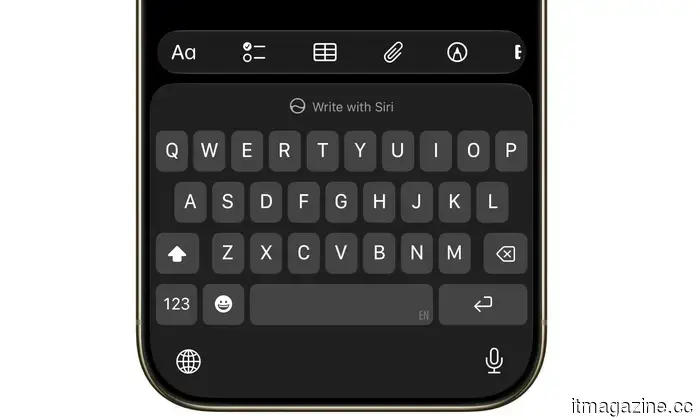
When you open the keyboard anywhere in iOS, you will notice a new "Write with Siri" option in the predictive text window. This feature provides quick access to writing with Siri, making it simpler to begin on a blank page.
Visual Intelligence acquires a new capability
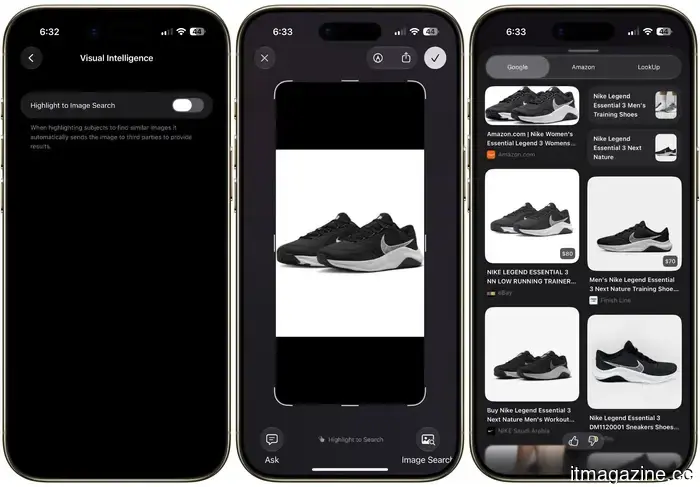
Under the ChatGPT extension in Siri settings, there's a new Visual Intelligence menu. It features a single option called "Highlight to Image Search," which is disabled by default.
When enabled, if you take a screenshot and circle an item, the system will promptly perform a reverse image search to find related images. This saves you a step if you're trying to identify the source of an item.
Wallet is introducing expense tracking
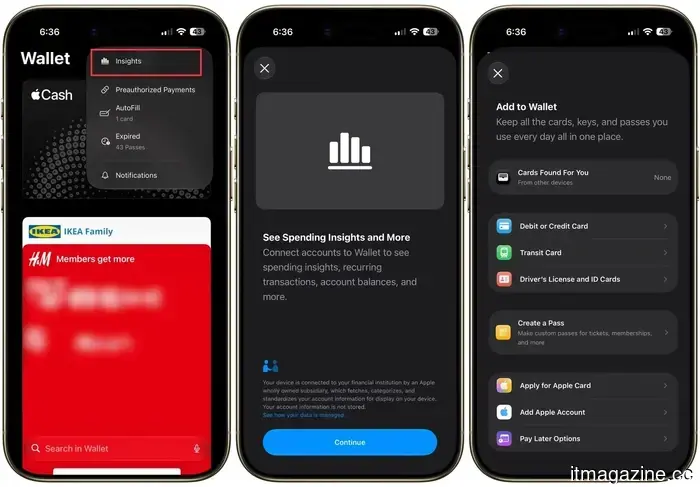
By accessing the Wallet app and tapping the three dots in the upper corner, you'll discover a new "Insights" menu. This feature allows you to connect your accounts to view spending insights, recurring transactions, account balances, and more directly within the app.
This could pose challenges for many third-party apps that track subscriptions and spending. The feature seems to be rolling out gradually, as it wasn't operational on my iPhone, but it’s something to watch for.
Improved texting with Android users
If you message Android users, beta 2 offers a nice enhancement. You can now respond inline to RCS messages, and when you react to a message, the Android user will see the specific reaction you used instead of a vague description. This small improvement makes cross-platform texting feel much more seamless.
Other minor updates you shouldn't overlook
There are numerous small adjustments throughout the update. You can now update your Apple TV directly from the Home app on your iPhone, which was previously not possible. Additionally, the Liquid Glass effect has received a subtle quality improvement.
Apart from the cropping bug issue, iPhone Mirroring, which was completely malfunctioning in beta 1, is functioning correctly again in beta 2. There’s also a new "Move To" feature in Photos, and the AI editing tools now support RAW images as well.
Should you consider installing it?
Performance has improved on my iPhone Air, and the update feels stable for a beta version. However, it remains a beta, meaning issues may still arise and changes will occur. If you only have one device and cannot risk encountering bugs, it would be wise to wait for the public beta, expected around mid-July.
If you can accept the occasional issue, though, beta 2 presents a significant improvement over the first release and is definitely worth checking out.
Other articles
 Tecno's EllaClaw AI assistant aims to organize your phone and handle your tasks.
Tecno's EllaClaw agent goes beyond typical chatbot responses and begins performing actual tasks, such as clearing RAM, conserving battery, requesting rides, and facilitating shopping within your applications, all while ensuring you remain in control.
Tecno's EllaClaw AI assistant aims to organize your phone and handle your tasks.
Tecno's EllaClaw agent goes beyond typical chatbot responses and begins performing actual tasks, such as clearing RAM, conserving battery, requesting rides, and facilitating shopping within your applications, all while ensuring you remain in control.
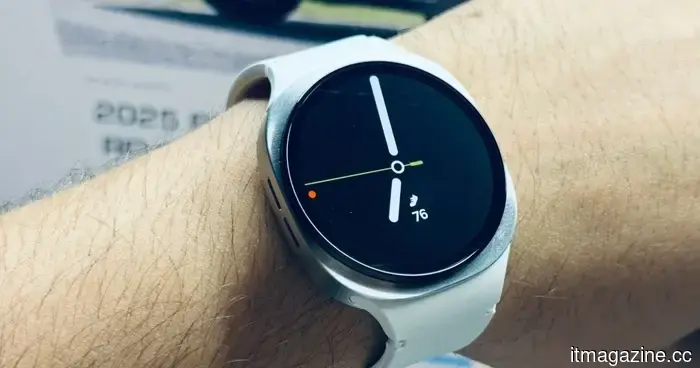 I would suggest the Galaxy Watch 8 priced at $218 as the top smartwatch deal for Prime Day for the majority of individuals.
The Galaxy Watch 8 is now available for an all-time low price of $218.49 during Prime Day, giving you a discount of over $130 on Samsung's newest smartwatch.
I would suggest the Galaxy Watch 8 priced at $218 as the top smartwatch deal for Prime Day for the majority of individuals.
The Galaxy Watch 8 is now available for an all-time low price of $218.49 during Prime Day, giving you a discount of over $130 on Samsung's newest smartwatch.
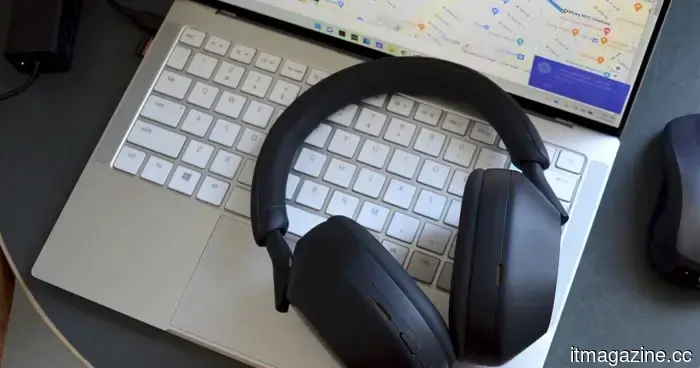 During Prime Day, the price of the Sony WH-1000XM5 drops below $200, and I believe it’s well worth the investment.
The Sony WH-1000XM5 is now available at a historic low price of $198 during Prime Day, giving you over $200 in savings on one of the top noise-canceling headphones available.
During Prime Day, the price of the Sony WH-1000XM5 drops below $200, and I believe it’s well worth the investment.
The Sony WH-1000XM5 is now available at a historic low price of $198 during Prime Day, giving you over $200 in savings on one of the top noise-canceling headphones available.
 Apple suppliers rush to Hong Kong: $4 billion in a week
Apple suppliers Luxshare and Lingyi are competing to secure billions in funding to shift their focus from smartphone components to AI hardware and humanoid robots in Hong Kong.
Apple suppliers rush to Hong Kong: $4 billion in a week
Apple suppliers Luxshare and Lingyi are competing to secure billions in funding to shift their focus from smartphone components to AI hardware and humanoid robots in Hong Kong.
 OpenAI's Jalapeño chip: an alternative to Nvidia
OpenAI has introduced Jalapeño, its inaugural AI chip developed in collaboration with Broadcom for inference purposes, as it seeks to reduce its significant dependence on Nvidia.
OpenAI's Jalapeño chip: an alternative to Nvidia
OpenAI has introduced Jalapeño, its inaugural AI chip developed in collaboration with Broadcom for inference purposes, as it seeks to reduce its significant dependence on Nvidia.
 Cerebras shares decline as a shortage of buildings impacts the company.
Cerebras saw its revenue nearly double and exceeded sales projections for 2026, yet its stock dropped by 10% due to margin pressures from a shortage in the data-center sector.
Cerebras shares decline as a shortage of buildings impacts the company.
Cerebras saw its revenue nearly double and exceeded sales projections for 2026, yet its stock dropped by 10% due to margin pressures from a shortage in the data-center sector.
iOS 27 developer beta 2 has arrived. Here are all the new features included.
The second developer beta of Apple's iOS 27 has arrived, featuring a significantly quicker Siri, a resolved crop issue, Wallet Insight, inline RCS responses, and several other appreciated improvements. Here’s a breakdown of all the updates.