

Google Photos is finally making backups and exports somewhat less frustrating.
Incremental exports can help conserve time and storage, although initial setup requires a schedule for Photos-only Takeout.
Google Photos backups are becoming less wasteful for users who utilize Takeout to maintain their own copy of a photo library.
This feature is targeted at Google Photos users who prefer not to have their photos solely stored with Google, particularly for those maintaining a secondary archive on external drives, NAS, or other cloud services. Google states that Incremental Takeout for Photos will enhance the speed and efficiency of recurring downloads once the initial archive is completed.
The first run still includes all chosen photos and albums, while subsequent runs concentrate on photos and videos that were added, backed up, created, or edited after the last successful backup. This is a beneficial adjustment for those tired of repeatedly downloading the same large archive, but the condition for setup is that Photos must be the only product selected in Takeout for the incremental option to be available.
Why does the first backup include everything?
The initial run serves as the baseline rather than a shortcut to circumvent the largest download. Google clarifies that it encompasses all selected photos and albums, so long-time Photos users should prepare for the first export to remain the most substantial effort.
The benefit arises after that initial export is complete. Once Takeout has a successful backup to refer to, the next recurring export can exclude unchanged files instead of repackaging the entire library. This should result in fewer duplicate downloads, reduced wasted drive space, and a backup process that feels less cumbersome over time.
What is the one catch in the setup?
Incremental Takeout functions only when Photos is the sole product selected for export. Users who typically bundle photos with other Google data will need to create a separate recurring export specifically for their library.
This limitation keeps the feature targeted but also restricts who can fully utilize it. Takeout can simplify Photos backups, while broader Google account archives require their own setup, scheduling, and storage considerations.
What should local backup users do next?
The practical approach is to establish a recurring Takeout export for Photos alone, then consider the first download as the baseline archive. Following that, each successful run should result in a smaller subsequent export by omitting unchanged items.
Google has not announced a broader rollout date beyond the announcement, and specific regional availability is not provided. During setup, the key verification is straightforward; the incremental option should only appear when Photos is the only selected product.






Other articles
 The Vivo X300 Ultra is putting other camera phones to shame, and here's the reason.
The Vivo X300 Ultra integrates external lenses, accessories aimed at creators, and top-tier camera hardware to enhance smartphone photography towards a more professional camera experience.
The Vivo X300 Ultra is putting other camera phones to shame, and here's the reason.
The Vivo X300 Ultra integrates external lenses, accessories aimed at creators, and top-tier camera hardware to enhance smartphone photography towards a more professional camera experience.
 Mathematicians release the Leiden Declaration to oppose the misuse of their work by AI.
The Leiden Declaration, supported by the IMU, cautions that AI poses risks to the integrity of proofs, attribution, and the independence of research, urging mathematicians to safeguard their field from corporate exploitation.
Mathematicians release the Leiden Declaration to oppose the misuse of their work by AI.
The Leiden Declaration, supported by the IMU, cautions that AI poses risks to the integrity of proofs, attribution, and the independence of research, urging mathematicians to safeguard their field from corporate exploitation.
 The Vivo X300 Ultra is outshining all other camera phones, and here's the reason.
The Vivo X300 Ultra integrates external lenses, accessories designed for creators, and top-tier camera hardware to bring smartphone photography nearer to the experience of using a professional camera.
Palo Alto Networks' CEO compensation has been turned down on seven occasions, even with an 800% increase in stock value.
Palo Alto Networks' $100 million CEO compensation package has faced rejection from shareholders seven times, the highest number among S&P 500 companies, even though the stock has increased by 800% under Nikesh Arora's leadership.
The Vivo X300 Ultra is outshining all other camera phones, and here's the reason.
The Vivo X300 Ultra integrates external lenses, accessories designed for creators, and top-tier camera hardware to bring smartphone photography nearer to the experience of using a professional camera.
Palo Alto Networks' CEO compensation has been turned down on seven occasions, even with an 800% increase in stock value.
Palo Alto Networks' $100 million CEO compensation package has faced rejection from shareholders seven times, the highest number among S&P 500 companies, even though the stock has increased by 800% under Nikesh Arora's leadership.
 Gigabyte's latest AORUS Elite series offers a monitor suitable for every type of gamer.
Gigabyte has unveiled its latest AORUS ELITE gaming monitors, highlighted by a 27-inch 5K Mini LED variant featuring Multi Mode support, along with a 540Hz QHD OLED option designed for esports athletes.
Gigabyte's latest AORUS Elite series offers a monitor suitable for every type of gamer.
Gigabyte has unveiled its latest AORUS ELITE gaming monitors, highlighted by a 27-inch 5K Mini LED variant featuring Multi Mode support, along with a 540Hz QHD OLED option designed for esports athletes.
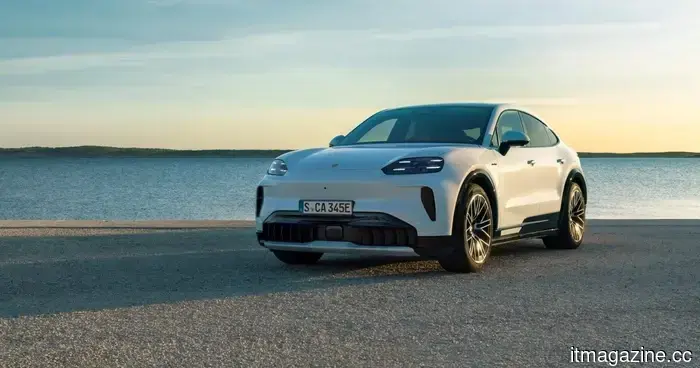 Globally, electric cars are becoming more affordable, with the exception of buyers in the US.
In other parts of the world, electric vehicles became more affordable, but in the US, tax credits were eliminated, resulting in a 45% decline in EV sales in Q4 compared to the previous year.
Globally, electric cars are becoming more affordable, with the exception of buyers in the US.
In other parts of the world, electric vehicles became more affordable, but in the US, tax credits were eliminated, resulting in a 45% decline in EV sales in Q4 compared to the previous year.
Google Photos is finally making backups and exports somewhat less frustrating.
Google Photos is introducing incremental Takeout exports, which will reduce the size of recurring local backups after the initial full archive. However, the condition is that Photos needs to be the sole product selected during the setup process.