
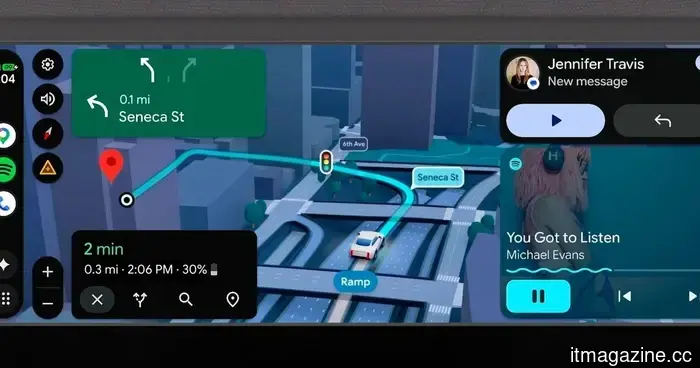
This Android Auto update aims to alter your driving habits and the way you interact with your vehicle.
I use Android Auto every day, and it now feels like a quiet co-driver on my dashboard. That's why this upcoming update from Google is significant. It's not merely a visual change; it's a comprehensive redesign of how Android Auto should function in a contemporary vehicle. The most notable alteration is the design. Google is introducing its Material 3 Expressive design language from mobile devices to cars. This means Android Auto will have a more modern and fluid appearance, featuring expressive fonts, smoother animations, and support for wallpapers. This change should make the overall interface feel less rigid and more vibrant while driving.
Widgets finally enhance the utility of Android Auto at a glance.
What really stood out to me, however, is the introduction of widgets. Android Auto is finally embracing glanceable information in a significant way. Instead of sifting through menus, you can quickly access things like weather updates or tap a widget to control smart home functions, such as opening your garage door as you approach. It's a small change, but it greatly improves the convenience of using the system on a daily basis.
Google Maps is also undergoing a significant upgrade with a feature called Immersive Navigation. This is where things start to feel genuinely next-gen. Maps will now display a more realistic 3D view of your surroundings, including buildings, overpasses, and terrain. Additionally, it will highlight traffic lights, stop signs, and lane information, making complex turns and highway merges feel much less stressful.
Transforming your car into a movie theater while parked.
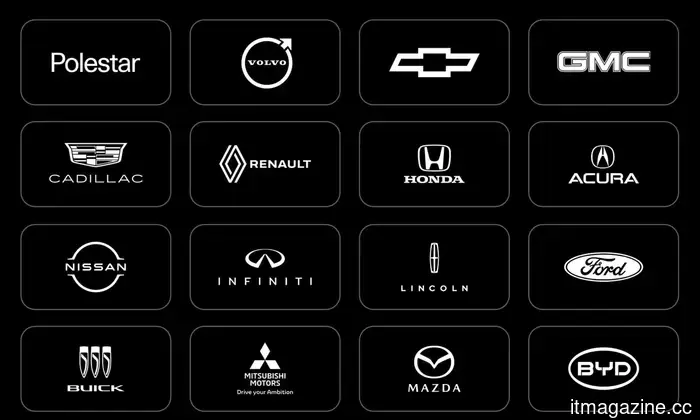
Then there's the entertainment aspect, which brings some unexpected elements. Google is creating a more relaxed experience for parked cars with Android Auto, almost like converting your dashboard into a mini theater. When your vehicle is stationary, apps such as YouTube will support full HD playback at up to 60 fps on compatible vehicles from brands like BMW, Hyundai, Kia, Tata, Renault, and Mercedes-Benz. Importantly, Google is also prioritizing safety. When the car is in motion, supported apps will automatically switch to audio-only mode, allowing you to listen without distractions from video.
The audio experience is being enhanced as well. Android Auto will soon support spatial sound with Dolby Atmos in compatible apps and vehicles, making in-car listening significantly more immersive.
On the AI front, Google is fully committing to Gemini. The goal is to make Android Auto more conversational. You will be able to brainstorm ideas, seek information, and complete tasks using voice commands while driving. Features like Magic Cue can quickly present actions for incoming messages, while integrations like DoorDash ordering aim to simplify everyday errands. There's also the inclusion of meeting apps like Zoom in the car experience, depending on the region and rollout. Gemini is being positioned as a sort of car assistant. If a warning light appears on your dashboard, you can ask what it means instead of feeling confused or searching through forums at a stoplight.
All of this contributes to making Android Auto gradually evolve into something much more functional than just a phone mirror. And yes, I am genuinely interested to see how effectively this performs in real-world situations, particularly before I fully rely on it for anything beyond music and navigation.

Other articles
 Asus ProArt PX13 GoPro Edition review: The sole laptop that has managed to entice me away from Apple.
Equipped with an AMD Ryzen AI Max+ 395 chip and an impressive 128GB of RAM, the Asus ProArt PX13 GoPro Edition PX13 aims to be the ideal companion for creators — albeit at a premium price!
Asus ProArt PX13 GoPro Edition review: The sole laptop that has managed to entice me away from Apple.
Equipped with an AMD Ryzen AI Max+ 395 chip and an impressive 128GB of RAM, the Asus ProArt PX13 GoPro Edition PX13 aims to be the ideal companion for creators — albeit at a premium price!
 The release date for season 3 of The Rings of Power has been announced, and the One Ring will be making its appearance sooner than anticipated.
Prime Video has announced the release date for season 3 of Rings of Power, featuring new cast members and the introduction of the One Ring into the narrative.
The release date for season 3 of The Rings of Power has been announced, and the One Ring will be making its appearance sooner than anticipated.
Prime Video has announced the release date for season 3 of Rings of Power, featuring new cast members and the introduction of the One Ring into the narrative.
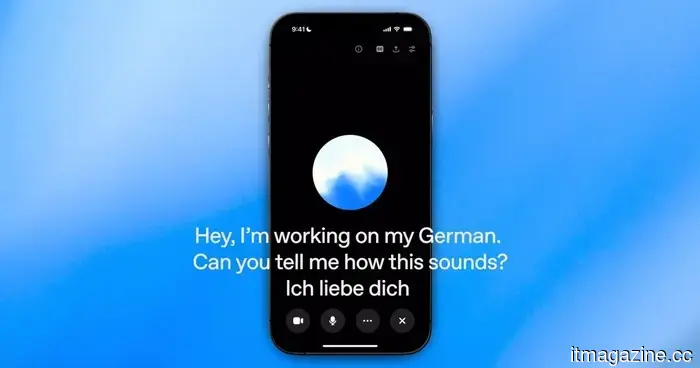 AI voice conversations often come across as uncomfortable because assistants struggle with timing their responses.
Thinking Machines Lab is evaluating full duplex AI capable of listening and responding simultaneously, but the true assessment will be how beneficial faster voice conversations seem once individuals have the opportunity to experience them.
AI voice conversations often come across as uncomfortable because assistants struggle with timing their responses.
Thinking Machines Lab is evaluating full duplex AI capable of listening and responding simultaneously, but the true assessment will be how beneficial faster voice conversations seem once individuals have the opportunity to experience them.
 eBay turns down GameStop's $56 billion offer as
The board of eBay has dismissed GameStop's $56 billion acquisition proposal, describing it as neither credible nor appealing, due to concerns over financing uncertainty and leverage.
eBay turns down GameStop's $56 billion offer as
The board of eBay has dismissed GameStop's $56 billion acquisition proposal, describing it as neither credible nor appealing, due to concerns over financing uncertainty and leverage.
 Huawei is said to be experimenting with new technology for its largest phone battery to date.
A recent leak suggests that Huawei is testing new battery materials and designs that may allow smartphone capacity to exceed 10,000mAh.
Huawei is said to be experimenting with new technology for its largest phone battery to date.
A recent leak suggests that Huawei is testing new battery materials and designs that may allow smartphone capacity to exceed 10,000mAh.
 Google has discovered the first zero-day exploit developed by AI and has successfully prevented a planned large-scale exploitation event.
Google's GTIG discovered the first zero-day exploit created with AI and prevented a widespread exploitation incident. The report indicates that state actors are leveraging AI for vulnerability research and autonomous malware development.
Google has discovered the first zero-day exploit developed by AI and has successfully prevented a planned large-scale exploitation event.
Google's GTIG discovered the first zero-day exploit created with AI and prevented a widespread exploitation incident. The report indicates that state actors are leveraging AI for vulnerability research and autonomous malware development.
This Android Auto update aims to alter your driving habits and the way you interact with your vehicle.
Android Auto is set to receive a significant update that extends beyond mere design changes, offering improved navigation, enhanced entertainment options, and a more supportive driving experience.