
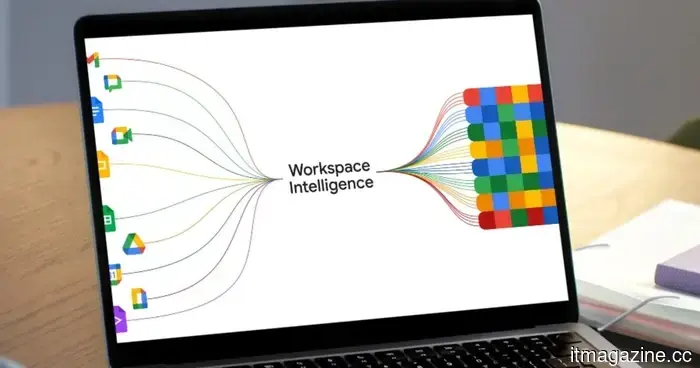
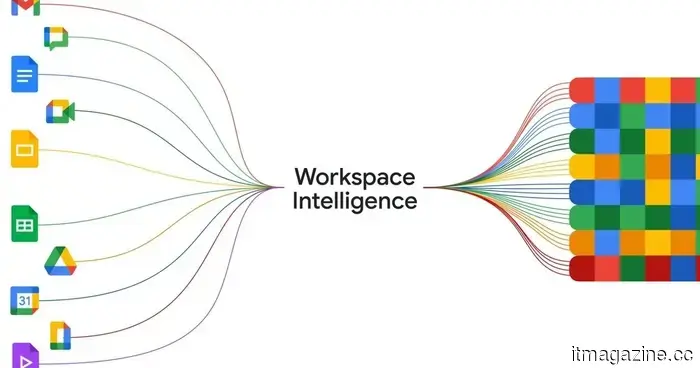
Workspace Intelligence transforms Gemini into a comprehensive, all-capable AI assistant for your tasks.
A few weeks back, Google introduced a new feature named Personal Intelligence. The main concept is to allow Gemini to access the information stored in your Gmail inbox and Photos library. When you inquire about travel plans, projects, or anything relevant, the AI will automatically refer to your saved content to provide useful responses without needing any context from you.
It understands you intuitively.
Google
Now, Google is implementing a similar feature for Workspace, which includes your work tools like Docs, Sheets, Slides, and Drive, among others. Naturally, they have named it Workspace Intelligence. Essentially, this feature enables Gemini to tap into the information stored across various Workspace applications to deliver personalized feedback.
So, what makes Workspace Intelligence significant?
Google claims Workspace Intelligence eliminates the need to navigate through multiple files and folders. Instead, all you have to do is issue the correct command—using natural language, of course—and it will accomplish tasks by leveraging its understanding of your work data and selecting the appropriate context.
“Workspace Intelligence retrieves relevant emails, chats, files, and web information to convert ideas into professionally formatted drafts that reflect your exact voice, brand, style, and company templates,” the company states in a blog post. This concept is akin to what Anthropic's Claude can accomplish, especially in Microsoft PowerPoint through an extension system.
So, how does this benefit me?
Google
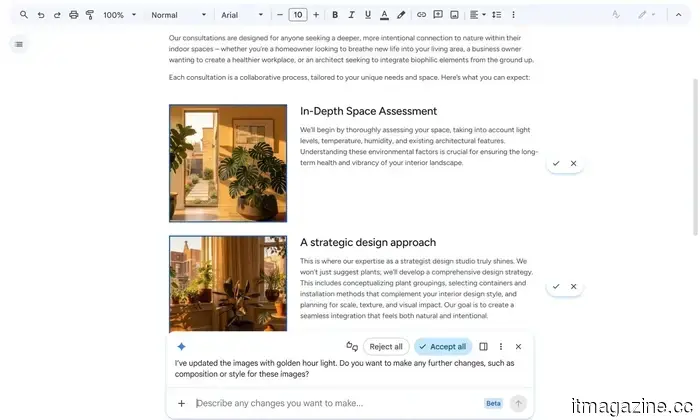
For instance, when you activate Gemini in Google Docs, it will manage tasks based on its knowledge of your past workflow. If you request it to edit an image, it will automatically apply the appropriate edits according to your previous preferences, ensuring consistent results without requiring manual adjustments for each item in the document.
Gemini will also manage comments, and according to your directives, it will independently make the necessary modifications in the document. Google notes that you can quickly create slide decks just by asking Gemini to do so. “Gemini uses context from Workspace Intelligence and strictly follows your company’s templates and visual styles to construct a ready-to-present deck,” the company explains.
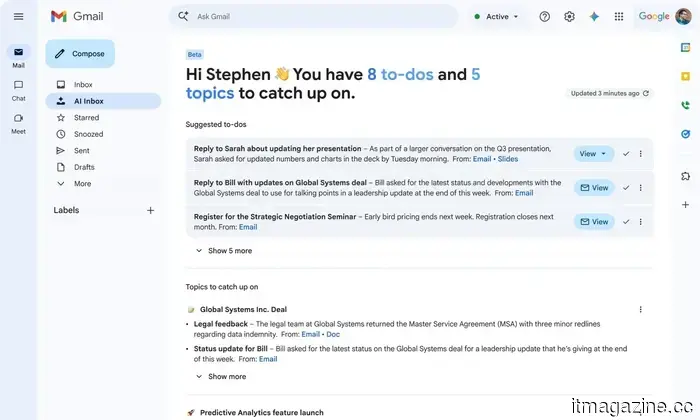
AI Inbox and AI Overviews in Gmail are also part of the Workspace Intelligence suite. The former transforms your Gmail inbox into a task-oriented overflow, enabling you to swiftly catch up on conversations and ongoing work. The latter generates a brief summary of email exchanges, similar to the AI Overviews feature for Google Search.
Other articles
 SpaceX S-1 cautions that orbital AI data centers might not be feasible, just months after Musk referred to space-based AI as an obvious choice.
SpaceX's filing prior to its IPO indicates that space data centers rely on untested technology and might not be feasible. Musk mentioned at Davos that they could become the most cost-effective solution within three years.
SpaceX S-1 cautions that orbital AI data centers might not be feasible, just months after Musk referred to space-based AI as an obvious choice.
SpaceX's filing prior to its IPO indicates that space data centers rely on untested technology and might not be feasible. Musk mentioned at Davos that they could become the most cost-effective solution within three years.
 Meta's most recent surveillance proposals are so dystopian that I find myself at a loss for words.
Meta is monitoring each click and keystroke of its employees to develop AI, and I have never encountered a more intrusive decision by a company.
Meta's most recent surveillance proposals are so dystopian that I find myself at a loss for words.
Meta is monitoring each click and keystroke of its employees to develop AI, and I have never encountered a more intrusive decision by a company.
 Gemini can now generate documents, slides, meetings, and additional items in chat.
Google has incorporated Gemini into Chat, enabling users to generate documents, slides, and handle tasks directly within their conversations.
Gemini can now generate documents, slides, meetings, and additional items in chat.
Google has incorporated Gemini into Chat, enabling users to generate documents, slides, and handle tasks directly within their conversations.
 Motorola has just introduced a sleek mid-range device featuring a substantial battery.
The Motorola Edge 70 Pro has officially launched in India, featuring a sleek design of just 6.99mm and a large 6,500mAh battery, with a broader release across Europe expected soon.
Motorola has just introduced a sleek mid-range device featuring a substantial battery.
The Motorola Edge 70 Pro has officially launched in India, featuring a sleek design of just 6.99mm and a large 6,500mAh battery, with a broader release across Europe expected soon.
 The BMW i7 facelift introduces Gen6 cells from Rimac, offers a range exceeding 350 miles, and replaces Level 3 with a more affordable Symbiotic Drive.
The 2027 BMW i7 is equipped with Rimac-designed Gen6 cylindrical cells, has a capacity of 112.5 kWh, supports 250 kW charging, and offers an EPA range exceeding 350 miles. Production will commence in July at Dingolfing.
The BMW i7 facelift introduces Gen6 cells from Rimac, offers a range exceeding 350 miles, and replaces Level 3 with a more affordable Symbiotic Drive.
The 2027 BMW i7 is equipped with Rimac-designed Gen6 cylindrical cells, has a capacity of 112.5 kWh, supports 250 kW charging, and offers an EPA range exceeding 350 miles. Production will commence in July at Dingolfing.
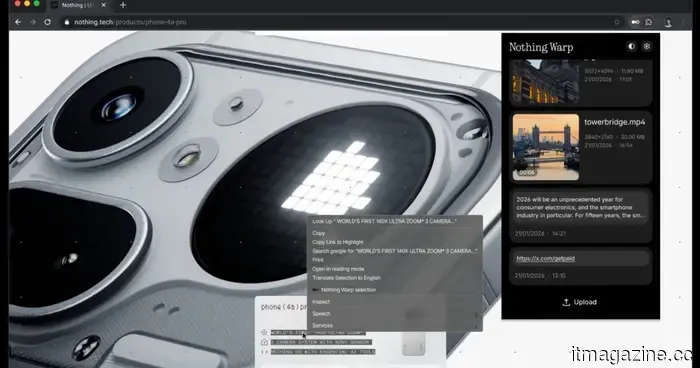 Nothing Warp has returned, but you'll have to go through some hoops to be able to use it.
Nothing has not brought back Warp following a brief suspension, but as the app is no longer available on the Play Store, users are now required to manually install it from Nothing’s community website.
Nothing Warp has returned, but you'll have to go through some hoops to be able to use it.
Nothing has not brought back Warp following a brief suspension, but as the app is no longer available on the Play Store, users are now required to manually install it from Nothing’s community website.
Workspace Intelligence transforms Gemini into a comprehensive, all-capable AI assistant for your tasks.
A couple of weeks back, Google unveiled a new feature known as Personal Intelligence. Essentially, this feature allows Gemini to access the content stored in your Gmail inbox and Photos library. The next time you inquire about travel plans, projects, or anything pertinent, the AI will effortlessly refer to your saved information to provide useful answers, […]