
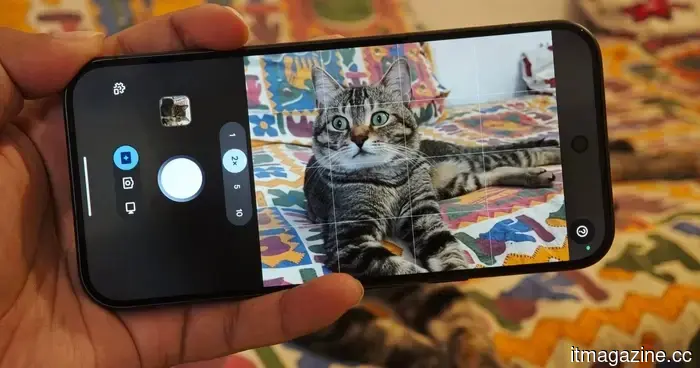
I used the Magic Capture feature on my cat with the Pixel 11 Pro, and I adore every funny shot.
My phone is filled with images of my cat—surprising, right? From perfectly captured frames to amusing moments, I treasure every photo I take of him. However, my cat has two reactions whenever I point my phone at him: he either loses interest in whatever cute thing he was doing, or he moves so quickly that capturing the perfect moment becomes nearly impossible.
That's where the Magic Capture feature on the Pixel 11 Pro comes into play. It alleviates the difficulty of photographing my cat without requiring much effort from me. Google designed this new camera mode specifically for capturing fleeting moments, such as babies smiling, action shots, and playful pets. After spending some time chasing my cat with a feather, I understand its purpose.
This should be viewed as a preview rather than a comprehensive review. My initial sessions took place indoors with fairly standard lighting, featuring a subject that was rapidly moving and indifferent to my attempts at photography. As a result, many of the images ended up with motion blur. Still, I feel that the photos extracted from the videos captured the essence well.
I could simply point and forget
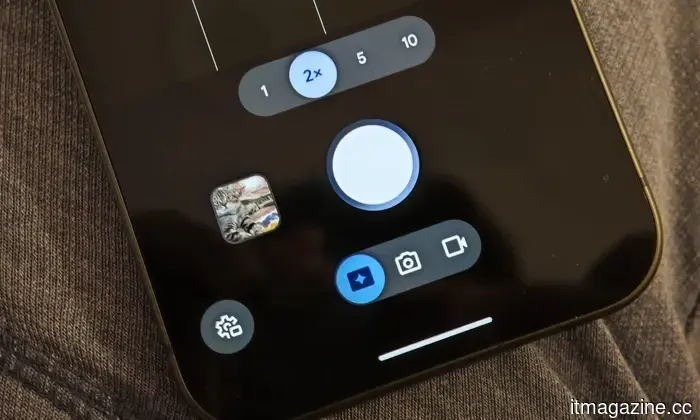
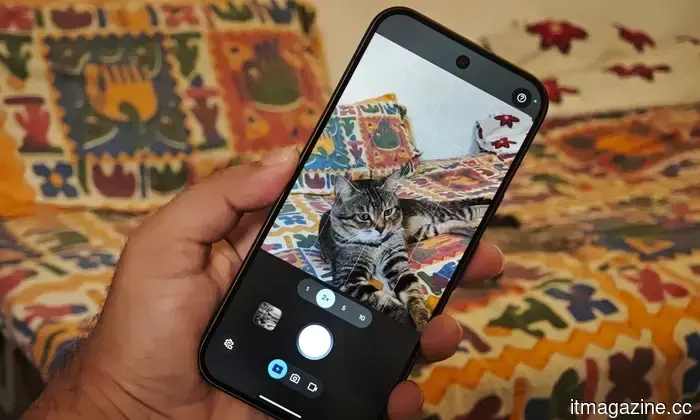
When recording video, there's a camera shutter button on the side that allows you to take a few stills while shooting. Magic Capture alters this process. You simply begin a session, and the Pixel records video while identifying photos worth preserving along the way. Google provides the standard shutter option, so you're not limited to Google's choices. However, I hardly used it during these tests.
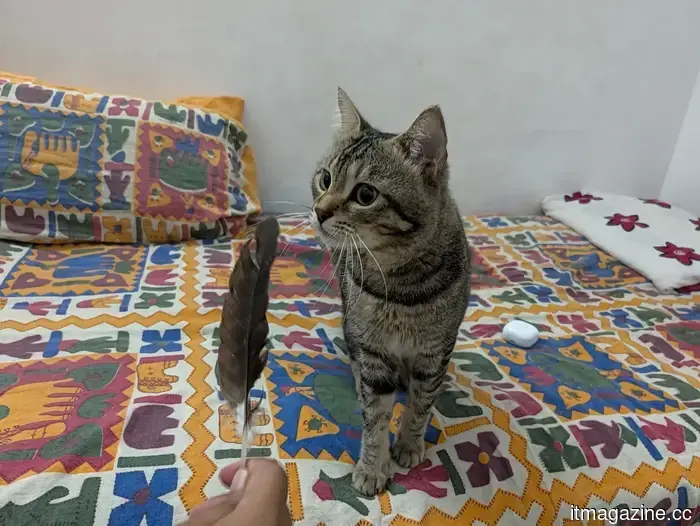
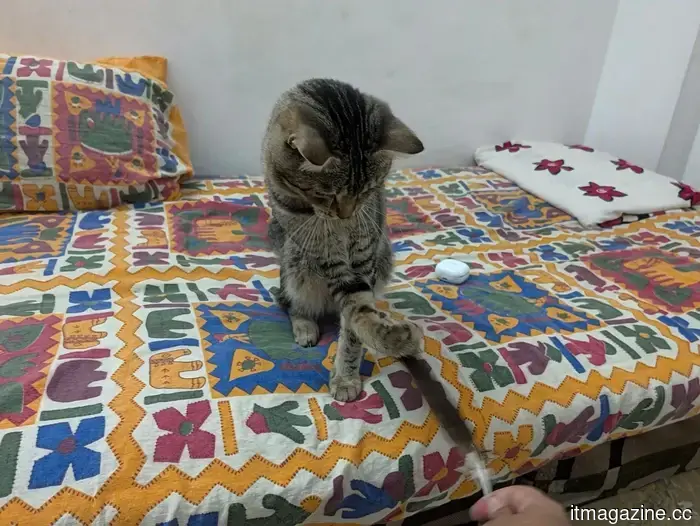
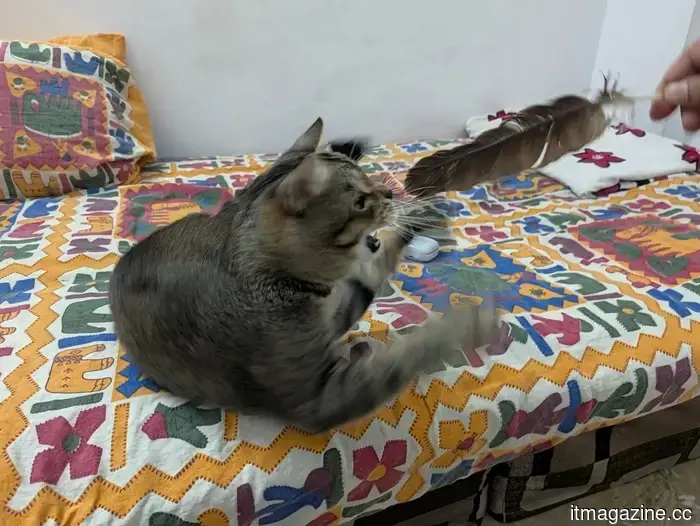
I just followed my cat as he stalked, swatted, jumped at, and occasionally attempted to bite the feather I waved in front of him. The two short Magic Capture clips I recorded lasted about 10 seconds each. During that brief time, the phone generated several still images without needing me to continuously press the shutter while trying to keep a fast-moving cat in the frame.
One image shows him with his mouth open as the feather passes right in front of him. Another captures him mid-swat, with one paw reaching out to it and the other raised. A later shot depicts him sitting upright and reaching for the feather. While I’m not likely to win any awards for these pictures, the goal was to capture his adorable and funny moments, and the results communicate that effectively.
According to Google, a Magic Capture session evaluates around 400 frames using on-device intelligence and Gemini models before producing high-quality 12MP images. It can also automatically apply edits, such as cropping and unblurring, while maintaining the original video from the session.
It didn’t perfectly freeze every movement
Capturing images indoors in low light while an animal moves at high speed is a tough challenge for any phone camera. A closer look at some of my photos reveals where the Pixel faced difficulties. For example, a paw appears blurred as my cat swings for the feather. The feather itself becomes a streak in several images, and one particularly energetic shot shows noticeable motion around his face.
I actually appreciate these imperfect results in this initial look because they help set realistic expectations. Magic Capture doesn’t provide flawless action shots, even if that sounds appealing. Based on my experience so far, using the Pixel 11 Pro like this is all about capturing those moments. However, I believe there’s still significant room for improvement, especially in video stabilization.
This might be one of Google’s cleverest camera innovations
For years, Pixel phones have helped users salvage poorly timed photos. A prime example is the Top Shot feature, which records extra frames around a shutter press and suggests alternatives afterward. Magic Capture builds on this idea by allowing the entire short video to serve as a source from which the Pixel finds images.
When it comes to pets, perfect timing or a bit of luck is essential to get the desired shot. My cat doesn’t care that I’ve framed him well, nor does he wait for me to choose between taking a photo or a video. Therefore, I anticipate that Magic Capture and I will work well together in the future as we pursue my cat. I have plenty more to test, and I'm eager to take Magic Capture outdoors to see how it performs in better lighting and with different subjects.



Other articles
 RayNeo's latest iO Smart Glasses introduce a compact display within your field of vision.
RayNeo's iOS Smart Glasses integrate a compact MicroLED display into your view, providing features such as real-time translation, dictation in 112 languages, and an AI memory log, all priced at $479.
RayNeo's latest iO Smart Glasses introduce a compact display within your field of vision.
RayNeo's iOS Smart Glasses integrate a compact MicroLED display into your view, providing features such as real-time translation, dictation in 112 languages, and an AI memory log, all priced at $479.
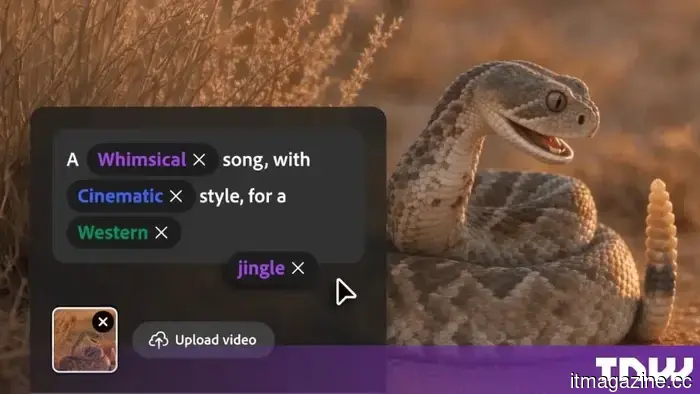 Adobe Firefly is now capable of creating music, speech, and sound effects.
Adobe Firefly's AI-generated music, speech, and sound effects are now widely accessible. The focus is not on audio quality but on commercial safety.
Adobe Firefly is now capable of creating music, speech, and sound effects.
Adobe Firefly's AI-generated music, speech, and sound effects are now widely accessible. The focus is not on audio quality but on commercial safety.
 Sony's upcoming Xperia smartphone is set to be released on August 24, but it is expected to miss out on a launch in the US.
Sony has announced a new Xperia launch event scheduled for August 24, with rumors suggesting the introduction of the mid-range Xperia 10 VIII.
Sony's upcoming Xperia smartphone is set to be released on August 24, but it is expected to miss out on a launch in the US.
Sony has announced a new Xperia launch event scheduled for August 24, with rumors suggesting the introduction of the mid-range Xperia 10 VIII.
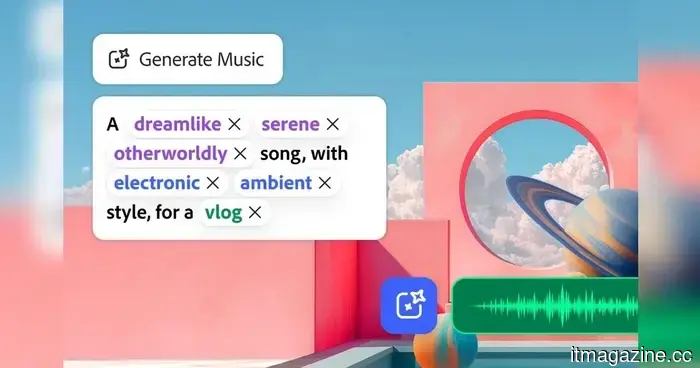 Adobe intends for Firefly to manage the complete soundtrack for your videos.
Adobe Firefly has dedicated the last few years to mastering image and video creation. Now, Adobe aims for it to also manage soundtracks. The features Generate Music, Generate Speech, and Generate Sound Effects are now widely accessible in Firefly, offering creators the ability to produce music, narration, and custom sound effects all within Adobe’s AI environment. Adobe states that Generate Music […]
Adobe intends for Firefly to manage the complete soundtrack for your videos.
Adobe Firefly has dedicated the last few years to mastering image and video creation. Now, Adobe aims for it to also manage soundtracks. The features Generate Music, Generate Speech, and Generate Sound Effects are now widely accessible in Firefly, offering creators the ability to produce music, narration, and custom sound effects all within Adobe’s AI environment. Adobe states that Generate Music […]
 I moved from the M1 to the M5 MacBook Air, and the sound quality of the speakers has declined.
I utilized the M1 MacBook Air as my main laptop for almost four years. Throughout that period, I relied on it for a range of tasks, including writing news articles and editing photos for reviews, as well as working during flights and on weekend getaways. The one feature that received more praise than its sleek build and overall aesthetic was […]
I moved from the M1 to the M5 MacBook Air, and the sound quality of the speakers has declined.
I utilized the M1 MacBook Air as my main laptop for almost four years. Throughout that period, I relied on it for a range of tasks, including writing news articles and editing photos for reviews, as well as working during flights and on weekend getaways. The one feature that received more praise than its sleek build and overall aesthetic was […]
 Apple Music will soon inform you about which songs were created using AI.
Apple Music will be introducing AI labels for songs later this year, allowing listeners to identify which tracks were created with the help of artificial intelligence platforms.
Apple Music will soon inform you about which songs were created using AI.
Apple Music will be introducing AI labels for songs later this year, allowing listeners to identify which tracks were created with the help of artificial intelligence platforms.
I used the Magic Capture feature on my cat with the Pixel 11 Pro, and I adore every funny shot.
Magic Capture automatically extracted images from videos of my rather uncooperative cat, and even this initial rough test demonstrated the effectiveness of Google's new Pixel camera concept.