
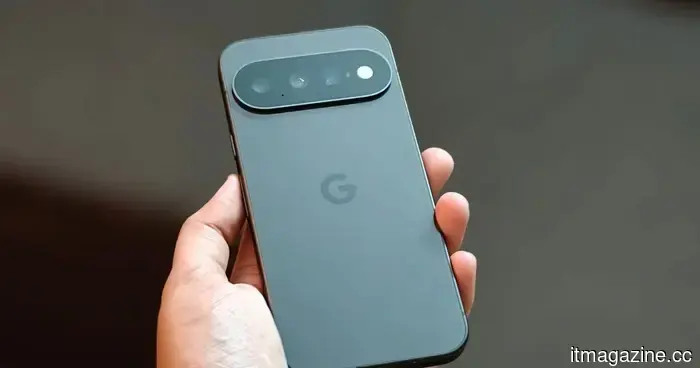
To experiment with Android 17's new feature aimed at reducing mindless scrolling, you'll require a Pixel 11.
Pause Point introduces a 10-second delay before launching apps that you've identified as distracting, but currently, it is only accessible to Pixel 11 owners.
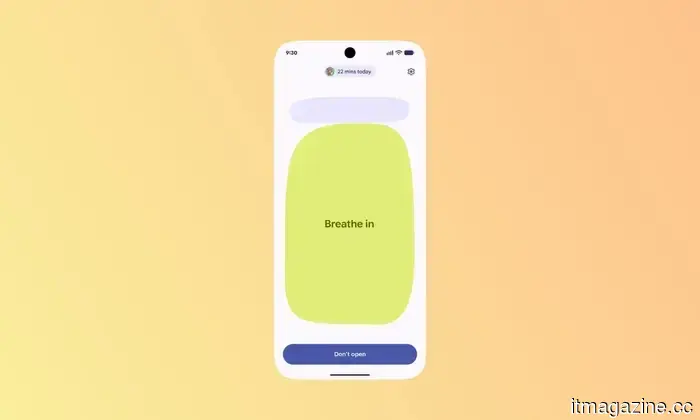
Google unveiled a new Digital Wellbeing feature earlier this year designed to create a barrier between you and mindless scrolling. Named Pause Point, this feature implements a 10-second delay when you try to open an app flagged as distracting, giving you a brief moment to reassess whether you really want to access it. Although Pause Point was anticipated to become available on all compatible devices running Android 17, a recent report indicates that it is presently restricted to Google’s latest flagship devices.
Currently exclusive to the Pixel 11
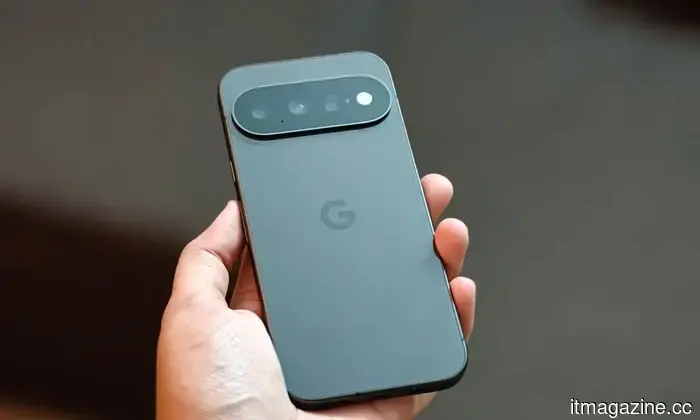
According to a Google support page first highlighted by Android Authority, Pause Point is “available on Pixel 11 series running Android 17 and later.” While the page does not explicitly state that it is reserved for the newest models, it does not confirm any plans for a broader rollout.
Google's messaging is not entirely clear either. A promotional video on the official Android YouTube channel mentions that Pause Point is accessible on “select Android 17 devices” but does not specifically refer to the Pixel 11 series. This implies that it might eventually be available on older devices.
How Pause Point functions
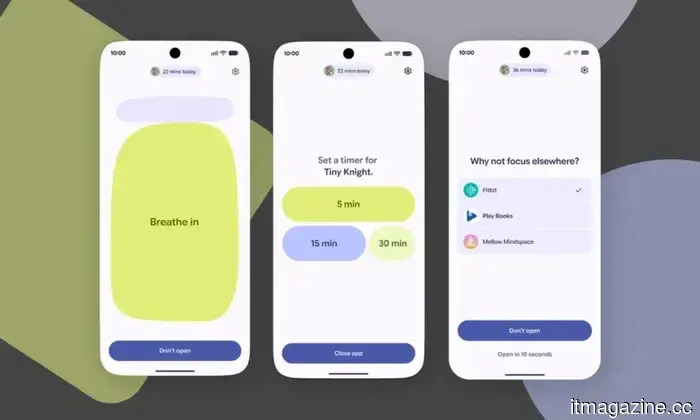
Unlike standard Android app timers that activate once you exceed a preset limit, Pause Point engages as soon as you tap on an app deemed distracting, before you've even used it. This feature gives you a 10-second period to pause, reset the timer, view a slideshow of photos, or switch to something entirely different, facilitating a decision on whether opening the app is habitual or deliberate.
Google also designed the feature to be somewhat difficult to disable. To turn off Pause Point entirely, you need to restart your phone, a measure intended to prevent disabling it from becoming a mere reflex. In theory, this feature is meant to help reduce mindless scrolling in apps like Instagram or TikTok. However, since it is currently confined to the Pixel 11 series, acquiring a new phone is necessary to see if it works for you.
Pranob is an experienced tech journalist with over eight years of expertise in consumer technology reporting. His work has been...
Huawei aims to make compact phones appealing again, and you may want one too
Following the launch of the Galaxy Z Fold 8, there has been a noticeable demand among enthusiasts for smaller, more convenient phones. It's not just nostalgia—I've been using Samsung's compact foldable for several weeks, and I can't stop using it due to how comfortable it is to hold and easy to slip into my pocket. What if a traditional candybar phone could replicate that design? Huawei seems to have listened.
The latest offering from the Chinese tech giant is the Pura X View, featuring a broad 16:9.5 aspect ratio designed to provide more screen space. As evident from the promotional images, the phone appears quite charming and practical.
Google missed the mark with HiLight on the Pixel 11 Pro, but an app has now unlocked it
Hey Google, are you paying attention?
One of the standout features of the Pixel 11 series this year is the new vibrant LED notification system named "HiLight." The main concept behind this colorful light is its customization capability. However, Google has kept it tightly controlled; for instance, it only functions during interactions with Gemini or when designated as a caller ID for voice calls.
That’s about the extent of its functionality. Shortly after its introduction on the latest flagship phones, enthusiasts voiced that it was a significant missed opportunity. Users should have had the ability to customize the light colors on an app-by-app basis or even explore more options. Fortunately, a solution has emerged. Tech content creator @Dhananjay_Tech (Dhananjay Bhosale) has developed an app that fully unlocks HiLight on the Pixel 11 Pro.
Just got a Pixel 11? Here are the top accessories worth your investment
From a magnetic wallet to a first-party charging stand, these are the essential Pixel 11 accessories to consider.
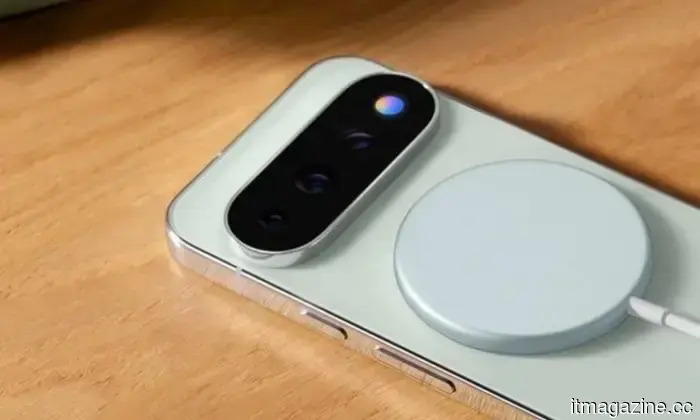
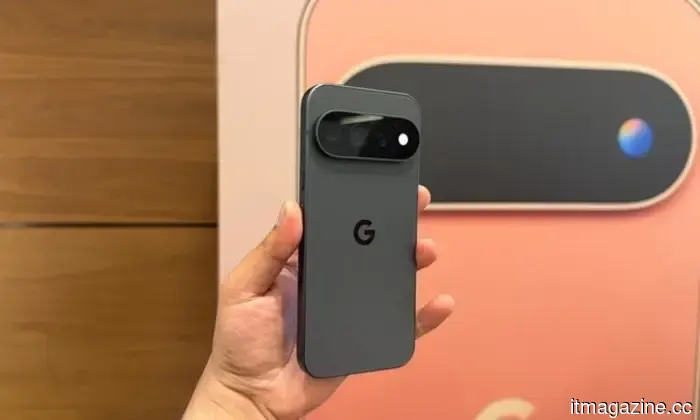
Whether you’re contemplating purchasing a new Pixel 11 or already have one in your possession, you might be exploring potential accessories for the stylish smartphone Google launched in August 2026. As usual, I’ve reviewed numerous Pixel 11 accessories on Amazon, identifying seven that are genuinely worth your money.
These options include a $20 third-party dual-port charger that competes with Google's $70 charging dock. Some accessories tackle practical issues, such as the struggle of finding a cable at night, while others are simply great additions for the Pixel 11. Without further ado, here are the best Pixel 11 accessories that I'd invest in.


Other articles
 A data center rack utilizing living neurons has recently begun operation in Singapore.
In Singapore, NUS, DayOne, and Cortical Labs have developed a 20-unit rack of biological computers. However, the assertion regarding its efficiency is made without any accompanying figures.
A data center rack utilizing living neurons has recently begun operation in Singapore.
In Singapore, NUS, DayOne, and Cortical Labs have developed a 20-unit rack of biological computers. However, the assertion regarding its efficiency is made without any accompanying figures.
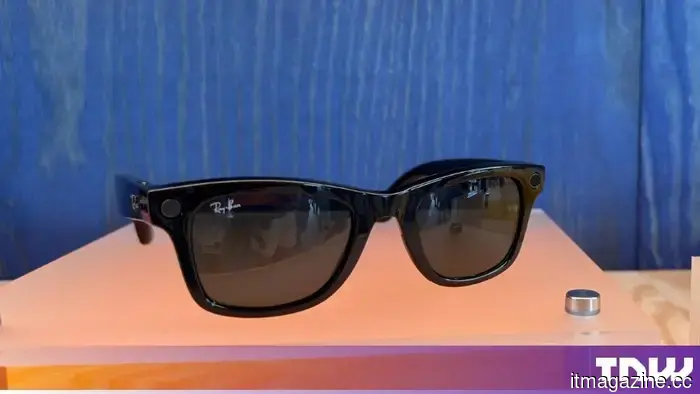 Cinemas, educational institutions, and ICE are all prohibiting Meta smart glasses.
Cinemas, US educational institutions, and ICE are all imposing limitations on Meta smart glasses, each for reasons that are unrelated. The regulation in cinemas goes back to 2014.
Cinemas, educational institutions, and ICE are all prohibiting Meta smart glasses.
Cinemas, US educational institutions, and ICE are all imposing limitations on Meta smart glasses, each for reasons that are unrelated. The regulation in cinemas goes back to 2014.
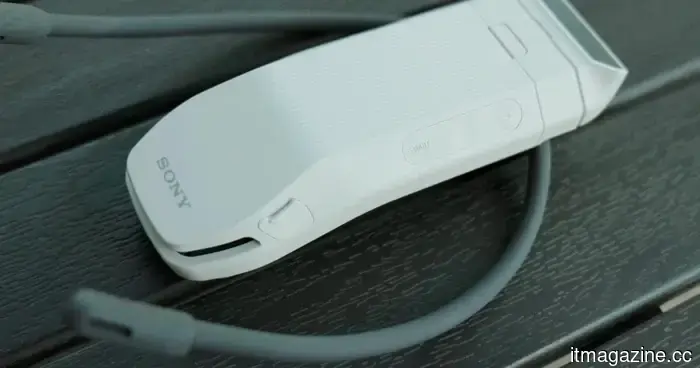 Sony REON Pocket Pro Plus review: Tranquil personal cooling is a delight, but it comes at a higher cost.
Sony's REON Pocket Pro aims to substitute neck fans with thermoelectric cooling. It's discreet, efficient, and effectively provides personal cooling; however, its price is somewhat elevated.
Sony REON Pocket Pro Plus review: Tranquil personal cooling is a delight, but it comes at a higher cost.
Sony's REON Pocket Pro aims to substitute neck fans with thermoelectric cooling. It's discreet, efficient, and effectively provides personal cooling; however, its price is somewhat elevated.
 Reasons behind Unitree becoming the first humanoid robot company to go public in China.
On Wednesday, Unitree Robotics made its debut on the STAR Market of the Shanghai Stock Exchange with the ticker symbol 688836.SH. Coinciding with this event, the 2026 World Robot
Reasons behind Unitree becoming the first humanoid robot company to go public in China.
On Wednesday, Unitree Robotics made its debut on the STAR Market of the Shanghai Stock Exchange with the ticker symbol 688836.SH. Coinciding with this event, the 2026 World Robot
 Mark Zuckerberg purchases a 440-acre estate located in County Waterford, Ireland.
Mark Zuckerberg has purchased Strancally Castle along with 440 acres in County Waterford, marking the third significant Irish estate acquired by a tech billionaire since 2021.
Mark Zuckerberg purchases a 440-acre estate located in County Waterford, Ireland.
Mark Zuckerberg has purchased Strancally Castle along with 440 acres in County Waterford, marking the third significant Irish estate acquired by a tech billionaire since 2021.
 Octopus Charge consolidates 210,000 US charging stations into a single app, excluding Tesla, Ionna, and Electrify America.
Octopus Energy has introduced Octopus Charge in North America, featuring 210,000 chargers. In Europe, the service boasts 1.5 million chargers, which is attributed to regulatory requirements.
Octopus Charge consolidates 210,000 US charging stations into a single app, excluding Tesla, Ionna, and Electrify America.
Octopus Energy has introduced Octopus Charge in North America, featuring 210,000 chargers. In Europe, the service boasts 1.5 million chargers, which is attributed to regulatory requirements.
To experiment with Android 17's new feature aimed at reducing mindless scrolling, you'll require a Pixel 11.
Google's latest Pause Point feature introduces a 10-second delay before launching apps you’ve flagged as distracting, although this Digital Wellbeing tool is currently exclusive to the Pixel 11 series.