
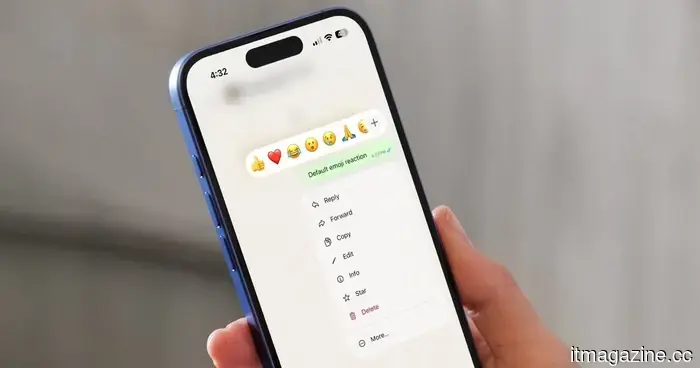
WhatsApp will soon allow you to use the emoji of your choice for reactions, but there is a downside.
Are you tired of always using the same six emojis? WhatsApp Plus might soon allow you to choose your own.
Emoji reactions are one of the standout features of WhatsApp. They enable you to swiftly respond to a message with just a long press and a tap, which is especially convenient when you’re in a rush or prefer a brief reply.
One limitation users have faced is the inability to customize the emoji tray, meaning you’re limited to the emojis WhatsApp provides. However, this could change with an upcoming update.
When did WhatsApp begin developing this feature?
Last month, WhatsApp started testing a custom reaction tray on Android, and that process is still in progress. Now, as reported by WABetaInfo, the same feature has appeared in the beta version of WhatsApp for iOS 26.32.10.16 available on TestFlight. Thus, iPhone users won’t have to wait much longer to try it out.
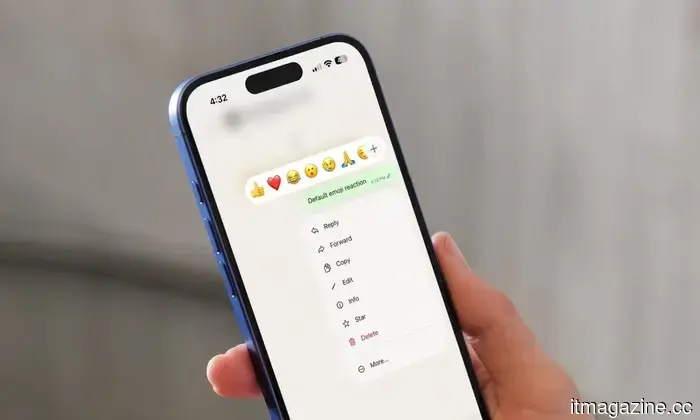
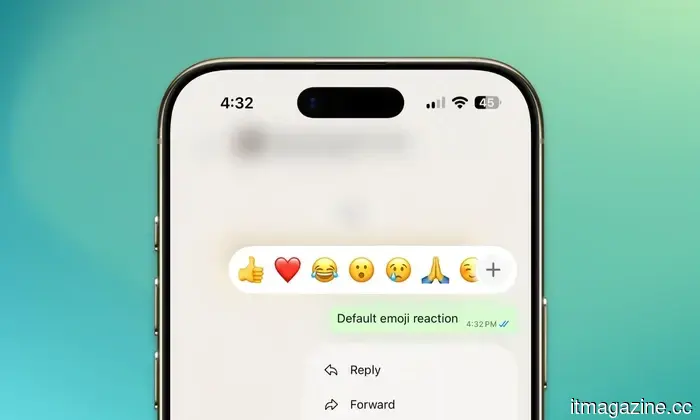
At present, your reaction tray includes Thumbs Up, Red Heart, Face with Tears of Joy, Surprised Face, Crying Face, and Folded Hands (👍, ❤️, 😂, 😮, 😢, and 🙏). These are followed by the emojis you use most often, with a plus (+) button to access additional options.
However, quick reactions are meant for immediate responses, so the ability to personalize the default emojis will be a fantastic addition.
How will the new reaction tray function?
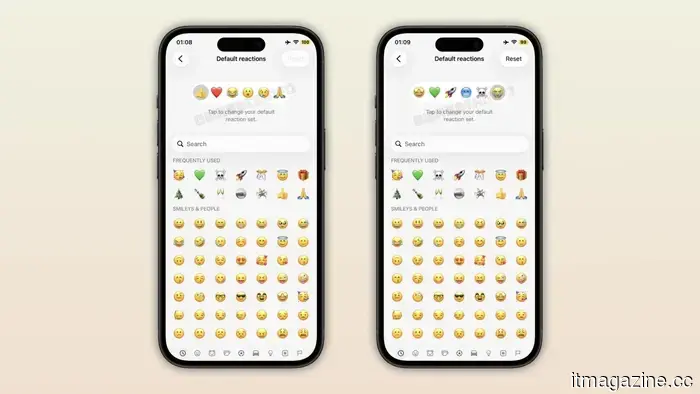
Once it is available, you will be able to go into the app settings and replace any of the six default emojis with ones you frequently use. WABetaInfo shared a screenshot showing the default selection next to a custom version. You can change as many emojis as you wish, and if you tire of your selections, reverting to the original set will be just as straightforward.
What’s the downside?
While I am excited about this feature, it's disappointing that not everyone will have access to it. This feature is part of the second set of updates for WhatsApp Plus, alongside themes, custom icons, premium stickers, and the capability to pin up to 20 chats. This means that unless you’re a paying user, you won’t be able to use this feature, which is unfortunate.
Rachit is an experienced tech journalist with over ten years of experience in the consumer technology field.
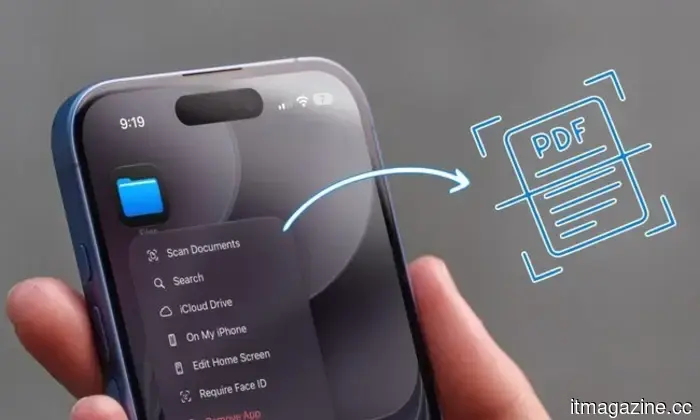
You don’t need a separate document scanning app; your iPhone already has a scanner built-in.
Avoid the app store; your iPhone is equipped with several scanning tools.
Whether you're organizing invoices for tax season or want a digital backup of important documents, scanning them with your iPhone is a simple habit that can be beneficial later. This is why document scanning apps have gained such popularity on the App Store. However, many people are unaware that they don’t need to download any third-party scanner apps, as their iPhone comes with several built-in tools that perform the task effectively. Today, I will guide you on how to use them.
Apple has recently added cheaper MacBooks, the iPhone 16 Plus, and Apple Watches in its refurbishment drop.
More M5 MacBook Air and Pro models are now available in Apple's Certified Refurbished Store.
Apple has introduced numerous new configurations of the MacBook Air and MacBook Pro to its Certified Refurbished Store, as well as additional iPhone 16 Plus models and Apple Watches. The new MacBook Air models are arriving at a particularly beneficial time given the current short supply of M5 MacBook Air models across Apple’s retail channels, with some configurations facing delivery estimates extending into late August or September. In June, Apple also raised the prices of MacBook Airs, causing students shopping before the new school year to potentially pay more while having to wait longer to obtain one.
Android 17 is finally getting a feature that iPhone users have enjoyed for years.
No more prying friends snooping through your texts when you lend your phone.
We've all been there. You show your Pixel phone to a friend to share a meme, and suddenly they’re scrolling through your messages. Android 17 QPR2 Beta 3 introduces a native App Lock feature to Pixel users, allowing them to prevent this. It's a small improvement that Pixel enthusiasts have been wanting for a long time. How does this new app lock actually operate?



Other articles
 Altman suggests that four years of college might exceed what the current world requires.
Sam Altman mentioned that two years of college were sufficient for him and that four years might be excessive, addressing a group of tech interns whose AI pipeline is narrowing.
Altman suggests that four years of college might exceed what the current world requires.
Sam Altman mentioned that two years of college were sufficient for him and that four years might be excessive, addressing a group of tech interns whose AI pipeline is narrowing.
 Qwen is the most downloaded open model globally, although the margin is narrower than what Alibaba claims.
Alibaba's Qwen holds the title of the most downloaded open model family globally, although the 3 billion downloads figure comes directly from Alibaba. In contrast, Hugging Face reports a total of 2.05 billion downloads.
Qwen is the most downloaded open model globally, although the margin is narrower than what Alibaba claims.
Alibaba's Qwen holds the title of the most downloaded open model family globally, although the 3 billion downloads figure comes directly from Alibaba. In contrast, Hugging Face reports a total of 2.05 billion downloads.
.jpg) Three overlooked films you can enjoy for free this weekend (August 14-16).
Skip the subscriptions this weekend. These three free films, covering both comedy and horror, are definitely worth your attention.
Three overlooked films you can enjoy for free this weekend (August 14-16).
Skip the subscriptions this weekend. These three free films, covering both comedy and horror, are definitely worth your attention.
 The Quick Settings on Pixel devices are now officially customizable in Android 17.
Android 17 QPR2 Beta 3 introduces a new Quick Settings layout editor for Pixel devices, allowing users to modify the arrangement and appearance of tiles.
The Quick Settings on Pixel devices are now officially customizable in Android 17.
Android 17 QPR2 Beta 3 introduces a new Quick Settings layout editor for Pixel devices, allowing users to modify the arrangement and appearance of tiles.
.jpg) Three overlooked films you can enjoy for free this weekend (August 14-16).
Avoid subscriptions this weekend. These three free films, covering both comedy and horror, are definitely worth watching.
Three overlooked films you can enjoy for free this weekend (August 14-16).
Avoid subscriptions this weekend. These three free films, covering both comedy and horror, are definitely worth watching.
 Altman suggests that four years of college might exceed what the world currently requires.
Sam Altman mentioned that two years of college sufficed for him and that four years might be excessive, speaking to a group of tech interns whose pathway to AI jobs is diminishing.
Altman suggests that four years of college might exceed what the world currently requires.
Sam Altman mentioned that two years of college sufficed for him and that four years might be excessive, speaking to a group of tech interns whose pathway to AI jobs is diminishing.
WhatsApp will soon allow you to use the emoji of your choice for reactions, but there is a downside.
WhatsApp is experimenting with a feature that allows users to replace the default reaction tray with emojis they frequently use, as part of WhatsApp Plus.