
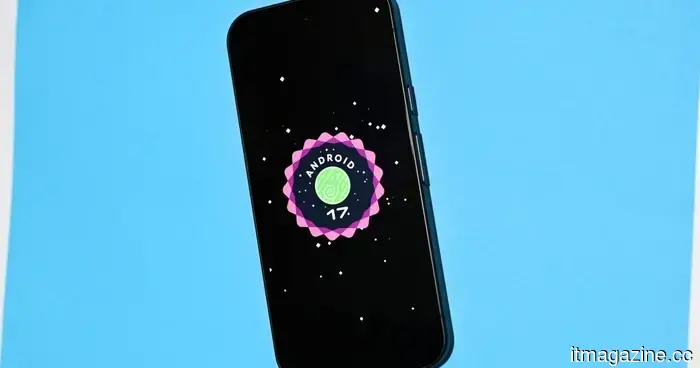
The Quick Settings on Pixel devices are now officially customizable in Android 17.
Android 17 QPR2 Beta 3 introduces a more customizable editor to Google’s familiar notification panel.
Google is enhancing the control Pixel users have over a frequently accessed element of Android. The newest Android 17 QPR2 beta features a Layout editor for Quick Settings, enabling users to rearrange the main sections instead of being limited to Google's preset layout. This feature was also included in the most recent Android Canary build, indicating a swift transition from initial testing to the QPR2 beta.
Users can choose from six layouts.
This new option becomes available when opening Quick Settings and tapping the pencil icon. A Layout tab at the bottom allows users to drag and rearrange three key components: the brightness slider, Quick Settings tiles, and the media player.
There are currently six potential combinations, allowing for various arrangements of these three elements. Users can position the brightness slider first, followed by the tiles and the media player, or place the media player at the top and move the other two sections below it. However, Google does not allow the complete removal of any of these three components.
This functionality makes it more of a straightforward customization option rather than a complete redesign of Quick Settings. Nonetheless, it addresses a long-standing complaint from Pixel users: while rearranging individual tiles was helpful, there was no option to configure the entire panel’s structure.
Google is gradually providing more flexibility in Quick Settings.
The new Layout editor is part of Google’s broader effort in Android 17 to enhance Quick Settings. This follows the Material 3 Expressive redesign and the introduction of resizable tiles. It also builds on previous Quick Settings improvements we've discussed, such as dual shade fixes and simplified network controls. Additionally, Android 17 has introduced modifications related to HDR video, eased the transition from iPhone to Android, and includes various smaller enhancements, but the Quick Settings editor is a feature users will interact with daily.
Of course, Android 17 is still in beta, and the final features may change before its anticipated release in December. However, if this feature remains, Pixel users will have more influence over one of the most commonly used interfaces in Android.
Varun is an experienced tech journalist and editor with over eight years of experience in consumer technology media. His work covers…
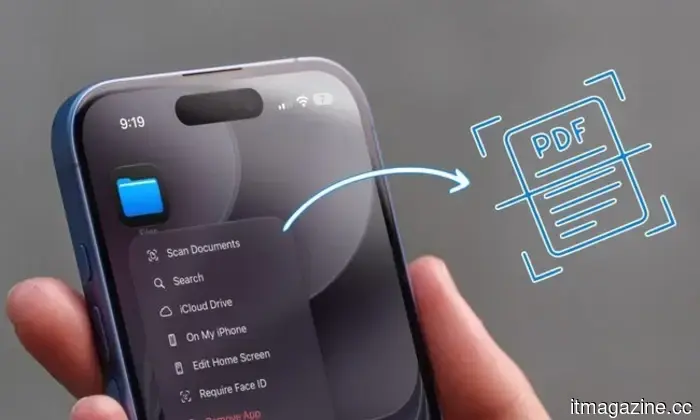
You don’t need a document scanning app; your iPhone has everything you need built-in.
There's no need to visit the app store; your iPhone already includes a scanner.
Whether you’re looking to keep your invoices organized for tax season or desire a digital copy of important documents, scanning with your iPhone is a small habit that proves useful later. This is why document scanning apps have gained popularity on the App Store. However, many people don’t realize they can forgo downloading any third-party scanning applications; your iPhone comes equipped with various built-in tools that work effectively, and I will show you how to utilize them.
Apple has added new MacBook Air and MacBook Pro models to its Certified Refurbished Store, along with additional iPhone 16 Plus models and Apple Watches.
Apple has increased the number of configurations available for MacBook Air and MacBook Pro in its Certified Refurbished Store, in addition to new iPhone 16 Plus models and Apple Watches. The new MacBook Air options arrive at a particularly timely moment, as the new M5 MacBook Air models are in short supply at Apple’s retail locations, with some configurations facing delivery estimates into late August or September. Apple also raised the prices of MacBook Airs in June, meaning students shopping before the upcoming school year might need to spend more and wait longer for their purchases.
Android 17 is introducing a feature that iPhone users have enjoyed for years.
No more worrying about friends snooping through your texts when you lend them your phone.
It’s a common scenario: handing your Pixel phone to a friend to share a meme, only to find them browsing through your messages. Android 17 QPR2 Beta 3 finally offers Pixel users a solution with a built-in App Lock feature integrated into the system. This small addition is something Pixel fans have long desired. How does the new app lock actually function?




Other articles
 Apple has a strategy to address its memory chip issue; however, the US government has rejected it.
Apple is seeking new memory suppliers due to a global shortage impacting availability. Two Chinese chip manufacturers might be able to assist, but Washington is urging Apple to explore alternative options.
Apple has a strategy to address its memory chip issue; however, the US government has rejected it.
Apple is seeking new memory suppliers due to a global shortage impacting availability. Two Chinese chip manufacturers might be able to assist, but Washington is urging Apple to explore alternative options.
.jpg) Three overlooked films you can enjoy for free this weekend (August 14-16).
Skip the subscriptions this weekend. These three free films, covering both comedy and horror, are definitely worth your attention.
Three overlooked films you can enjoy for free this weekend (August 14-16).
Skip the subscriptions this weekend. These three free films, covering both comedy and horror, are definitely worth your attention.
 Altman suggests that four years of college might exceed what the world currently requires.
Sam Altman mentioned that two years of college sufficed for him and that four years might be excessive, speaking to a group of tech interns whose pathway to AI jobs is diminishing.
Altman suggests that four years of college might exceed what the world currently requires.
Sam Altman mentioned that two years of college sufficed for him and that four years might be excessive, speaking to a group of tech interns whose pathway to AI jobs is diminishing.
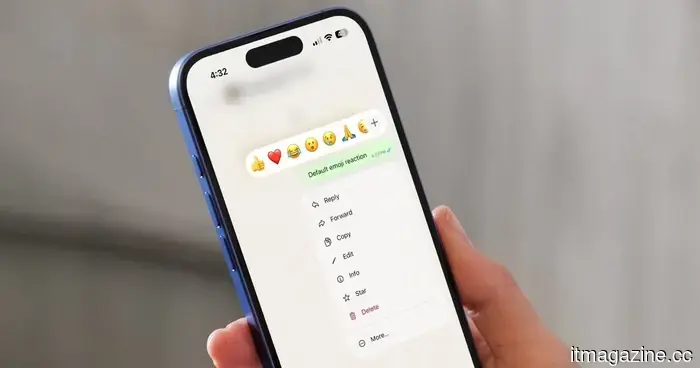 WhatsApp will soon allow you to use the emoji of your choice for reactions, but there is a downside.
WhatsApp is experimenting with a feature that allows users to replace the default reaction tray with emojis they frequently use, as part of WhatsApp Plus.
WhatsApp will soon allow you to use the emoji of your choice for reactions, but there is a downside.
WhatsApp is experimenting with a feature that allows users to replace the default reaction tray with emojis they frequently use, as part of WhatsApp Plus.
 Qwen is the most downloaded open model globally, although the margin is narrower than what Alibaba claims.
Alibaba's Qwen holds the title of the most downloaded open model family globally, although the 3 billion downloads figure comes directly from Alibaba. In contrast, Hugging Face reports a total of 2.05 billion downloads.
Qwen is the most downloaded open model globally, although the margin is narrower than what Alibaba claims.
Alibaba's Qwen holds the title of the most downloaded open model family globally, although the 3 billion downloads figure comes directly from Alibaba. In contrast, Hugging Face reports a total of 2.05 billion downloads.
.jpg) 3 overlooked films you can stream for free this weekend (August 14-16)
Take a break from subscriptions this weekend. These three complimentary films, featuring both comedy and horror, are definitely worth watching.
3 overlooked films you can stream for free this weekend (August 14-16)
Take a break from subscriptions this weekend. These three complimentary films, featuring both comedy and horror, are definitely worth watching.
The Quick Settings on Pixel devices are now officially customizable in Android 17.
Android 17 QPR2 Beta 3 introduces a new Quick Settings layout editor for Pixel devices, allowing users to modify the arrangement and appearance of tiles.