
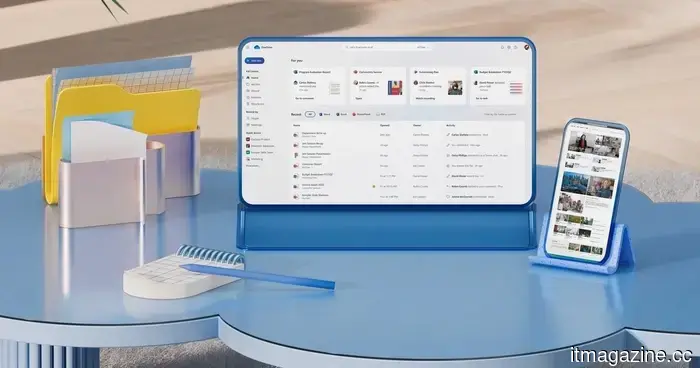
Microsoft unintentionally provided Windows 11 users with an additional OneDrive app, and it's not straightforward to uninstall it.
Microsoft has stated that the unintended broader rollout of the OneDrive app was a mistake; however, uninstalling the app also necessitates the removal of OneDrive.
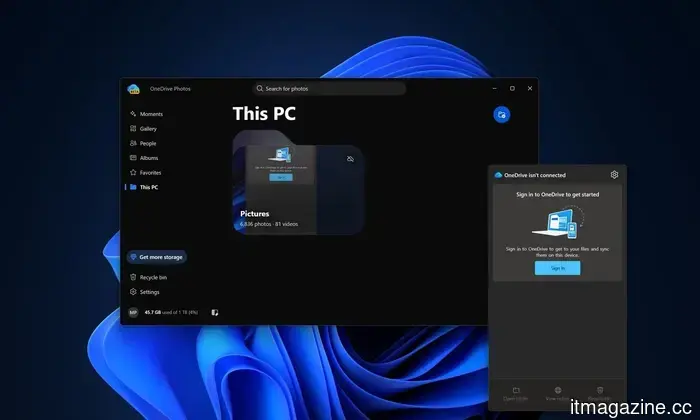
Windows 11 users have been unexpectedly receiving a new OneDrive app without requesting it. The issue? Microsoft claims this rollout was unintentional. The company has confirmed that its OneDrive Photos app was distributed to Windows 11 computers more widely than planned, including on enterprise devices where the app wasn’t meant to function. Microsoft is currently developing a solution, but there’s an unfortunate twist: users cannot remove OneDrive Photos without also uninstalling the primary OneDrive app.
So, what did users get?
OneDrive Photos isn’t entirely new. Microsoft first launched the app for Windows Insiders earlier this year, and it remains in beta. Starting August 1, the app began to show up on consumer PCs and ultimately reached many systems that have the OneDrive sync client installed.
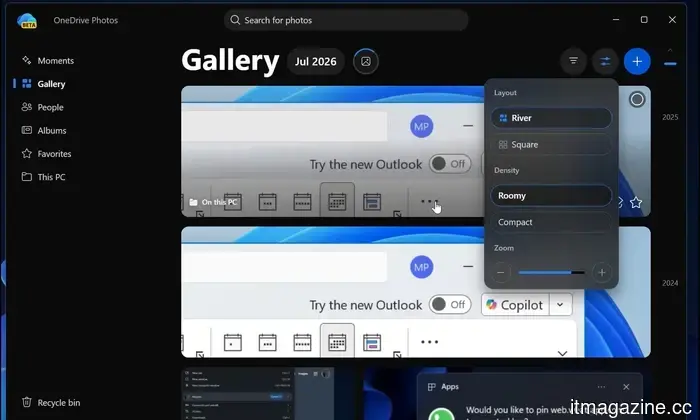
The app effectively brings the OneDrive web and mobile photo experience to Windows desktops. It can showcase photos stored locally on the PC alongside images in OneDrive, offering features such as search, albums, Favorites, and Microsoft's Moments feature. Built with Microsoft Edge’s WebView2, much of the experience functions as a web app running on the desktop.
Here’s the inconvenient part: Windows Latest discovered that the app can access photos across the PC even if the user hasn’t signed in to a Microsoft account. Additionally, users have the option to stop OneDrive from scanning specific areas.
The rollout turned awkward when OneDrive Photos also made its way to Windows 11 Enterprise PCs managed through Microsoft Intune, despite being intended for personal Microsoft accounts. Microsoft has acknowledged the oversight, informing Windows Latest that the OneDrive Photos experience was released more broadly than intended, and they are currently working on a solution. The situation is further complicated because the app isn’t available as a standalone MSI; the existing OneDrive sync client installs it in the background.
And no, uninstalling it isn’t straightforward.
This creates frustration for users who do not wish to have the new app. Since OneDrive Photos is linked to the main OneDrive sync client, Windows 11 does not provide a separate uninstall option at the moment. The only uncomplicated method to eliminate OneDrive Photos right now is to uninstall the entire OneDrive application from Settings > Apps > Installed apps, followed by a PC restart.
This is clearly not ideal for users who rely on OneDrive for file synchronization. Uninstalling the main client can disrupt its integration with File Explorer and shortcuts, leaving users with little incentive to remove an application they may depend on, just to remove the unwanted Photos feature.
Microsoft has stated that this will change. The company is working on controls that will allow users to uninstall OneDrive Photos independently from the main OneDrive app. For enterprise PCs managed through Intune, Microsoft claims the app will automatically be removed when it’s unsupported. Nonetheless, this entire incident underscores a recurring frustration with Windows: even when Microsoft finally releases a genuinely useful app, users shouldn’t have to find out about it because Windows forced it onto their systems first.



Other articles
 Amazon's new data center in Texas has the potential to be the largest individual polluter in the United States. It will remain disconnected from the power grid.
Amazon is supporting a 7.65GW gas facility for a data center in Texas, which has been authorized to emit 33 million tons of CO2 annually. It will not be linked to the electrical grid, and that sums up the situation.
Amazon's new data center in Texas has the potential to be the largest individual polluter in the United States. It will remain disconnected from the power grid.
Amazon is supporting a 7.65GW gas facility for a data center in Texas, which has been authorized to emit 33 million tons of CO2 annually. It will not be linked to the electrical grid, and that sums up the situation.
 Moburst unveils an AI-driven mobile growth playbook after achieving notable performance milestones in their campaigns.
Moburst has released its four-pillar mobile growth framework designed for the AI era, which includes ASO, Answer Engine Optimization, AI-augmented paid acquisition, and data-driven creative testing. This announcement comes after achieving campaign results exceeding targets by as much as 200% with Sprout Social.
Moburst unveils an AI-driven mobile growth playbook after achieving notable performance milestones in their campaigns.
Moburst has released its four-pillar mobile growth framework designed for the AI era, which includes ASO, Answer Engine Optimization, AI-augmented paid acquisition, and data-driven creative testing. This announcement comes after achieving campaign results exceeding targets by as much as 200% with Sprout Social.
 Moburst unveils an AI-driven mobile growth strategy guide after achieving significant milestones in campaign performance.
Moburst has released its four-pillar mobile growth framework tailored for the AI era, which includes ASO, Answer Engine Optimization, AI-mediated paid acquisition, and empirical creative testing. This launch comes in the wake of campaign successes that surpassed expectations by as much as 200% in collaboration with Sprout Social.
Moburst unveils an AI-driven mobile growth strategy guide after achieving significant milestones in campaign performance.
Moburst has released its four-pillar mobile growth framework tailored for the AI era, which includes ASO, Answer Engine Optimization, AI-mediated paid acquisition, and empirical creative testing. This launch comes in the wake of campaign successes that surpassed expectations by as much as 200% in collaboration with Sprout Social.
 Grok’s image tools receive a professional enhancement featuring templates, accurate editing, and a second-place ranking in Arena.
SpaceXAI launched Grok Imagine Image 2.0, which features magic wand editing, background removal, multi-reference inputs, and templates. It holds the second position behind OpenAI on Arena.
Grok’s image tools receive a professional enhancement featuring templates, accurate editing, and a second-place ranking in Arena.
SpaceXAI launched Grok Imagine Image 2.0, which features magic wand editing, background removal, multi-reference inputs, and templates. It holds the second position behind OpenAI on Arena.
 OpenAI has recently acquired a startup that specializes in slide decks. It is building an office suite through a series of acqui-hires.
OpenAI has purchased the presentation startup NextSlide after approximately a year of existence. The product it is replacing is PowerPoint, which is owned by its largest investor.
OpenAI has recently acquired a startup that specializes in slide decks. It is building an office suite through a series of acqui-hires.
OpenAI has purchased the presentation startup NextSlide after approximately a year of existence. The product it is replacing is PowerPoint, which is owned by its largest investor.
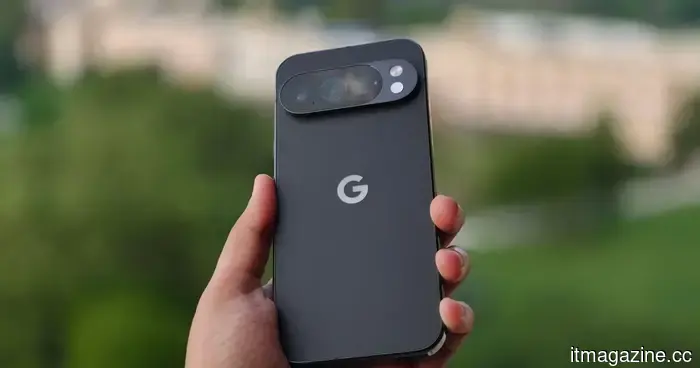 I've been using the Pixel 10 Pro for a year. I hope Google addresses these annoying problems in the Pixel 11 Pro.
Having spent a year using the Pixel 10 Pro, I have a clear understanding of what requires improvement. The Pixel 11 Pro has a genuine opportunity to make the necessary adjustments.
I've been using the Pixel 10 Pro for a year. I hope Google addresses these annoying problems in the Pixel 11 Pro.
Having spent a year using the Pixel 10 Pro, I have a clear understanding of what requires improvement. The Pixel 11 Pro has a genuine opportunity to make the necessary adjustments.
Microsoft unintentionally provided Windows 11 users with an additional OneDrive app, and it's not straightforward to uninstall it.
Microsoft has stated that its new OneDrive Photos app was inadvertently installed on Windows 11 computers, including those in enterprise environments, and at present, it cannot be removed without uninstalling OneDrive.