
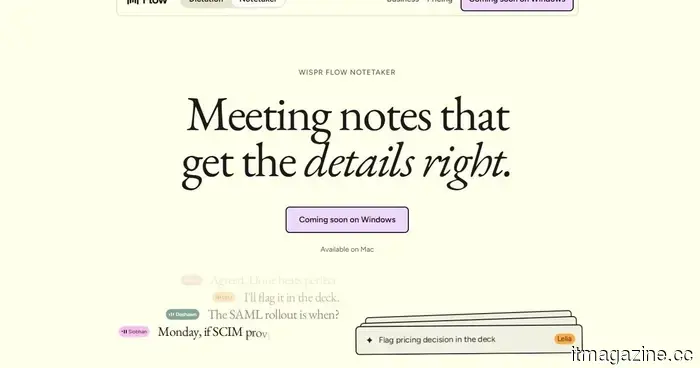
Wispr Flow introduces an AI note-taking tool that operates without the need to join calls.
Wispr Flow has introduced Notetaker, an AI meeting assistant integrated into its existing Mac application. This feature can capture conversations, provide a live transcript, and generate notes that summarize decisions, deadlines, assigned tasks, and unresolved matters.
Wispr Flow is primarily recognized for its dictation tool, which converts spoken ideas into polished text across various platforms. Notetaker extends the company's capabilities beyond voice typing, utilizing its transcription technology for meetings, interviews, and face-to-face discussions.
It records conversations without necessitating the presence of an additional participant.
Notetaker captures audio directly through the Mac without appearing as an identifiable bot in meetings. This enables it to function with Zoom, Google Meet, Microsoft Teams, Slack Huddles, Discord, browser calls, and any discussions picked up by the computer's microphone.
Wispr Flow
The application can identify calls that are not on the user's calendar and prompt them to start recording notes. Wispr claims this feature works across Meet, Zoom, Teams, WhatsApp, and FaceTime. During a meeting, users can view the live transcript, take personal notes, or opt for “What did I miss?” to receive a summary of the preceding minutes.
The completed notes are generated after the entire conversation has been reviewed, allowing Wispr to rectify transcription mistakes and incorporate speaker labels that may have been omitted in the live version.
It leverages your existing work context.
Notetaker can utilize data already saved in Flow and associated work accounts to identify attendees and the subjects or internal terms being discussed. Calendar invites, saved terms, Gmail, and Slack can assist in accurately recognizing names, product terms, and company jargon.
Previous calls are searchable, and results will reference the relevant segments of the conversation, enabling users to revisit the original discussion. MCP support also allows integrations with ChatGPT, Claude, Cursor, and other compatible tools to access meeting notes and transcripts.
Granola users can easily import their existing notes in one step. Notes from Otter, Fathom, and other services can be searchable alongside new meetings through MCP. Notetaker is currently available for Mac and supports English, with Windows support expected soon, while mobile functionality is also planned for the future.
This feature is part of Wispr Flow’s free plan, which has usage limitations. Flow Pro is available for $15 per month or $12 per month when billed annually and includes unlimited usage.
Other articles
 Google has discreetly updated the documentation for Chrome's AI, providing key information regarding on-device AI downloads.
The newly updated help page for Chrome outlines the requirements for its on-device AI download, which includes needing 20GB of available disk space.
Google has discreetly updated the documentation for Chrome's AI, providing key information regarding on-device AI downloads.
The newly updated help page for Chrome outlines the requirements for its on-device AI download, which includes needing 20GB of available disk space.
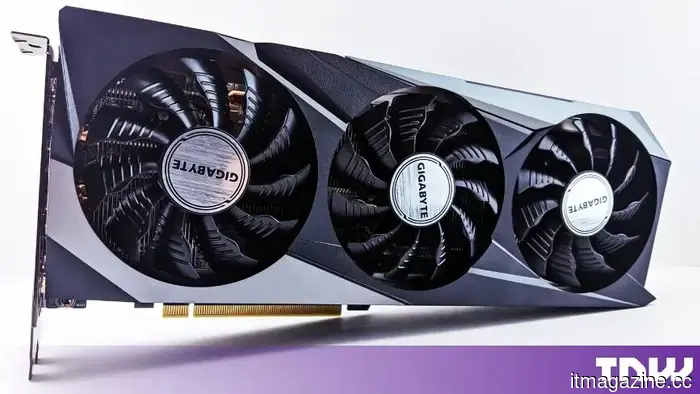 GPU prices are nearing 2.5 times their initial launch prices. Asus and Gigabyte have now officially confirmed a second price increase for 2026.
Asus and Gigabyte increased the prices of RTX 50-series cards by $96, bringing the cost to $666 each. A customer's order for an RTX 5090 priced at $4,429 was cancelled during the transaction. The reason behind this is the DRAM crisis.
GPU prices are nearing 2.5 times their initial launch prices. Asus and Gigabyte have now officially confirmed a second price increase for 2026.
Asus and Gigabyte increased the prices of RTX 50-series cards by $96, bringing the cost to $666 each. A customer's order for an RTX 5090 priced at $4,429 was cancelled during the transaction. The reason behind this is the DRAM crisis.
 Google Assistant has been given a shutdown date, and it's just a few weeks from now.
Starting September 4, Google will gradually discontinue Assistant on compatible mobile devices, replacing it with Gemini, while certain unsupported devices, vehicles, and smart-home gadgets will remain unaffected for the time being.
Google Assistant has been given a shutdown date, and it's just a few weeks from now.
Starting September 4, Google will gradually discontinue Assistant on compatible mobile devices, replacing it with Gemini, while certain unsupported devices, vehicles, and smart-home gadgets will remain unaffected for the time being.
 Documents reveal that TikTok withheld a safety fix from millions of users.
A confidential document disclosed by Bloomberg indicates that TikTok concealed a safety modification affecting 10% of its US users in order to evaluate engagement. This group included a teenager who passed away.
Documents reveal that TikTok withheld a safety fix from millions of users.
A confidential document disclosed by Bloomberg indicates that TikTok concealed a safety modification affecting 10% of its US users in order to evaluate engagement. This group included a teenager who passed away.
 Anthropic created an inspection layer that enables companies to prevent sensitive data from reaching Claude.
Inference hooks enable security teams to examine each prompt and tool call prior to processing by Claude. They are compatible with Netskope, Palo Alto, and Zscaler. A single configuration applies to all Claude products.
Anthropic created an inspection layer that enables companies to prevent sensitive data from reaching Claude.
Inference hooks enable security teams to examine each prompt and tool call prior to processing by Claude. They are compatible with Netskope, Palo Alto, and Zscaler. A single configuration applies to all Claude products.
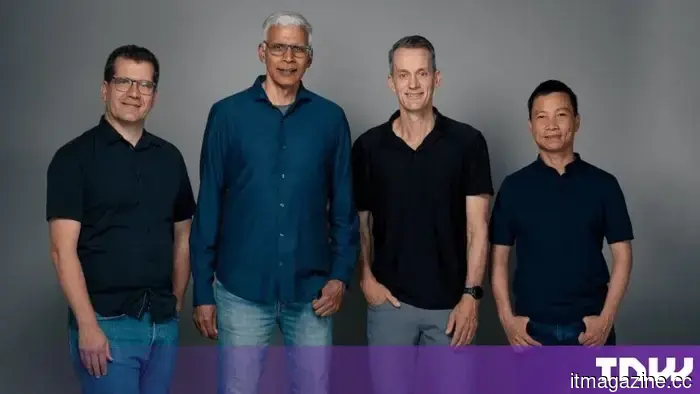 Google DeepMind restructuring: Co-leads of Gemini depart to establish a startup.
Demis Hassabis is transferring control of Google DeepMind. Jeff Dean, Oriol Vinyals, Quoc Le, and Sanjay Ghemawat are departing to establish Discovery Loop.
Google DeepMind restructuring: Co-leads of Gemini depart to establish a startup.
Demis Hassabis is transferring control of Google DeepMind. Jeff Dean, Oriol Vinyals, Quoc Le, and Sanjay Ghemawat are departing to establish Discovery Loop.
Wispr Flow introduces an AI note-taking tool that operates without the need to join calls.
Wispr Flow has introduced Notetaker, an AI meeting assistant for Mac that can record calls without needing to join as a participant, and transforms conversations into transcripts, summaries, and follow-up notes.