

Wispr Flow has introduced an AI note-taker that operates without the need to join calls.
Wispr Flow has introduced Notetaker, an AI meeting assistant integrated into its current Mac application. It has the capability to record conversations, provide a live transcript, and generate notes that highlight decisions, deadlines, assigned tasks, and pending issues.
Wispr Flow is primarily recognized for its dictation feature, which converts spoken words into refined text wherever the user is engaged. Notetaker expands the company’s offerings beyond voice dictation, utilizing its transcription technology for meetings, interviews, and face-to-face dialogues.
It records calls without needing another participant.
Notetaker captures audio using the Mac, rather than joining a meeting as a visible bot. This functionality allows it to work seamlessly across platforms like Zoom, Google Meet, Microsoft Teams, Slack Huddles, Discord, as well as browser calls and conversations picked up via the computer’s microphone.
Wispr Flow
The application can also identify calls not listed in the user's calendar and prompt them to start taking notes. Wispr claims that this feature operates across Meet, Zoom, Teams, WhatsApp, and FaceTime. During a meeting, users can view the live transcript, take their own notes, or select “What did I miss?” for a summary of the recent discussion.
The finalized notes are created after the entire conversation has been processed, enabling Wispr to rectify transcription mistakes and include speaker labels that may not have appeared in the live version.
It utilizes your existing work context.
Notetaker is capable of leveraging information already available in Flow and linked work accounts to ascertain who is present and which projects or internal terminology are being discussed. Calendar invites, saved vocabulary, Gmail, and Slack can assist in accurately handling names, product terms, and company jargon.
Previous calls remain searchable, with the results referencing the relevant portion of the conversation, allowing users to revisit the original discussion. MCP support also enables compatibility with ChatGPT, Claude, Cursor, and other tools to access meeting notes and transcripts.
Granola users can seamlessly import their existing notes in one step. Notes from services like Otter, Fathom, and others can remain searchable alongside new meetings through MCP. Notetaker is currently available on Mac and supports English, with Windows support expected soon and mobile capabilities planned for the future.
This feature is part of Wispr Flow's free plan, albeit with usage limitations. The Flow Pro subscription is available for $15 per month or $12 per month if billed annually, offering unlimited use.

Other articles
 Google's layoffs affected 52 positions in Washington state.
Google is eliminating 52 positions in Washington state, marking its first substantial job cut there since 2023, coinciding with the week it also lost four prominent AI researchers.
Google's layoffs affected 52 positions in Washington state.
Google is eliminating 52 positions in Washington state, marking its first substantial job cut there since 2023, coinciding with the week it also lost four prominent AI researchers.
 Google will discontinue Assistant on phones on September 4, leaving Gemini as the sole remaining option.
Google has announced that the Assistant on Android phones will cease operation on September 4, requiring all users to transition to Gemini. Smartwatches, headphones, and Android Auto will also be impacted. However, TVs will have an extended timeline.
Google will discontinue Assistant on phones on September 4, leaving Gemini as the sole remaining option.
Google has announced that the Assistant on Android phones will cease operation on September 4, requiring all users to transition to Gemini. Smartwatches, headphones, and Android Auto will also be impacted. However, TVs will have an extended timeline.
 The Pixel Tag could be Google's response to the AirTag, with a similar price point.
The speculated Pixel Tag from Google might be priced only 10 cents lower than an AirTag, with the integration for Android and the yet-to-be-confirmed tracking hardware needing to justify the almost identical cost.
The Pixel Tag could be Google's response to the AirTag, with a similar price point.
The speculated Pixel Tag from Google might be priced only 10 cents lower than an AirTag, with the integration for Android and the yet-to-be-confirmed tracking hardware needing to justify the almost identical cost.
 Europe is enjoying the advantages of an open market with an impressive $22K electric vehicle, while the US market remains unexciting.
Geely's new E2 hatchback is priced starting at only $22,490 in Europe, whereas the most affordable EVs in America are priced significantly above $28,000.
Europe is enjoying the advantages of an open market with an impressive $22K electric vehicle, while the US market remains unexciting.
Geely's new E2 hatchback is priced starting at only $22,490 in Europe, whereas the most affordable EVs in America are priced significantly above $28,000.
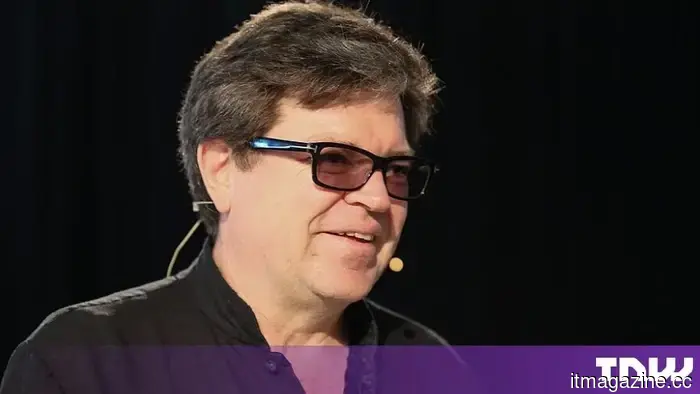 Yann LeCun's second venture capital fund successfully raises $100 million, with Gemini's co-lead joining as a partner.
LeCun and Oriol Vinyals are joining 224 Ventures, a newly established AI fund that has over $100 million in assets. The fund aims to invest in early-stage AI startups with checks ranging from $1 million to $5 million. The limited partners are primarily individuals from the AI industry.
Yann LeCun's second venture capital fund successfully raises $100 million, with Gemini's co-lead joining as a partner.
LeCun and Oriol Vinyals are joining 224 Ventures, a newly established AI fund that has over $100 million in assets. The fund aims to invest in early-stage AI startups with checks ranging from $1 million to $5 million. The limited partners are primarily individuals from the AI industry.
 Google Assistant has been given a shutdown date, and it's just a few weeks from now.
Starting September 4, Google will gradually discontinue Assistant on compatible mobile devices, replacing it with Gemini, while certain unsupported devices, vehicles, and smart-home gadgets will remain unaffected for the time being.
Google Assistant has been given a shutdown date, and it's just a few weeks from now.
Starting September 4, Google will gradually discontinue Assistant on compatible mobile devices, replacing it with Gemini, while certain unsupported devices, vehicles, and smart-home gadgets will remain unaffected for the time being.
Wispr Flow has introduced an AI note-taker that operates without the need to join calls.
Wispr Flow has introduced Notetaker, an AI meeting assistant for Mac that captures calls without being a participant and converts discussions into transcripts, summaries, and follow-up notes.