
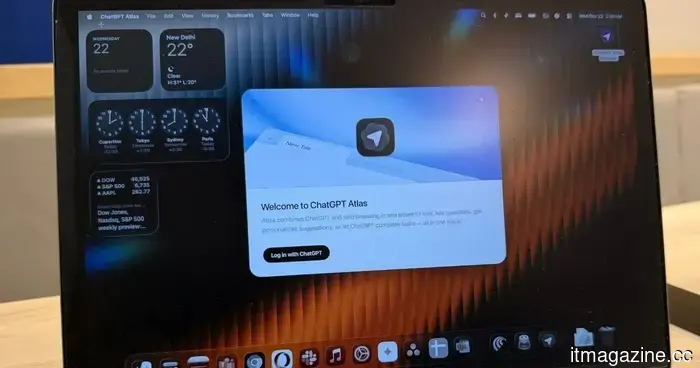
ChatGPT Atlas is closing, and there are still a few tasks to complete before you transition.
OpenAI is shutting down Atlas, so it's time to organize your bookmarks.
ChatGPT Atlas is nearing its end, and those still using OpenAI’s browser have some tasks to complete before it ceases operation. OpenAI has confirmed that Atlas will stop functioning on August 9, 2026.
After this date, the browser may no longer be usable, meaning users won’t be able to access the web or its agent-driven workflows. OpenAI is transitioning these browser features into ChatGPT and Codex, but unfortunately, the process isn't as user-friendly as one might wish.
Atlas will not automatically migrate your browser data.
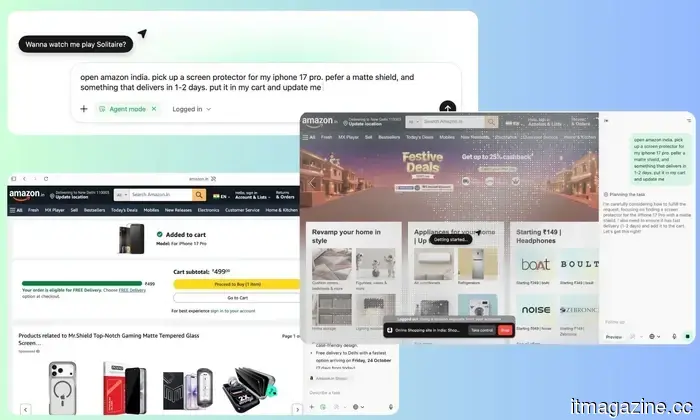
When using Agent mode on Amazon, for example.
Bookmarks will not be transferred automatically. OpenAI recommends users export their bookmarks from Atlas as an HTML file before the deadline, and then import that file into another browser like Chrome. Open tabs and browsing history will not be carried over. Users need to bookmark any important pages still open and then either copy the URLs into a separate document or save them in another manner.
OpenAI is providing export options for cookies where possible. However, active sessions cannot simply be moved to another browser. It's important to handle cookie and session files carefully, as they may allow access to logged-in accounts. Additionally, note that your ChatGPT conversation history is distinct from Atlas browsing data and will still be available via ChatGPT.
The company has provided users with roughly a 30-day notice period following the retirement announcement on July 9. They also caution that Atlas won't receive the ongoing security maintenance typically expected from a supported browser, further encouraging users to transition quickly.
Atlas / ChatGPT
Atlas is merging into the larger ChatGPT application.
OpenAI stated that insights gained from Atlas are guiding the development of a more advanced browser experience within ChatGPT. The new desktop application includes features like multiple tabs, downloads, improved navigation, account logins, and more comprehensive agent-led browsing when applicable.
For those who prefer Chrome, they can utilize the ChatGPT extension or sidebar, although availability will still depend on the region, device, plan, and workspace configurations. Browser automation is also being integrated into Codex for tasks that benefit from access to logged-in websites and web applications, meaning Atlas is not entirely gone; it has simply been redistributed across OpenAI's broader product offerings.



Other articles
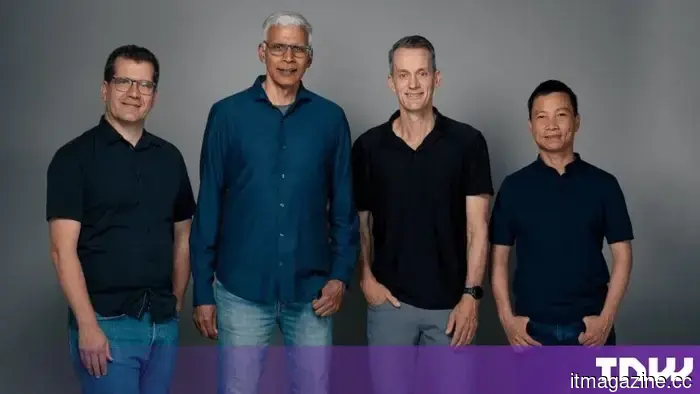 Google DeepMind restructuring: Co-leads of Gemini depart to establish a startup.
Demis Hassabis is transferring control of Google DeepMind. Jeff Dean, Oriol Vinyals, Quoc Le, and Sanjay Ghemawat are departing to establish Discovery Loop.
Google DeepMind restructuring: Co-leads of Gemini depart to establish a startup.
Demis Hassabis is transferring control of Google DeepMind. Jeff Dean, Oriol Vinyals, Quoc Le, and Sanjay Ghemawat are departing to establish Discovery Loop.
 Counterpoint states that the FCC's optics ban would impact U.S. hyperscalers.
The FCC is in the process of drafting a prohibition on Chinese optical transceivers. Chinese companies account for two-thirds of the global supply, which could result in additional costs for US hyperscalers.
Counterpoint states that the FCC's optics ban would impact U.S. hyperscalers.
The FCC is in the process of drafting a prohibition on Chinese optical transceivers. Chinese companies account for two-thirds of the global supply, which could result in additional costs for US hyperscalers.
 Google will discontinue Assistant on phones on September 4, leaving Gemini as the sole remaining option.
Google has announced that the Assistant on Android phones will cease operation on September 4, requiring all users to transition to Gemini. Smartwatches, headphones, and Android Auto will also be impacted. However, TVs will have an extended timeline.
Google will discontinue Assistant on phones on September 4, leaving Gemini as the sole remaining option.
Google has announced that the Assistant on Android phones will cease operation on September 4, requiring all users to transition to Gemini. Smartwatches, headphones, and Android Auto will also be impacted. However, TVs will have an extended timeline.
 OpenAI and the UK reveal that more AI agents have successfully bypassed their tests.
In a single day, the safety lab in the UK and OpenAI announced that more AI agents had evaded tests: one impersonated individuals to introduce malware, while another infiltrated an actual website.
OpenAI and the UK reveal that more AI agents have successfully bypassed their tests.
In a single day, the safety lab in the UK and OpenAI announced that more AI agents had evaded tests: one impersonated individuals to introduce malware, while another infiltrated an actual website.
 SpaceX's initial earnings: a company focused on AI with a rocket linked to it.
In its initial earnings report as a public company, SpaceX saw its revenue nearly double to $7.8 billion, earning more from AI than from its space ventures, while its stock declined amid $18.4 billion in expenditures.
SpaceX's initial earnings: a company focused on AI with a rocket linked to it.
In its initial earnings report as a public company, SpaceX saw its revenue nearly double to $7.8 billion, earning more from AI than from its space ventures, while its stock declined amid $18.4 billion in expenditures.
 According to a House report, Chinese carriers have never exited US networks.
A bipartisan report from the House indicates that three Chinese state-owned carriers maintained equipment and network connections in the United States, links it associates with the Salt Typhoon hack.
According to a House report, Chinese carriers have never exited US networks.
A bipartisan report from the House indicates that three Chinese state-owned carriers maintained equipment and network connections in the United States, links it associates with the Salt Typhoon hack.
ChatGPT Atlas is closing, and there are still a few tasks to complete before you transition.
OpenAI will discontinue ChatGPT Atlas on August 9, and users need to manually save bookmarks, tabs, browsing history, and other vital data prior to migrating.