
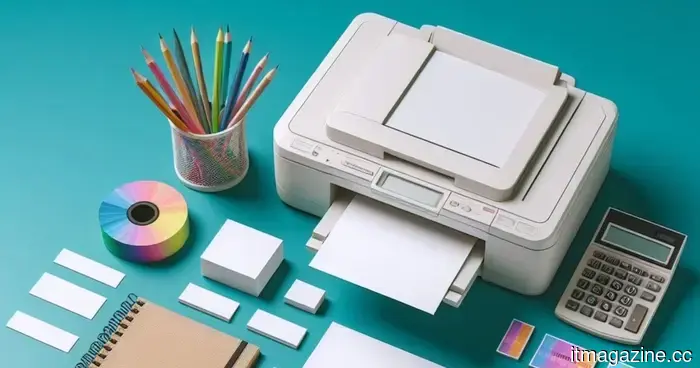
Here are the compact printers I would genuinely suggest for back-to-school.
In today's digital world, everything is online until you encounter the professor who still insists on a printed essay, or the lease that requires an ink signature, or the photo you want to display in your dorm. That's typically when you realize you no longer have a printer, and the nearest one at the library has a long queue.
I reviewed four compact printers that address this need without occupying too much desk space or costing a fortune. Two are designed specifically for documents, one is a full-featured all-in-one suitable for serious home office tasks, and one is purely focused on transforming your camera roll into printed memories.
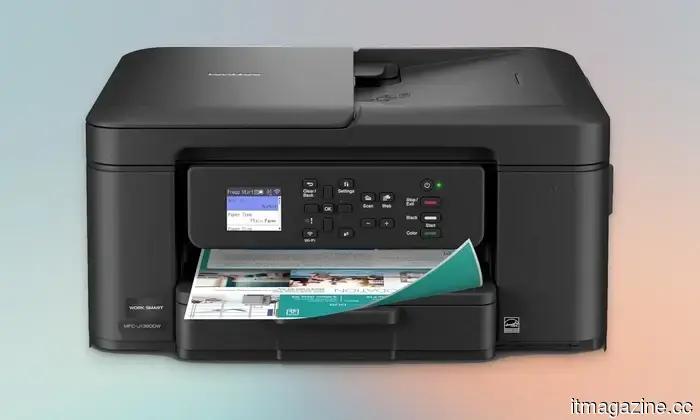
**Brother Work Smart 1360 All-in-One Printer**
**Pros**
- Compact and space-efficient design
- Handy automatic document feeder
- Supports automatic duplex printing
- Fast printing speeds for black text
**Cons**
- No automatic double-sided copying
- Higher costs for ink replacements over time
If you're seeking a reliable printer for your dorm room without breaking the bank, this is an excellent choice. This all-in-one printer can print, copy, and scan, offering automatic duplex printing and a 150-sheet tray. The 20-sheet automatic document feeder is particularly useful for scanning multiple pages at once.
With a 1.8-inch color display, you can print directly from or scan to Google Drive, Dropbox, OneDrive, and other cloud services without the need for a computer. The Brother Mobile Connect app allows you to manage your printing through your smartphone. It delivers speeds up to 16 pages per minute for black and 9 pages per minute for color, which is impressive for this price range.
The scanner accommodates both flatbed and sheet-fed documents, enabling you to handle both book photos and loose sheets without switching modes. Weighing just under 17 pounds, it is designed to stay on your desk rather than be portable.
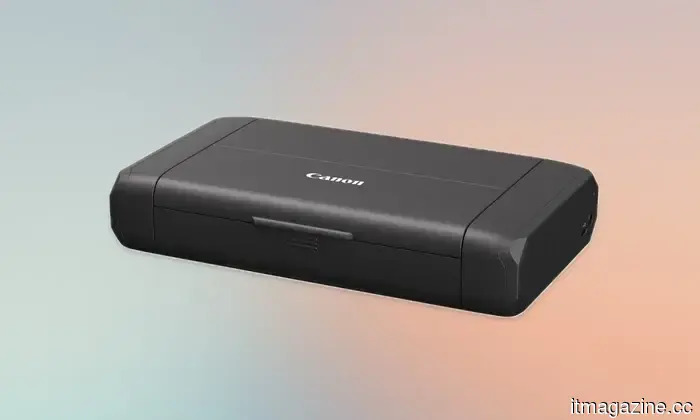
**Canon PIXMA TR160 Wireless Portable Printer**
**Pros**
- Lightweight and compact for easy portability
- Strong wireless connectivity for mobile devices
- Allows storage of custom printable document templates
- Great quality for photo and document printing
**Cons**
- Optional battery sold separately
- Slower print speed overall
If you prefer a smaller, lighter printer that can be easily carried in a backpack, consider the Canon PIXMA TR160. It utilizes a 5-color ink system suitable for regular documents and photos, including borderless printing for a professional look.
The 1.44-inch OLED screen keeps you updated on ink levels and printer status without needing to use your phone. You can save up to five templates to print directly from the display, perfect for repetitive forms or flyers.
Connectivity options include the Canon app, AirPrint, or Mopria, along with a direct connection mode for instances when no Wi-Fi is available. An optional battery is available for complete cordless use. Weighing in at just under 4.5 pounds and slim enough for a backpack, it's perfect for taking to class rather than leaving on a desk.
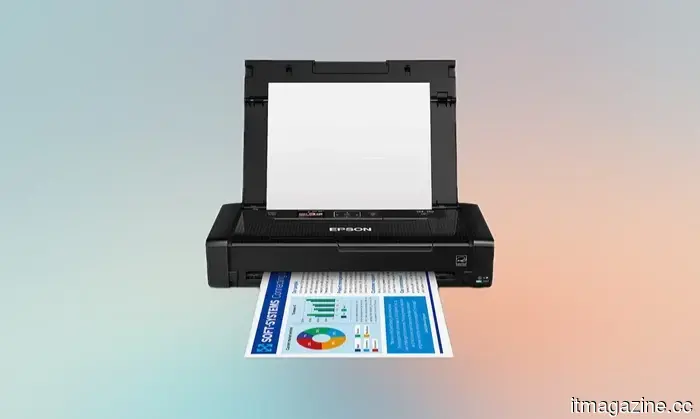
**Epson Workforce WF-110 Wireless Mobile Printer**
**Pros**
- Lightweight and compact design
- Battery included with the printer
- Convenient USB charging options
**Cons**
- Slower print speed
- Limited paper tray capacity
The Epson Workforce WF-110 is ideal for those seeking a truly portable printing solution. Small enough to fit in your backpack, it comes with a built-in rechargeable lithium-ion battery, which can be charged via USB or AC adapter. You can also use it plugged in to save battery life. An optional external battery pack is available for extended printing needs.
It connects via Wi-Fi and Wi-Fi Direct, allowing document printing from devices without a router. However, expect slower printing speeds when operating on battery power.
This printer requires genuine Epson cartridges only, which should be considered as part of the long-term costs. Weighing 4.6 pounds and about the size of a small stack of textbooks, it is highly portable. However, its price may be a concern. Nonetheless, the built-in battery and compact design justify the expense.
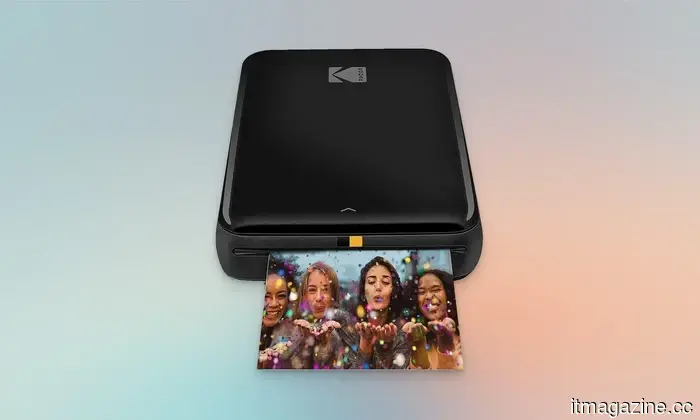
**Kodak Step Instant Photo Printer**
**Pros**
- No need for ink cartridges
- Good quality for photo prints
- Mobile app supports filters, borders, stickers, etc.
**Cons**
- Uses microUSB for charging
- Replacement paper can be pricey
This last option isn’t designed for documents; it’s meant purely for creating fun prints. Connecting to your phone via Bluetooth or NFC, it prints small 2 by 3-inch photos on sticky-back paper using Kodak’s ink-free Zink technology. The prints are surprisingly durable, resisting smudges and moisture.
The accompanying app enhances the experience by allowing you to add filters, borders, stickers, and text before printing, making your photos resemble scrapbook pages rather than simple snapshots. Its compact size fits easily into your pocket, and it yields around 25 prints per charge with the built-in battery, which charges through a micro-USB cable.
Other articles
 Nvidia is in negotiations to secure $250 billion in debt for OpenAI's data centers.
Nvidia is allegedly considering a $250 billion support package for OpenAI's 10GW campus in Ohio, along with $350 billion in funding for chips. Critics have labeled this arrangement as circular.
Nvidia is in negotiations to secure $250 billion in debt for OpenAI's data centers.
Nvidia is allegedly considering a $250 billion support package for OpenAI's 10GW campus in Ohio, along with $350 billion in funding for chips. Critics have labeled this arrangement as circular.
 Window AC vs. Mini Split: Which is the Better Cooling Upgrade for the Summer?
Summer doesn't have to result in increased electricity expenses and obstructed window views. Before opting for another short-term solution, discover why contemporary homeowners are turning to quieter, more intelligent mini splits for year-round comfort.
Window AC vs. Mini Split: Which is the Better Cooling Upgrade for the Summer?
Summer doesn't have to result in increased electricity expenses and obstructed window views. Before opting for another short-term solution, discover why contemporary homeowners are turning to quieter, more intelligent mini splits for year-round comfort.
 Starting in early 2027, YouTube Premium will incorporate Peacock at no additional charge. This marks Peacock's most significant distribution agreement.
Starting in early 2027, Peacock Premium ($11/month) will be offered for free with YouTube Premium. This agreement will expand the distribution of YouTube TV and introduce live sports to YouTube.
Starting in early 2027, YouTube Premium will incorporate Peacock at no additional charge. This marks Peacock's most significant distribution agreement.
Starting in early 2027, Peacock Premium ($11/month) will be offered for free with YouTube Premium. This agreement will expand the distribution of YouTube TV and introduce live sports to YouTube.
 Google Chrome may soon enable users to translate pages directly within Reading Mode.
Google is experimenting with a translate button in the Reading Mode of Chrome on Canary, allowing users to translate web pages and PDFs without exiting Reading Mode.
Google Chrome may soon enable users to translate pages directly within Reading Mode.
Google is experimenting with a translate button in the Reading Mode of Chrome on Canary, allowing users to translate web pages and PDFs without exiting Reading Mode.
 AI providers are shifting from subscription models to consumption-based pricing. AI PCs serve as a safeguard.
Leading software companies are moving away from per-seat AI pricing in favor of token-based consumption. AI PCs that operate models locally provide businesses with an option to control expenses as cloud costs increase.
AI providers are shifting from subscription models to consumption-based pricing. AI PCs serve as a safeguard.
Leading software companies are moving away from per-seat AI pricing in favor of token-based consumption. AI PCs that operate models locally provide businesses with an option to control expenses as cloud costs increase.
 Looking for back-to-school supplies? Here are the webcam lights I would definitely use before joining a Zoom call.
Fatigued from appearing as if you're broadcasting from a cave during class Zoom sessions? Here are five webcam lights, beginning with the most affordable, that will genuinely improve your lighting.
Looking for back-to-school supplies? Here are the webcam lights I would definitely use before joining a Zoom call.
Fatigued from appearing as if you're broadcasting from a cave during class Zoom sessions? Here are five webcam lights, beginning with the most affordable, that will genuinely improve your lighting.
Here are the compact printers I would genuinely suggest for back-to-school.
Printing shouldn't require a late-night visit to the library's computer lab. Here are four compact printers that are great to have on your desk, ranging from reliable workhorses to instant photo printers.