
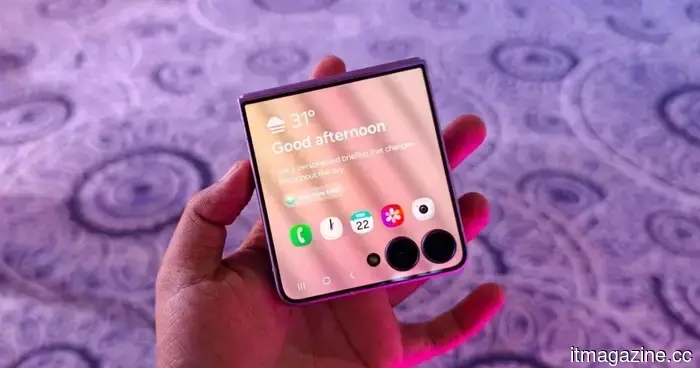
Samsung simplifies the process of using multiple apps on the cover screen of the Galaxy Z Flip 8.
Samsung's Galaxy Z Flip 8 can now operate 16 apps on its cover screen.
Samsung has significantly enhanced the utility of the Galaxy Z Flip's cover screen. With the Galaxy Z Flip 8, users no longer need to use workarounds to access additional apps without unfolding the device. Samsung has increased native support on the FlexWindow, enabling 16 apps to run directly on the external display and streamlining the launch of nearly any other app.
This update addresses a major complaint voiced by Flip users for years and brings Samsung in line with competitors like Motorola, whose Razr series has long provided a more versatile cover screen experience.
Which apps are available on the Galaxy Z Flip 8 cover screen?
Samsung provides the Z Flip 8 with 16 pre-supported apps. Twelve of these are fully optimized system applications, including Bixby, Samsung Browser, Calculator, Calendar, Camera, Clock, Contacts, Gallery, Samsung Health, Notes, Phone, and Voice Recorder, all accessible through a built-in app drawer.
The other four are essential third-party applications: Google Maps, Google Messages, Netflix, and YouTube, categorized under a section called Labs. Samsung notes that the user experience with these may not always be flawless. Additionally, Samsung has improved the Now Bar and Now Nudge features for faster, glanceable access.
What if your preferred app is not officially supported?
Samsung has not eliminated the option of using unsupported apps but has simplified the process. The Good Lock MultiStar module is still necessary for apps that are not officially optimized, but the Galaxy Z Flip 8 now features a prompt on the cover screen to assist with installation and setup. In older Flip models, users had to navigate the settings while the phone was unfolded, making it less intuitive.
According to Android Authority, Samsung intends to extend this updated cover screen functionality to the Galaxy Z Flip 7. However, it's still uncertain if previous Galaxy Z Flip models will receive similar enhancements through a future One UI 9 update.
Manisha Priyadarshini is a tech and entertainment writer with over nine years of editorial experience.
I recently tested the Samsung Galaxy Z Fold 8 Ultra. It’s the pinnacle of foldable design wrapped in a familiar frame.
While it may not appear to be a brand-new design, there are numerous thoughtful engineering adjustments beneath the surface.
Samsung has just concluded its impressive Unpacked event, unveiling three new foldable smartphones alongside two smartwatches. Although I'm quite excited about the compact Galaxy Z Fold 8, it’s the Ultra variant that feels like a true refinement. Notably, upon first glance at the Galaxy Z Fold 8 Ultra, one might mistake it for the Galaxy Z Fold 7.
The appearance of both devices is nearly identical, and Samsung has not made any significant visible alterations to the Galaxy Z Fold 8 Ultra to differentiate it from its predecessor. While the color choices are indeed new, several modifications have been made internally, enhancing the overall experience of this device.
Read more
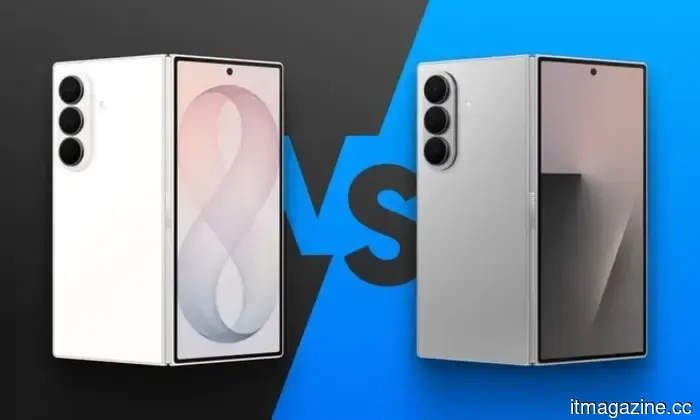
Fold 8 Ultra vs. Fold 7: A broad array of upgrades, but is the Ultra worth the upgrade?
From battery size to camera components, this comparison between the Galaxy Z Fold 8 Ultra and Galaxy Z Fold 7 examines the validity of an upgrade.
Foldables age differently compared to regular smartphones or flagship models. But why do I assert this? It's because the hinge and foldable design are what draw buyers in initially, rather than specifications that become outdated each year. This is why anyone still using last year's Galaxy Z Fold 7 is understandably questioning if Samsung's newly unveiled Z Fold 8 Ultra truly warrants an upgrade, or if the Fold 7 remains competitive.
For those who bypassed last year's model entirely and are contemplating their first foldable purchase, the decision is quite different. A now-discounted Fold 7 could be significantly cheaper than the Ultra, which could influence those focused on the foldable form factor rather than the latest specifications.
Read more
Google has made the transition from iPhone to Android much smoother with Android 17.
Android 17 allows for the transfer of passwords, passkeys, eSIM, and even your home screen.
Shifting from an iPhone to an Android device has traditionally been a challenging process, but Google is working to change that. With Android 17, the company has launched a revamped Android Switch that can migrate substantially more data than any previous version.
Google collaborated with Apple to develop this new transfer system from the ground up, facilitating the wireless transfer of considerably more information. This enhanced experience is now being rolled out to compatible Pixel devices and is also available on Samsung's new Galaxy Z Fold 8 and Galaxy Z Flip 8 through Smart Switch.
Read more

Other articles
 Google has simplified the process of transitioning from iPhone to Android with the release of Android 17.
Android 17 has launched an enhanced migration tool that transfers significantly more data from iPhones than in the past. Wired transfers can now include passwords, passkeys, eSIM, Google Accounts, and additional items.
Google has simplified the process of transitioning from iPhone to Android with the release of Android 17.
Android 17 has launched an enhanced migration tool that transfers significantly more data from iPhones than in the past. Wired transfers can now include passwords, passkeys, eSIM, Google Accounts, and additional items.
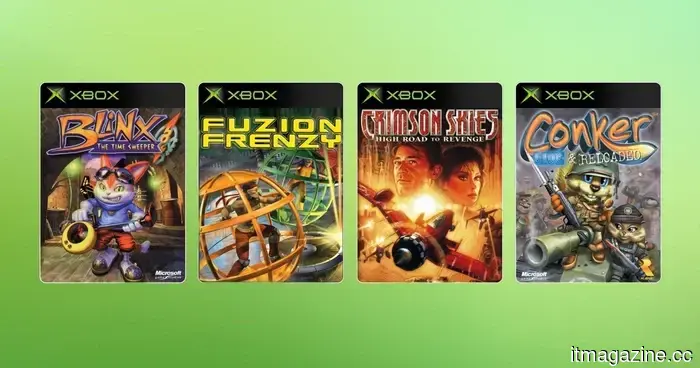 Microsoft is introducing original Xbox games to PC through backward compatibility.
Microsoft introduced Xbox Backward Compatibility for PC, allowing four classic original Xbox titles to be available on Windows and handheld devices for the first time, featuring upscaling, VSync, and achievements that will be added later this year.
Microsoft is introducing original Xbox games to PC through backward compatibility.
Microsoft introduced Xbox Backward Compatibility for PC, allowing four classic original Xbox titles to be available on Windows and handheld devices for the first time, featuring upscaling, VSync, and achievements that will be added later this year.
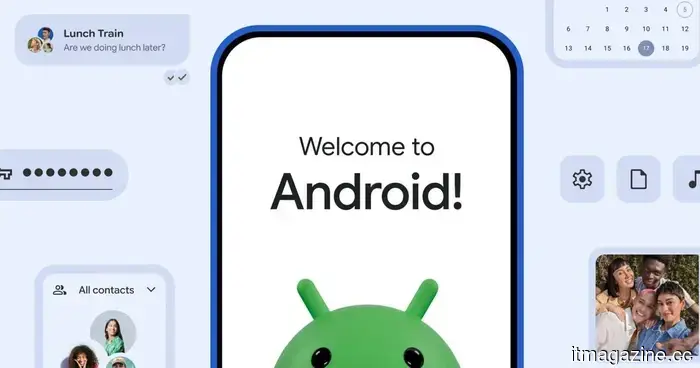 Google has simplified the process of transitioning from iPhone to Android with Android 17.
Android 17 has launched an enhanced migration tool that transfers significantly more data from iPhones than previously. Wired transfers can now include passwords, passkeys, eSIM, Google Accounts, and additional data.
Google has simplified the process of transitioning from iPhone to Android with Android 17.
Android 17 has launched an enhanced migration tool that transfers significantly more data from iPhones than previously. Wired transfers can now include passwords, passkeys, eSIM, Google Accounts, and additional data.
 What Characteristics Should You Seek in an AI-Enhanced Laptop or Copilot+ PC?
Laptops equipped with AI and Copilot+ PCs are gaining importance as the usage of laptops has evolved considerably in recent years. Current workflows are centered on multitasking, collaborating in the cloud, video conferencing, streaming, and utilizing productivity tools that are consistently in use throughout the day. The majority of professionals now rely on laptops for more than just word processing and […]
What Characteristics Should You Seek in an AI-Enhanced Laptop or Copilot+ PC?
Laptops equipped with AI and Copilot+ PCs are gaining importance as the usage of laptops has evolved considerably in recent years. Current workflows are centered on multitasking, collaborating in the cloud, video conferencing, streaming, and utilizing productivity tools that are consistently in use throughout the day. The majority of professionals now rely on laptops for more than just word processing and […]
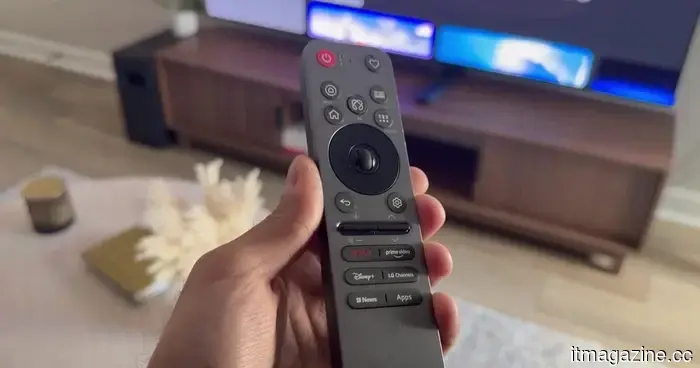 The LG C6 OLED performs excellently right from the start. These adjustments enhance its performance even further.
The LG C6 OLED offers an outstanding experience right from the start, but some easy modifications can enhance it further. After a month of testing, I consistently return to these picture, motion, and sound settings, along with the adjustments that clearly improved the overall viewing experience.
The LG C6 OLED performs excellently right from the start. These adjustments enhance its performance even further.
The LG C6 OLED offers an outstanding experience right from the start, but some easy modifications can enhance it further. After a month of testing, I consistently return to these picture, motion, and sound settings, along with the adjustments that clearly improved the overall viewing experience.
 Fold 8 Ultra vs. Fold 7: Improvements all around, but is the Ultra upgrade truly justified?
Samsung's Galaxy Z Fold8 Ultra features a larger battery, enhanced charging speed, and a significantly upgraded ultra-wide camera compared to the Fold 7, although many fundamental hardware components remain unchanged.
Fold 8 Ultra vs. Fold 7: Improvements all around, but is the Ultra upgrade truly justified?
Samsung's Galaxy Z Fold8 Ultra features a larger battery, enhanced charging speed, and a significantly upgraded ultra-wide camera compared to the Fold 7, although many fundamental hardware components remain unchanged.
Samsung simplifies the process of using multiple apps on the cover screen of the Galaxy Z Flip 8.
Samsung enhanced the Z Flip 8's cover screen by introducing a native app drawer that accommodates 16 apps from the start, resolving years of user dissatisfaction with the previous widget-only feature.