

After months of anticipation, WhatsApp’s Liquid Glass redesign is finally set to arrive on Mac.
WhatsApp's Mac application is set to receive a redesign inspired by Apple's Liquid Glass aesthetic.
WhatsApp has been progressively incorporating Apple's new design style into its applications, but Mac users have generally been left out of this transformation. That is finally changing.
The messaging platform has begun rolling out its Liquid Glass-inspired redesign for the WhatsApp Mac app, aligning the desktop experience more closely with what iPhone and iPad users have been seeing recently. This update introduces a revamped interface with redesigned navigation components, updated menus, and a more streamlined layout that matches Apple's latest design ethos. According to WABetaInfo, this rollout has started with the latest update from the Mac App Store and is currently reaching a limited audience.
This redesign does not introduce any new messaging features or AI tools; rather, it emphasizes visual uniformity, which has become increasingly significant as Apple encourages developers to adopt a cohesive design language throughout its ecosystem.
A familiar interface on the Mac
The updated WhatsApp for Mac includes several interface modifications that enhance its similarity to its mobile versions. The sidebar has been restructured to better manage conversations and navigation, while the chat bar and attachment menu have also been visually updated. Additionally, there is now a dedicated section for Locked Chats and Communities.
Earlier, locked conversations were grouped with regular chats on the Mac app, but they now occupy their own section and require authentication for access, mirroring the privacy features already present on iPhones. Communities can now be accessed directly from the sidebar rather than being hidden within the main chat list.
WhatsApp Unsplash
The rollout has been gradual. WhatsApp initially tested Liquid Glass on iOS last October before expanding its implementation early this year. The Mac app had received minor visual updates last month, but this latest release is the first to create a more cohesive overall experience. WABetaInfo indicates that the new interface is currently available to a limited number of users and will gradually extend to more accounts in the forthcoming weeks.
The significance of design consistency alongside new features
It is easy to overlook interface updates as being purely cosmetic, especially when they don’t include attention-grabbing features. However, desktop messaging apps have become an integral part of daily workflows for many users, who now often spend as much time messaging from a Mac as they do from their phones, whether for work, family discussions, or community groups. A noticeable difference between the desktop and mobile interfaces can make switching between devices feel disjointed.
WhatsApp Unsplash
Apple has prioritized interface consistency in its latest operating systems, urging developers to create experiences that feel familiar across different screens. WhatsApp’s Mac redesign adheres to this path by aligning its desktop app with the versions for iPhone and iPad, treating it as an extension rather than a separate product.
This update also signifies that Meta continues to enhance WhatsApp’s desktop experience at a time when messaging platforms are increasingly expected to provide the same features, security, and refinement across all devices. As the rollout progresses and more users gain access, Mac users can anticipate an application that feels more like a natural extension of the WhatsApp experience they have already become accustomed to on Apple’s mobile devices.




Other articles
 Netflix aims for ‘AI fluency’ among all its employees, yet expertise in the field remains limited.
Elizabeth Stone, the technology chief at Netflix, describes AI fluency as a goal for all positions, while noting that exceptional talent is becoming increasingly rare.
Netflix aims for ‘AI fluency’ among all its employees, yet expertise in the field remains limited.
Elizabeth Stone, the technology chief at Netflix, describes AI fluency as a goal for all positions, while noting that exceptional talent is becoming increasingly rare.
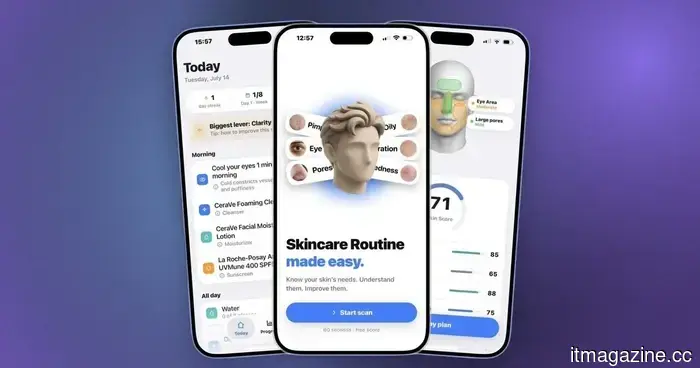 I discovered an iPhone app that creates a skincare regimen based on a 30-second facial scan.
This independent iPhone application develops a skincare routine for the morning and evening based on a facial scan, and it adjusts the routine as your scores fluctuate.
I discovered an iPhone app that creates a skincare regimen based on a 30-second facial scan.
This independent iPhone application develops a skincare routine for the morning and evening based on a facial scan, and it adjusts the routine as your scores fluctuate.
 Xiaohongshu took a risk with a 40-day livestream experiment during the World Cup to investigate the future of long-form content.
When Spain raised the FIFA World Cup trophy on Monday, it marked the conclusion of the 2026 tournament as well as Xiaohongshu's inaugural full-scale World Cup experience.
Xiaohongshu took a risk with a 40-day livestream experiment during the World Cup to investigate the future of long-form content.
When Spain raised the FIFA World Cup trophy on Monday, it marked the conclusion of the 2026 tournament as well as Xiaohongshu's inaugural full-scale World Cup experience.
 Ant International secures $1.2 billion to support its expansion in payments outside of China.
Ant International, an affiliate of Ant Group, has secured approximately $1.2 billion, supported by Alibaba and Ant Group, to expand its cross-border merchant payments operations.
Ant International secures $1.2 billion to support its expansion in payments outside of China.
Ant International, an affiliate of Ant Group, has secured approximately $1.2 billion, supported by Alibaba and Ant Group, to expand its cross-border merchant payments operations.
 The Snapseed Camera now enables Android users to save original images and include geotags.
Google has enhanced the Snapseed Camera for Android by introducing geotag support, saving original photos, and improving file management for photographers.
The Snapseed Camera now enables Android users to save original images and include geotags.
Google has enhanced the Snapseed Camera for Android by introducing geotag support, saving original photos, and improving file management for photographers.
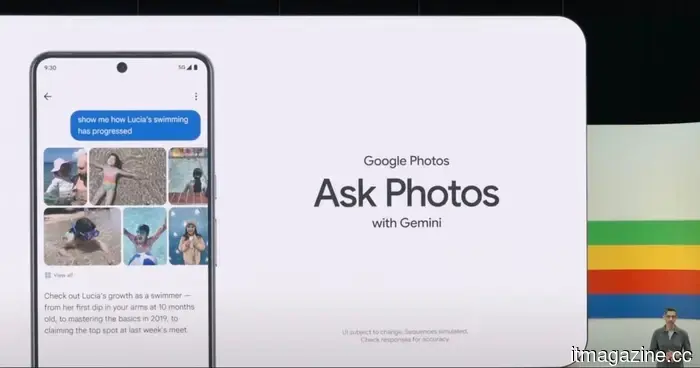 Google Photos introduces a convenient switch between AI and traditional search.
Individuals who have chosen to use Ask Photos can now toggle between results powered by Gemini and standard search results directly from the results page.
Google Photos introduces a convenient switch between AI and traditional search.
Individuals who have chosen to use Ask Photos can now toggle between results powered by Gemini and standard search results directly from the results page.
After months of anticipation, WhatsApp’s Liquid Glass redesign is finally set to arrive on Mac.
WhatsApp has started implementing its redesign for Mac, inspired by Liquid Glass, which features an updated interface, enhanced navigation, and specific sections for Locked Chats and Communities.