
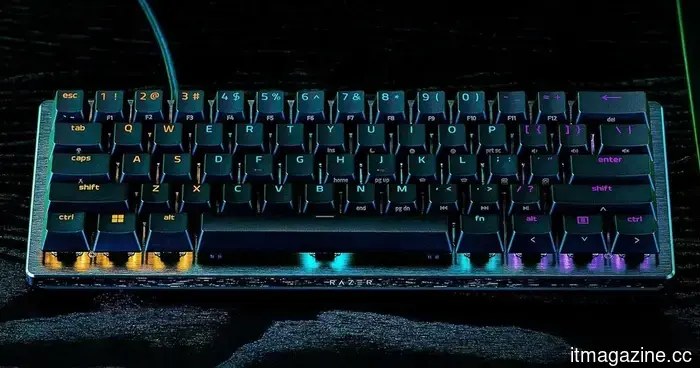
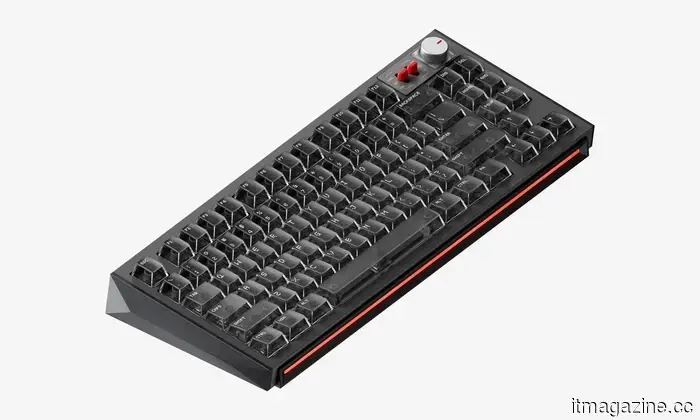
I came across five mechanical keyboards that I would gladly suggest for Back-to-School.
Purchasing a mechanical keyboard is distinct from buying a laptop. Instead of relying on flashy specifications or benchmark figures, the ideal keyboard is one you will appreciate daily. Whether you're taking notes in class, composing essays, coding into the late hours, or relaxing with some gaming after lectures, the right keyboard matters. After reviewing numerous options, I continually returned to these five selections. They range from budget-friendly beginner boards to high-end keyboards and gaming-focused options for esports. Most importantly, these keyboards are ones I would genuinely recommend for the Back-to-School season.
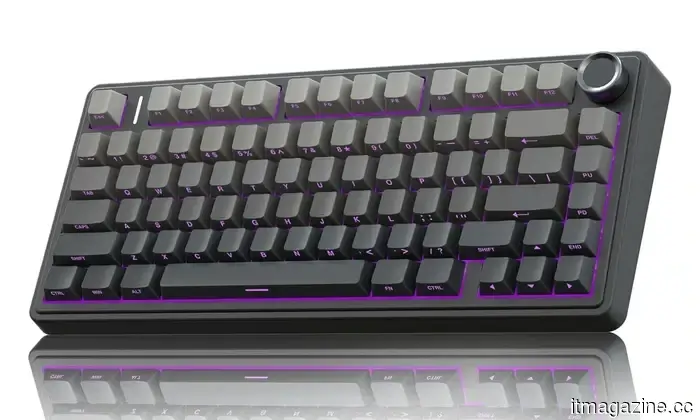
**AULA F75 Pro**
**Pros**
- Outstanding value for the price
- Great typing experience right out of the box
- Hot-swappable switches
- Tri-mode connectivity
**Cons**
- Software is not the most refined
- Plastic build is not as premium as more expensive models
The AULA F75 Pro is a mechanical keyboard that consistently delivers excellent performance for its price. It provides a typing experience typically found in much pricier keyboards, making it an ideal recommendation for students purchasing their first mechanical keyboard.
The compact 75% layout saves desk space while maintaining dedicated arrow keys. Its gasket-mounted design and five-layer sound dampening create a pleasantly soft, “thocky” feel with each keystroke. With Bluetooth, 2.4GHz wireless, and USB-C support, transitioning between a laptop, tablet, and desktop is seamless. The hot-swappable switches also allow for easy customization in the future.
For most students, this is likely the best starting point. It’s affordable, has great sound quality out of the box, and boasts enough premium features that an upgrade won't feel urgent for a long time.
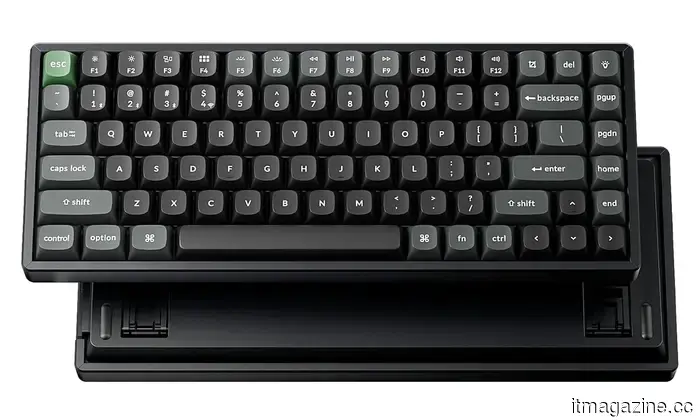
**Keychron K2 Ultra**
**Pros**
- High-quality aluminum build
- Exceptional typing experience
- Hot-swappable switches
- Strong compatibility with macOS and Windows
**Cons**
- Slightly heavier compared to most 75% keyboards
- On the pricier side
Keychron has a reputation for producing keyboards that excel in both office and gaming environments, and the K2 Ultra upholds this standard. It’s the keyboard I would suggest to anyone who spends significant time typing and gaming alike.
The impressive build quality stands out, and the hot-swappable mechanical switches make it easy to try out different types in the future. With wireless connectivity, excellent battery life, and seamless compatibility with both Windows and macOS, it’s a fantastic option for students who move between classes and home.
While the K2 Ultra isn't the cheapest option available, it's a purchase that one can appreciate over many years. It's built to last, provides a great typing experience, and doesn’t appear overly “gaming” when placed on a study desk.
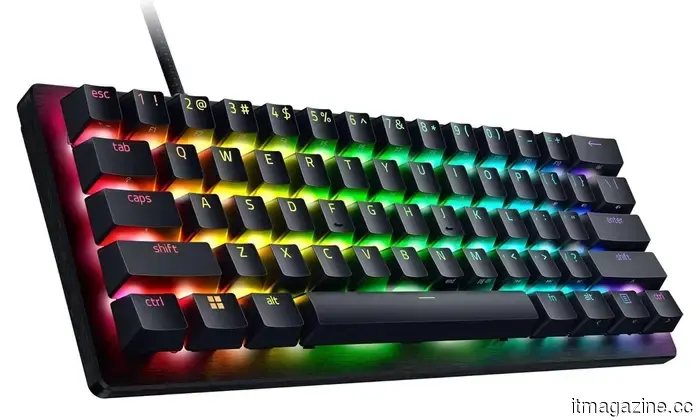
**Razer Huntsman V3 Pro Mini**
**Pros**
- Ultra-fast analog optical switches
- Customizable actuation and Rapid Trigger feature
- Compact 60% layout
- Designed specifically for competitive gaming
**Cons**
- Lacks dedicated arrow keys
- Not the best choice for extensive productivity tasks
To be frank, not all students require an esports-oriented keyboard. However, for those who regularly engage in competitive gaming, the Razer Huntsman V3 Pro Mini is among the finest compact gaming keyboards available.
Its analog optical switches allow users to adjust how far each key must be pressed to register an input, while the Rapid Trigger feature almost instantly resets keys for quicker repeated actions. These features have become increasingly sought after among players of titles like Valorant and Counter-Strike because they enhance responsiveness and control in gameplay.
I would recommend this keyboard primarily for gamers. The 60% layout is excellent for maximizing mouse space, but the absence of function keys and dedicated arrows may hinder everyday productivity.
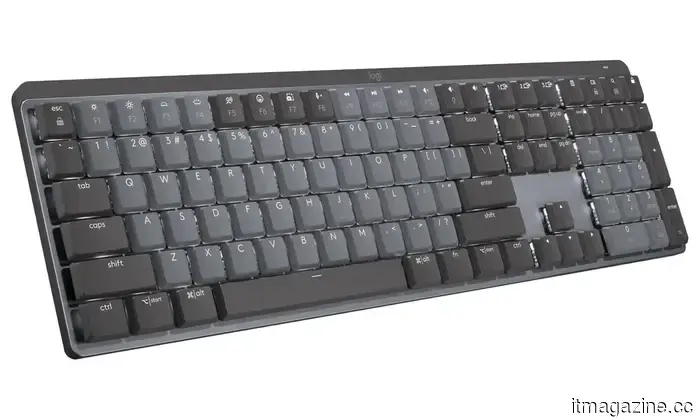
**Logitech MX Mechanical Wireless**
**Pros**
- Comfortable low-profile typing experience
- Excellent battery life
- Simple switching between multiple devices
- Strong software support
**Cons**
- Not specifically designed for gaming
- More expensive than standard office keyboards
Mechanical keyboards don’t always need to be loud or eye-catching. The Logitech MX Mechanical exemplifies this with a sleek, understated design that suits both lecture halls and home desks comfortably.
Its low-profile mechanical switches provide a typing experience that feels quicker and quieter than many traditional mechanical keyboards, while the Easy-Switch feature from Logitech allows for seamless transitions between multiple devices. If you’re frequently switching between a Windows laptop, MacBook, and tablet throughout the day, this keyboard integrates perfectly into that workflow.
For students who prioritize writing assignments, programming, or productivity over RGB lighting, I’d recommend this keyboard without hesitation. It feels refined, dependable, and comfortable enough for extended use.
**NuPhy WH80**
**Pros**
- Attractive premium design
- Smooth factory-lubed switches
- Excellent wireless performance
- Great typing sound
**Cons**
- Harder to find than mainstream brands
- Premium price point
NuPhy has quietly emerged as a respected name among mechanical keyboard
Other articles
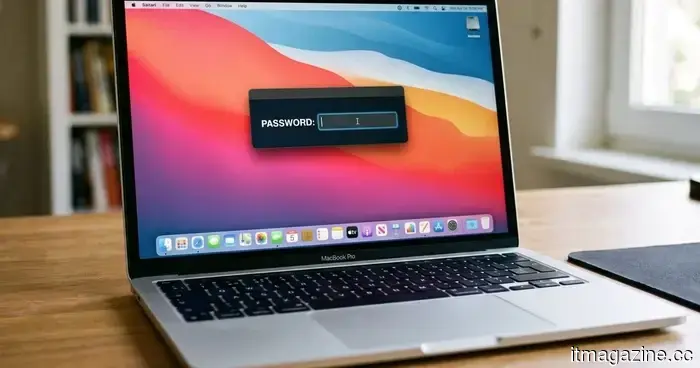 This new malware for Mac will prevent you from using your computer until you give up your password.
ClickLock is a new malware for macOS that persistently terminates system processes and deceives victims into providing their login passwords to steal confidential information.
This new malware for Mac will prevent you from using your computer until you give up your password.
ClickLock is a new malware for macOS that persistently terminates system processes and deceives victims into providing their login passwords to steal confidential information.
 In what ways do ink tank printers lower printing expenses in the long run?
Although the initial cost of an ink tank printer might be greater, its reduced ink expenses and fewer refills can make it a wiser long-term investment for those who print frequently at home.
In what ways do ink tank printers lower printing expenses in the long run?
Although the initial cost of an ink tank printer might be greater, its reduced ink expenses and fewer refills can make it a wiser long-term investment for those who print frequently at home.
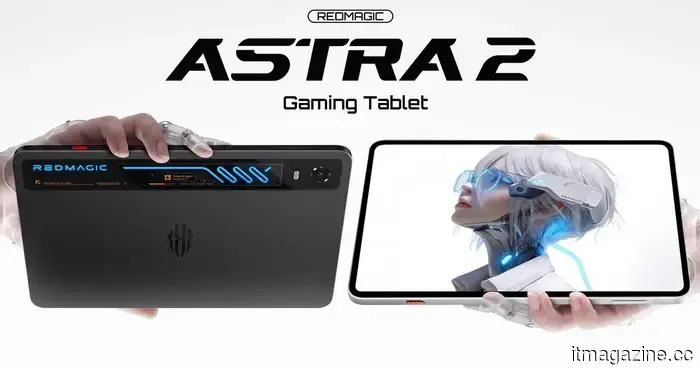 Red Magic's OLED gaming tablet, akin to the size of an iPad mini and featuring liquid cooling, is now available worldwide.
International customers will soon have the option to purchase Red Magic’s liquid-cooled OLED gaming tablet in two different memory configurations.
Red Magic's OLED gaming tablet, akin to the size of an iPad mini and featuring liquid cooling, is now available worldwide.
International customers will soon have the option to purchase Red Magic’s liquid-cooled OLED gaming tablet in two different memory configurations.
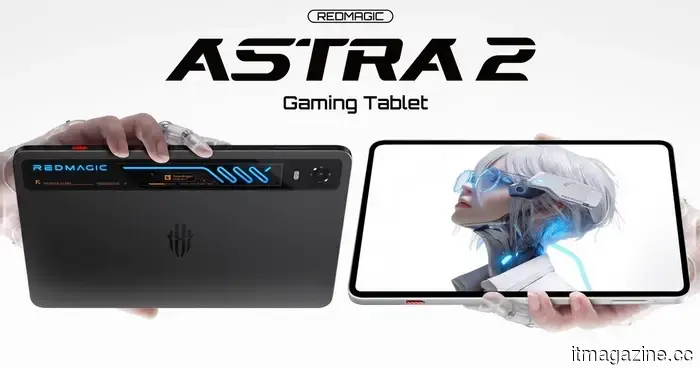 Red Magic's OLED gaming tablet, comparable in size to an iPad mini and featuring liquid cooling, is set to launch worldwide.
Global customers will soon have the option to purchase Red Magic's liquid-cooled OLED gaming tablet in two different memory configurations.
Apple has surpassed Nvidia to regain the title of the world's most valuable company, now valued at $4.88 trillion.
Apple reached a market value of $4.88 trillion, while Nvidia decreased by 3.5% to $4.86 trillion. Nvidia had maintained the leading position for nearly a year. Investors are expanding their interest in AI to include areas beyond just chips.
Red Magic's OLED gaming tablet, comparable in size to an iPad mini and featuring liquid cooling, is set to launch worldwide.
Global customers will soon have the option to purchase Red Magic's liquid-cooled OLED gaming tablet in two different memory configurations.
Apple has surpassed Nvidia to regain the title of the world's most valuable company, now valued at $4.88 trillion.
Apple reached a market value of $4.88 trillion, while Nvidia decreased by 3.5% to $4.86 trillion. Nvidia had maintained the leading position for nearly a year. Investors are expanding their interest in AI to include areas beyond just chips.
 Lenovo's latest gaming laptop is the first to offer a 240Hz OLED display printed with inkjet technology.
Lenovo's latest Legion R9000P is the first laptop to incorporate an inkjet-printed OLED display, boasting a refresh rate of 240Hz and more than 99% coverage of the DCI-P3 color space.
Lenovo's latest gaming laptop is the first to offer a 240Hz OLED display printed with inkjet technology.
Lenovo's latest Legion R9000P is the first laptop to incorporate an inkjet-printed OLED display, boasting a refresh rate of 240Hz and more than 99% coverage of the DCI-P3 color space.
I came across five mechanical keyboards that I would gladly suggest for Back-to-School.
Searching for the ideal back-to-school mechanical keyboard? These five selections provide an excellent combination of comfort, performance, and consistent reliability for everyday use.