
The Android desktop mode made me long for my laptop in no time at all.
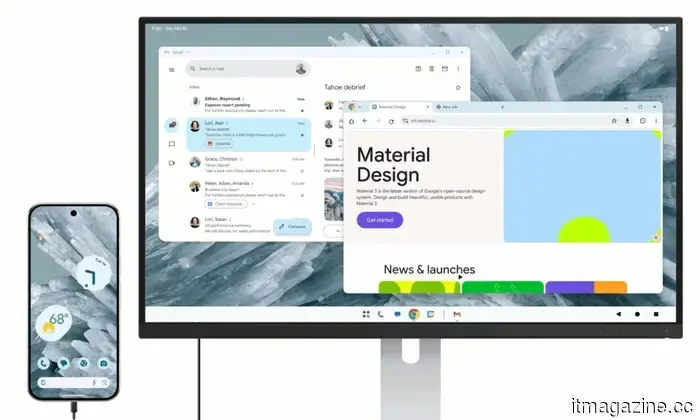
Android 17's desktop mode has a straightforward proposition: connect your phone to a monitor, add a keyboard and mouse, and watch your pocket-sized device mimic a computer. I aimed to give this proposition a genuine trial by using it for an entire workday instead of just a quick demonstration.
The plan was intentionally mundane: write an article, edit it, create the page in WordPress, upload necessary files, and publish it without retreating to my laptop out of fear.
Initially, the illusion was convincing. That's where the complications began.
When it almost appears believable
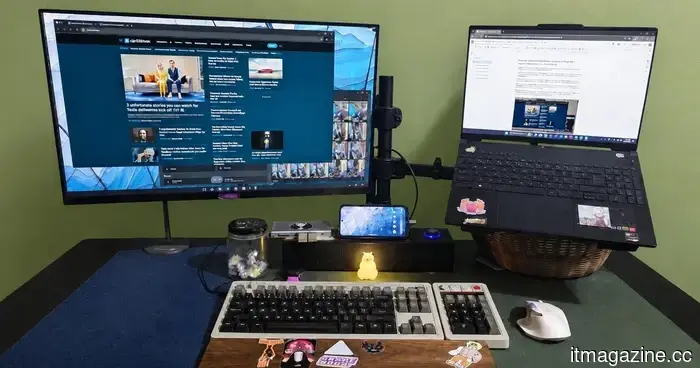
The first hour was surprisingly manageable, which made the situation feel more suspicious. With a monitor, keyboard, mouse, and USB-C hub connected, Android desktop mode came close to resembling a true desktop experience. I had multiple browser tabs open, could edit a document, and access messaging apps.
For a brief period, I could entertain the tidy little fantasy that many have envisioned since smartphones surpassed the laptops we relied on during our college years.
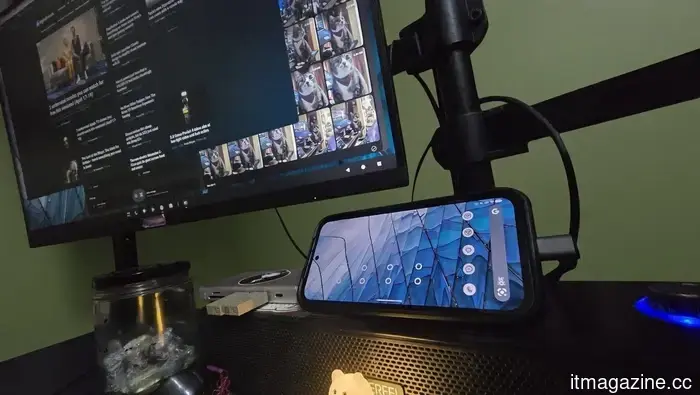
A Pixel 8a powering a desktop setup via a USB-C hub with HDMI, keyboard, mouse, and Bluetooth speaker capabilities.
The downside is that desktop mode only seems convenient after you've reconstructed a desk around it. My phone relied on a hub to connect the monitor, charger, keyboard, mouse, and HDMI output, ensuring they functioned seamlessly together. While Bluetooth may reduce cable clutter, it introduces the hassle of pairing devices, managing batteries, and the nagging uncertainty of whether everything will reconnect before my patience runs out.
When portability stops meaning portable
The argument for portability was where issues began to emerge. In theory, I could use a hotel TV as a monitor and turn my phone into a makeshift newsroom; in reality, this meant lugging around a collection of accessories and pretending that still counted as traveling light. Desktop mode addresses the issue of lacking a laptop by requiring me to simulate everything around a laptop—except for the actual laptop.
At this stage, the inevitable question becomes difficult to ignore: Why not just bring the device that already has the screen, keyboard, trackpad, ports, battery management, and operating system tailored for this specific task?
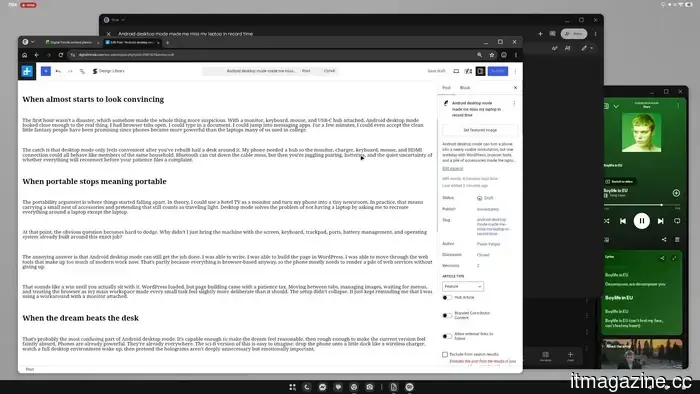
The frustrating answer is that Android desktop mode is still functional. I could write, create the page in WordPress, and navigate the web tools that dominate modern work. This is partly because most services are browser-based, so the phone primarily needs to display a collection of web applications without faltering.
This may seem like a success until you actually experience it. WordPress opened, but building the page came with a patience cost. Switching between tabs, managing images, waiting for dropdowns, and using the browser as my primary workspace made even minor tasks feel a touch more deliberate than they ought to be.
The setup didn't fail; it continually reminded me that I was operating a workaround with a monitor attached.
When the fantasy overshadows the desk
This is perhaps the most perplexing aspect of Android desktop mode. It is competent enough to make the fantasy feel plausible, yet rough enough that the current version seems somewhat ridiculous. Smartphones are already powerful and ubiquitous.
A futuristic vision is easy to imagine: place the phone on a docking station, watch a full desktop environment boot up, then ignore the holograms that may be unnecessary but carry emotional significance.
That future still excites me. I would love to see a world where the phone truly becomes the computer, instead of a makeshift laptop substitute surrounded by adapters. Android desktop mode feels like progress toward that vision, but a single step is not the final destination, regardless of the number of cables involved.
So indeed, I wrote and created an article using my phone. I could likely do it again, which may be the most frustrating acknowledgment here. The tougher question is why I would, unless something had already gone awry.
If the most genuine use case remains some version of "I guess, in an emergency," who is Android desktop mode really intended for?
Other articles
 Spotify's streaming fraud problem is so significant that Kalshi traders are benefiting from manipulated charts.
According to a report by the Financial Times, Spotify has taken down over half a million streams from Malcolm Todd's song "Earrings" due to suspected bot activity. The track, which was initially released in 2024, unexpectedly surged to the top spot on Spotify's daily U.S. chart after a significant increase in its streams. Concurrently, traders on prediction [...]
Spotify's streaming fraud problem is so significant that Kalshi traders are benefiting from manipulated charts.
According to a report by the Financial Times, Spotify has taken down over half a million streams from Malcolm Todd's song "Earrings" due to suspected bot activity. The track, which was initially released in 2024, unexpectedly surged to the top spot on Spotify's daily U.S. chart after a significant increase in its streams. Concurrently, traders on prediction [...]
 China's regulations on AI companions lead to the shutdowns of Doubao and Qwen.
Doubao and Qwen are withdrawing user-generated agents ahead of Beijing's regulations on humanlike AI interaction set to take effect on July 15, marking the first framework of its kind in the world.
China's regulations on AI companions lead to the shutdowns of Doubao and Qwen.
Doubao and Qwen are withdrawing user-generated agents ahead of Beijing's regulations on humanlike AI interaction set to take effect on July 15, marking the first framework of its kind in the world.
 Mistral's CEO: Proprietary AI models grant an advantage to providers.
Arthur Mensch encourages businesses to adopt open source solutions, cautioning that closed AI providers keep data and vie with their own clients. The message culminates at Mistral.
Mistral's CEO: Proprietary AI models grant an advantage to providers.
Arthur Mensch encourages businesses to adopt open source solutions, cautioning that closed AI providers keep data and vie with their own clients. The message culminates at Mistral.
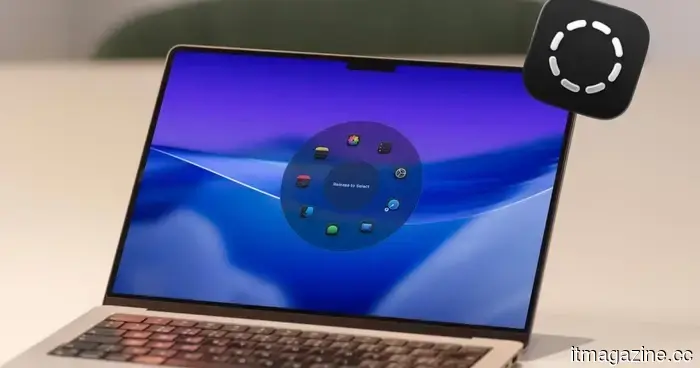 I’ve allowed the Radial menu to take control of my Mac, and I have no intention of reverting.
I dedicated a week to testing Radial, a Mac application that places your shortcuts, scripts, and automations directly at your cursor, and it has already transformed my usage of the Mac.
I’ve allowed the Radial menu to take control of my Mac, and I have no intention of reverting.
I dedicated a week to testing Radial, a Mac application that places your shortcuts, scripts, and automations directly at your cursor, and it has already transformed my usage of the Mac.
 UK parents cautioned about the risk of AI-generated child abuse images.
The NCA and IWF urge parents to cease publicly sharing photos of their children, as the number of AI-generated abuse videos skyrocketed from 13 to 3,440 within a year.
UK parents cautioned about the risk of AI-generated child abuse images.
The NCA and IWF urge parents to cease publicly sharing photos of their children, as the number of AI-generated abuse videos skyrocketed from 13 to 3,440 within a year.
 Hon Hai reports a 40% increase in sales driven by demand for AI servers.
Foxconn's parent company, Hon Hai, exceeded expectations with a 40% increase in quarterly sales, driven by rising demand for Nvidia AI racks, and stated that this momentum is expected to persist.
Hon Hai reports a 40% increase in sales driven by demand for AI servers.
Foxconn's parent company, Hon Hai, exceeded expectations with a 40% increase in quarterly sales, driven by rising demand for Nvidia AI racks, and stated that this momentum is expected to persist.
The Android desktop mode made me long for my laptop in no time at all.
The Android desktop mode can transform a phone into a fairly functional workstation; however, after spending a workday using WordPress, browser tools, and numerous accessories, the laptop seemed refreshingly straightforward.