

macOS 27 Golden Gate: What we know about the upcoming features arriving on your Mac.
Apple has officially announced macOS 27 Golden Gate, the upcoming major version of macOS set to be released for compatible Macs later this year. Unlike last year's macOS Tahoe update, which focused on a new Liquid Glass design, Golden Gate appears to be more about refining the existing system and enhancing Apple Intelligence.
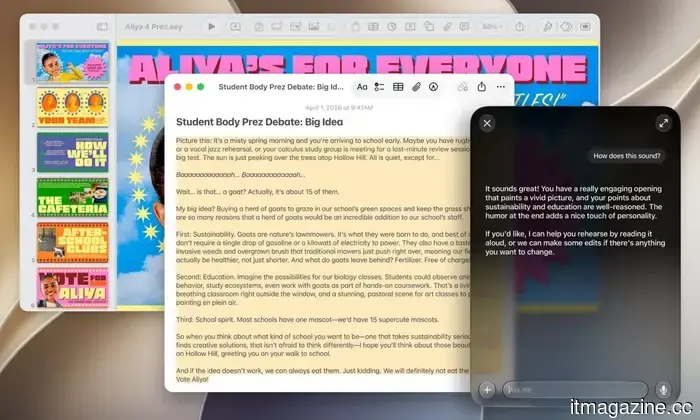
macOS Golden Gate is filled with new features, including a redesigned Siri AI, a new standalone Siri app, Visual Intelligence for Mac, enhanced Apple Intelligence capabilities across key applications, performance upgrades, and important design adjustments. This update is particularly significant as Intel Macs are no longer included in the list of supported devices.
Here’s what we know so far about macOS Golden Gate.
When is macOS Golden Gate expected to be released?
Apple has indicated that macOS 27 Golden Gate will be available this fall. This aligns with Apple’s typical schedule for macOS releases, so a broader public rollout is anticipated around September or October, coinciding with other major operating system updates from Apple.
The developer beta is already accessible, with a public beta likely to arrive in July. As usual, it is advisable to refrain from installing an early developer beta on your primary Mac unless you are ready to handle potential bugs, app compatibility issues, and incomplete features.
Which Macs are compatible with macOS Golden Gate?
macOS Golden Gate signifies the discontinuation of support for Intel Macs. Apple's official compatibility list now exclusively features Apple Silicon machines, which include:
- MacBook Neo (2026)
- MacBook Air with Apple silicon (2020 and later)
- MacBook Pro with Apple silicon (2020 and later)
- iMac with Apple silicon (2021 and later)
- Mac mini with Apple silicon (2020 and later)
- Mac Studio (2022 and later)
- Mac Pro with Apple silicon (2023)
If you're using an Intel MacBook Pro, Intel MacBook Air, Intel iMac, or Intel Mac Mini, it seems that macOS Tahoe will be your final major macOS update. Additionally, it's important to note that the experience of using macOS Golden Gate may vary across supported models. Apple Intelligence features are available on Macs with M1 chips and newer, but certain advanced functionalities necessitate updated hardware. For instance, customizing Siri's voice requires a Mac with M3 or later and at least 12GB of unified memory.
Siri AI is the centerpiece
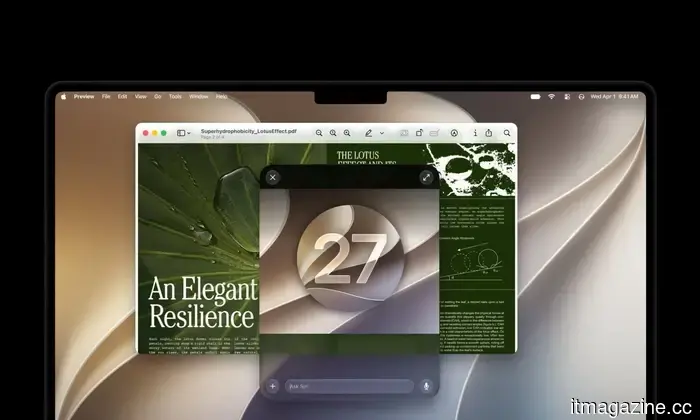
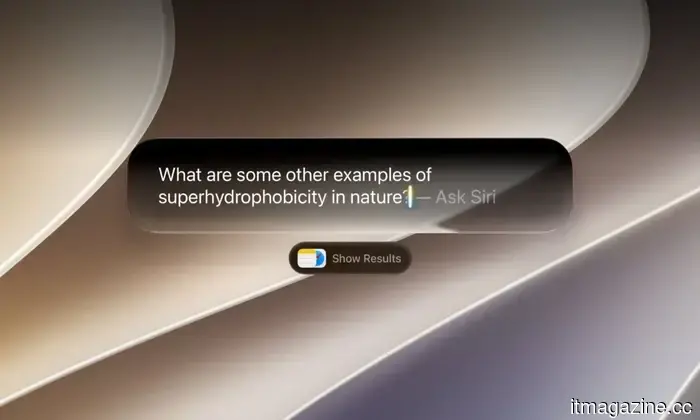
Similar to the iOS 27 update, the main highlight in macOS Golden Gate is Siri AI. During the WWDC 2026 event, Apple revealed a significantly more capable version of Siri, enhanced by Apple Intelligence, tailored for natural conversations, detailed answers, and more comprehensive systemwide support. On Mac, Siri AI can be accessed through voice or text input. Users can ask open-ended questions, brainstorm, seek assistance with various tasks, and engage in ongoing dialogues in a manner that resembles a contemporary AI assistant, unlike the previous Siri version.
Siri is also being more seamlessly integrated into Spotlight. When searching for information, if Siri is deemed the best option, an “Ask Siri” prompt may appear as the top result. The goal is to make Siri feel like an organic part of your daily routine rather than a separate assistant you need to call upon occasionally.
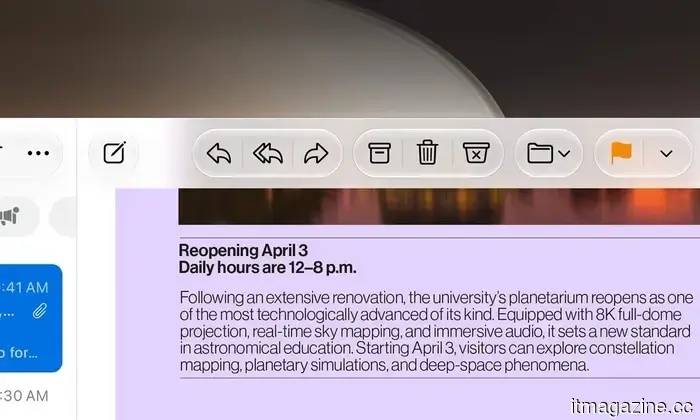
Siri AI is now able to grasp more of your personal context. This means it can assist in finding old photos, locating emails, retrieving saved notes, or answering questions using data across your applications. Apple has been promising such capabilities for a while, and Golden Gate seems to be the moment this functionality becomes essential to the Mac experience. This contextual awareness works across Mail, Photos, Notes, Messages, and Finder.
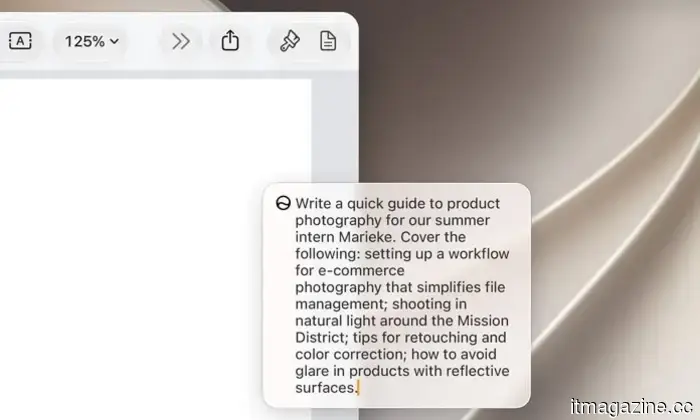
Moreover, Siri AI is also improving its ability to perform actions, not just respond to inquiries. According to Apple, it can take actions in applications like Messages, Music, and Reminders based on your activities. Examples include editing a recently sent message, creating reminders, adding songs to playlists, sending emails, taking notes, rotating images, or scheduling events. The promise is that Siri can comprehend the context and assist in completing tasks without needing to switch between various applications.
This could prove especially beneficial on macOS, where multitasking often involves managing multiple windows, tabs, and documents.
New standalone Siri application
Complementing Siri AI is the new dedicated Siri app. Apple's AI is now more than just a voice assistant. All features are centralized within this app. It enables you to initiate a conversation on your Mac and continue it later on your iPhone. You can pin important discussions or initiate new ones directly from the app. This setup is much more aligned with how users typically interact with AI chatbots, seamlessly integrated into Apple's ecosystem.
For Mac users, this could be one of the most significant changes. Siri has never been particularly crucial in macOS, but a standalone app provides a clearer purpose.
Visual Intelligence arrives on your Mac
Visual Intelligence is also being introduced in macOS Golden Gate, but it operates somewhat differently



Other articles
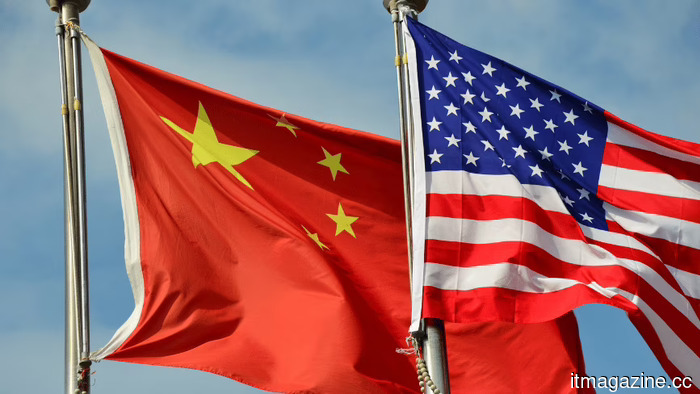 The global consensus is that China is leading in the AI competition.
A Public First survey of 18,000 individuals across 15 nations revealed that a majority now perceives China as surpassing the US in AI capabilities, although China remains behind in terms of trust.
The global consensus is that China is leading in the AI competition.
A Public First survey of 18,000 individuals across 15 nations revealed that a majority now perceives China as surpassing the US in AI capabilities, although China remains behind in terms of trust.
 The United States claims that a chip tool from ASML is located in China, but ASML refutes this.
Commerce chief Howard Lutnick states that one of ASML's leading chip manufacturing machines might have arrived in China. However, ASML maintains that it has never delivered an EUV tool to the country.
The United States claims that a chip tool from ASML is located in China, but ASML refutes this.
Commerce chief Howard Lutnick states that one of ASML's leading chip manufacturing machines might have arrived in China. However, ASML maintains that it has never delivered an EUV tool to the country.
 This research uncovered an unexpected benefit for mental health lurking in your game collection.
A recent study discovered that adults who engage in open-world games or casual titles feel less lonely and exhibit greater emotional resilience compared to those who do not play games at all.
This research uncovered an unexpected benefit for mental health lurking in your game collection.
A recent study discovered that adults who engage in open-world games or casual titles feel less lonely and exhibit greater emotional resilience compared to those who do not play games at all.
 Jio submits application for the largest IPO in India and a competitor to Starlink.
Reliance Jio has submitted an application for what might be the largest IPO in India’s history and utilized the same Annual General Meeting to introduce a $15 billion satellite network to compete with Starlink.
A startup claims it has solved the obstacle that was hindering AI progress.
Miami-based startup Subquadratic asserts that its SubQ model overcomes the limitations of 'quadratic attention.' Independent evaluations support many of its claims, though skepticism persists.
Jio submits application for the largest IPO in India and a competitor to Starlink.
Reliance Jio has submitted an application for what might be the largest IPO in India’s history and utilized the same Annual General Meeting to introduce a $15 billion satellite network to compete with Starlink.
A startup claims it has solved the obstacle that was hindering AI progress.
Miami-based startup Subquadratic asserts that its SubQ model overcomes the limitations of 'quadratic attention.' Independent evaluations support many of its claims, though skepticism persists.
 In two recent medical studies, AI either matched or surpassed the performance of doctors.
In studies published in Nature, Germany's Mira and Google's Amie, two AI systems, either matched or surpassed doctors in diagnosis and treatment; however, this was only demonstrated in simulated environments.
In two recent medical studies, AI either matched or surpassed the performance of doctors.
In studies published in Nature, Germany's Mira and Google's Amie, two AI systems, either matched or surpassed doctors in diagnosis and treatment; however, this was only demonstrated in simulated environments.
macOS 27 Golden Gate: What we know about the upcoming features arriving on your Mac.
Apple's macOS Golden Gate update introduces Siri AI, Visual Intelligence, enhanced Apple Intelligence features, improvements to Liquid Glass, and a significant compatibility change for Mac users. Here's all the information you need.