
These 7 concealed features of iOS 27 have subtly enhanced my iPhone experience.
Each iOS update typically includes several prominent features that capture most of the attention. However, for me, it's often the subtle, less flashy updates that truly enhance my daily routine. iOS 27 is filled with these minor improvements, and after trying out the iOS 27 beta, I've noticed seven changes that have significantly enhanced my everyday experience.
Connectivity Assist keeps me connected
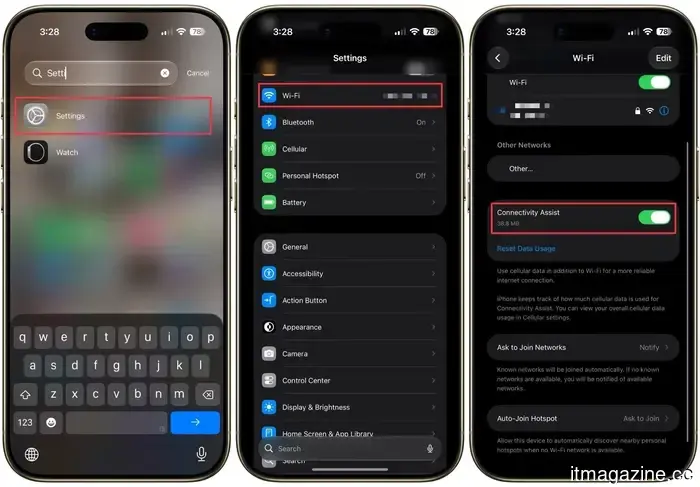
If you've ever experienced your iPhone freezing on a webpage while stubbornly sticking to a weak Wi-Fi connection, you'll be glad for this. Apple has introduced a feature called Connectivity Assist, which allows your iPhone to automatically switch to cellular data when you're on a shaky or weak Wi-Fi network. You can find this option in the Settings under Wi-Fi.
This feature ensures that your iPhone maintains connectivity, seamlessly switching to cellular data when necessary. Just be aware that it may use a bit more of your mobile data in the background, so if you're on a limited plan, keep an eye on it.
Auto-paste suggestion for copied content
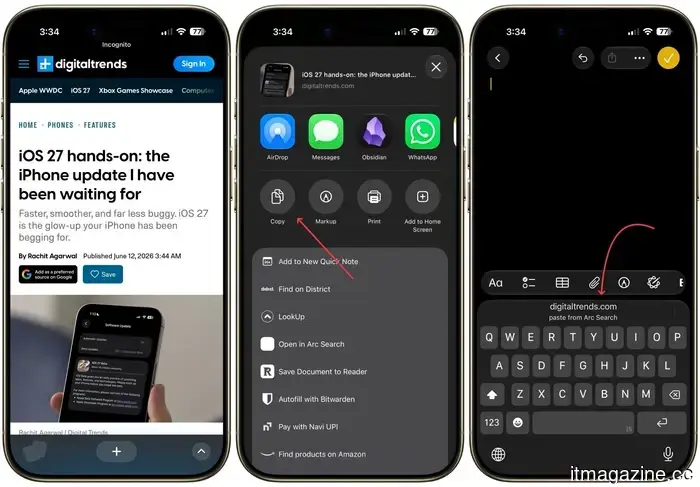
This is one of those small tweaks that greatly enhances your daily life. Now, whenever I copy text, the keyboard displays a paste suggestion directly above it. Instead of having to long-press the text field and searching for the paste option, I can simply tap the suggestion, and it's done.
It may seem trivial, but I find myself copying and pasting numerous items throughout the day, from links to addresses to messages, making the entire process feel seamless.
Distinct volumes for alarms and ringtones
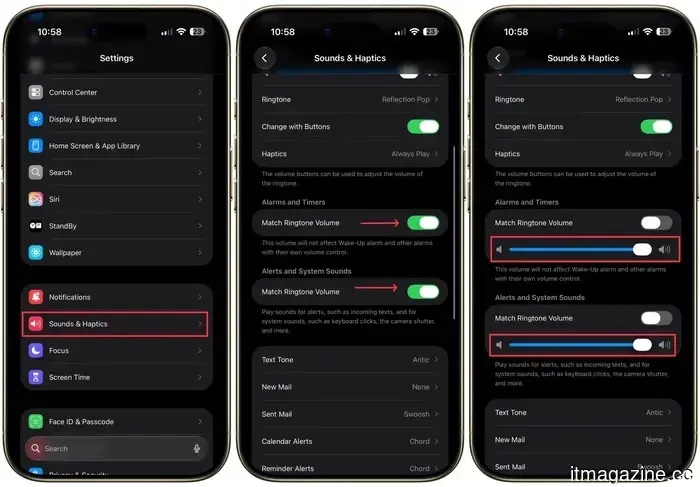
Previously, your alarm and ringtone shared the same volume level, meaning if you decreased your ringer at night, your morning alarm could be too quiet to wake you up. With iOS 27, you can finally set different volumes for ringtones and alarms.
To do this, head to Settings, then Sounds & Haptics, and turn off Match Ringtone Volume. From there, you can independently adjust the volumes for alarms, timers, and system sounds.
Now I can keep my ringtone at a low volume during the day without worrying about my alarm failing to wake me up the next morning.
A new widget size for connectivity in Control Center
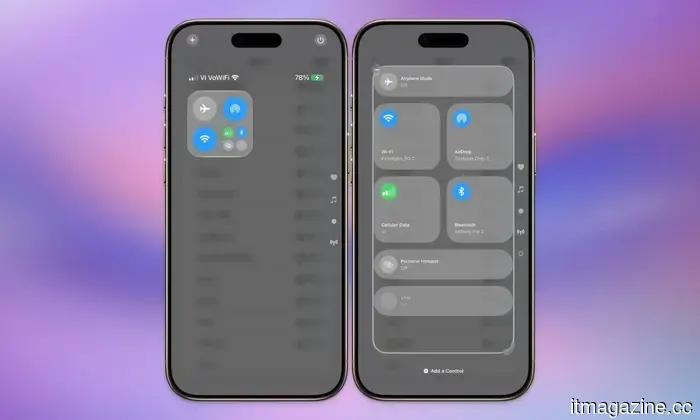
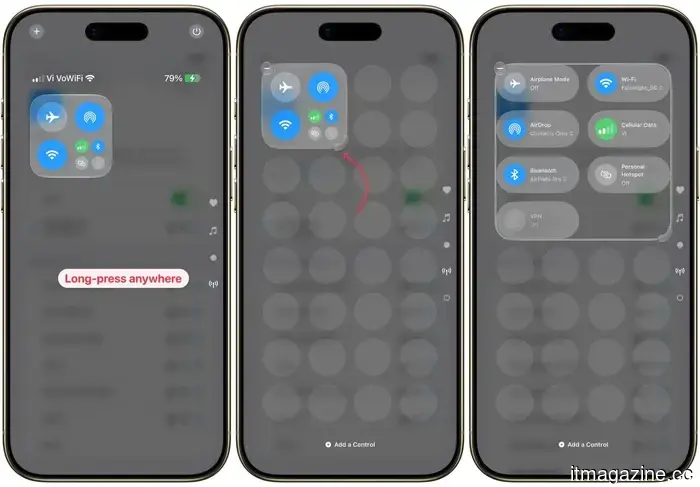
The connectivity widget in Control Center provides quick access to your Bluetooth, Wi-Fi, cellular data, AirDrop, and more. In iOS 26, you could only select this widget in either small or large sizes.
Using the small size required two taps to access the controls, while the large version took up the entire space. With the iOS 27 update, there's now an intermediate option. To access this, long-press the Control Center to enter edit mode and use the corner drag handle to resize it.
This new widget occupies half the page, allowing space for other controls while enabling one-tap access to all connectivity toggles.
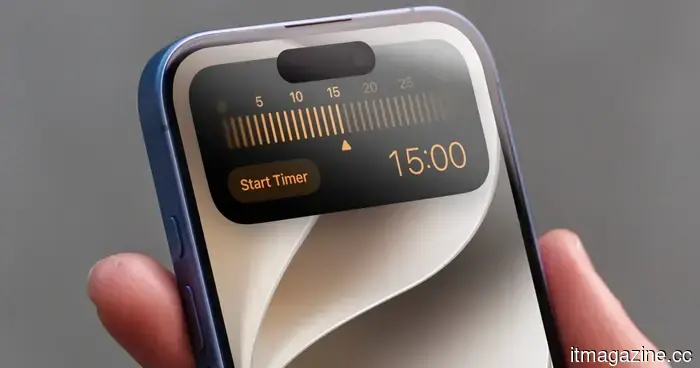
Setting timers has become faster
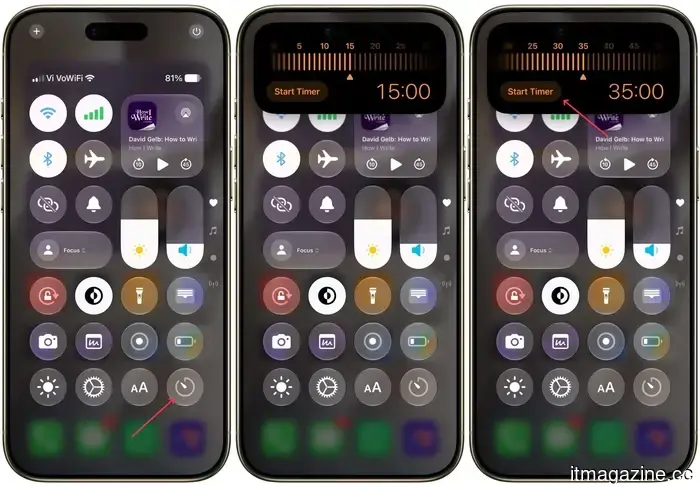
In earlier iOS versions, you could add a Control Center toggle for creating timers. However, tapping that toggle would just open the Clock app, which seemed illogical.
With iOS 27, the timer toggle now works as intended. When tapped, it opens an overlay that allows you to swiftly set a timer.
I can easily swipe left and right to adjust the time and hit the "Set Timer" button to start it without needing to open an app. It's quick, efficient, and lets me set timers without switching applications.
Dictation has received a much-needed upgrade
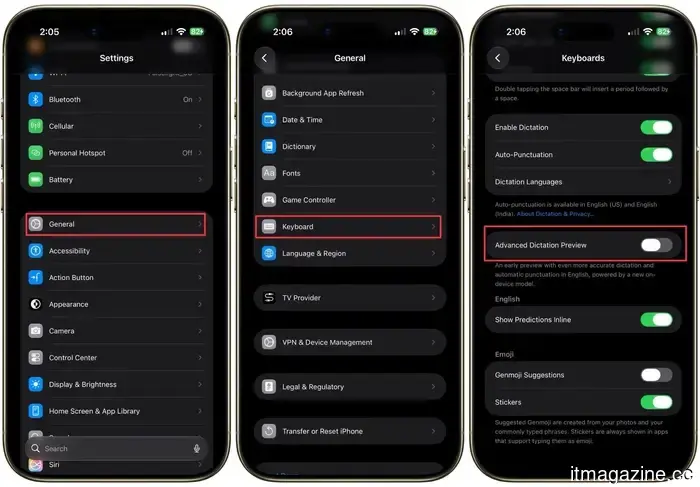
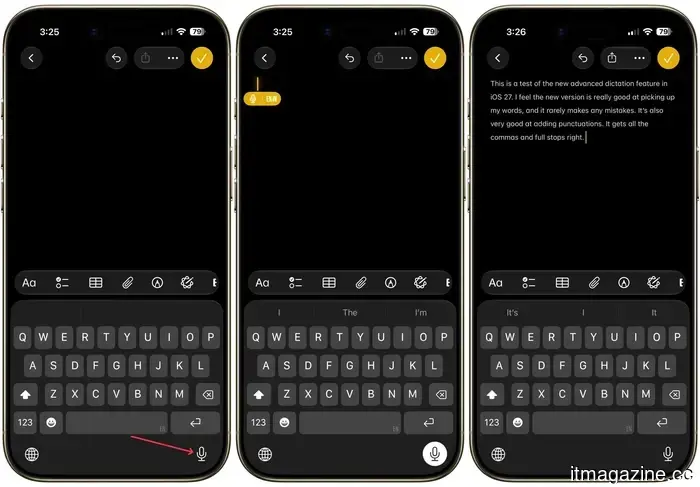
The dictation feature on iPhones used to be quite poor. It lacked punctuation or formatting capability, and it misheard words so frequently that correcting the errors took longer than just typing. With iOS 27, that has finally improved due to the introduction of the Advanced Dictation feature.
Currently in preview mode, you can enable it by going to Settings → General → Keyboard → Advanced Dictation Preview. It utilizes a new on-device model that significantly reduces errors and adds punctuation automatically, preventing the dreaded run-on sentences.
If Apple continues to enhance this feature, you may no longer need to invest in expensive dictation apps.
AirDrop is impressively faster now
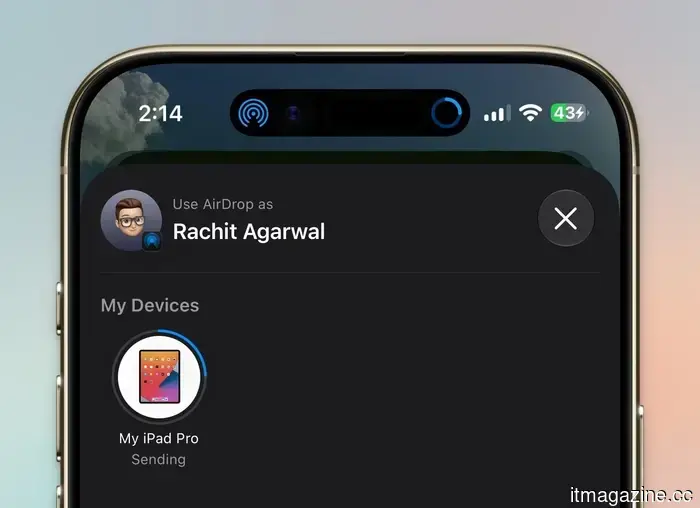
I saved the best for last. While AirDrop has always been convenient, in iOS 27, it feels like it has received a serious boost. Small files like photos and documents transfer instantly, and larger files seem almost twice as fast as before. I'm continually impressed by the new transfer speeds, saving me significant time daily.
These features may not grab the headlines, but they are what truly make iOS 27 a worthwhile update. They alleviate the minor annoyances I face daily and elevate my iPhone experience. This makes these enhancements more valuable to me than any singular standout feature.
Other articles
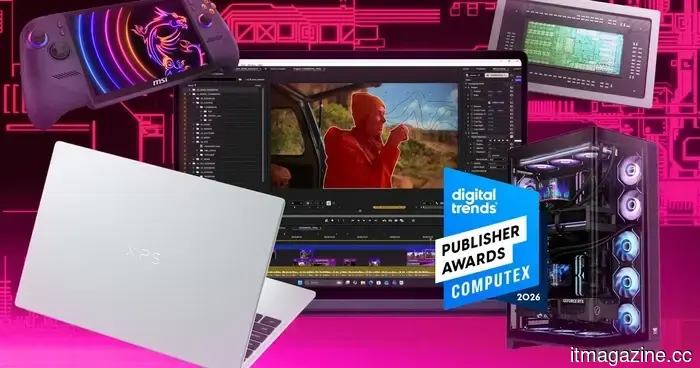 Digital Trends Computex 2026 Publisher Awards
Computex 2026 was filled with AI PCs, massive monitors, gaming handhelds, and innovative desktop concepts, but several products stood out amidst the clutter.
Digital Trends Computex 2026 Publisher Awards
Computex 2026 was filled with AI PCs, massive monitors, gaming handhelds, and innovative desktop concepts, but several products stood out amidst the clutter.
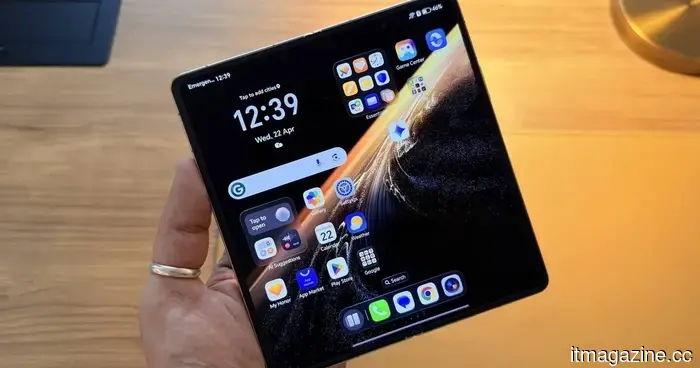 Honor Magic V6 review: I had my doubts about this stylish foldable, but it exceeded all expectations.
The Honor Magic V6 stands out as the most well-rounded large foldable device available. It is the first to achieve both IP68 and IP69 ratings, features the finest camera system among large foldables, and delivers battery life that outmatches many traditional smartphones. The only drawbacks are the crease and a complex performance setup, but these do not detract significantly from the overall recommendation.
Honor Magic V6 review: I had my doubts about this stylish foldable, but it exceeded all expectations.
The Honor Magic V6 stands out as the most well-rounded large foldable device available. It is the first to achieve both IP68 and IP69 ratings, features the finest camera system among large foldables, and delivers battery life that outmatches many traditional smartphones. The only drawbacks are the crease and a complex performance setup, but these do not detract significantly from the overall recommendation.
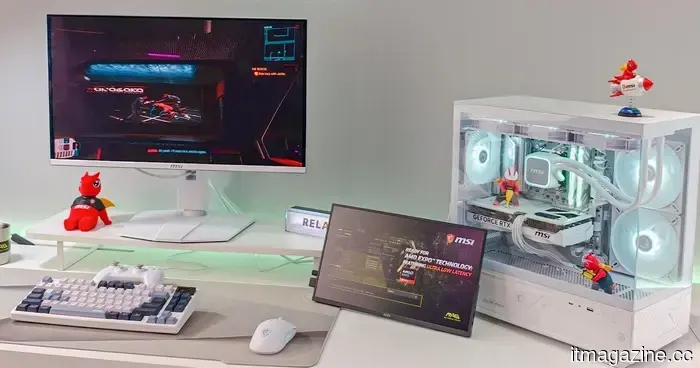 The Major PC Hardware Trends from Computex 2026
From laptops driven by AI and ARM processors to more advanced gaming monitors and next-generation handheld devices, these are the key PC hardware trends from Computex 2026 that will influence the future of computing.
The Major PC Hardware Trends from Computex 2026
From laptops driven by AI and ARM processors to more advanced gaming monitors and next-generation handheld devices, these are the key PC hardware trends from Computex 2026 that will influence the future of computing.
 Designed to aid rather than substitute: exploring Intercall’s real-time AI for professional interpreters.
Intercall displays live transcription and translation on the screen in both languages while interpreters are at work, capturing names, numbers, and terms that may be missed under cognitive pressure. It is utilized by over 3,000 interpreters across 18 countries.
Chinese AI models are being trained to identify safety tests and modify their behavior in response.
Neo Research has discovered that Chinese AI models, such as Kimi K2.6 and DeepSeek V4 Pro, are capable of detecting when they are under evaluation, which raises concerns regarding the validity of the tests.
Designed to aid rather than substitute: exploring Intercall’s real-time AI for professional interpreters.
Intercall displays live transcription and translation on the screen in both languages while interpreters are at work, capturing names, numbers, and terms that may be missed under cognitive pressure. It is utilized by over 3,000 interpreters across 18 countries.
Chinese AI models are being trained to identify safety tests and modify their behavior in response.
Neo Research has discovered that Chinese AI models, such as Kimi K2.6 and DeepSeek V4 Pro, are capable of detecting when they are under evaluation, which raises concerns regarding the validity of the tests.
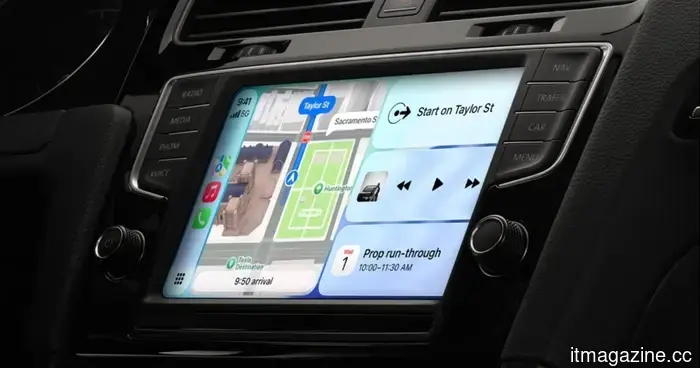 All the new features arriving in CarPlay with iOS 17.
CarPlay is receiving its most significant update in years with iOS 27, and the most notable improvements aren't the ones that stand out the most.
All the new features arriving in CarPlay with iOS 17.
CarPlay is receiving its most significant update in years with iOS 27, and the most notable improvements aren't the ones that stand out the most.
These 7 concealed features of iOS 27 have subtly enhanced my iPhone experience.
While the prominent features of iOS 27 receive most of the spotlight, it's the seven subtle changes that are gradually enhancing my iPhone experience each day.