
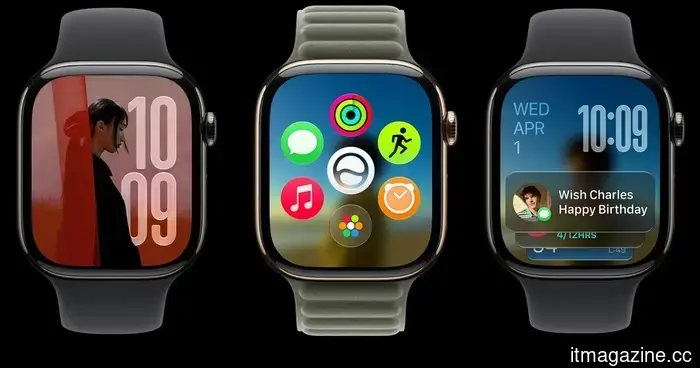
watchOS 27: All the information we have about the upcoming features for your Apple Watch.
At WWDC 2026, Apple unveiled watchOS 27, introducing Siri AI, a newly designed Siri app, a dynamic app grid, improved Smart Stack suggestions, enhanced fitness features, and additional health tracking tools for the Apple Watch.
The Apple Watch is most effective when it enables users to accomplish small tasks quickly without the need for their iPhone. watchOS 27 embraces this concept by enhancing functionalities that simplify starting workouts, locating apps, accessing Wallet passes, and checking essential information directly from the wrist. Here’s an overview of the new features.
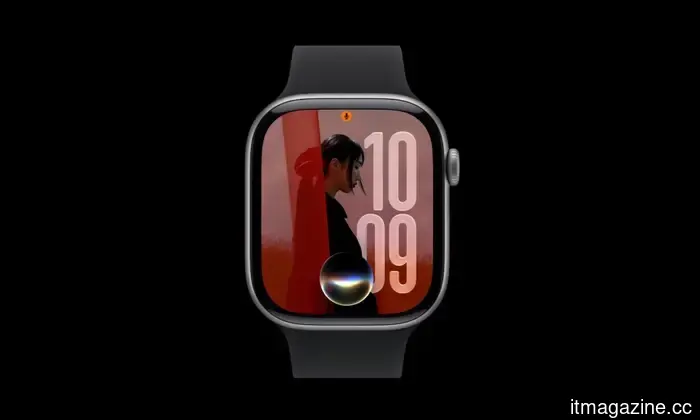
The standout upgrade is Siri AI
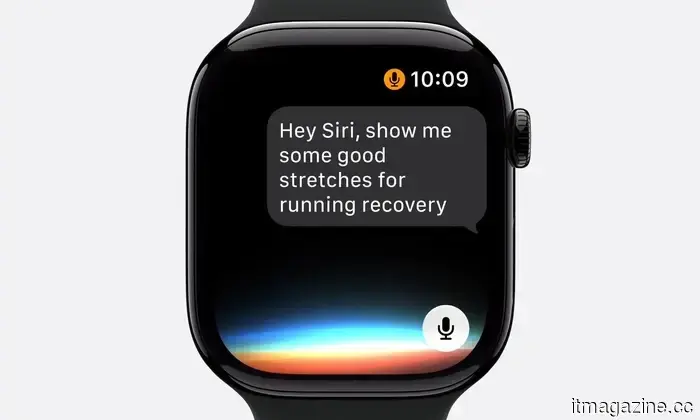
One of the most significant enhancements in watchOS 27 is Siri AI, Apple's advanced assistant driven by Apple Intelligence. The upgraded Siri can comprehend personal context, respond to more intricate inquiries, and perform actions across various apps.
On the Apple Watch, these enhancements are particularly beneficial due to the smaller screen, which complicates typing and app navigation. Siri AI enables users to pose more natural queries, obtain workout recommendations, access wellness information, and engage in ongoing conversations from their wrist.
Siri can also utilize personal data when necessary. For instance, it can assist in retrieving a saved driver’s license number, a door code stored in Notes, or details from other personal content.
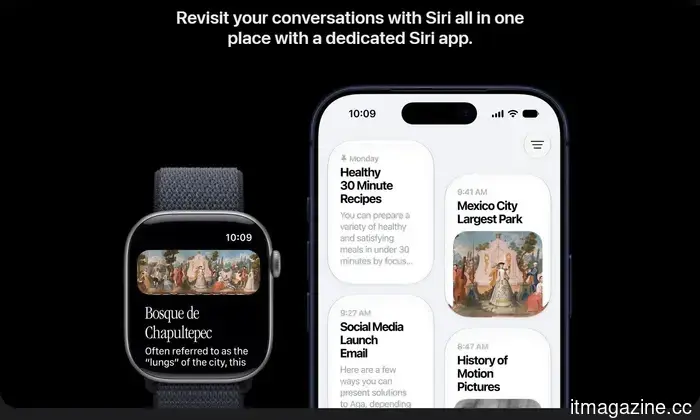
watchOS 27 introduces a dedicated Siri app. Users can continue ongoing conversations, initiate new chats, revisit past interactions, and pick up discussions started on their iPhone. Urgent conversations can be pinned for quick access. The assistant can also execute tasks within apps, such as sharing flight information, playing recommended songs, adjusting an Activity ring goal, sending emails, resuming podcasts, or adding music to workout playlists.
However, Siri AI is not included in the initial beta release but is anticipated in a later beta update. Additionally, certain Apple Intelligence features will not be accessible in watchOS in the European Union due to the Digital Markets Act, and Siri AI will not be available in China at launch while Apple addresses regulatory obligations.
The app grid and Smart Stack are becoming smarter
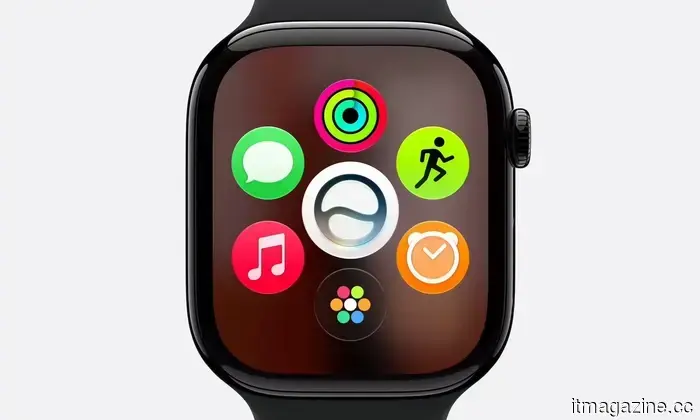
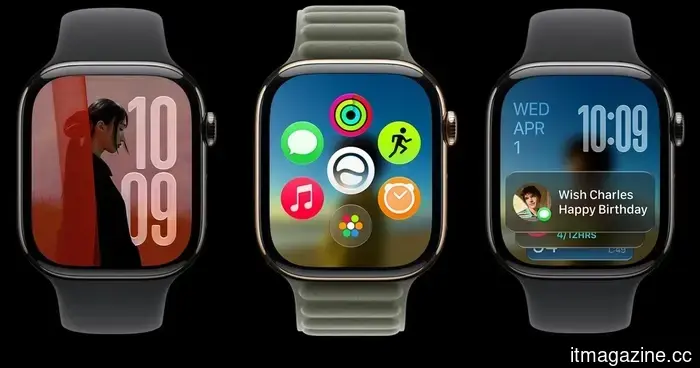
The app grid on the Apple Watch now features a dynamic layout that emphasizes Siri-suggested apps, frequently used apps, and recently opened apps. This update simplifies finding and launching frequently used apps, especially for users with numerous installed applications. However, accessing the complete app grid now requires a two-step process instead of a single press of the Digital Crown.
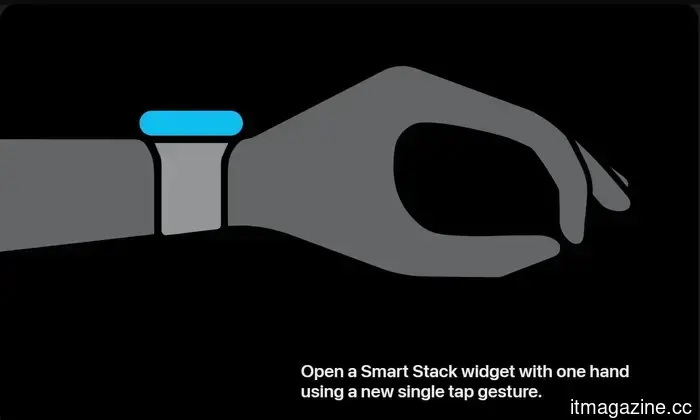
Smart Stack has also become more aware of context, displaying widgets that relate to pertinent situations like birthday reminders, parked-car locations, sleep-alarm suggestions ahead of holidays, and transit card information. Users can now double-tap their index finger and thumb together to open Smart Stack, double-tap again to scroll, and use a single tap to select a widget.
Workout Buddy becomes more helpful
Workout Buddy has seen several enhancements in watchOS 27. The feature now leverages fitness history to provide more personalized motivation throughout workouts. Instead of generic prompts, Workout Buddy delivers updates linked to pace, distance, workout duration, and other performance metrics.
Apple is also making this feature more adaptable during workouts. Workout Buddy continues to function without users needing to carry their iPhone in hand or pocket while exercising. However, it still requires a paired Apple Intelligence-enabled iPhone and Bluetooth headphones or speakers. Additionally, users can opt to use Workout Buddy in Spanish.
Indoor run and walk tracking is improved
Tracking indoor runs and walks, particularly on treadmills, is typically more complex due to the lack of GPS data. Thus, this update introduces enhanced motion-tracking algorithms to better estimate treadmill distances using wrist movement data.
Health tracking expands with menopause support
Cycle Tracking has long been a feature of the Apple Watch and Health app, allowing users to log menstrual cycles, monitor symptoms, and receive predictions regarding upcoming periods and fertile windows. This feature aims to help users better understand fluctuations in their reproductive health over time.
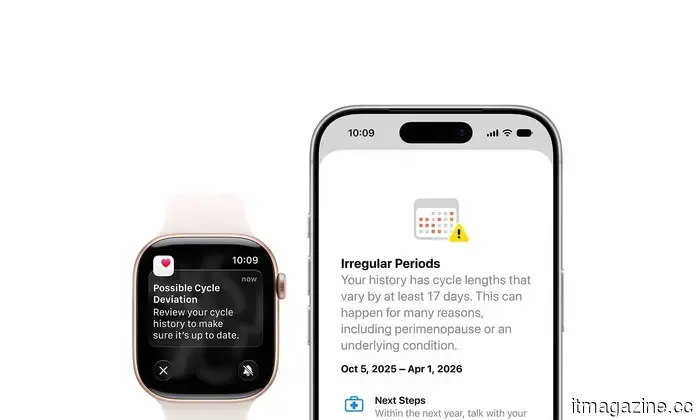
With watchOS 27, Apple is broadening Cycle Tracking by introducing support for perimenopause and menopause. The Health app can now alert users when logged cycle patterns might suggest potential perimenopause and provide tools for symptom tracking along with educational resources.
Find My receives a unified app
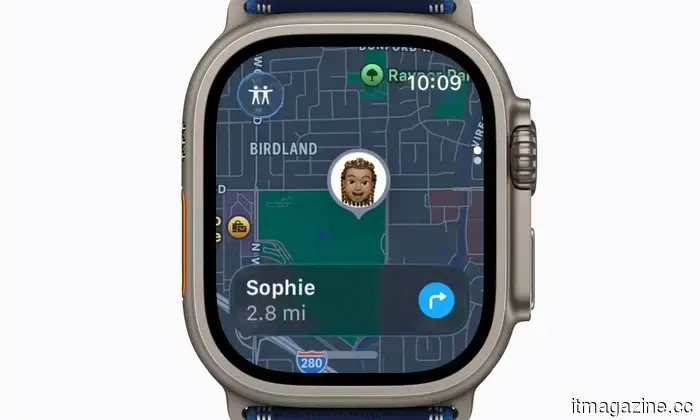
The updated Find My feature consolidates all location-tracking capabilities into a single app. Rather than utilizing separate apps for locating people, Apple devices, and AirTag-equipped items, watchOS 27 combines Find Devices, Find People, and Find Items into one cohesive Find My app with a more map-centric interface, enhancing usability.
Wallet adds support for custom passes
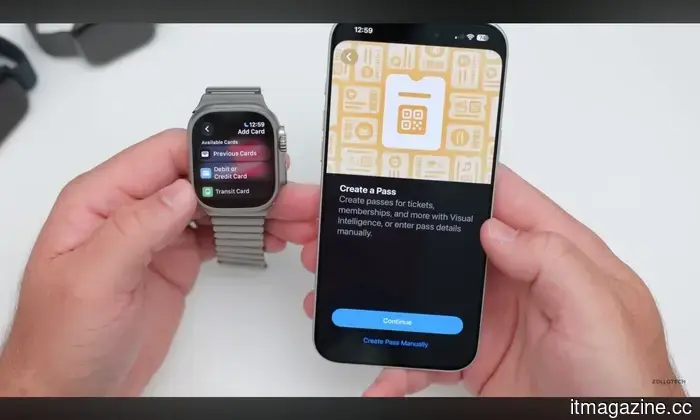
Wallet has also improved for everyday cards lacking official Apple Wallet support. Users can generate custom passes on their iOS 27 devices and synchronize them to their Apple Watch. For example, this can include memberships and cards using QR codes or barcodes, such as library and gym memberships. These passes can be stored in Wallet and pinned to Smart Stack for easier access.
Call Context provides key information during calls
Calls with businesses often require details like confirmation numbers or booking information that might be found
Other articles
 watchOS 27: All the details we have about the upcoming features for your Apple Watch
Apple’s watchOS 27 introduces Siri AI, enhanced widgets, better workout features, and numerous minor quality-of-life improvements. Here’s a complete overview of the new additions coming to the Apple Watch.
watchOS 27: All the details we have about the upcoming features for your Apple Watch
Apple’s watchOS 27 introduces Siri AI, enhanced widgets, better workout features, and numerous minor quality-of-life improvements. Here’s a complete overview of the new additions coming to the Apple Watch.
 Cash App is now operating as a phone carrier, offering an unlimited plan for $40.
Cash App Mobile offers certain users a $40 unlimited 5G phone plan that includes talk, text, hotspot data, and is powered by AT&T network coverage, all integrated within the app.
Cash App is now operating as a phone carrier, offering an unlimited plan for $40.
Cash App Mobile offers certain users a $40 unlimited 5G phone plan that includes talk, text, hotspot data, and is powered by AT&T network coverage, all integrated within the app.
 EXCLUSIVE: The director of The Death of Robin Hood discusses how he reimagines a timeless story in his A24 movie.
In a unique interview, Michael Sarnoski talks about reinterpreting a legendary hero in A24's The Death of Robin Hood, the transformative performances of Hugh Jackman and Jodie Comer, and the film's exploration of themes such as guilt, redemption, and violence.
EXCLUSIVE: The director of The Death of Robin Hood discusses how he reimagines a timeless story in his A24 movie.
In a unique interview, Michael Sarnoski talks about reinterpreting a legendary hero in A24's The Death of Robin Hood, the transformative performances of Hugh Jackman and Jodie Comer, and the film's exploration of themes such as guilt, redemption, and violence.
 Pixar has just released the trailer for the Gatto movie, and it includes everything that a cat enthusiast could desire.
Pixar has just released the initial trailer for Gatto, a hand-painted animated movie centered around a black cat burdened by mob debts as it navigates the superstitious streets of Venice, Italy.
Pixar has just released the trailer for the Gatto movie, and it includes everything that a cat enthusiast could desire.
Pixar has just released the initial trailer for Gatto, a hand-painted animated movie centered around a black cat burdened by mob debts as it navigates the superstitious streets of Venice, Italy.
 Eliminate Scam Anxiety and Secure Your Digital Life With Trend Micro
The internet has moved beyond merely exercising caution. Fake delivery links, compromised passwords, and sophisticated phishing scams have subtly transformed the nature of online safety today. Trend Micro’s Premium Security Suite is crafted to address these changing cyber threats, providing a comprehensive antivirus solution that allows you to save as much as $79.95 on a 24-month subscription.
Eliminate Scam Anxiety and Secure Your Digital Life With Trend Micro
The internet has moved beyond merely exercising caution. Fake delivery links, compromised passwords, and sophisticated phishing scams have subtly transformed the nature of online safety today. Trend Micro’s Premium Security Suite is crafted to address these changing cyber threats, providing a comprehensive antivirus solution that allows you to save as much as $79.95 on a 24-month subscription.
 Your smart home concludes at the back door — wireless robotic lawn mowers aim to transform that.
Pause for a moment to consider how many aspects of your home have become automated. Your robotic vacuum takes care of the floors. The thermostat adjusts the temperature before you even get home. The doorbell camera identifies those who come to your door. Now, step outside. You will see that your lawn is still waiting for you to take […]
Your smart home concludes at the back door — wireless robotic lawn mowers aim to transform that.
Pause for a moment to consider how many aspects of your home have become automated. Your robotic vacuum takes care of the floors. The thermostat adjusts the temperature before you even get home. The doorbell camera identifies those who come to your door. Now, step outside. You will see that your lawn is still waiting for you to take […]
watchOS 27: All the information we have about the upcoming features for your Apple Watch.
watchOS 27 for Apple introduces Siri AI, enhanced widgets, upgraded workout features, and a number of minor quality-of-life improvements. Here’s a comprehensive overview of the new additions for the Apple Watch.