
watchOS 27: All the details we have about the upcoming features for your Apple Watch
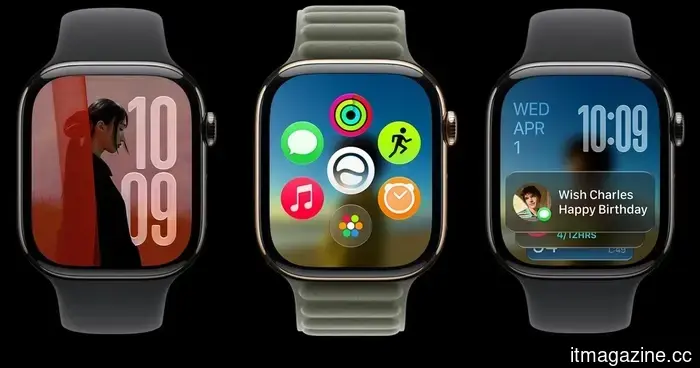
At WWDC 2026, Apple unveiled watchOS 27, introducing Siri AI, a new Siri app, a dynamic app grid, improved Smart Stack suggestions, enhanced fitness features, and additional health tracking tools for the Apple Watch.
The Apple Watch is most effective when it helps you accomplish small tasks swiftly without needing to reach for your iPhone. watchOS 27 embraces this concept with updates that simplify starting workouts, locating apps, accessing Wallet passes, and checking vital information directly from your wrist. Here’s what’s been introduced.
The main upgrade: Siri AI
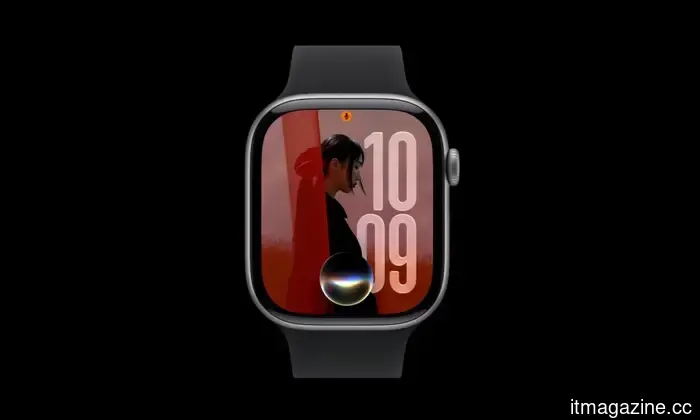
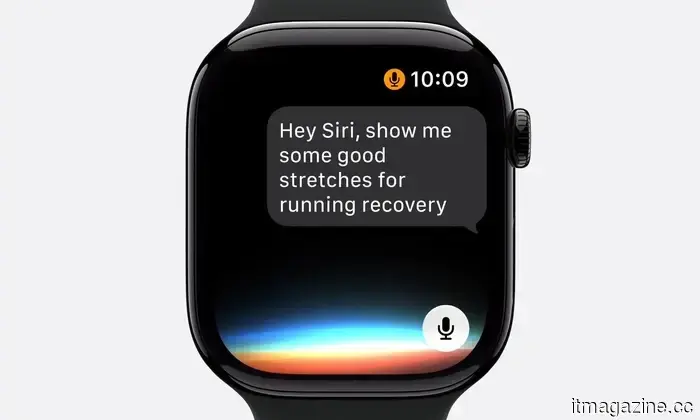
A major enhancement in watchOS 27 is Siri AI, Apple’s next-gen assistant driven by Apple Intelligence. This upgraded Siri can comprehend personal context, respond to more complex inquiries, and perform tasks across various apps.
These enhancements are particularly beneficial on the Apple Watch where the smaller display makes typing and navigating apps less convenient. Siri AI enables users to ask more conversational questions, receive workout recommendations, obtain wellness information, and engage in ongoing dialogues right from their wrist.
Siri can also access personal data when necessary. For instance, it can help retrieve a saved driver’s license number, a door code from Notes, or details from other personal content.
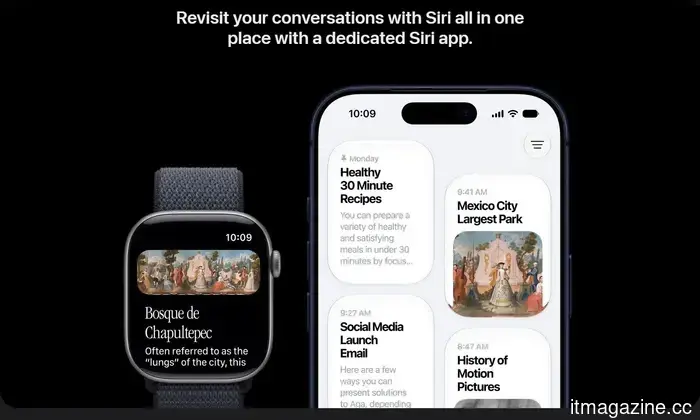
watchOS 27 includes a dedicated Siri app as well. Users can maintain conversations, initiate new chats, revisit prior interactions, and continue conversations that were started on their iPhone. Important dialogues can be pinned for quick access. The assistant can also execute tasks within apps, such as sharing flight information, playing a song recommended by a trainer, adjusting an Activity ring goal, sending emails, resuming podcasts, or adding music to a workout playlist.
Initially, Siri AI will not be available in the first beta release but is anticipated in a future beta update. Additionally, Apple Intelligence features will not be available on watchOS in the European Union at launch due to the Digital Markets Act, and Siri AI won’t be available in China at launch as Apple addresses regulatory requirements.
Smarter app grid and Smart Stack
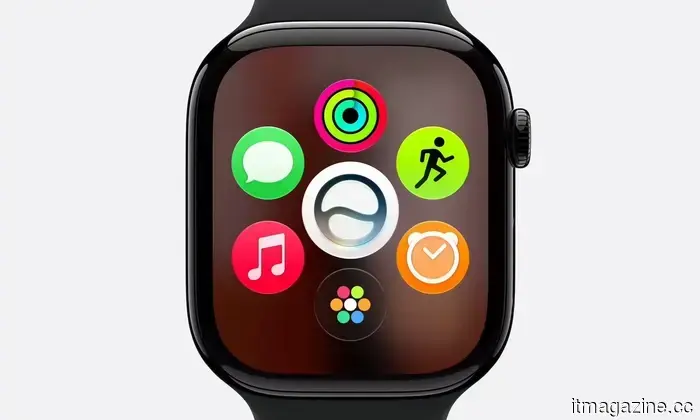
The Apple Watch app grid now presents a dynamic layout that emphasizes Siri-suggested apps, frequently used apps, and recently accessed apps. For users with numerous installed apps, this update facilitates finding and opening their most commonly used apps or those likely needed at that moment. However, accessing the entire app grid now involves a two-step process instead of a single tap of the Digital Crown.
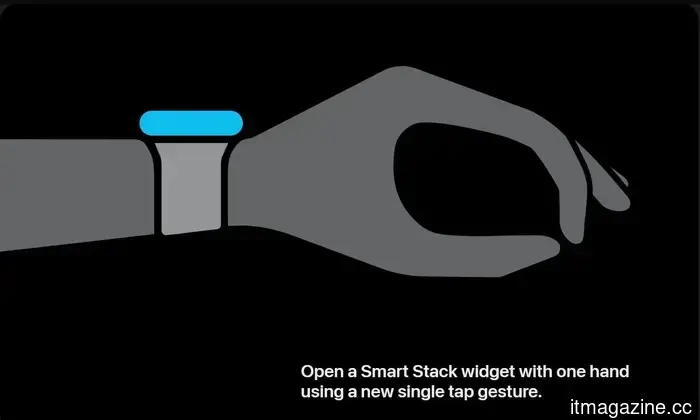
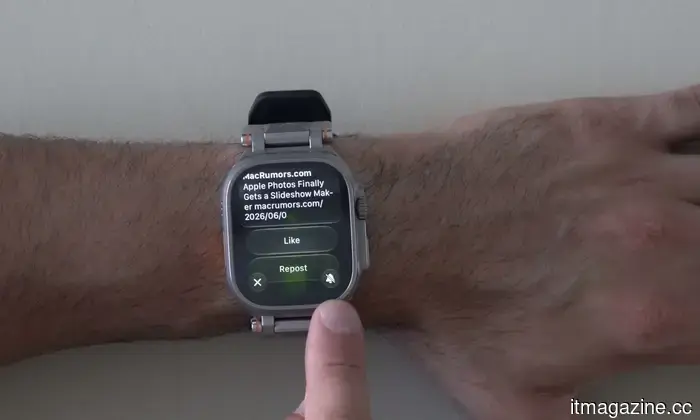
The Smart Stack feature is also more context-aware. It can display widgets based on pertinent situations, such as birthday reminders, parked car locations, sleep alarm suggestions ahead of certain holidays, and transit card details. A new tap gesture for Smart Stack allows users to tap their index finger and thumb together twice to open it, double-tap to scroll, and single tap to select a widget.
Improved Workout Buddy
Workout Buddy has seen several enhancements in watchOS 27. The feature now utilizes fitness history to provide more tailored motivation during workouts. Rather than generic encouragement, Workout Buddy delivers updates related to pace, distance, workout duration, and other performance metrics.
Apple is also enhancing the feature’s flexibility; Workout Buddy continues to function without users needing to carry their iPhone while exercising. However, it still requires a paired Apple Intelligence-enabled iPhone and Bluetooth headphones or speakers. Users can also utilize Workout Buddy in Spanish.
More accurate indoor run and walk tracking
Tracking indoor runs and walks on treadmills is typically more challenging than outdoor tracking because GPS data is unavailable. To address this, the latest update includes improved motion-tracking algorithms that help the watch more accurately estimate treadmill distance using wrist movement data.
Expanded health tracking with menopause support
Cycle Tracking has been a feature of the Apple Watch and Health app for several years, enabling users to log menstrual cycles, track symptoms, and receive predictions about upcoming periods and fertile windows. This feature aims to help users better understand changes in their reproductive health over time.
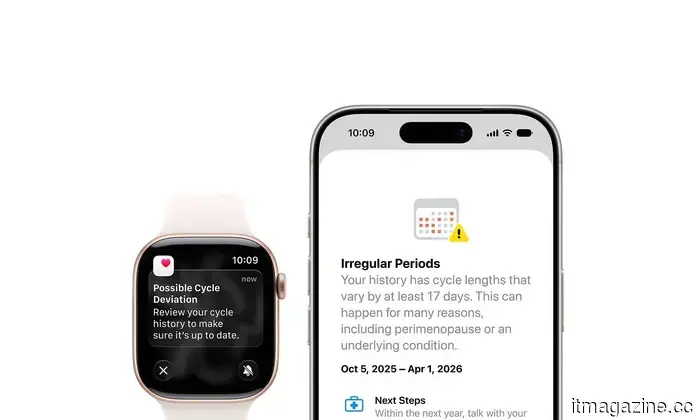
With watchOS 27, Apple expands Cycle Tracking to include support for perimenopause and menopause. The Health app can now alert users when logged cycle patterns may suggest potential perimenopause and provide symptom tracking tools and educational resources.
Unified Find My app
The new Find My update consolidates all location-tracking features into a single app. Instead of utilizing separate apps to locate people, Apple devices, and AirTag-equipped items, watchOS 27 merges Find Devices, Find People, and Find Items into one unified Find My app with a more map-focused layout. This change streamlines the experience, requiring fewer taps to keep track of everything.
Wallet now supports custom passes
Wallet has become more useful for everyday cards lacking official Apple Wallet support. Users can create custom passes on their iOS 27 devices and sync them to the Apple Watch. This can be particularly handy for memberships and cards using QR codes or barcodes, such as library and gym cards. These passes can be saved in Wallet and pinned to Smart Stack for easier access.
Call Context enhances call experience
Calls to businesses often necessitate confirmation


Other articles
 Eliminate Scam Anxiety and Secure Your Digital Life with Trend Micro.
The internet has moved beyond just rewarding caution. Deceptive delivery links, compromised passwords, and sophisticated phishing schemes have subtly transformed the definition of online safety today. Trend Micro's Premium Security Suite, created to address these changing cyber threats, provides a comprehensive antivirus solution that now allows you to save up to $79.95 on a 24-month subscription.
Eliminate Scam Anxiety and Secure Your Digital Life with Trend Micro.
The internet has moved beyond just rewarding caution. Deceptive delivery links, compromised passwords, and sophisticated phishing schemes have subtly transformed the definition of online safety today. Trend Micro's Premium Security Suite, created to address these changing cyber threats, provides a comprehensive antivirus solution that now allows you to save up to $79.95 on a 24-month subscription.
 Eliminate Scam Anxiety and Secure Your Digital Life With Trend Micro
The internet has moved beyond merely exercising caution. Fake delivery links, compromised passwords, and sophisticated phishing scams have subtly transformed the nature of online safety today. Trend Micro’s Premium Security Suite is crafted to address these changing cyber threats, providing a comprehensive antivirus solution that allows you to save as much as $79.95 on a 24-month subscription.
Eliminate Scam Anxiety and Secure Your Digital Life With Trend Micro
The internet has moved beyond merely exercising caution. Fake delivery links, compromised passwords, and sophisticated phishing scams have subtly transformed the nature of online safety today. Trend Micro’s Premium Security Suite is crafted to address these changing cyber threats, providing a comprehensive antivirus solution that allows you to save as much as $79.95 on a 24-month subscription.
 What characteristics make a laptop suitable for both professional tasks and entertainment?
This article is presented in collaboration with HP. The HP OmniBook X Flip is crafted to function as an all-day AI PC, smoothly transitioning from work tasks to recreational activities without needing to change devices. Products such as the HP OmniBook X Flip demonstrate this movement toward a unified system that supports users throughout the day. From the early […]
What characteristics make a laptop suitable for both professional tasks and entertainment?
This article is presented in collaboration with HP. The HP OmniBook X Flip is crafted to function as an all-day AI PC, smoothly transitioning from work tasks to recreational activities without needing to change devices. Products such as the HP OmniBook X Flip demonstrate this movement toward a unified system that supports users throughout the day. From the early […]
 What features make a laptop suitable for both professional tasks and leisure activities?
This post is presented in collaboration with HP. The HP OmniBook X Flip is crafted as an all-day AI PC that effortlessly transitions from work to entertainment without the need to switch devices. Products like the HP OmniBook X Flip symbolize the movement towards a unified system that supports users throughout their day. From early […]
What features make a laptop suitable for both professional tasks and leisure activities?
This post is presented in collaboration with HP. The HP OmniBook X Flip is crafted as an all-day AI PC that effortlessly transitions from work to entertainment without the need to switch devices. Products like the HP OmniBook X Flip symbolize the movement towards a unified system that supports users throughout their day. From early […]
 What characteristics make a laptop suitable for both professional tasks and leisure activities?
This article is presented in collaboration with HP. The HP OmniBook X Flip is crafted as an all-day AI PC that transitions effortlessly between productivity and entertainment without the need to change devices. Products like the HP OmniBook X Flip illustrate the trend towards a unified system that supports users throughout the whole day. From early […]
What characteristics make a laptop suitable for both professional tasks and leisure activities?
This article is presented in collaboration with HP. The HP OmniBook X Flip is crafted as an all-day AI PC that transitions effortlessly between productivity and entertainment without the need to change devices. Products like the HP OmniBook X Flip illustrate the trend towards a unified system that supports users throughout the whole day. From early […]
 What characteristics make a laptop suitable for both professional use and entertainment?
This article is presented in collaboration with HP. The HP OmniBook X Flip is crafted as a versatile AI PC that effortlessly transitions from work to play without the need to switch devices. Products like the HP OmniBook X Flip illustrate the trend towards a unified system that supports users throughout their entire day. Starting from early [...]
What characteristics make a laptop suitable for both professional use and entertainment?
This article is presented in collaboration with HP. The HP OmniBook X Flip is crafted as a versatile AI PC that effortlessly transitions from work to play without the need to switch devices. Products like the HP OmniBook X Flip illustrate the trend towards a unified system that supports users throughout their entire day. Starting from early [...]
watchOS 27: All the details we have about the upcoming features for your Apple Watch
Apple’s watchOS 27 introduces Siri AI, enhanced widgets, better workout features, and numerous minor quality-of-life improvements. Here’s a complete overview of the new additions coming to the Apple Watch.