
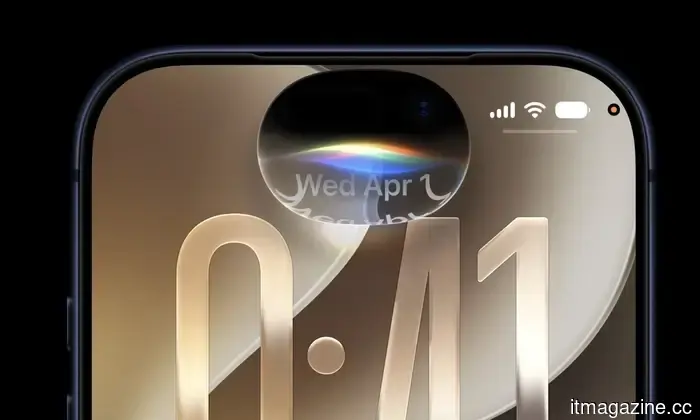
iOS 27 hands-on: the iPhone upgrade I've been anticipating.
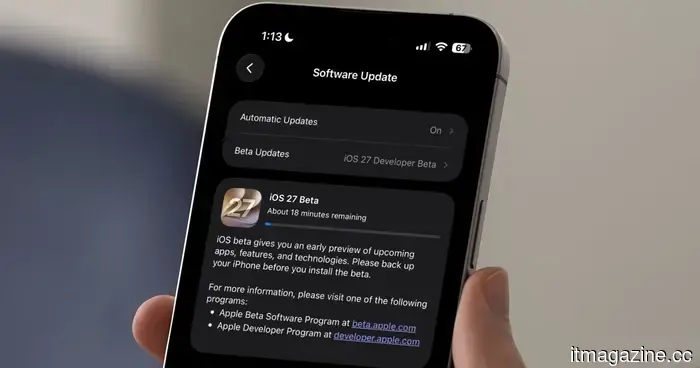
Apple released the first developer beta of iOS 27 immediately after its WWDC 2026 event, and I installed it right away. While I generally advise against installing a developer beta on your main iPhone, I couldn't resist this update as it appeared to address the long-standing requests of iPhone users.
iOS 27 doesn’t overwhelm you with an abundance of new features. There’s no substantial redesign or a long list of eye-catching additions. Instead, Apple returned to its foundational elements, addressing, refining, and enhancing what already existed.
My experience with iOS 26 over the past year was fraught with problems. It felt rough around the edges and was filled with bugs. After installing the iOS 27 beta, it’s as if iOS 26 was the beta and iOS 27 is what Apple originally intended to release.
A noticeable speed enhancement
The most obvious change is the speed. Apple asserts that app launches are up to 30% faster, the Photos library loads up to 70% quicker, and AirDrop transfers can be up to 80% faster. I typically disregard Apple’s numerical claims, but I genuinely perceive the difference this time.
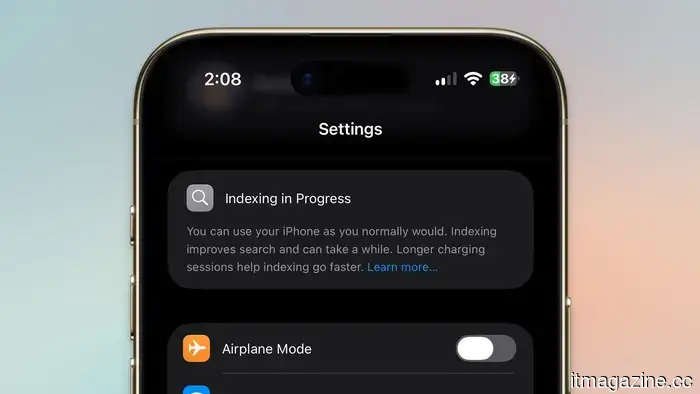
Transitioning between apps seems quicker, and there’s minimal delay when opening apps. Photos load content faster, and animations typically flow smoothly. However, since Spotlight is still indexing on my iPhone, it remains somewhat slow. I hope that once indexing is complete, its speed will improve too.
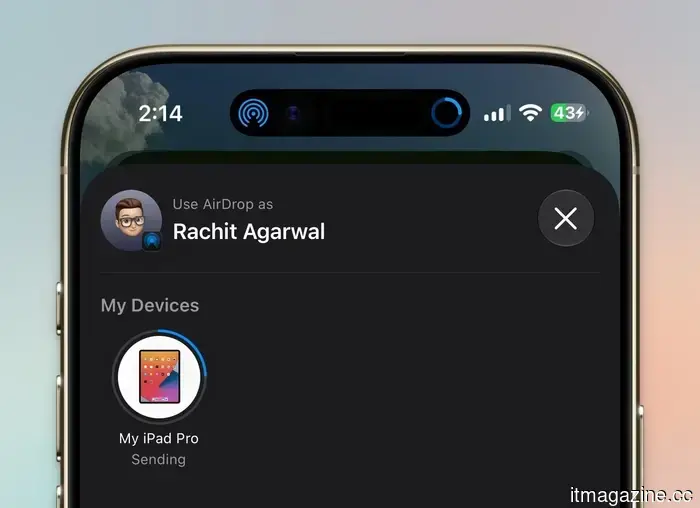
What surprised me the most was the speed of AirDrop. While I can’t measure it precisely, the new AirDrop speed will truly catch people off guard. Transferring small files like photos and documents is immediate once I tap the AirDrop button and choose the destination device.
I selected a dozen photos, each roughly 10 MB, and they AirDropped to my iPad before I even set my phone down. The transfer of larger files appears to be at least twice as fast as it was before, and this seems to apply to older iPhone models too.
What’s even better is that this speed increase isn’t exclusive to the latest models. Users of iPhone 11, 12 mini, and 13 have reported similar improvements. Many of these models struggled with random bugs and overheating on iOS 26, so it’s refreshing to see them operating more smoothly on what remains a developer beta.
Apple claims that these improvements stem from reworking how the system manages CPU scheduling, memory, and background tasks. It’s evident that their changes have had a significant positive impact since everything now feels incredibly smooth.
Liquid Glass finally has a slider
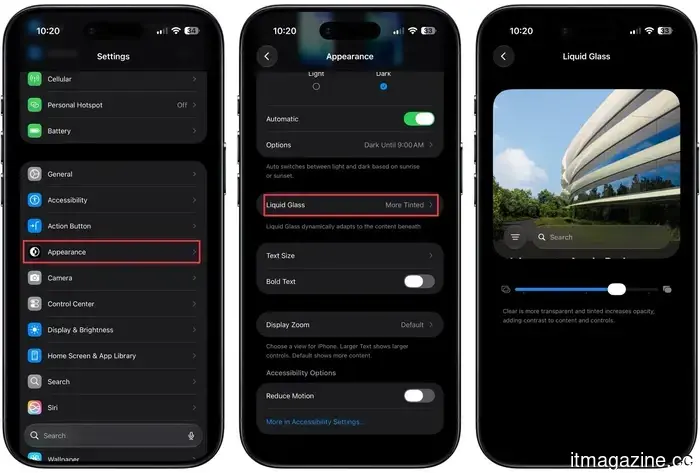
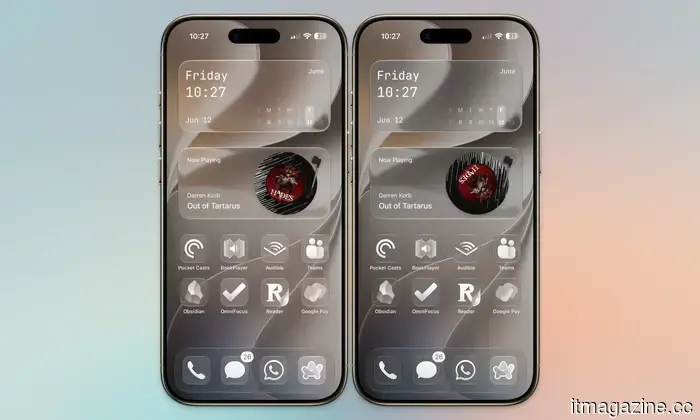
One of the main grievances regarding iOS 26 was Liquid Glass. Some appreciated it, while others disliked it, but most users like me simply wanted more control. As rumors indicated, Apple has finally responded by introducing a Liquid Glass slider, enabling users to adjust the intensity of the effect.
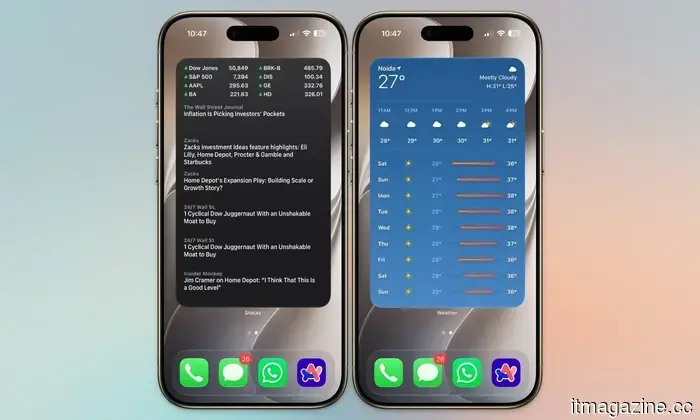
You can find the slider under Settings → Appearance → Liquid Glass. The first thing I did upon installing iOS 27 was drag that slider toward the tinted side. Apple has also expanded the effect’s application, so widgets now exhibit the same glossy appearance as the rest of the system, creating a cohesive look.
While some have criticized the appearance of clear and tinted icons, arguing that the dark border makes app icons appear sharper, I actually favor this aesthetic as it allows the icons to stand out against the background.
The Photos app shines
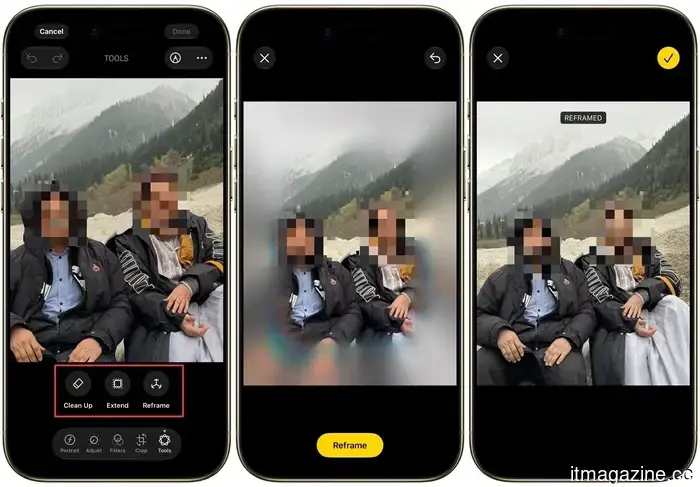
Apple Intelligence feels more integrated into the experience this time, particularly within the Photos app, which has three significant upgrades. Clean Up does a much better job of removing unwanted elements from the frame. Extend can use AI to fill in and stretch the background of a photo, and Spatial Reframe allows you to reposition the subject within a shot after it’s already been captured.
The latter feature is genuinely impressive; the AI reconstructs portions of the image to produce an entirely new composition. I especially enjoy the new Clean Up tool since it far surpasses its predecessor. It can effectively erase objects from more complex images without compromising the overall shot. This will likely be a favorite feature for many users.
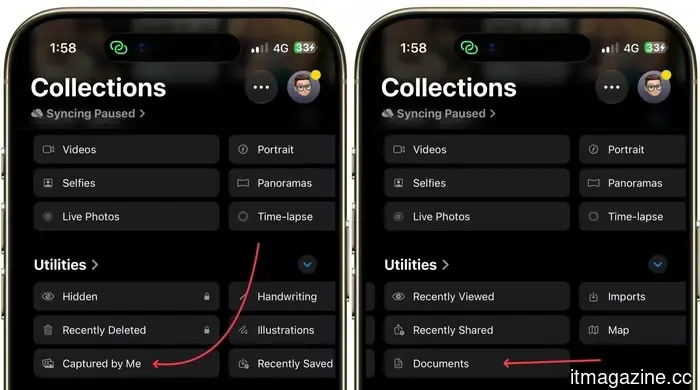
In addition to AI editing tools, the Photos app also includes various quality-of-life enhancements. There’s now a “Captured by Me” folder that contains only the photos taken with your iPhone, along with a “Documents” folder that consolidates images of passports, IDs, bills, and other documents.
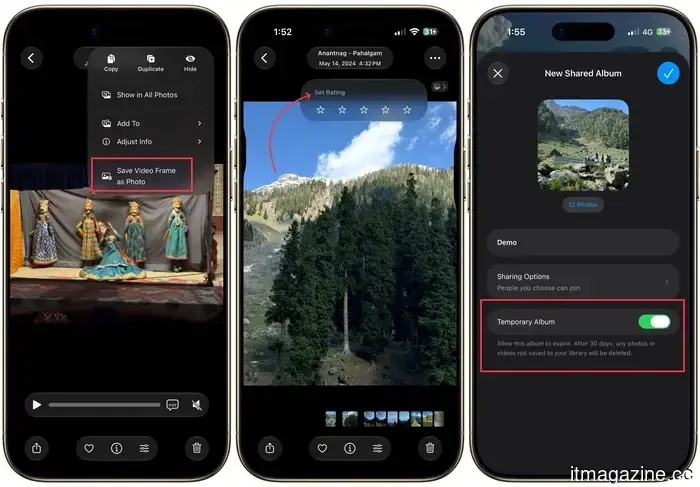
You can also save a frame from a video as a still photo and rate pictures from one to five stars. Shared Albums have received attention too; they can now expire after 30 days, making it perfect for sharing a collection of photos without them remaining shared indefinitely.
Inviting people to Shared Albums is simpler with a new “Create Shared Album” option found in any album menu, and it’s now possible to generate a link allowing others to upload their own photos directly into the album.
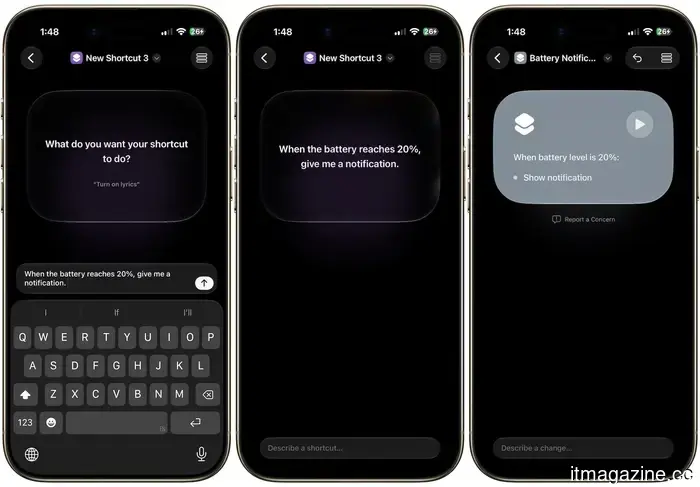
Building shortcuts is finally straightforward
I’m particularly thrilled about the

Other articles
 Spotify is introducing editor-hosted videos for New Music Friday, allowing you to get to know the individuals responsible for the playlist.
Spotify's New Music Friday will now include short-form videos from its editorial team that highlight song selections and artist narratives. This will be available to both free and premium users in the US.
Spotify is introducing editor-hosted videos for New Music Friday, allowing you to get to know the individuals responsible for the playlist.
Spotify's New Music Friday will now include short-form videos from its editorial team that highlight song selections and artist narratives. This will be available to both free and premium users in the US.
 The head of the IMF cautions about advanced AI systems such as Mythos.
IMF chief Georgieva stated that Mythos is "only the start" and cautioned that the AI surge might lead to a collapse. She emphasized the need for immediate global collaboration on cybersecurity.
The head of the IMF cautions about advanced AI systems such as Mythos.
IMF chief Georgieva stated that Mythos is "only the start" and cautioned that the AI surge might lead to a collapse. She emphasized the need for immediate global collaboration on cybersecurity.
 China establishes a photonic computing laboratory to circumvent US chip restrictions.
A laboratory in Shanghai, supported by Jiao Tong University and the startup Lightelligence, is working on developing light-based AI chips as Beijing looks for alternatives to restricted US semiconductor products.
China establishes a photonic computing laboratory to circumvent US chip restrictions.
A laboratory in Shanghai, supported by Jiao Tong University and the startup Lightelligence, is working on developing light-based AI chips as Beijing looks for alternatives to restricted US semiconductor products.
 Telegram has discreetly made its comeback on WearOS smartwatches, and it appears quite stylish.
Telegram has made a comeback to Wear OS after removing its previous app years ago, providing Android smartwatch users with a more streamlined method to handle chats from their wrist.
Telegram has discreetly made its comeback on WearOS smartwatches, and it appears quite stylish.
Telegram has made a comeback to Wear OS after removing its previous app years ago, providing Android smartwatch users with a more streamlined method to handle chats from their wrist.
 India's Avataar AI has introduced a video model priced at $0.005 per second, which is 27 times less expensive than competitors.
Avataar AI introduced Varya, an open-weight video model for India priced at $0.005 per second. It showcases Indian clothing, cuisine, and festivals that are often overlooked by Western models.
India's Avataar AI has introduced a video model priced at $0.005 per second, which is 27 times less expensive than competitors.
Avataar AI introduced Varya, an open-weight video model for India priced at $0.005 per second. It showcases Indian clothing, cuisine, and festivals that are often overlooked by Western models.
 Five architectural-level cloud security errors.
Nodir Safarov, Cloud Architect at SOTI Inc., points out five architectural shortcomings that contribute to prevalent cloud security vulnerabilities in enterprises, ranging from patching after deployment to configuration drift, along with the design principles that can help avert them.
Five architectural-level cloud security errors.
Nodir Safarov, Cloud Architect at SOTI Inc., points out five architectural shortcomings that contribute to prevalent cloud security vulnerabilities in enterprises, ranging from patching after deployment to configuration drift, along with the design principles that can help avert them.
iOS 27 hands-on: the iPhone upgrade I've been anticipating.
After spending two days with the iOS 27 beta, I believe Apple has finally addressed the issues that made iOS 26 quite frustrating. Here’s what caught my attention.