
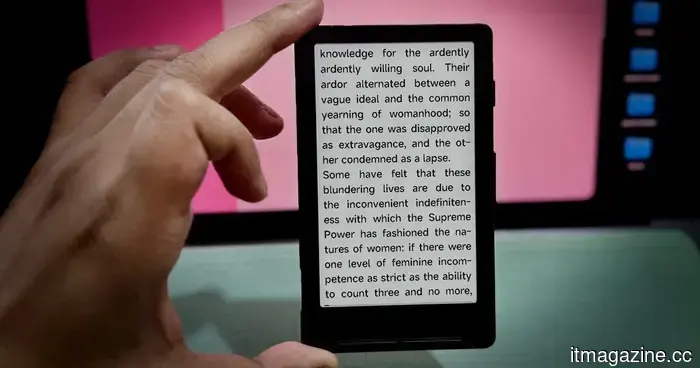
Xteink X4 review: I was skeptical about this small e-reader, but it helped improve my bad screen habits.
“A seemingly small yet powerful option for the right user.”
**Pros**
- Lightweight and easily portable
- Thriving open-source toolkits
- Magnetically attaches to phones
- Good battery life given its size
- Quite affordable
**Cons**
- No front or back lighting
- Requires time to learn button functions
- Basic software features
**Quick Review**
Occasionally, a lesser-known brand emerges with a completely new category of devices. These devices may not be overly practical, but they fulfill a specific niche. The rise of electronic ink readers corresponds with an increasing trend towards digital detox and simpler gadgets. Among these, Xteink’s pocket e-readers stand out, and after nearly two months of use, I finally understand their appeal.
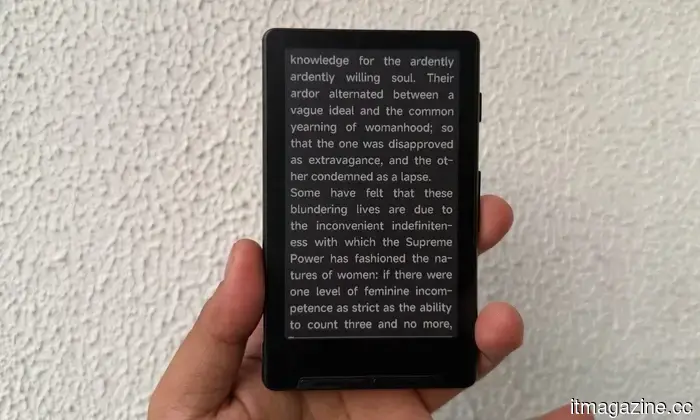
The Xteink X4 is a small but endearing pocket e-reader that brings 90s technology nostalgia to the present. Priced at $69, this compact device is designed for digital minimalists looking to reclaim attention from the endless scrolling on their phones. It ditches modern conveniences in favor of unmarked physical buttons and a basic chip dedicated solely to reading. The X4's uniqueness, however, lies not within its specifications.
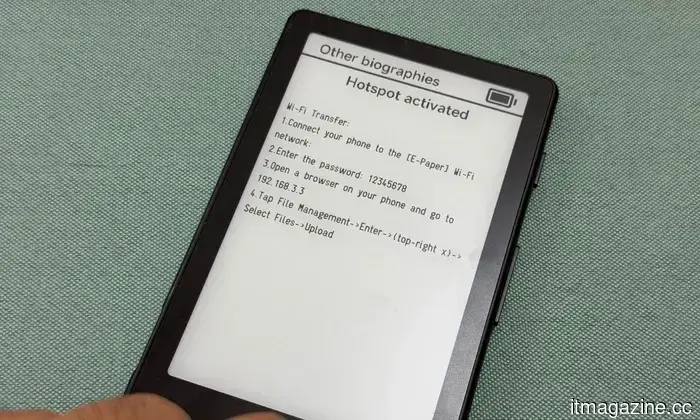
Instead, it’s driven by a vibrant open-source community. Using custom firmware such as CrossPoint, you can completely overhaul the interface, granting access to new fonts, cleaner formats, wireless file transfers, and various reading-friendly features. Additionally, it magnetically attaches to the back of your phone, ensuring your reading material is always within reach. While it can't replace a premium reading tablet and doesn't aim to, the Xteink X4 excels as a compact, distinctive, and budget-friendly secondary device.
**Xteink X4 Specs: What does this cute e-reader offer?**
- **Display**: 4.3 inches
- **Resolution**: 220 PPI
- **Dimensions**: 114 × 69 × 5.9 mm (4.49″ × 2.72″ × 0.23″)
- **Weight**: 77g
- **CPU**: ESP32
- **Storage**: Comes with a 16 GB microSD card; expandable up to 256 GB
- **Connectivity**: Wi-Fi 2.4 GHz & Bluetooth
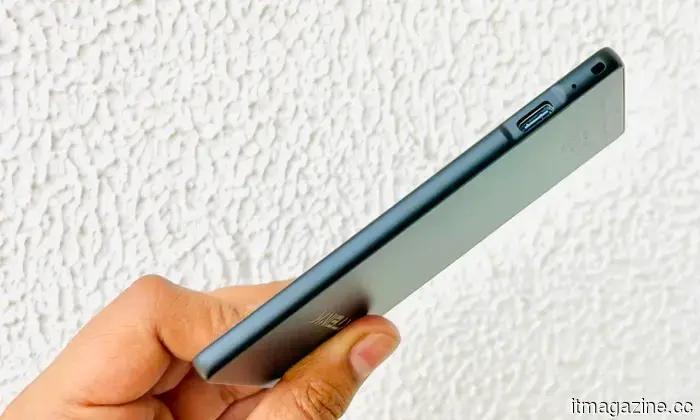
- **Ports**: USB Type-C
- **Physical Buttons**: Power Button, Page-Turn Buttons
- **Battery**: 650 mAh (single charge lasts up to 14 days with 1–3 hours of reading per day)
- **Supported Formats**: Document: EPUB, TXT; Image: JPG, BMP; Fonts: BIN
- **Color Options**: Space Black / Frost White
- **Languages**: English, Simplified Chinese, Traditional Chinese, Japanese
- **Front Light**: No
- **Touchscreen**: No
- **Other**: Does not support third-party apps
**Xteink X4 Design and Build Quality: When Size is the Key Draw**
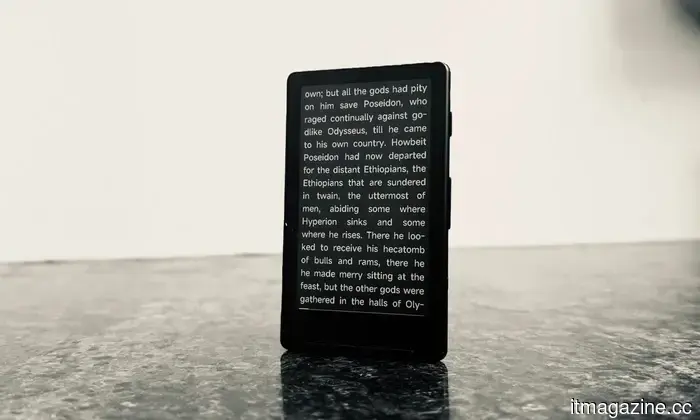
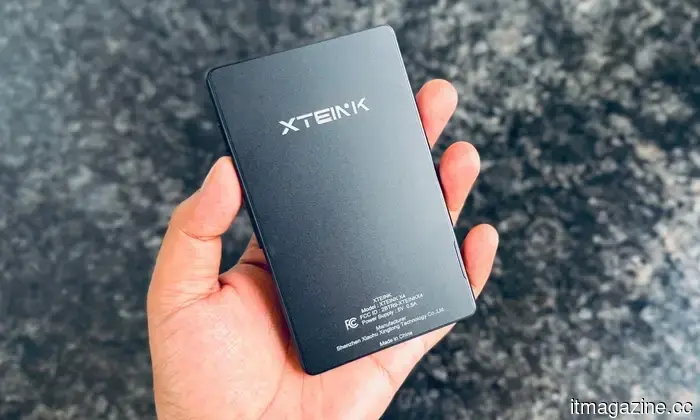
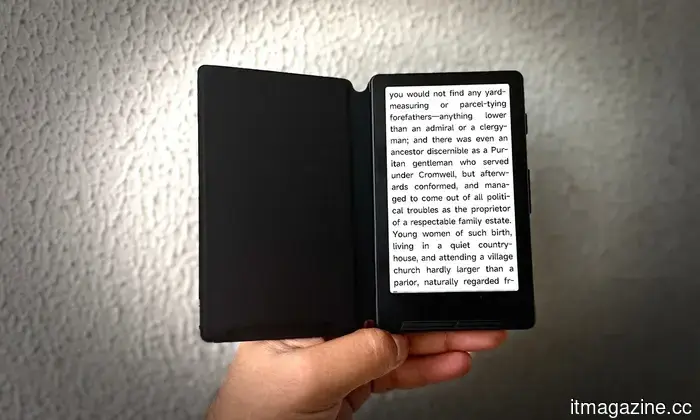
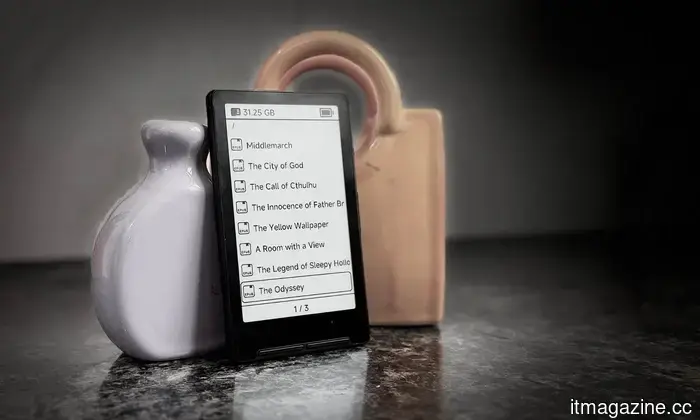
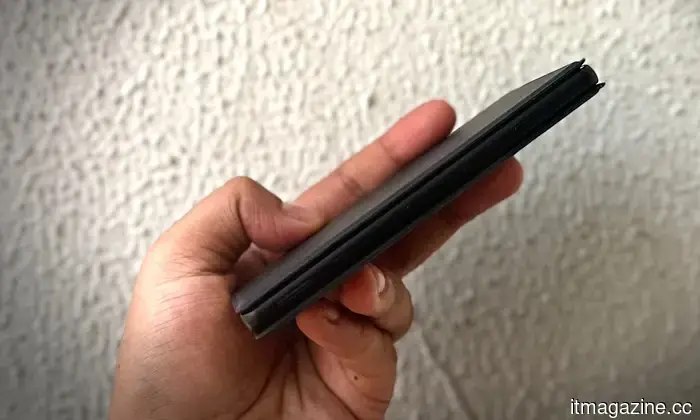
The standout feature of the Xteink X4 is its compact size, which impresses nearly everyone who encounters it. At just 114 x 69 x 5.9 millimeters and weighing only 74 grams, it’s comparable to a credit card and much lighter than any smartphone. It’s truly a device meant to be carried every day, aiming to replace the nostalgic allure of a classic iPod with a lightweight reading tool you hardly notice in your pocket.
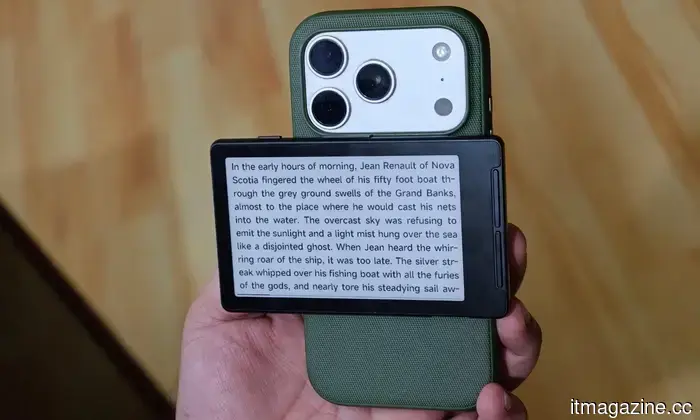
The build quality is sturdy, although the exterior is slightly slippery. Fortunately, due to its light weight, this minor issue is hardly a problem. One of the key features is its MagSafe-compatible magnetic attachment. Simply attach the e-reader to the back of a Qi2-enabled phone (like the Pixel 10 Pro or the iPhone 17 Pro), and you instantly gain a secondary E-Ink screen. It's a concept reminiscent of the Yotaphone.
However, the implementation can be problematic. Due to the large camera bumps on modern smartphones, the X4 may not sit evenly, often leaning slightly, extending beyond the phone’s edge, or clashing with the camera arrangement. Anticipating this, Xteink included a pair of adhesive magnetic rings in the package to allow attachment to older phones, cases, or even notebooks.
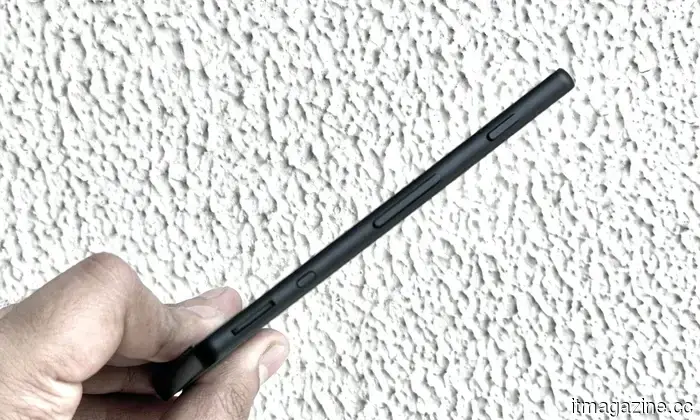
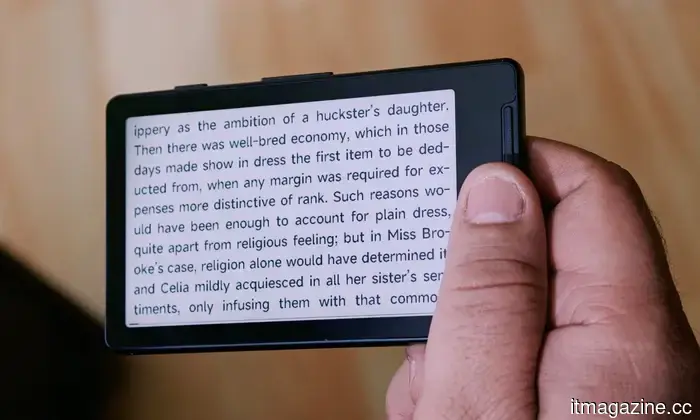
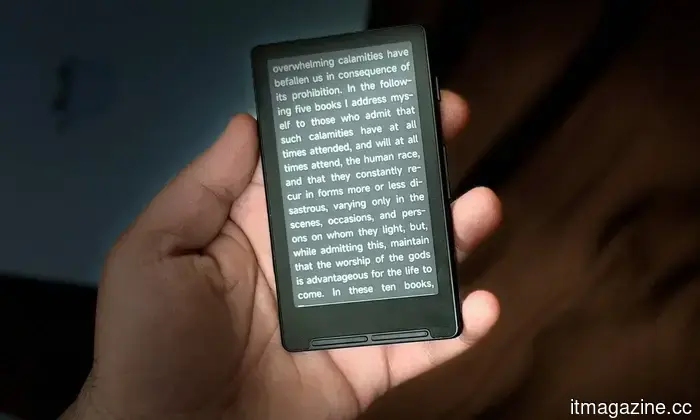
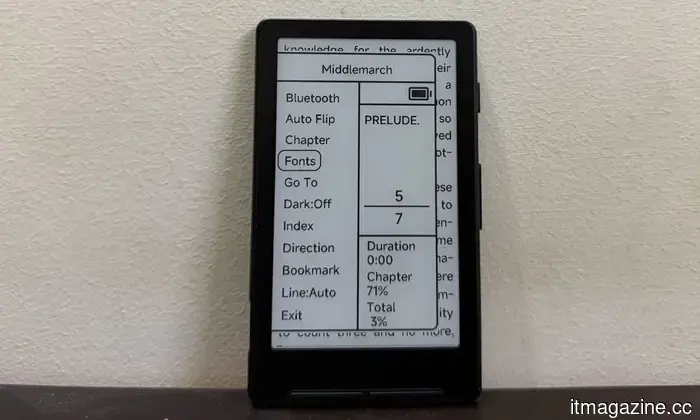
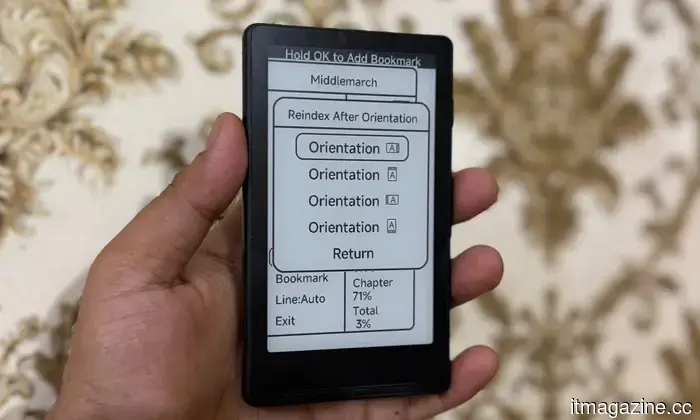
Without a touchscreen, the X4 relies heavily on its physical buttons. Navigation is through volume-style buttons on the right and a pair located below the display. While tactile page turns are generally appreciated in e-readers, these buttons lack labels. Some buttons even have dual functions depending on the side pressed.
This design results in a steep (and at times frustrating) learning curve, leading to many accidental presses while exploring settings or navigating menus. However, once accustomed, particularly for anyone familiar with three-button navigation on an Android phone, using it becomes second nature.
There are other hardware quirks that quietly remind you of the

Other articles
 The resurgence of Xbox exclusives begins with Gears of War and Clockwork Revolution.
Microsoft has confirmed that Gears of War: E-Day and Clockwork Revolution will be exclusive to Xbox consoles, with both titles also set to be available on PC and through Game Pass.
The resurgence of Xbox exclusives begins with Gears of War and Clockwork Revolution.
Microsoft has confirmed that Gears of War: E-Day and Clockwork Revolution will be exclusive to Xbox consoles, with both titles also set to be available on PC and through Game Pass.
 A judge has ruled that Trump's $100,000 H-1B fee is an illegal tax.
A federal judge overturned Trump's $100,000 H-1B visa fee, determining it to be an unconstitutional tax. This ruling provides relief for tech companies that depend on foreign AI talent. An appeal is anticipated.
A judge has ruled that Trump's $100,000 H-1B fee is an illegal tax.
A federal judge overturned Trump's $100,000 H-1B visa fee, determining it to be an unconstitutional tax. This ruling provides relief for tech companies that depend on foreign AI talent. An appeal is anticipated.
 Xteink X4 review: I was skeptical about this compact e-reader, but it helped improve my bad screen habits.
The Xteink X4 is simple to share, even simpler to integrate into your daily carry, and is a delightfully appealing gadget that could capture the book lover in you without straining your budget.
Xteink X4 review: I was skeptical about this compact e-reader, but it helped improve my bad screen habits.
The Xteink X4 is simple to share, even simpler to integrate into your daily carry, and is a delightfully appealing gadget that could capture the book lover in you without straining your budget.
 Siri receives its most significant update to date, and it's more personalized than ever before.
Apple has completely revamped Siri with Apple Intelligence, transforming it into a more conversational and context-aware AI capable of comprehending your messages, apps, and even the content displayed on your screen.
Siri receives its most significant update to date, and it's more personalized than ever before.
Apple has completely revamped Siri with Apple Intelligence, transforming it into a more conversational and context-aware AI capable of comprehending your messages, apps, and even the content displayed on your screen.
 Apple's latest child safety features launch amid increasing pressure on major technology companies.
Apple's newest child safety update allows parents greater authority over their children's downloading, browsing, viewing, and contact options, as governments urge Big Tech to enhance online protections for kids.
Apple's latest child safety features launch amid increasing pressure on major technology companies.
Apple's newest child safety update allows parents greater authority over their children's downloading, browsing, viewing, and contact options, as governments urge Big Tech to enhance online protections for kids.
 An affiliate of the Qilin ransomware utilized a zero-day vulnerability in Check Point's VPN for a month prior to the availability of a fix.
Check Point has addressed CVE-2026-50751, a critical vulnerability related to VPN authentication bypass that has been exploited since May 7. A Qilin ransomware group utilized this vulnerability to target multiple organizations.
An affiliate of the Qilin ransomware utilized a zero-day vulnerability in Check Point's VPN for a month prior to the availability of a fix.
Check Point has addressed CVE-2026-50751, a critical vulnerability related to VPN authentication bypass that has been exploited since May 7. A Qilin ransomware group utilized this vulnerability to target multiple organizations.
Xteink X4 review: I was skeptical about this small e-reader, but it helped improve my bad screen habits.
The Xteink X4 is simple to recommend, even simpler to incorporate into your daily carry, and a delightfully appealing gadget that could capture the heart of the book lover in you without breaking the bank.