

Xteink X4 review: I was skeptical about this compact e-reader, but it helped improve my bad screen habits.
“A surprisingly compact powerhouse for the right audience.”
**Pros**
- Lightweight and easy to carry
- Active open-source toolkits
- Magnetic attachment to phones
- Good battery life for its dimensions
- Quite affordable
**Cons**
- No lighting on the front or back
- Learning curve with the buttons
- Software is basic
**Quick Review**
Occasionally, an obscure brand creates an entirely new category of devices that may not be exceptionally practical but fulfill a specific need. Electronic ink readers are currently gaining popularity amidst a surge of digital detox and simpler gadgets. Xteink’s pocket e-readers capture this essence like nothing else. After nearly two months of travel with it, I finally understand the allure.
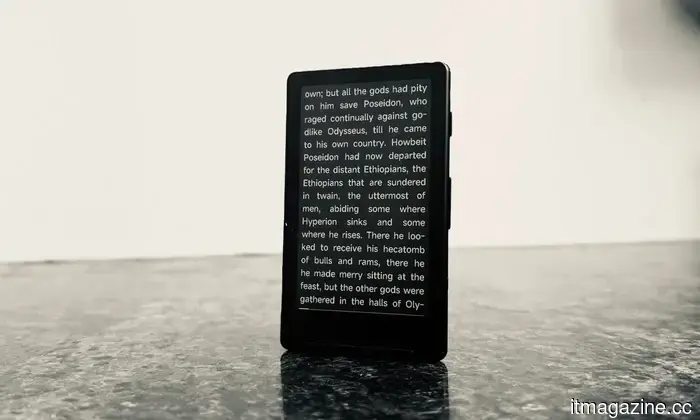
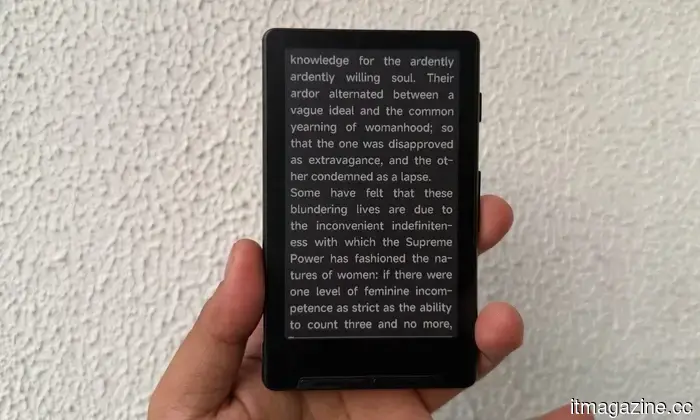
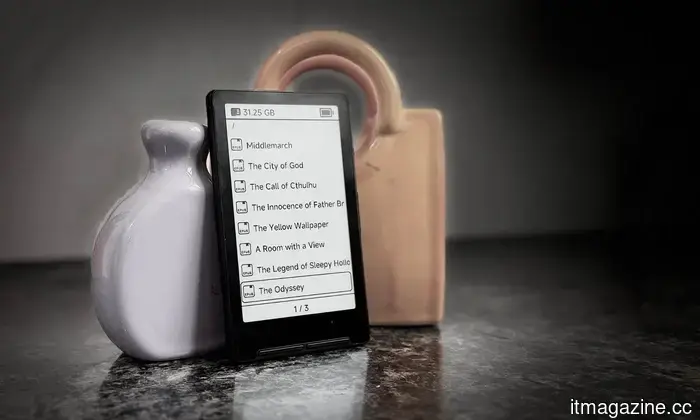
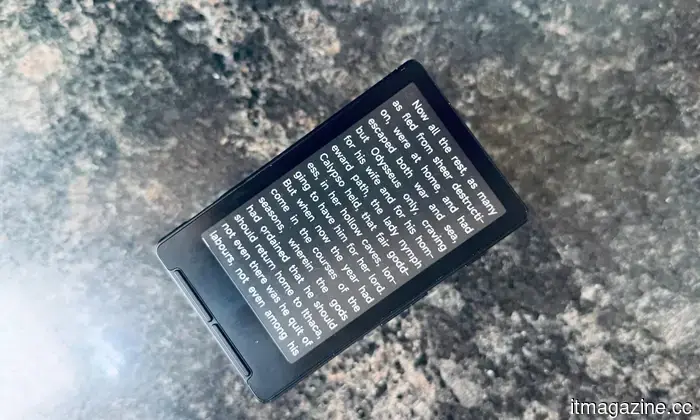
The Xteink X4 is a flawed yet utterly delightful pocket e-reader that brings the nostalgia of 90s technology into modern times. Priced at $69, this compact device is designed for digital minimalists seeking to reclaim their attention from the endless scrolling on their phones. It dispenses with contemporary conveniences, offering a handful of physical, unlabeled buttons and a modest chip dedicated solely to reading. What sets the X4 apart isn't its technical specifications.
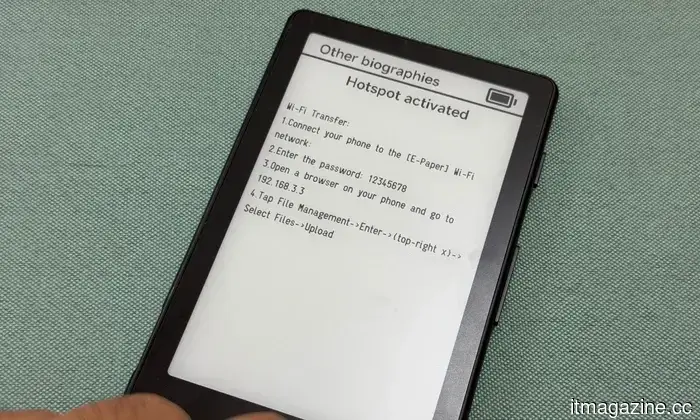
Instead, it's the vibrant, open-source community that has developed around it. With custom firmware like CrossPoint, you can entirely overhaul the interface, unlocking new fonts, cleaner layouts, wireless file transfers, and various reading-friendly features. Additionally, it magnetically attaches to the back of your phone, keeping your books always within reach. While it can't replace a high-end reading tablet, it excels as a compact, unique, and surprisingly affordable secondary device.
**Xteink X4 specs: What’s included in this charming e-reader?**
- **Display:** 4.3 inch
- **Resolution:** 220 PPI
- **Dimensions:** 114 x 69 x 5.9 mm (4.49” x 2.72” x 0.23”)
- **Weight:** 77g
- **CPU:** ESP32
- **Storage:** Comes with a 16 GB microSD card; expandable up to 256 GB
- **Connectivity:** Wi-Fi 2.4 GHz & Bluetooth® wireless technology
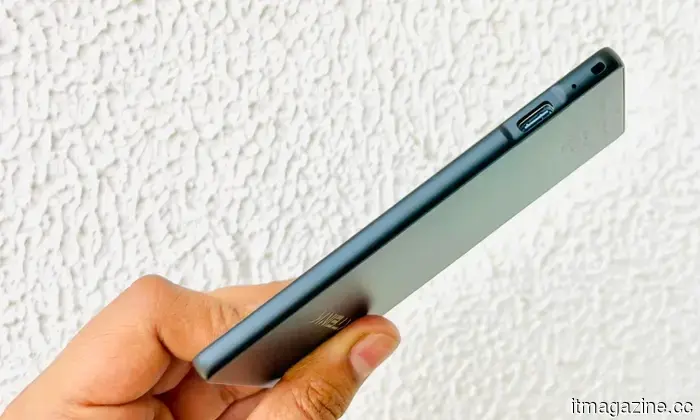
- **Ports:** USB Type-C
- **Physical Buttons:** Power Button, Page-Turn Buttons
- **Battery:** 650 mAh (a single charge lasts up to 14 days, based on 1–3 hours of daily reading)
- **Supported Formats:** Documents: EPUB, TXT; Images: JPG, BMP; Fonts: BIN
- **Color Options:** Space Black / Frost White
- **Languages:** English, Simplified Chinese, Traditional Chinese, and Japanese
- **Front Light:** No
- **Touchscreen:** No
- **Other:** Does not support third-party apps
**Xteink X4 design and build quality: Where size is the real spellbinder**
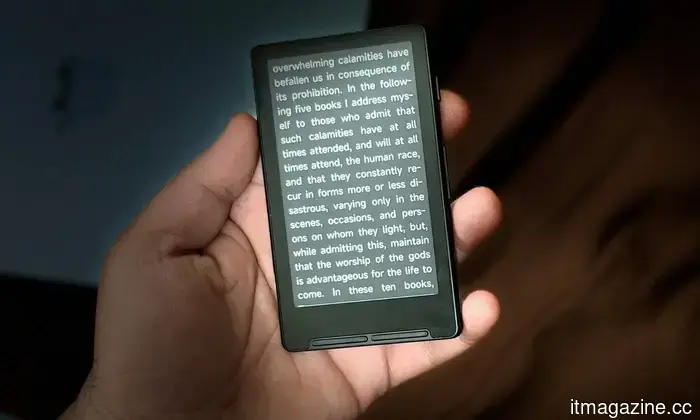
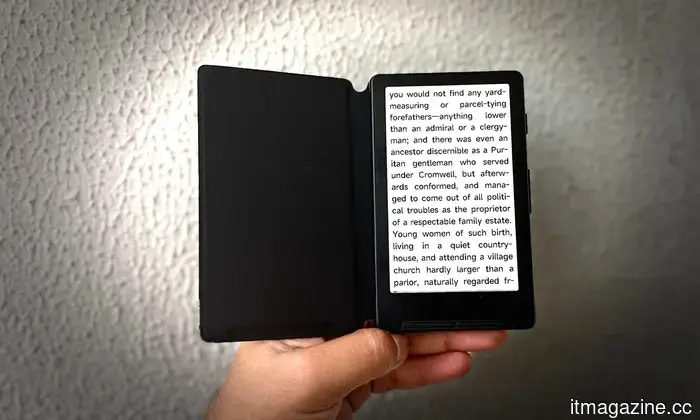
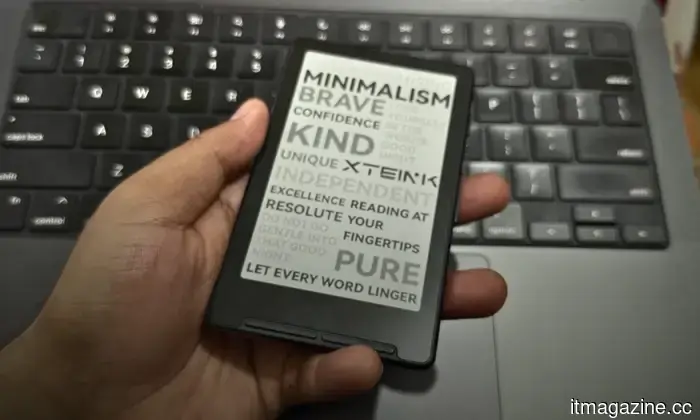
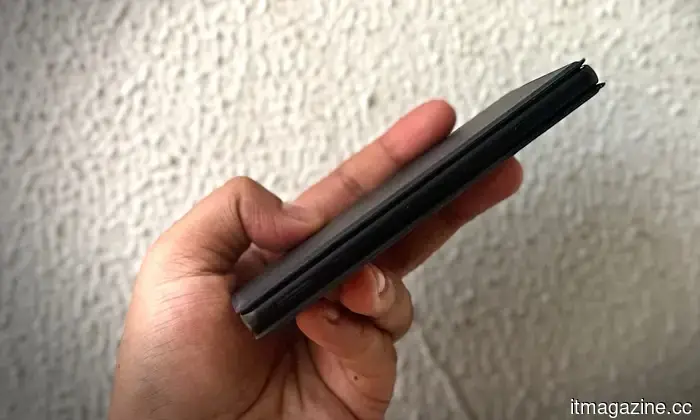
The defining feature of the Xteink X4 is its diminutive size, which is often praised first. At a compact 114 x 69 x 5.9 millimeters and weighing just 77 grams, it closely resembles a credit card and is significantly lighter than any phone you own. It's designed to be a daily-carry device that aims to replace the nostalgic charm of an iPod with a reading tool that you barely recognize in your pocket.
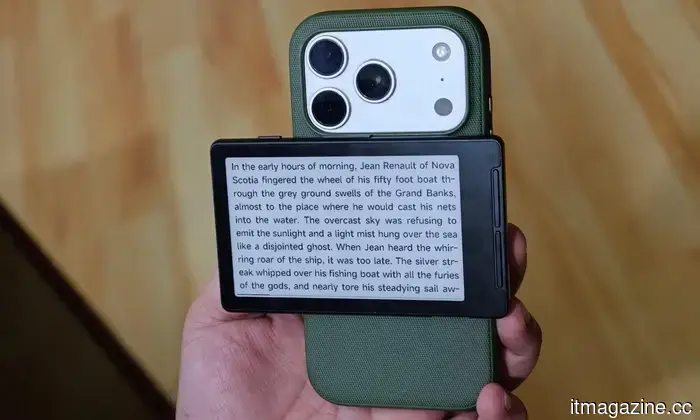
The build quality feels robust, although the shell can be a bit slick. Fortunately, due to its lightweight design, the slight lack of grip isn't a major concern. A notable hardware feature is the MagSafe-compatible magnetic attachment. Simply clip the e-reader to the back of a Qi2-enabled phone—like the Pixel 10 Pro or iPhone 17 Pro—and you essentially add a secondary E-Ink screen to your phone. It shares a concept with the Yotaphone.
However, there are some drawbacks in execution. With modern phones featuring large camera bumps, the X4 often fails to sit flat, causing it to lean awkwardly or extend beyond the bottom edge. Anticipating this issue, Xteink includes two adhesive magnetic rings in the box, allowing you to attach the reader to an older phone, case, or even a notebook.
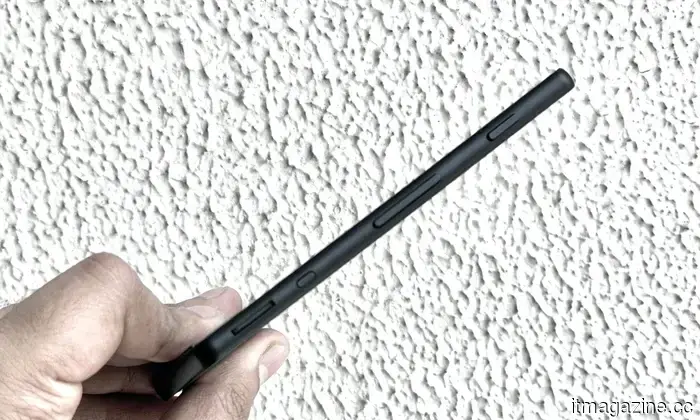
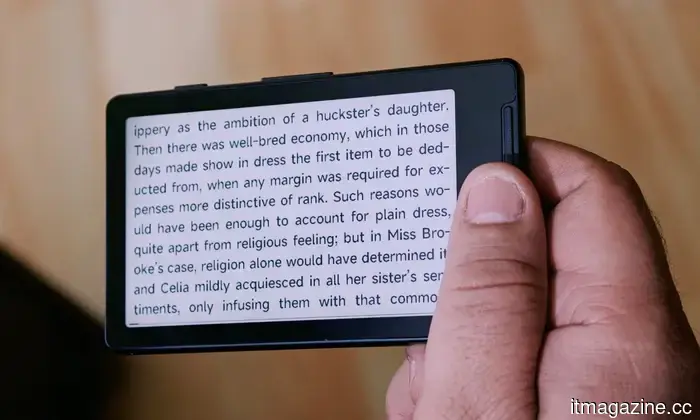
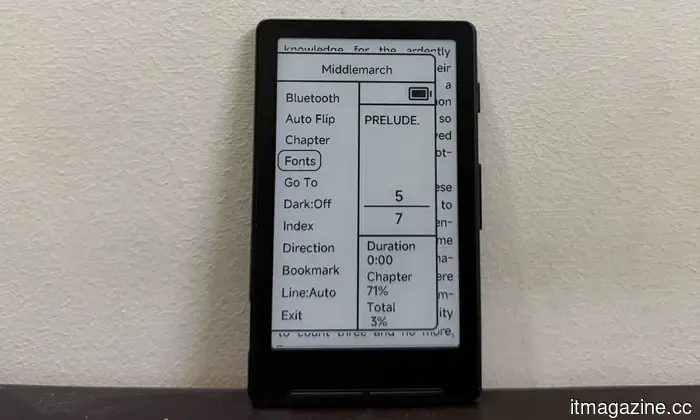
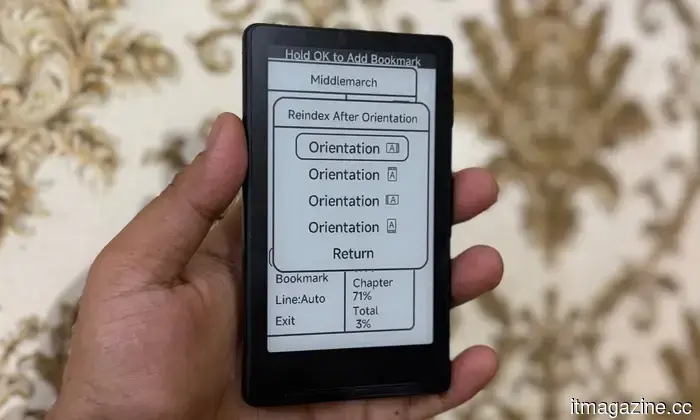
With no touchscreen, the X4 relies entirely on its physical buttons for navigation. It features volume-rocker-style keys on the right edge and two buttons beneath the display. While some users appreciate tactile page turns on an e-reader, here the buttons are completely unlabeled. Worse yet, some are dual-function, performing different tasks depending on which edge you press.
This creates a steep learning curve, often leading to accidental presses while trying to navigate settings or exit menus. However, once you become accustomed to it—especially if you've used the three-button navigation on an Android device—using it becomes second nature.
There are a few design quirks that gently remind

Другие статьи
 Sam Bankman-Fried requests a pardon for Trump while in prison.
Sam Bankman-Fried, the founder of FTX, has officially requested a presidential pardon from prison from Trump. In January, Trump stated that he has "no intention" of granting such a pardon.
Sam Bankman-Fried requests a pardon for Trump while in prison.
Sam Bankman-Fried, the founder of FTX, has officially requested a presidential pardon from prison from Trump. In January, Trump stated that he has "no intention" of granting such a pardon.
 FCC grants Amazon Leo an extension for satellite deployment but removes its spectrum priority.
The FCC granted Amazon an exemption from the July 30 deadline to launch 1,616 satellites but removed its spectrum priority until March 2028. SpaceX objected to the extension.
FCC grants Amazon Leo an extension for satellite deployment but removes its spectrum priority.
The FCC granted Amazon an exemption from the July 30 deadline to launch 1,616 satellites but removed its spectrum priority until March 2028. SpaceX objected to the extension.
 A judge has ruled that Trump's $100,000 H-1B fee is an illegal tax.
A federal judge overturned Trump's $100,000 H-1B visa fee, determining it to be an unconstitutional tax. This ruling provides relief for tech companies that depend on foreign AI talent. An appeal is anticipated.
A judge has ruled that Trump's $100,000 H-1B fee is an illegal tax.
A federal judge overturned Trump's $100,000 H-1B visa fee, determining it to be an unconstitutional tax. This ruling provides relief for tech companies that depend on foreign AI talent. An appeal is anticipated.
 Apple's latest child safety features launch amid increasing pressure on major technology companies.
Apple's newest child safety update allows parents greater authority over their children's downloading, browsing, viewing, and contact options, as governments urge Big Tech to enhance online protections for kids.
Apple's latest child safety features launch amid increasing pressure on major technology companies.
Apple's newest child safety update allows parents greater authority over their children's downloading, browsing, viewing, and contact options, as governments urge Big Tech to enhance online protections for kids.
 Apple's WWDC 2026 introduced changes to the App Store that allow independent developers to combine subscriptions.
Apple unveiled cross-developer App Store bundles, shared subscriptions, volume purchasing options, and AI-powered Personalized Collections during WWDC 2026.
Apple's WWDC 2026 introduced changes to the App Store that allow independent developers to combine subscriptions.
Apple unveiled cross-developer App Store bundles, shared subscriptions, volume purchasing options, and AI-powered Personalized Collections during WWDC 2026.
 Reevaluating growth frameworks: Rush Digital Marketing’s strategy regarding ownership and independence.
Amanda Rush, Nexus Install, LinkedIn lead generation, B2B engagement, client onboarding, coaching enterprise, consulting development, marketing automation, online marketing, outreach frameworks, lead-generation management.
Reevaluating growth frameworks: Rush Digital Marketing’s strategy regarding ownership and independence.
Amanda Rush, Nexus Install, LinkedIn lead generation, B2B engagement, client onboarding, coaching enterprise, consulting development, marketing automation, online marketing, outreach frameworks, lead-generation management.
Xteink X4 review: I was skeptical about this compact e-reader, but it helped improve my bad screen habits.
The Xteink X4 is simple to share, even simpler to integrate into your daily carry, and is a delightfully appealing gadget that could capture the book lover in you without straining your budget.