

5 Menu Bar apps that have secured a permanent place on my Mac in 2026
One of the aspects I appreciate most about macOS is its capability for Menu Bar apps. These small applications reside in your Menu Bar and assist in completing tasks without the need to launch a full application.
Given that there’s a finite number of Menu Bar apps you can install before it becomes cluttered, I regard this space as prime real estate. Many apps seek to occupy this area, but only a select few truly deserve their place.
After years of installing and uninstalling various apps, I’ve settled on five that I genuinely use daily. There are additional apps, such as Supercharge and CleanShot X, that also occupy my Menu Bar, but I have previously detailed them, so they won’t be included here.
**Klack**
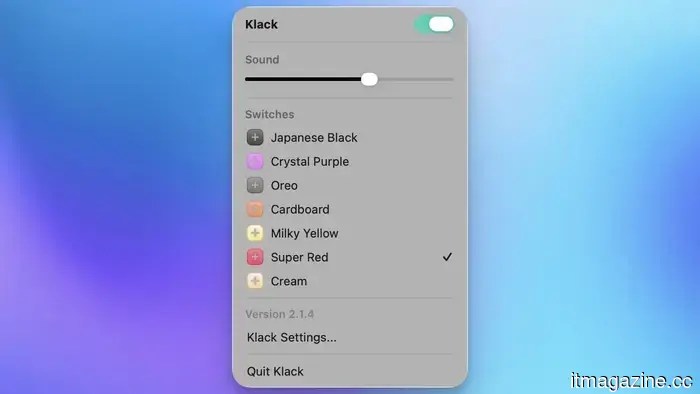
I’ll begin with the most entertaining app on this list: Klack. If you enjoy the satisfying sound of a mechanical keyboard but don’t want to purchase one, or if you’re constantly on the go and cannot carry one, Klack is the solution for you. This app replicates mechanical keyboard typing sounds, making it a delight to use.
You have the option to choose from seven different switch types. My personal favorite is the Super Red switch, which produces a nice thunky sound effect. Each keystroke resonates as if I am using a high-end mechanical keyboard.
You can also add clicking sound effects and a ping sound when you press the return key, which adds a charming touch. I have mapped a keyboard shortcut to toggle it on and off, so it functions only when I’m using the built-in keyboard on my M1 MacBook Pro. If you do a lot of writing, this is a worthwhile investment.
**Get Klack**
**PopClip**
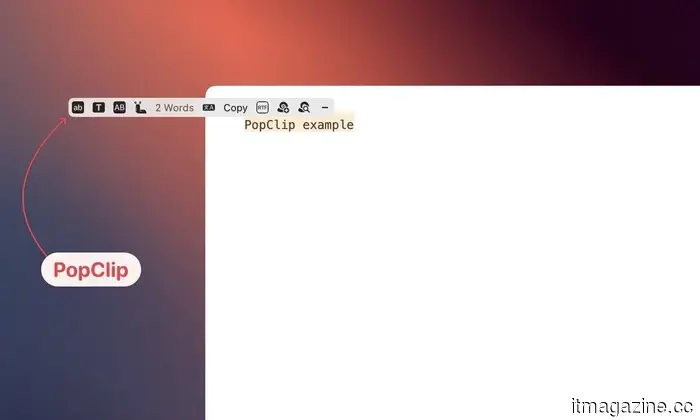
PopClip is one of those applications that, once you start using it, makes you question how you ever managed without it. Each time you select text on your Mac, PopClip displays a small toolbar with actions like copy, paste, search, translate, and more.
The standout feature of PopClip is its extensive extension support. You can add extensions for nearly any app you utilize, transforming it into a powerful text productivity tool that quietly resides in your Mac’s Menu Bar.
My most frequently used extensions include “clip to DEVONthink,” which adds selected text to my DEVONthink database; a word counter that provides the word count of selected text; a translator for translating selected text into English; and a text-case formatter, among many others.
There are literally hundreds of extensions available. PopClip is one of my top productivity apps and is always one of the first I install on a new Mac.
**Get PopClip**
**Lungo**
Lungo addresses a problem that has frustrated me for years. By default, your Mac will enter sleep mode after a few minutes of inactivity, which is beneficial for battery life but inconvenient when downloading something in the background or during a video export.
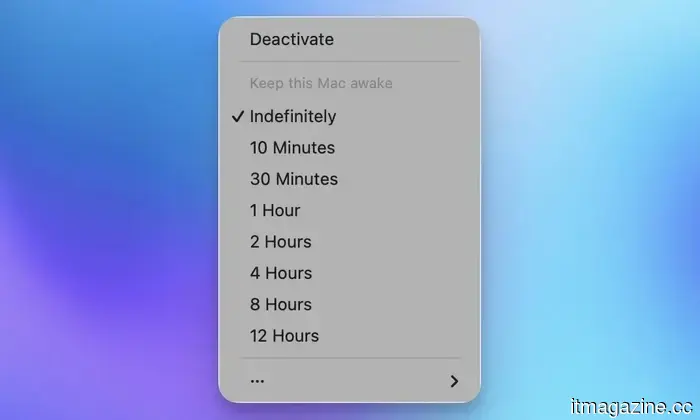
Lungo resolves this by keeping your Mac awake for as long as needed, allowing you to set custom durations directly from the menu bar. It’s a straightforward app with a clear purpose, and it accomplishes it exceptionally well. It’s developed by the same people behind one of my favorite Mac apps, Supercharge.
Lungo costs $4, which may seem steep for an app that performs a single function. If that's the case, you might consider Amphetamine, which serves the same purpose and is free in the Mac App Store.
I prefer Lungo over Amphetamine for two main reasons: Firstly, it has always worked flawlessly for me, while Amphetamine has occasionally not performed as expected. Secondly, I access it for free through my SetApp subscription.
**Get Lungo**
**Dot Calendar**
I have always had a fondness for Menu Bar calendar apps. Over the years, I have switched between numerous options due to various reasons. Some have been discontinued, others have not received meaningful updates in quite some time, while some have transitioned to subscription-based models.
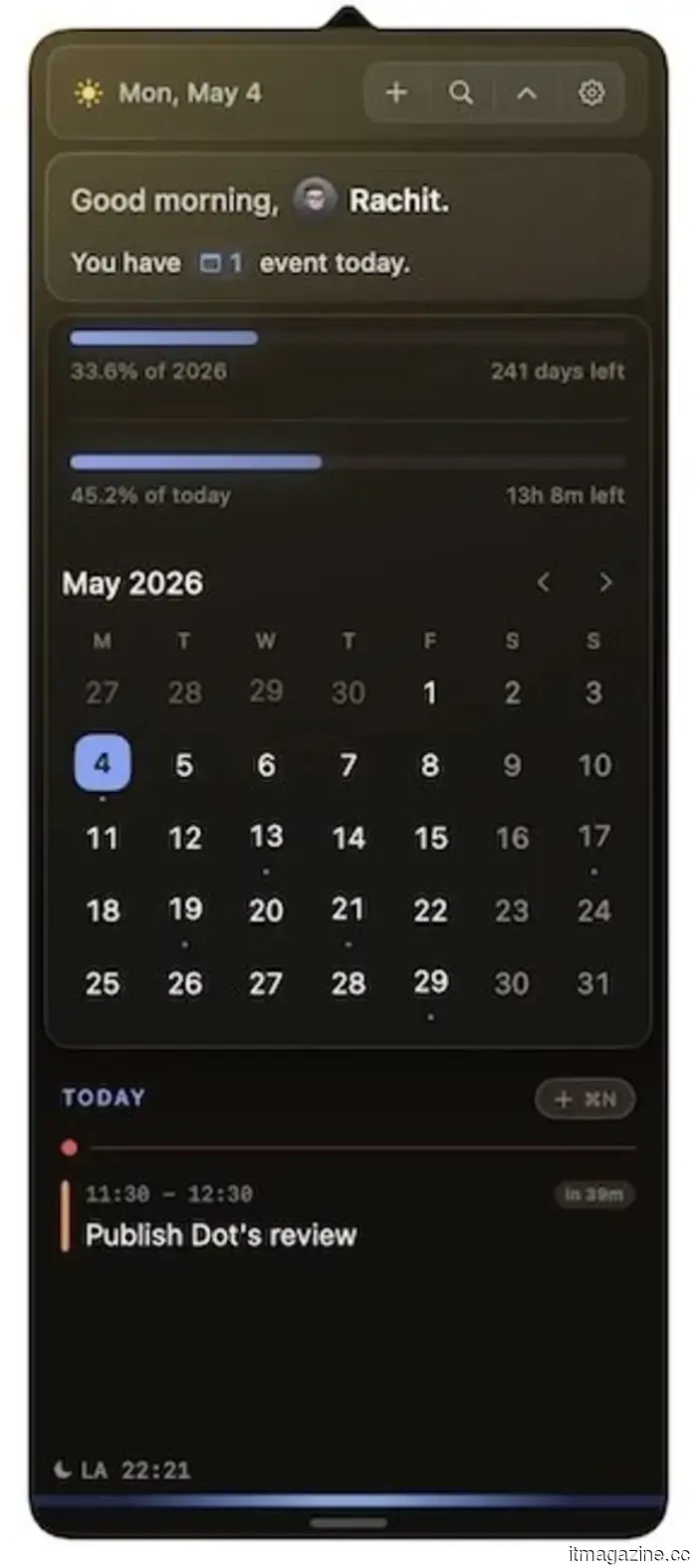
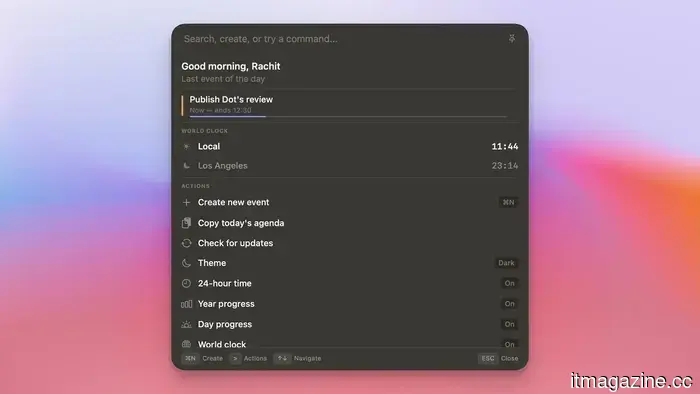
Then I found Dot Calendar, which offers everything I’ve ever wanted from a Menu Bar calendar application. The user interface is both functional and visually appealing. You get a monthly overview at the top, a scrollable list of upcoming events below, a world clock for various cities, and a day summary that provides a quick glance at how busy or free your day is.
What truly differentiates Dot is how effectively it manages the moments right before a meeting. It automatically surfaces links from your calendar invites, ensuring your Google Doc or Notion page is readily available when you need it. The camera preview feature is another thoughtful addition, allowing you to check your lighting and microphone levels prior to a call.
There’s also a Command Bar that enables you to create events, search your schedule, check the world time, and copy your day’s agenda without leaving the task at hand. I’ve previously provided a detailed review of this app, so check out my impressions of Dot before deciding to purchase it.
**Get Dot**
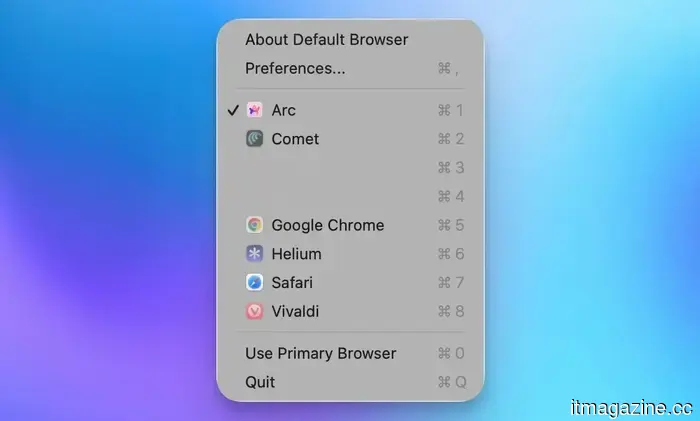
**Default Browser
Other articles
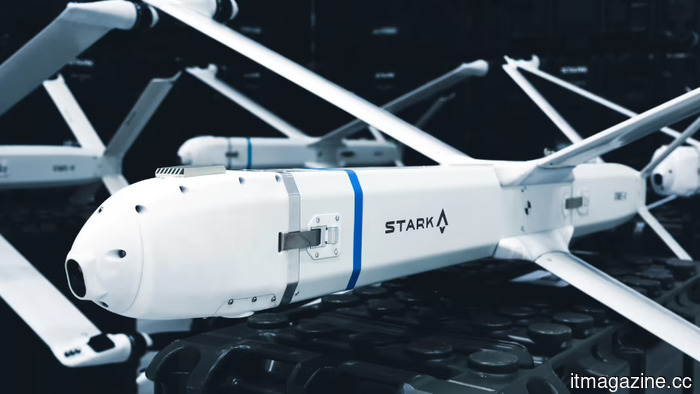 Berlin's Stark is securing €300M at a valuation of €2.5B. The kamikaze drone manufacturer was established 18 months ago.
The German strike drone startup increased its valuation to €2.5B within a few months. Its flagship drone, the Virtus, autonomously recognizes and eliminates targets upon impact.
Berlin's Stark is securing €300M at a valuation of €2.5B. The kamikaze drone manufacturer was established 18 months ago.
The German strike drone startup increased its valuation to €2.5B within a few months. Its flagship drone, the Virtus, autonomously recognizes and eliminates targets upon impact.
 The final trailer for season 3 of House of the Dragon has revealed its most awaited moment.
The concluding trailer for House of the Dragon season 3 shows Rhaenyra has seized control of King's Landing, but governing proves to be much more challenging than achieving victory, with schemes, treachery, and full-scale war threatening her reign.
The final trailer for season 3 of House of the Dragon has revealed its most awaited moment.
The concluding trailer for House of the Dragon season 3 shows Rhaenyra has seized control of King's Landing, but governing proves to be much more challenging than achieving victory, with schemes, treachery, and full-scale war threatening her reign.
 Acer's latest Swift Air 14 aims to compete with the MacBook Neo, but it might be at a disadvantage.
Acer has recently revealed its response to the MacBook Neo. The Swift Air 14 features Intel’s latest Wildcat Lake processors, a 70Wh battery, a 120Hz display, and additional ports, yet Apple’s $599 laptop might still prove difficult to surpass.
HeartFocus Link integrates AI cardiac ultrasound with any cart system.
French medtech company DESKi has introduced HeartFocus Link, which integrates AI-guided cardiac imaging into any cart-based ultrasound system through a tablet and HDMI connection, addressing the worldwide shortage of sonographers.
Acer's latest Swift Air 14 aims to compete with the MacBook Neo, but it might be at a disadvantage.
Acer has recently revealed its response to the MacBook Neo. The Swift Air 14 features Intel’s latest Wildcat Lake processors, a 70Wh battery, a 120Hz display, and additional ports, yet Apple’s $599 laptop might still prove difficult to surpass.
HeartFocus Link integrates AI cardiac ultrasound with any cart system.
French medtech company DESKi has introduced HeartFocus Link, which integrates AI-guided cardiac imaging into any cart-based ultrasound system through a tablet and HDMI connection, addressing the worldwide shortage of sonographers.
 Parloa invests $350 million through collaborations with SAP, Microsoft, and OpenAI.
Parloa, established in Berlin, is broadening its AI agent platform by forming strategic partnerships with SAP, Microsoft, OpenAI, Five9, and Epic, following the successful raising of $350 million at a valuation of $3 billion.
Parloa invests $350 million through collaborations with SAP, Microsoft, and OpenAI.
Parloa, established in Berlin, is broadening its AI agent platform by forming strategic partnerships with SAP, Microsoft, OpenAI, Five9, and Epic, following the successful raising of $350 million at a valuation of $3 billion.
 Parloa invests $350 million through partnerships with SAP, Microsoft, and OpenAI.
Parloa, established in Berlin, is enhancing its AI agent platform by forming strategic partnerships with SAP, Microsoft, OpenAI, Five9, and Epic, following a successful fundraising of $350 million at a valuation of $3 billion.
Parloa invests $350 million through partnerships with SAP, Microsoft, and OpenAI.
Parloa, established in Berlin, is enhancing its AI agent platform by forming strategic partnerships with SAP, Microsoft, OpenAI, Five9, and Epic, following a successful fundraising of $350 million at a valuation of $3 billion.
5 Menu Bar apps that have secured a permanent place on my Mac in 2026
The menu bar on my Mac is valuable space, and not every application deserves to occupy it. In 2026, these five apps were selected and have truly enhanced my daily workflow.