
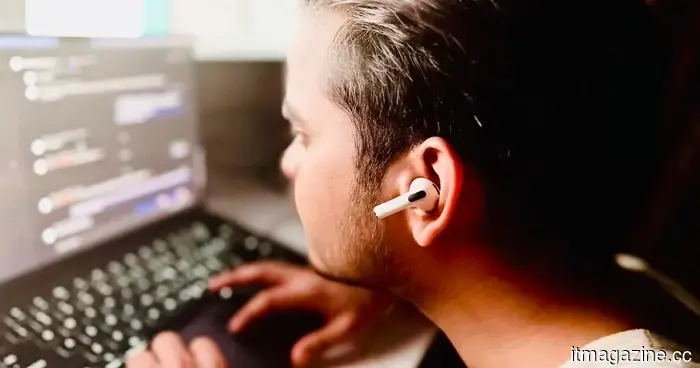
I created a Mac app to monitor my poor posture using AirPods, without writing any code myself.
A few weeks ago, I wrote about an application that uses the Mac's webcam to monitor your posture, sending a notification when it detects slouching. The app also tracks these events and provides a daily posture score. While it was open-source, after being shared on Reddit by its creator, many users began questioning how it handles data processing and storage. These questions were indeed valid.
When you grant an app access to your camera, it can observe you and your surroundings in real time. Could this lead to a security vulnerability? What other data might the app be collecting in the background, and how much of the audio-visual stream is being transmitted or stored on external servers? Fortunately, this app functions entirely online, with all processing done locally on my Mac. Nonetheless, the unease lingered.
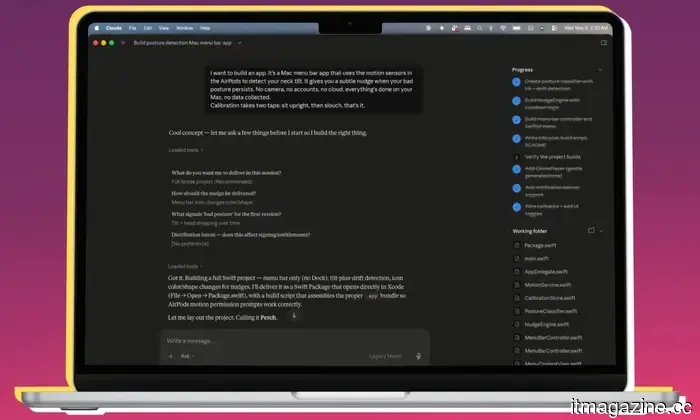
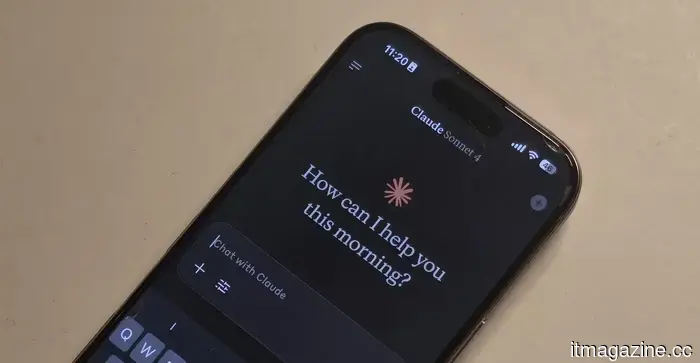
This prompted me to explore developing my own software. Rather than relying on the camera to identify poor posture, I considered using the motion sensors within the AirPods. With no prior understanding of how this could work in practice, I turned to the AI chatbot that many people are consulting these days for answers—Anthropic's Claude.
And then everything changed.
The main issue? I've never written a single line of functional code. I hardly understand the programming languages necessary for creating mobile or desktop applications. Surprisingly, I was able to create a fully operational app just by conversing with Claude AI, without ever seeing its visual interface.
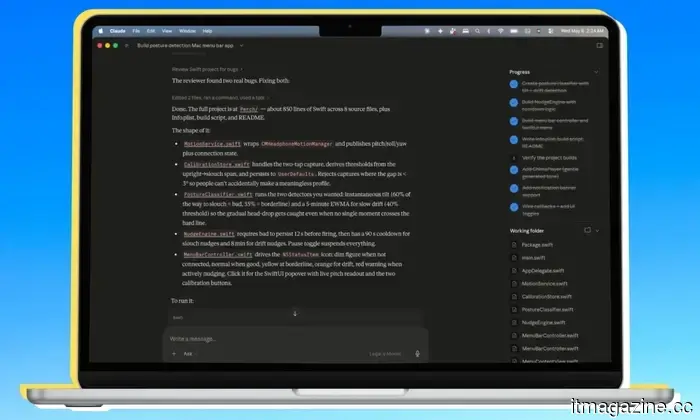
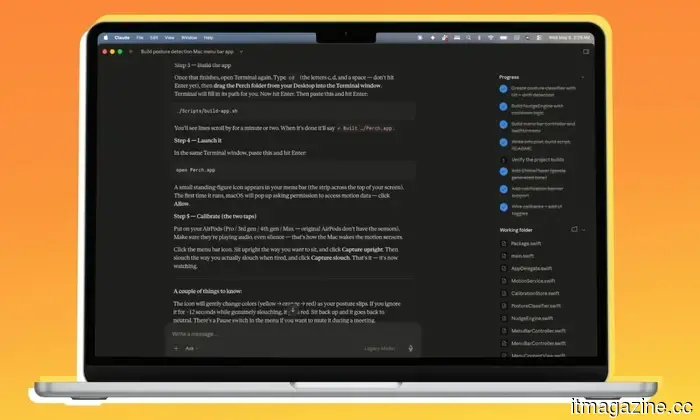
I asked the AI chatbot whether such an app was possible. After receiving an affirmative response, I let Claude lead the whole development process. I didn’t even examine the underlying code. It only asked for a few preferences during the process, to which I responded with brief answers. Within half an hour, the app was up and running on my Mac.
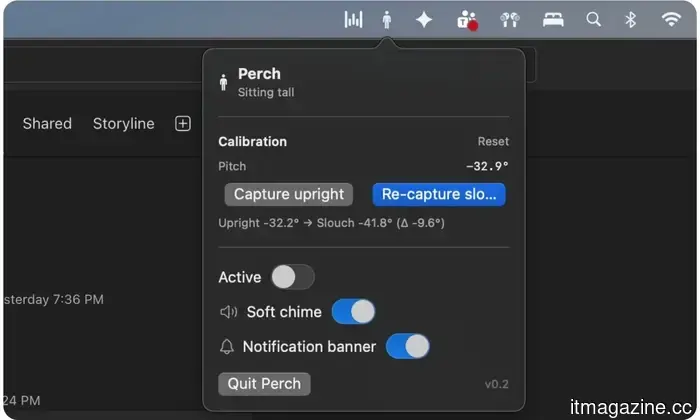
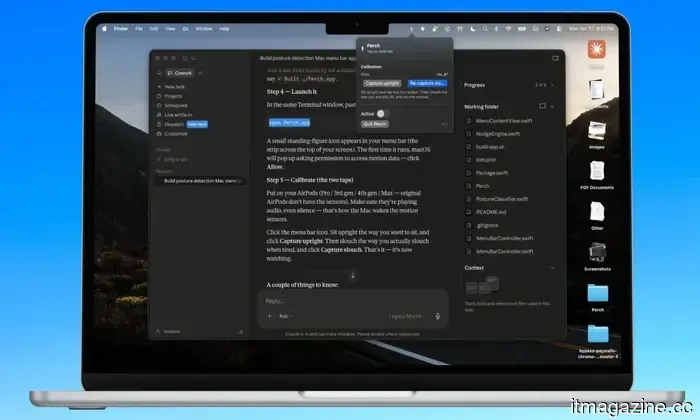
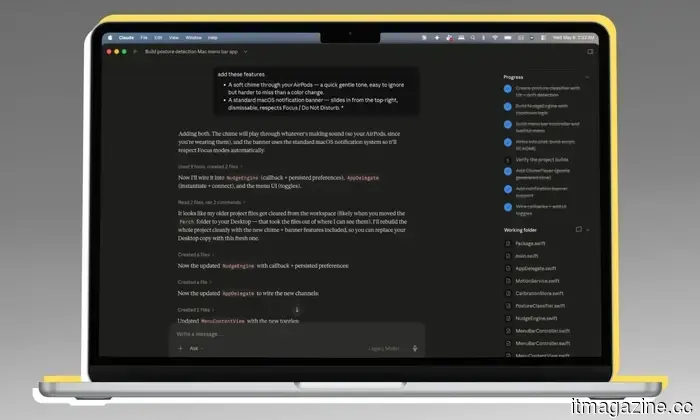
Claude also designed a menu bar icon, the posture notification banner (including the warning message), the menu bar interface when I interacted with the app, and even the calibration options. The AI managed color animations, established the criteria for detecting bad posture, added an alert sound, and implemented a two-stage warning system.
It all began with a simple message in the chatbox: “I want to build this app,” which led to a comprehensive interaction about app development. I didn’t even instruct it on most of the app's design or the internal functions. The whole concept of front-end and back-end implementation came together and faded into the background, leaving only the use of natural language.
Claude inquired about specific features for the app, and I simply agreed without hesitation.
To say I was astonished would be an understatement. Claude even created a suitable app icon and neatly organized everything in a folder. Once the code was compiled, launching and using the app felt just like any typical app downloaded from the internet. The difference is that this app was solely created and stored on my Mac, without any activity data leaving my device.
How does the app function?
The fundamental concept, as mentioned, is to utilize the AirPods’ motion sensors to identify posture changes and send alerts. When I open the app, it prompts me to sit upright (or assume a naturally healthy posture), establishing that as the ideal posture based on the angular data recorded by the AirPods. Then it requests that I adopt a poor posture, either slouched or hunched forward, and notes the spatial data for that position.
That’s all.
I wear the AirPods, start the app, calibrate the good and bad postures, and I’m set. There’s no need for manual input of height or angle. I simply sit in both correct and incorrect postures, allowing the app to record both. I don’t even see the app in the dock. Rather, Claude designed it as a utility for the menu bar, keeping it visible without cluttering my screen or requiring me to use Command+Tab to check on it.
When I’m sitting correctly, the app’s icon is gray. If it detects a change in posture, the icon changes to yellow. Should my posture deteriorate, the icon turns red with motion indicators. If poor posture persists for over 12 seconds, the icon transforms into a bright red triangle, and a notification banner appears in the top-right corner of the screen, reminding me to correct my posture.
This notification behaves like any other from apps on your Mac. It adheres to focus mode, allowing me to act on it or dismiss it with one click. Initially skeptical about the premise, I found that the app performed remarkably well with motion sensing and posture detection. I had my siblings and four friends test the app using my second-generation AirPods Pro. They were pleasantly surprised by its responsiveness and appreciated the genuinely useful concept behind such a tool.
What's next?
At this point, I’m not interested in publishing it on the App Store. The effort involved is substantial. It would necessitate obtaining an Apple developer account, navigating Apple's demanding quality control process, and likely hiring someone for ongoing management. That was never my



Other articles
 The US believes that Thailand's OBON Corp assisted in the smuggling of NVIDIA chips to Alibaba.
OBON Corp., a Thai firm associated with the national AI strategy, is referred to as the unnamed "Company-1" in the $2.5 billion indictment of Supermicro.
The US believes that Thailand's OBON Corp assisted in the smuggling of NVIDIA chips to Alibaba.
OBON Corp., a Thai firm associated with the national AI strategy, is referred to as the unnamed "Company-1" in the $2.5 billion indictment of Supermicro.
 Research indicates that social media friends don’t necessarily reduce feelings of loneliness.
A recent study involving over 1,500 adults revealed that online interactions with unfamiliar individuals were associated with increased feelings of loneliness, whereas face-to-face interactions did not show a definitive decrease in loneliness.
Research indicates that social media friends don’t necessarily reduce feelings of loneliness.
A recent study involving over 1,500 adults revealed that online interactions with unfamiliar individuals were associated with increased feelings of loneliness, whereas face-to-face interactions did not show a definitive decrease in loneliness.
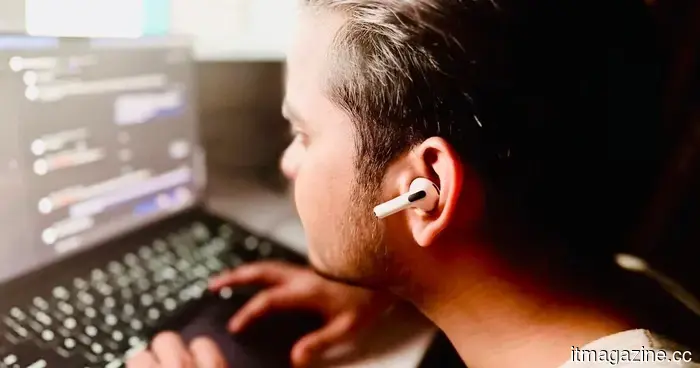 I developed a Mac application to monitor my poor posture using AirPods, and I didn't write any code myself.
Thanks to Claude, I developed an app without any programming skills. Not long ago, it would have seemed like a distant dream for someone like me to even think about creating my own software.
I developed a Mac application to monitor my poor posture using AirPods, and I didn't write any code myself.
Thanks to Claude, I developed an app without any programming skills. Not long ago, it would have seemed like a distant dream for someone like me to even think about creating my own software.
 Perplexity's AI answering system will not be available on Snapchat, after all.
Snapchat has abandoned its Perplexity AI search initiative, prompting new inquiries into the extent to which users truly desire AI integration within social applications.
Perplexity's AI answering system will not be available on Snapchat, after all.
Snapchat has abandoned its Perplexity AI search initiative, prompting new inquiries into the extent to which users truly desire AI integration within social applications.
 Perplexity's AI answering engine will not be available on Snapchat, after all.
Snapchat has abandoned its Perplexity AI search initiative, leading to new inquiries about the degree to which users desire AI integration in social applications.
Perplexity's AI answering engine will not be available on Snapchat, after all.
Snapchat has abandoned its Perplexity AI search initiative, leading to new inquiries about the degree to which users desire AI integration in social applications.
 Research reveals that having friends on social media may not actually reduce feelings of loneliness.
A recent study involving over 1,500 adults discovered that online interactions with unfamiliar individuals were associated with increased feelings of loneliness, whereas face-to-face interactions did not show a definitive decrease in loneliness levels.
Research reveals that having friends on social media may not actually reduce feelings of loneliness.
A recent study involving over 1,500 adults discovered that online interactions with unfamiliar individuals were associated with increased feelings of loneliness, whereas face-to-face interactions did not show a definitive decrease in loneliness levels.
I created a Mac app to monitor my poor posture using AirPods, without writing any code myself.
With the help of Claude, I was able to create an app without any programming knowledge. Not long ago, the idea of developing my own software would have felt like an impossible dream for someone like me.