

SpeakON: A Revolutionary Approach to Voice-First Productivity
There is a fundamental issue with our current methods of communication that many people are unaware of. It's not about lacking ideas, but rather the obstacles encountered in transforming thoughts into something actionable to share.
By the time you unlock your phone, navigate to an app, type, and revise, the clarity of your idea often diminishes. Consequently, communication may come across as slower, less precise, and sometimes not as impactful as intended.
It's important to clarify from the outset: SpeakON is not merely a note-taking app with an added button. Its purpose is not to store your thoughts for future reference but to express them — clearly, instantly, and in the appropriate tone — the instant you want to communicate.
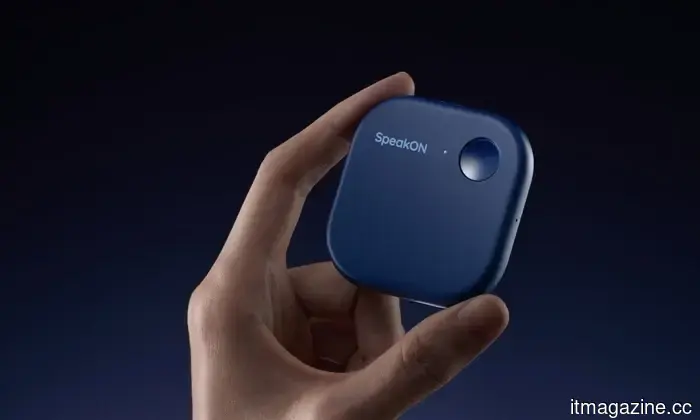
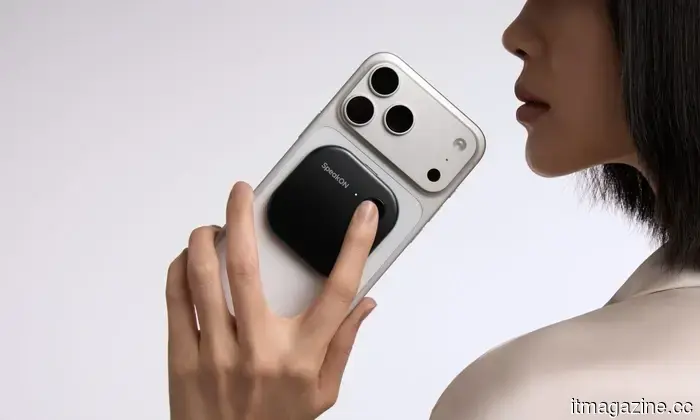
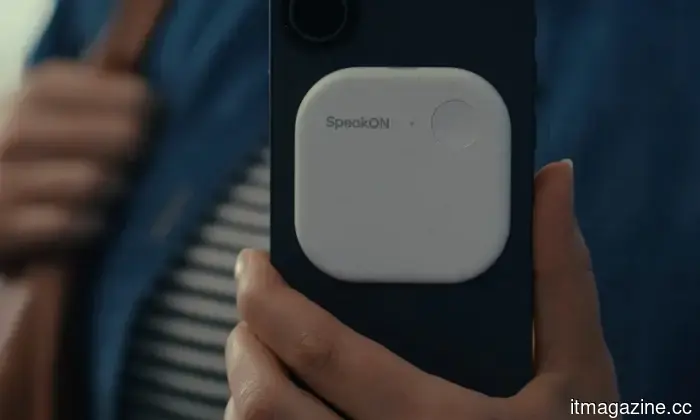
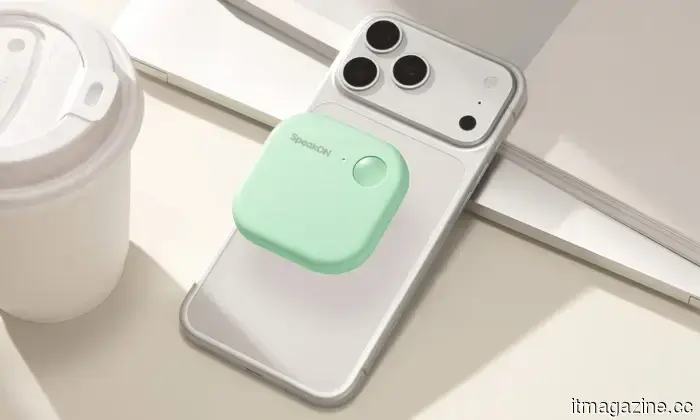
At its essence, SpeakON is a MagSafe AI Button, a specialized hardware accessory that magnetically attaches to the back of your iPhone (compatible with iPhone 12 and newer models) and pairs with an intelligent AI app to eliminate the divide between thought and communication.
SpeakOn
It launches on April 21, 2026, exclusively in the United States, available at speakon.app. The hardware device costs $129, with a hardware and 1-year Pro software bundle priced at $199—plus, every new user receives a 14-day free trial of SpeakON Pro.
Regarding privacy, no audio files are stored: voices are processed and discarded, retaining only the final text output. The system complies with SOC 2 Type 2, HIPAA, and GDPR standards.
This hardware-first approach provides practical advantages that software-only alternatives cannot match.
Unlike most app-based AI voice assistants that require constant background microphone access, our solution conservatively reduces battery drain by about 10-15% over the course of a workday.
With SpeakON, audio capture is performed by the device itself, greatly decreasing the background processing demands on your iPhone. It also keeps your microphone available for other uses: calls, Siri, and FaceTime, without any competition for that resource.
After a few days of using it, I found myself instinctively reaching for that button — it seamlessly integrated into my workflow in a way that no standalone app could achieve.
A New Interaction Model: From Thought to Execution Without Disruption
SpeakOn
Most digital workflows revolve around a series of actions. You unlock your device, open an app, switch contexts, type, edit, and send. Each step might seem minor, but collectively they create a delay that disrupts the original clarity of thought.
SpeakON eliminates that sequence almost completely.
With a single press of a physical button, you can start speaking right away, without needing to navigate through interfaces or prepare an input field. The system captures your voice and converts it into structured, ready-to-send text for use in apps like email, messaging platforms, and productivity tools.
This is where the hardware element becomes essential. The existence of a dedicated device alters behavior in a way that software alone cannot.
Rather than delaying or hesitating to communicate, users can respond immediately. Ideas are acted upon in real-time instead of being postponed until you can type them out.
Over time, this fosters a noticeable transformation in how people operate. Communication becomes more instantaneous, consistent, and aligned with how thoughts naturally occur.
Understanding Intent, Not Just Words
SpeakOn
Traditional voice input systems focus on transcription. They attempt to capture every word exactly as spoken, including filler phrases, pauses, and corrections. While this method preserves accuracy, it often results in outputs that still require significant editing.
SpeakON, however, is based on a different principle — it emphasizes intent.
When you speak, your thoughts typically aren't formed into perfect sentences. They include hesitations, repetitions, and fragments that mirror how ideas develop in real-time. SpeakON recognizes these patterns and reconstructs them into clear, coherent communication.
This Smart Polish system worked exceptionally well while transcribing my daily project notes and performed equally well when organizing more casual plans.
On a technical level, it removes filler words and refines phrasing into concise, readable text. One standout feature is Smart List, which identifies sequences in speech and automatically organizes them into structured lists or steps.
From grocery lists to office tasks, it functioned reliably during testing.
The outcome is not a text that requires correction but a polished message that can be sent or integrated directly into your daily workflow, eliminating the need for a second editing phase, thereby reducing time and cognitive effort.
SpeakOn
In essence, SpeakON does not aim to replicate what you said verbatim; it conveys what you actually meant.
Attune: Context and Tone as an Inherent Layer of Communication
Among all of SpeakON's features, Attune distinctly establishes its edge in the market.
At its core, Attune serves as a formatting tool. However, once it is activated, it operates as a context-aware system that modifies both tone and style based on two elements: the user-selected mode and the platform where the message will be used.
Users can choose from four



Other articles
 You can now engage in human-like conversations with Google’s advanced smart home device, Gemini.
Google is introducing Continued Conversation to Gemini for Home, enabling Nest and Google Home users to ask follow-up questions without needing to repeat the wake phrase each time.
You can now engage in human-like conversations with Google’s advanced smart home device, Gemini.
Google is introducing Continued Conversation to Gemini for Home, enabling Nest and Google Home users to ask follow-up questions without needing to repeat the wake phrase each time.
 Apple places its confidence in Ternus for decisive leadership reminiscent of the Jobs era as the gap in AI technology grows, delays with Siri increase, and tariffs alter the supply chain.
Bloomberg reports that Apple is looking for the kind of decisiveness from Ternus that characterized the Jobs era. He takes over an AI strategy linked to GPT-4o, a Siri overhaul that has faced three delays, and $100 billion in imports from China that are under tariff scrutiny.
Apple places its confidence in Ternus for decisive leadership reminiscent of the Jobs era as the gap in AI technology grows, delays with Siri increase, and tariffs alter the supply chain.
Bloomberg reports that Apple is looking for the kind of decisiveness from Ternus that characterized the Jobs era. He takes over an AI strategy linked to GPT-4o, a Siri overhaul that has faced three delays, and $100 billion in imports from China that are under tariff scrutiny.
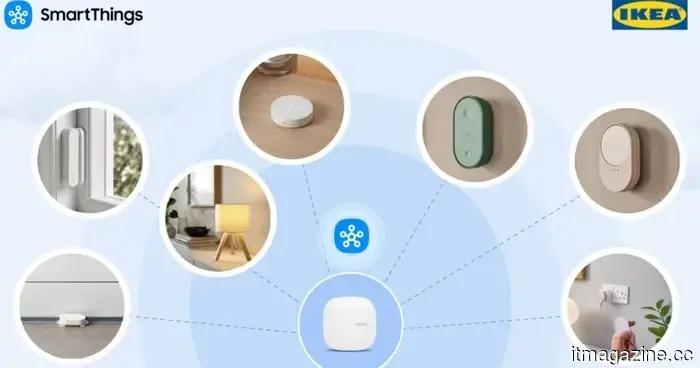 The Samsung SmartThings network will be compatible with Ikea's Matter-ready devices.
Samsung SmartThings now accommodates 25 IKEA Matter-over-Thread devices, which feature smart bulbs, plugs, sensors, and a remote with a scroll wheel.
The Samsung SmartThings network will be compatible with Ikea's Matter-ready devices.
Samsung SmartThings now accommodates 25 IKEA Matter-over-Thread devices, which feature smart bulbs, plugs, sensors, and a remote with a scroll wheel.
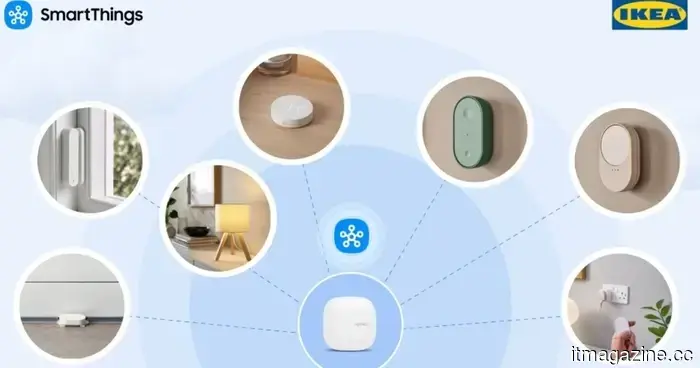 The Samsung SmartThings network will be compatible with Ikea’s Matter-enabled devices.
Samsung SmartThings has added support for 25 IKEA Matter-over-Thread devices, which include smart bulbs, plugs, sensors, and a remote with a scroll wheel.
The Samsung SmartThings network will be compatible with Ikea’s Matter-enabled devices.
Samsung SmartThings has added support for 25 IKEA Matter-over-Thread devices, which include smart bulbs, plugs, sensors, and a remote with a scroll wheel.
 Apple places its confidence in Ternus for decisiveness reminiscent of the Jobs era, as the gap in AI technology expands, delays with Siri increase, and tariffs alter the supply chain.
Bloomberg reports that Apple is expecting Ternus to demonstrate the decisiveness characteristic of the Jobs era. He takes over an AI strategy that includes GPT-4o, a Siri overhaul that has faced three delays, and $100 billion in imports from China that are currently under tariff pressure.
Apple places its confidence in Ternus for decisiveness reminiscent of the Jobs era, as the gap in AI technology expands, delays with Siri increase, and tariffs alter the supply chain.
Bloomberg reports that Apple is expecting Ternus to demonstrate the decisiveness characteristic of the Jobs era. He takes over an AI strategy that includes GPT-4o, a Siri overhaul that has faced three delays, and $100 billion in imports from China that are currently under tariff pressure.
 SpeakON: A New Phase of Voice-Driven Productivity
SpeakOn transforms voice into refined, professional text, and in addition to its remarkable functionality as an idea repository, it serves as an essential MagSafe accessory for your iPhone.
SpeakON: A New Phase of Voice-Driven Productivity
SpeakOn transforms voice into refined, professional text, and in addition to its remarkable functionality as an idea repository, it serves as an essential MagSafe accessory for your iPhone.
SpeakON: A Revolutionary Approach to Voice-First Productivity
SpeakOn transforms voice into refined, professional text. Moreover, in addition to its remarkable function as an idea archiver, it serves as an essential MagSafe accessory for your iPhone.